Close Menu
onyxguides.comonyxguides.com

    Subscribe to Updates

    Get the latest creative news from FooBar about art, design and business.

    What's Hot

    Majority BARTON LED Display Digital Radio User Guide

    March 6, 2026

    AWOL VISION ThunderBeat Home Theater Sound System User Guide

    March 6, 2026

    Valerion Vision Master Max Triple Laser Projector User Manual

    March 5, 2026
    Facebook X (Twitter) Instagram
    onyxguides.comonyxguides.com
    Facebook X (Twitter) Instagram Pinterest
    • Home
    • About us
    • Terms & Conditions
    • Privacy Policy
    • FAQs
    • Contact us
    onyxguides.comonyxguides.com
    Home » Miyota cal 9075 automatic gmt movement Instruction Guide
    Miyota

    Miyota cal 9075 automatic gmt movement Instruction Guide

    By Gabriel SmithOctober 7, 2025Updated:October 8, 2025No Comments3 Mins Read
    Facebook Twitter Pinterest LinkedIn Tumblr WhatsApp Telegram Email
    Miyota-cal-9075-automatic-gmt-movement- featured
    Share
    Facebook Twitter LinkedIn Pinterest Email

    Miyota-cal-9075-automatic-gmt-movement-Instruction-logo

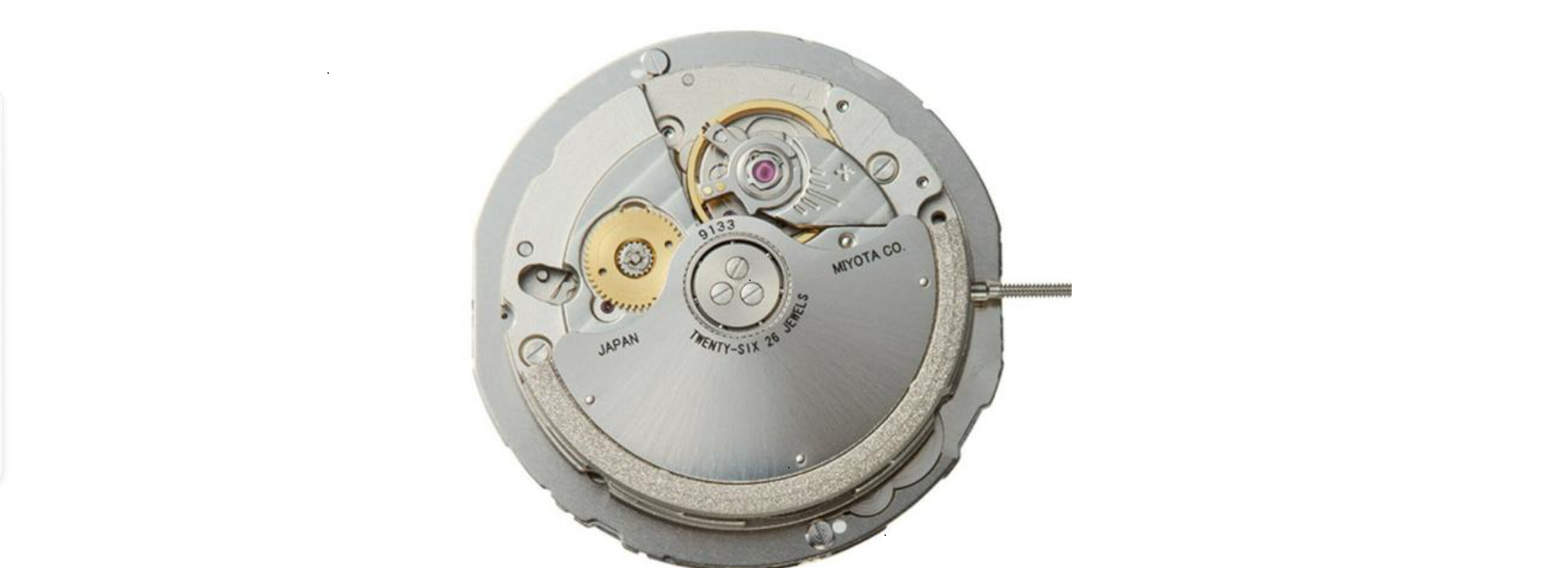
    Miyota cal 9075 automatic GMT movement

    Screenshot 2025-08-19 105116

    Description

    1. Displays and Buttons
    2. Winding the Mainspring
    3. Adjusting Date and Time
    4. Adjusting Local Time

    Miyota-cal-9075-automatic-gmt-movement-fg-1

    1. WINDING THE MAINSPRING: An Automatic winding watch can also be manually wound by turning the crown in the “A” position. Wind 15~20 times clockwise until the second hand starts to move naturally
    2. ADJUSTING DATE AND TIME: Turn the crown Miyota cal 9075 automatic GMT movement in position “C” to set the 24-hour and minute hands to home time. Return the crown to position “A”, then turn the crown in position “B” to set the hour hand and date to local time. *When the hour hand turns twice, the date will change by one day. *When setting the time, pay attention to AM or PM. *When setting the time anticlockwise between 21:00 and midnight, set it back until the date switches to the previous
    3. ADJUSTING LOCAL TIME: This movement allows you to change the hour hand without stopping the other hands. Turn the crown at position “B” to change the hour hand by one hour.

    Customer Service

    • Website: https://miyotamovement.com/
    • Tel: +1 303-774-2221

    FAQs

    Q: What is the beat rate of the Miyota 9075?

    Ans: In comparison to many entry-level automatic movements, it offers a smoother sweep with its 28,800 vibrations per hour (vph) or 8 beats per second.

    Q: Is the 9075 movement anti-magnetic?

    Ans: It is not ISO-certified as an anti-magnetic movement, but it does have basic magnetic resistance. To preserve accuracy, keep it away from powerful magnets like speakers, laptops, and phones.

    Q: Can the Miyota 9075 be regulated?

    Ans: Indeed, a fine-regulation mechanism on the balancing bridge allows a watchmaker to modify the movement. Unless you are trained, DIY regulation is not recommended.

    Q: Can I change the GMT hand color or shape?

    Ans: Although theoretically feasible, it necessitates altering the hands or movement, which may void warranties or harm the watch. If you are thinking about making cosmetic changes to your watch, speak with a professional watchmaker.

    Q: Is this movement suitable for diving or rugged use?

    Ans: That is dependent not only on the movement but also on the watch case. The 9075 is a sturdy daily movement in and of itself, but before putting your particular watch in harsh conditions, make sure to verify its features and water resistance rating.

    Q: Why is the GMT hand not moving when I adjust the crown to the first click?

    That is typical. Only the local hour hand jumps in one-hour increments while in the first position. Rotate the crown to set the time, then pull it to the second click to move the GMT hand.

    Automatic GMT Manual Cal 9075 Setup Guide Miyota Cal 9075 Miyota Watch Instructions OnyxGuides Manual User Manual
    Share. Facebook Twitter Pinterest LinkedIn Tumblr Email
    Gabriel Smith

      Related Posts

      Sony ILCE-6700 Interchangeable Lens Digital Camera User Guide

      December 7, 2025

      Bose MA12 Panaray Modular Line Array Loudspeaker User Manual

      December 4, 2025

      Bowers & Wilkins Px8 Wireless Headphones User Manual

      December 4, 2025

      Sonos Arc Black Voice Control Ultra Soundbar User Manual

      December 4, 2025

      JANAM GT1 Self Mobile Entry Head Unit Instruction Manual

      December 4, 2025

      Ronix 1250 Carpet Vacuum Cleaner Instruction Manual

      December 4, 2025
      Add A Comment

      Comments are closed.

      Don't Miss
      Majority

      Majority BARTON LED Display Digital Radio User Guide

      March 6, 2026

      Majority BARTON LED Display Digital RadioWhat’s In The Box Majority Barton Radio Power Supply…

      AWOL VISION ThunderBeat Home Theater Sound System User Guide

      March 6, 2026

      Valerion Vision Master Max Triple Laser Projector User Manual

      March 5, 2026

      InFocus LitePro 610 Conference Room Projector User Manual

      March 5, 2026
      Stay In Touch
      • Facebook
      • Twitter
      • Pinterest
      • Instagram
      • YouTube
      • Vimeo

      Subscribe to Updates

      Subscribe to Updates

      Follow us

      Facebook X-twitter Instagram Pinterest

      © 2025 All rights reserved Onyx Guide.