

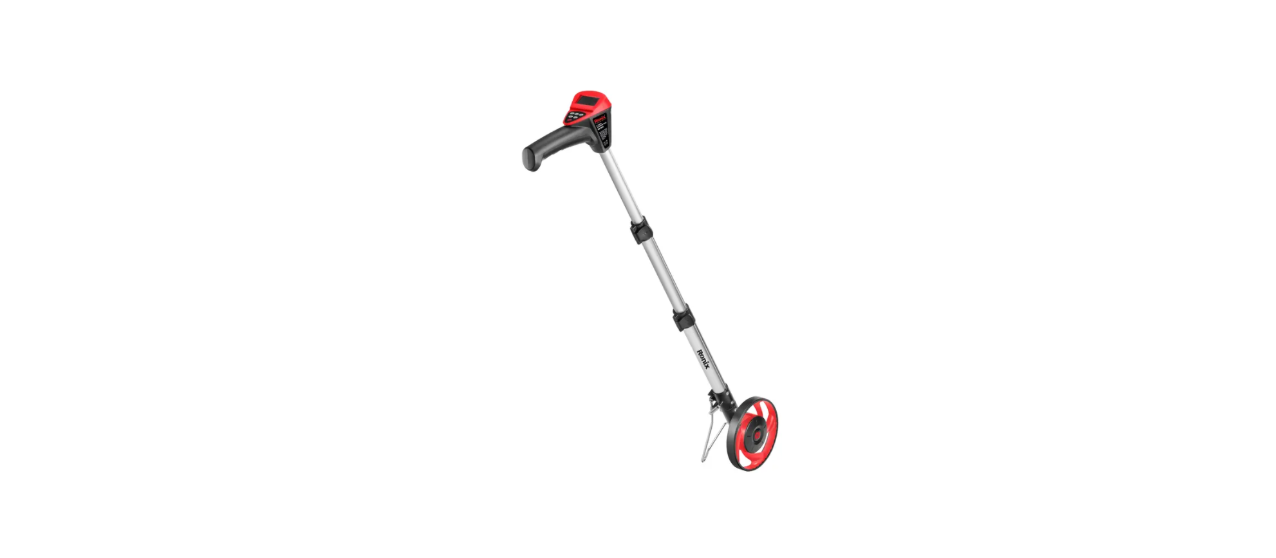

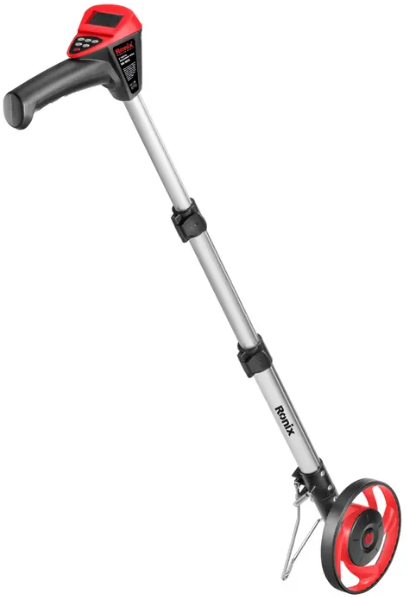
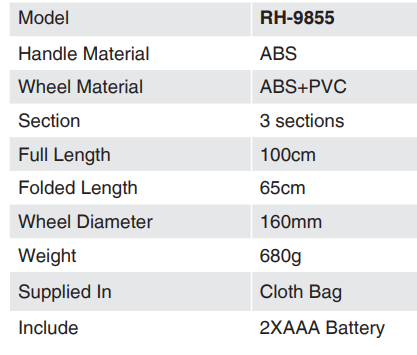
Ronix RH-9855 6 Inch Digital Measuring Wheel
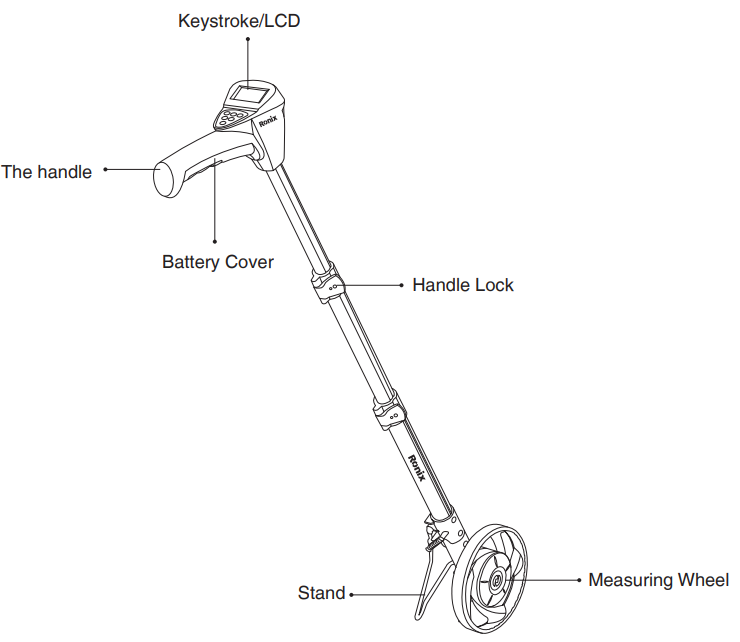
Part List
Widely used in traffic road site measurement, ordinary construction, family, Yard survey, paved road, sports ground, garden winding road measurement, and for maintaining these areas, you might also consider using the Ronix 4446 300W Gasoline Lawn Mower for keeping lawns trimmed. Power supply, the measurement of rods and plants is also suitable for outdoor walking counts. The new measurement of the land mu and Square number design is the counter measuring wheel of the value, humanized design, easy to use, and durable.
Operartion
- ON/OFF: switch
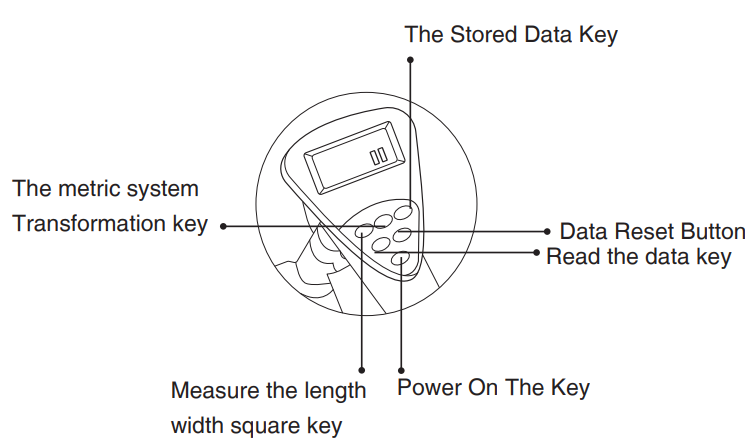
- L/W/Measure length/width/mu/ square function key. Click on the display on the left, and the “L” is the length. Click again, and the “W” on the left side of the display is the width.
- Click again, and the “S” on the left side of the display is the data of mu or square. Both the square and the acre values have been set to the decimal point. Two numerical values.
- M/ft: metric and inch system transform. When a system is selected, the associated symbols are displayed to stand for meters, and ft stands for feet.
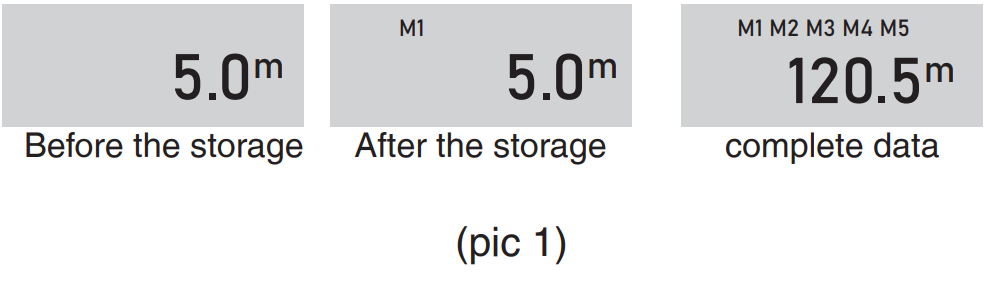
- SM: Storage Keya Press this button to store the measured data. It will be shown separately, M1, M2, M3, M4, M5a. See (pic 1) showing the data store.

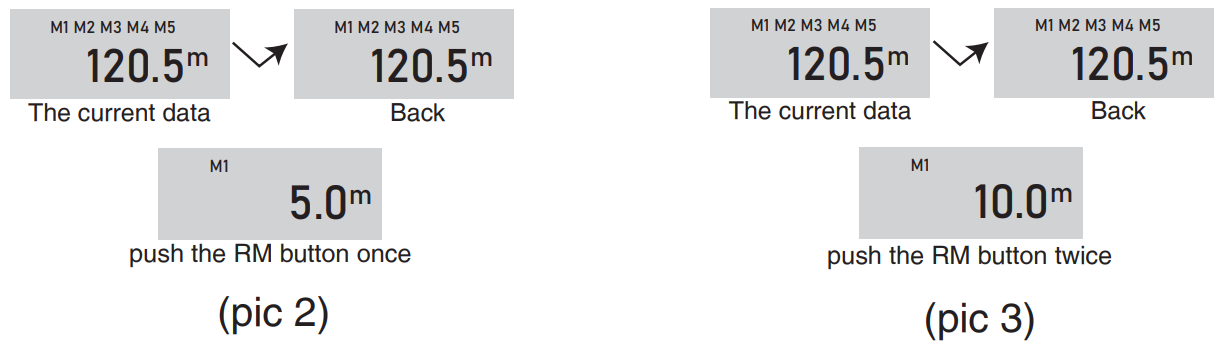
- RM: Read the Keya. This key can read any data stored in M1 to MS. M1 to deposit 5m; M2 holds 10M, while the current measured data is 120.5 m When you press the RM button at one time, it will display the M1 data, and the “R” flag is in the right corner.
- After a few seconds, show u.p It will be back to show the data currently being measured. (see pic 2) If you press the RM button twice, it shows the data that M2 is stored and has an “R” sign on the right. After a few seconds, the display will return to display the data currently being measured. (See pic 3.)
- CLR: Clear Keya Press this button to clear the current measured data at a time
Specifications
Environmental Instructions
- Dispose of cardboard packaging and polyethylene (PE) bags in the appropriate containers for separate collection of municipal waste according to their description.
- If there are batteries in the device, remove them and separately return them to the collection and storage facility. Return the used device to a suitable collection and storage facility, as the hazardous substances in it may pose a threat to health and the environment.
- Waste electrical equipment is waste that contains substances harmful to humans, animals, and the environment.
- These substances can lead to contamination of the soil, water, or air, and through this they can get into the human body and lead to numerous health ailments, such a vision, hearing, and speech disorders; they can also lead to kidney, liver, and heart damage, and cause skin diseases.
- Harmful substances can also have adverse effects on the respiratory and reproductive systems and lead to cancerous changes. Consumption of plants growing on the contaminated soils, and products made from them, may risk the above-mentioned health effects.
- Do not dispose of the device in the municipal waste container!!! Service: If you wish to purchase spare parts or report any complaints, please contact directly with the seller who issued the receipt directly.
Customer Support
- Address: Lyoner Str. 36 60528 Frankfurt am Main
- Tel:+49 69 310 900 66
- Website: www.ronixtools.com
FAQs
Q: What is the maximum distance the RH-9855 can measure?
Before automatically returning to zero, the RH-9855 can measure up to 9,999.9 meters (9.999 km). When taking lengthy measurements, always keep an eye on the display.
Q: How accurate is the digital measuring wheel?
Depending on the terrain, tire surface contact, and operator movement, its accuracy is ±0.5%.
Q: Can I switch between metric and imperial units?
Yes, the unit selection button on the device makes it simple to swap between meters, kilometres, feet, and miles.
Q: How do I reset the measurement to zero?
On the display console, press the RESET button.
Q: How do I measure curved or irregular paths?
Just keep the wheel in complete touch with the ground as you follow the path.
Q: How do I turn the device on and off?
To turn it on, press the POWER button. To conserve battery life, the device will shut off on its own after five minutes of inactivity.
Q: What type of batteries does the RH-9855 use?
When the display dims or displays a low battery symbol, swap out both batteries.
Q: Can the measuring wheel handle rough or uneven surfaces?
The wheel may bounce or slip a little on grass, gravel, or sand, which would impair accuracy.
1 Comment
Pingback: Ronix 8851 POWER-PRO Massage Gun Manual | Safety Guide