

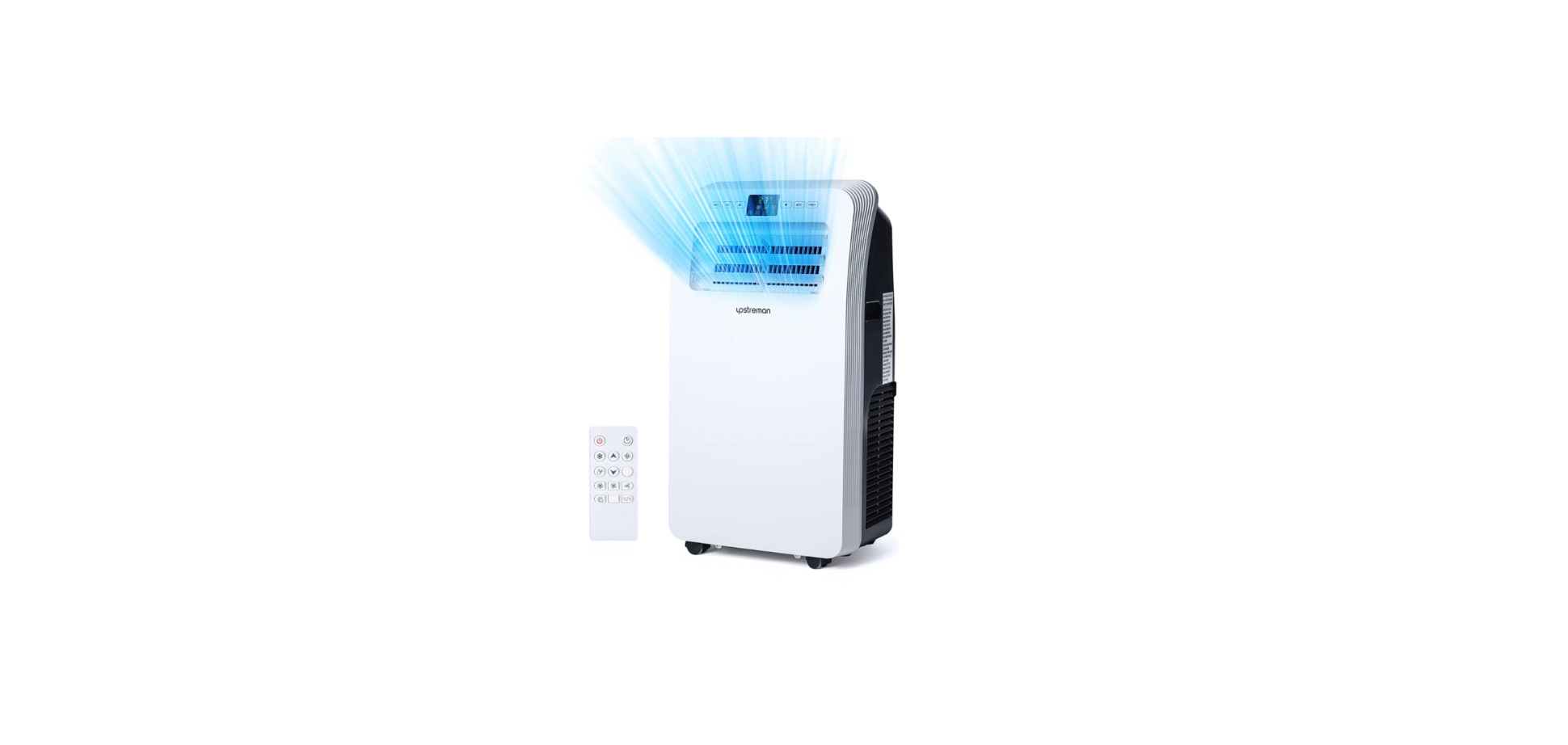

Upstream UAK-06C Portable Air Conditioner
Safety Instructions
- This machine is for household use only.
- This machine is for indoor use only. Please place it in a dry environment.
- Check the power cord frequently.
- The A/C should be away from the room’s heat source and avoid direct sunlight.
- Turn off the A/C before unplugging.
- Clean the A/C according to the Manual.
- Voltage of the A/C should meet requirements.
- Don’t insert your fingers or any objects into the wind guide bar of the air outlet.
- Don’t place the inC at any place with water or other liquids. Prevent water or liquid from entering the A/C.
- Don’t repair the A/C by yourself. Any possible hazard incurred by maintenance of laypeople will violate the warranty.
- Suggest using environmental temperature for the air conditioner (Cooling): 15-35°C.
Main Parts & Components
- Handle
- Air inlet (L)
- Control panel
- Louvers
- Caster

- Remote controller
- Air inlet (R)
- Air outlet
- Dehumidification drainage nozzle
- Air inlet grille

- Exhaust duct assembly
- Window coolina nlota accomblu

Control Panel & Remote Control

- Power key
Press the key to nOFF the A/C. - Mode key
Press the key to choose the cooling, wind dehumidification mode - Temperature/ time adjusting key
The key in cooling mode to increase/reduce the setting temperatureinpress it in timing mode to adjust timing ON/OFF tithe me. Press the Up and Down keys simultaneously to switch between Fahrenheit and Cdegree temperature. - Fan key
Press the key to choose high/mid/low gear wind speed. - Timer key
Press the button in standby mode to set the ON time. Press this iny at ON mode to the set OFF time. - C/T switching key
Press the key to switch C and F. - Swing key
Press this key at any time after turning on the A/C to swing the Louvers automatically.
Display
The display provides more information about the operating status and mode.
- Cooling Mode.
- Fan Mode.
- Dry Mode.
- Timer Function.
- The fan speed is indicated by the corresponding icon (high, mid, low).

Placement
- Place it in an ant-free and dry place, and keep it at least 50cm away from the surroundings

Installation
- Screw the exhaust duct assembly in the air outlet behind the panel (anticlockwise).

- Measure the window size

- Install the window sealing plate in the window opening, adjusting the length to fit the window opening and securing it with “Clip” (provided).

- Insert the hose adapter into the vent panel (A), then slide the adapter until it clicks into place (B).

- Insert the air exhaust hose into the window sealing plate, adjust the width of the window so that the window attaches with the sealing plate properly; lengsealinghplatealiadjustable plate

Incorrect installation
- It’s important to keep the exhaust duct smooth. Incorrect installation will affect the work of the A/C.
- Prevent the exhaust duct from seriously bending.
- Ensure air can flow smoothly in the duct.

Best Installation

Operation Method
Cooling mode
- When the A/C enters cooling mode automatically or cooling mode is selected after power ON, the cooling indicator lamp lights up.
- Press Up/Down key to adjust the setting temperature (16°CC-30 °C).
- Press the Speed key to choose High/Mid/Low speed.
Fan mode
- When pressing the ing mode key or choosing Fan mode by pressing the remote controller, the wind indicator lamp lights up.
- Press the Speed key to choose High/Mid/Low speed.
- The temperature can’t be set.
Dehumidification mode
- When prethe ssing mode key or choosing the dehumidification mode by pressing the remote controller, the dehumidification indicator lamp lights up.
- Remove the dehumidification water plug, insert the water and pipe, and place the other end of the water pipe into the water vessel or drainage passage, as shown in the right figure.
- After entering the dehumidification mode, the temperature is 217 °Ce262°F62°F (62°F), and the compressor is ON.
- Then control as follthe the ows: when the room temperatu59°FF$15°C 559°F, the compressor is off; when the temperature increases to the room temperature 217°F, the compressor is startton order to protect the compressor, it will be 3 minutesrted 3min. Later).

- In dehumidification mode, the fan is set to run at low speed, and the wind speed can’t be adjusted.
- The temperature can’t be set. (Note:usingethe n use dehumidify funcyou you tion, you should move; plug; otherwise, it will cause worse dehumidify performance, and appear “FL” water full alarm >
Auto mode (for cooling model only)
- When prethe ssing mode key or choosing auto mode by pressing the remote controller, the auto indicator lamp lights up.
- After choosing the auto mode, the operation state is determined by environmental temperature: when the environmental temperature is hi25 °C than 25 °C, the operation state is the same as that of cooling mode; when the environmental temperature is lower than 25°C, the operation state is the same as that of fan mode.
Timer mode
- In standby state, press the Timer key to set ON time. Press the Up and Down keys to set ON time (1~24H), and the timer indicator lamp lights up. the
- In ON pressure, the timer is keyed to the set time. Prthe ess Up and Down keys to set the OFF time (1~24H), and the timer indicator lamp lights up.
Cleaning & Maintainance
- This product is equipped with an automatic water vaporization system. The condenser is cooled with the circulation of condensing water, so as to improve cooling efficiency and save energy.
- If the internal vessel is full of water, the display screen will display “FL”, and the compressor will stop working automatically. After powering off, pull out the water plug to drain off water, and it will become normal after being restarted.

CLEANING
- Unplug before cleaning
- Wipe with a soft, semi-dry cloth. Don’t use reagents, such as benzene,,e, alcohol, gasoline, etc, otherwise the surface of the A/C and even the whole A/C will be damaged.
- Prevent water from spattering in the A/C.
Filter
- Wash the filter once every two weeks. If it is blocked by dust, the efficiency of the A/C will be reduced.
Take out the air inlet grille and pull out the filter at both sides according to the direction shown in the following figures. - Put the filter screen into the warm water (about, add neutral detergent, and gently and then rinse it at a shady place after cleaning.

Seasonal Cleaning
If the A/C will not be used for a long time:
- Pull out the water plug to drain.
- Run the A/C in fan mode for 2H till its Upstream UAK-06C Portable Air Conditioner inside is dry.
- Turn off the A/C and unplug.
- Wash the filter and reassemble it.
- Dismantle the exhaust duct and keep it properly.
- Cover the A/C with a plastic bag and place it in a dry place.
Failure & Diagonsis

Fuse Parameters
- Specification: Ф5×20mm
- Voltage: 250VAC
- Current: 3.15A
Specifications
- Model No: UAK-06C
- Voltage: 110V~120V
- Frequency: 60Hz
- Dimensions: 17.4 in
- Cooling Area: 250 sq. ft.
- BTU Rating: 10,000(ASHRAE)
- Power Cord Length: 5.9 ft
Troubleshooting

Meanicrossed-out wheeled dustbin
- Do not dispose of electrical appliances as unsorted Upstream UAK-06C Portable Air Conditioner municipal waste; use separate collection contacts. Your local government can provide information regarding the collection systems available.
- If electrical appliances are disposed of in landfills or dumps, hazardous substances can leak into the groundwater and get into the food chain, damaging your health and well-being.
Warranty
- 30 Days to 3 Months(6 Months)will replace the defective unit with aa manufacturing fault with a new one. (You will receive an extra 3 months if you register on our website.)
- Within 24 months, we will provide timely Upstream UAK-06C Portable Air Conditioner and effective online after-sales service after your purchase. Plenoteoted taccessories are free, not included.
How to Return Your Upstream Products
- Contact support@upstream-home.com with your order number.
- We will issue you an RMA# and return address for your return.
- Please fill out RMA info, tear off this page, and leave it inside your package- age. We will issue a replacement/return after receiving your return.
Return Products Details
- Please fill out this form and include it in your return package.

Customer Service
- Shenzhen Lanbiaoyi Technology Co., LTD.
- Website: http://www.upstreman-home.com
- E-mail: support@upstream-home.com
- ADD: Room 1438F, Anjier Building, No.52 Bagua 4th Street, Yuanling Ave, Futian District, Shenzhen, China, 518000