

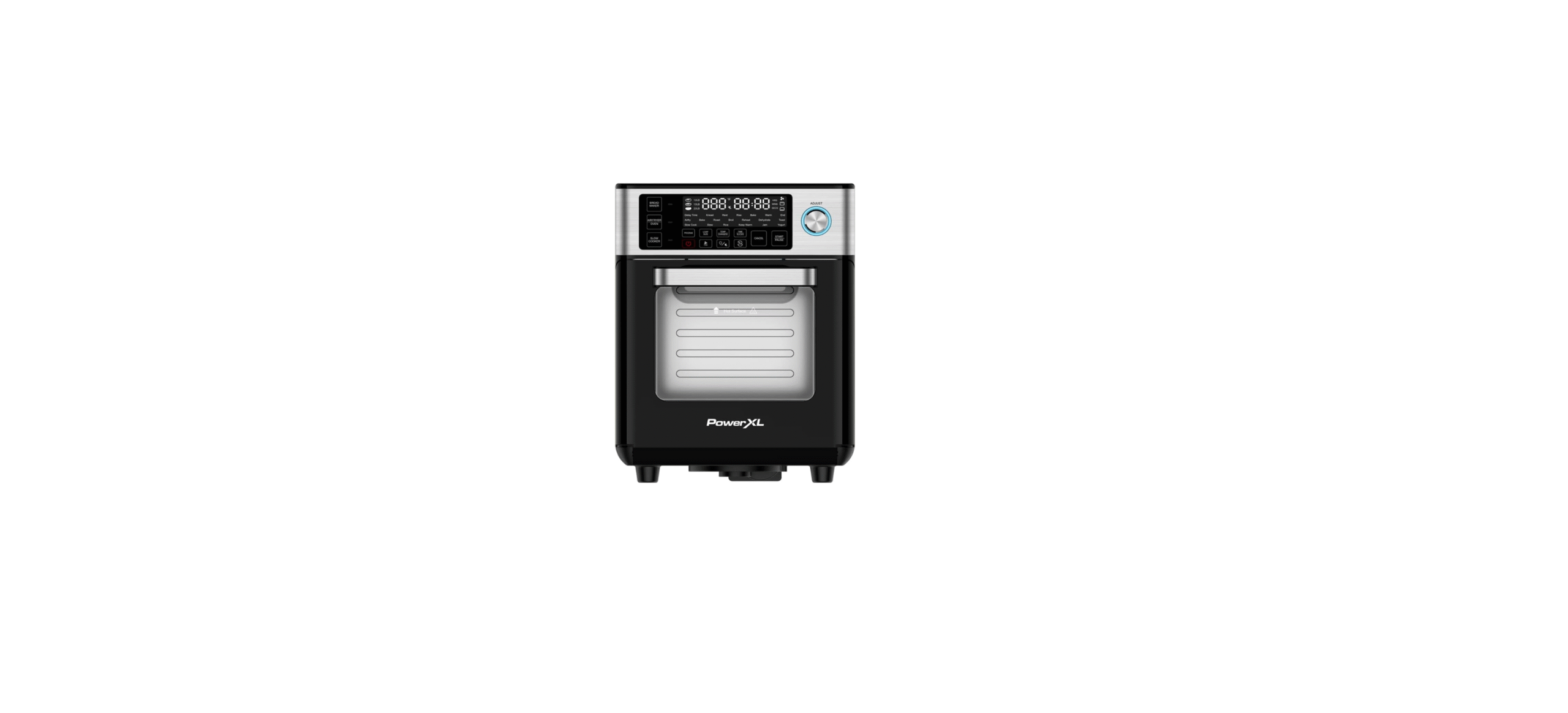

PowerXL MC-001 Versa Chef Air Fryer

Introduction
The PowerXL® Air Fryer will provide you with many years of delicious family meals and memories around the dinner table. But before you begin, it’s very important that you read this entire manual, making certain that you are totally familiar with this appliance’s operation and precautions.
Safety Instructions
- Close supervision is necessary when any appliance is used by or near children.
- DO NOT place on or near a hot gas or electric burner or in a heated oven.
- DO NOT place your appliance on a cooktop, even if the cooktop is cool, because you could accidentally turn the cooktop on, causing a fire, damaging the appliance, your cooktop, and your home.
- DO NOT place or use this appliance near water.
- When cooking, DO NOT place the appliance against a wall or within 5 inches of other appliances.
- DO NOT place anything on top of the appliance.
- A fire may occur if this appliance is covered by or touching flammable material, including curtains, draperies, walls, and the like, when in operation.
- DO NOT place the appliance in any container or small confined space while the appliance is heated or in operation.
- This appliance should be serviced ONLY by qualified service technicians.
- DO NOT immerse the cord or plugs, or expose the electrical components to water or other liquids.
- DO NOT plug in the power cord or operate the appliance controls with wet hands.
Operational Safety
- Should the appliance emit smoke, UNPLUG IMMEDIATELY and wait for the smoking to stop before handling the appliance. Allow the appliance to cool and wipe excess oil and grease from the appliance.
- Cooking appliances should be positioned in a stable location with the handles (if any) positioned to avoid the spillage of hot liquids.
- NEVER operate the appliance unattended.
- The use of accessory attachments not recommended by the appliance manufacturer may cause injuries.
- Avoid touching moving parts.
- UNPLUG the appliance from the outlet when not in use and before cleaning. ALLOW 30 minutes to cool before handling, putting on, or taking off parts, cleaning, or storing.
Polarized Plug
- To reduce the risk of electric shock, this plug is intended to fit into a polarized outlet only one way.
- If the plug does not fit fully into the outlet, reverse the plug.
- If it still does not fit, contact a qualified electrician. Do not attempt to modify the plug in any way.
- A short power-supply cord is provided to reduce the risk resulting from becoming entangled in or tripping over a longer cord.
- Longer detachable power-supply cords or extension cords are available and may be used if care is exercised in their use.
- If a longer detachable power-supply cord or extension cord is used:
- The marked electrical rating of the cord set or extension cord should be at least as great as the electrical rating of the appliance.
- The cord should be arranged so that it will not drape over the countertop or tabletop, where it can be pulled on by children or tripped over unintentionally.
Electric Power
- This appliance should be operated on a dedicated electrical outlet.
- If the electrical outlet is overloaded with other appliances, your new appliance may not operate properly.
Automatic Shut-Off
- The appliance has a built-in shut-off device that will automatically shut off the appliance when the cooking time has completed.
- You can manually switch off the appliance by pressing the Power Button. The fan will continue running for 10–20 seconds to cool down the appliance.
Overheating Protection
- Should the inner temperature control system fail, the overheating protection system will be activated, and the appliance will not function.
- Should this happen, unplug the appliance. Allow time for the appliance to cool completely before restarting or storing.
Electromagnetic Fields
- This appliance complies with all standards regarding electromagnetic fields.
- If handled properly and according to the instructions in the user manual, the appliance is safe to use based on scientific evidence available today.
Parts
- Air Vents
- Control Panel
- Control Knob
- Accessory Shelves
- Bread Pan Connection Point
- Door

Accessories
- Drip Tray

- Crisper Tray

- Baking Pan

- Oven Rack

- Measuring Container

- Measuring Spoon

- Bread Pan

- Bread Pan Lid

- PanBread Pan Handle

- Kneading Blade

- Bread Knife

- Deep Baking Pan

Drip Tray
- Slide the Drip Tray into the bottom of the inside of the appliance (below the heating elements; see Fig. A).

- Never operate the appliance in Air Fryer/Oven mode without the Drip Tray in place.
- If the Drip Tray becomes more than half full, pause the cooking process and clean the Drip Tray before continuing.
- To remove, use oven mitts to pull the Drip Tray straight out of the appliance.
Use
- Select a shelf for your chosen accessory and cooking mode.

- Slide your chosen accessory into a shelf inside the appliance (see Figs. B–C).
- To remove, use oven mitts to pull the accessory straight out of the appliance.

- When cooking food that drips, the Baking Pan can be placed below the Crisper Tray or Oven Rack to prevent food from dripping onto the lower heating elements. Never place accessories directly on the heating elements.
For Bread Making
- Remove the Drip Tray.
- Ensure the blade is in place in the Bread Pan.
- With the “Bread Maker” text on the Bread Pan facing you, place the Bread Pan over the connection point on the bottom of the internal cavity.
- Turn the Bread Pan slightly until it catches the connection point.
- Turn the Bread Pan to the left (clockwise) until it tightens in place (see Fig. D).

Using the Pan
- Remove the Drip Tray.
- Ensure the blade is in place in the Bread Pan.
- With the “Slow Cook” text on the Bread Pan facing you, place the Bread Pan over the connection point on the bottom of the internal cavity.
- Turn the Bread Pan slightly until it catches the connection point.
- Turn the Bread Pan to the left (clockwise) until it tightens in place (see Fig. E).

Using the Lid
- The Bread Pan Lid is best used when slow cooking to help prevent splatter. The Bread Pan Lid is not necessary when making bread.
Removing the Bread Pan
- Use the Bread Pan Handle to hook the connection point on the side of the Bread Pan from below.
- Turn the Bread Pan to the right (counterclockwise) until it releases from the connection point.
- Use the Bread Pan Handle to pull the Bread Pan upward and then out to carefully remove the Bread Pan from the appliance.

The Control Panel
Bread Maker Mode Button
- Press to set the appliance to the Bread Maker mode.
Air Fryer/Oven Mode Button
- Press to set the appliance to the Air Fryer/Oven mode.
Slow Cooker Mode Button
- Press to set the appliance to the Slow Cooker mode.
Power Button
- Press to turn the appliance on and off.
Program Selection Button
- and then use the Control Knob to scroll through the cooking functions for each cooking mode.
Loaf Size Button
- Press and then use the Control Knob to scroll through the available loaf sizes (Bread Maker only).
Light/Mute Button
- Press to turn the internal light on or off. Press and hold to mute and unmute the appliance.
Start/Pause Button
- Press to start or pause the cooking process.
Cancel Button
- to cancel an active cooking process.
Temperature/Darkness Button
- Press and then use the Control Knob to adjust the cooking temperature or bread/toast darkness.
Time/Slices Button
- Press and then use the Control Knob to adjust the cooking time or the delay timer.
Fan Button
- Press to turn the fan on or off.
Stir Button
- Controls the Stir function (Slow Cooker only).
Temperature Display
- Displays the cooking temperature.
Time Display
- Displays the cooking time.
Fan Indicator
- Illuminates when the fan is running.
Heating Element Indicators
- illuminate to show which heating element is active.
Mute Indicator
- Illuminates when the appliance is muted.The
Bread Darkness Indicator
- Illuminates to show which bread darkness level is selected.The
Bread Weight Indicator
- illuminates to show which bread weight level is selected.
Cooking Functions
Air Frying/Oven Programming Information
| Function Name | Default Cooking Temperature | Default Cooking Time | Default Fan | Active Heating Elements | Preheating |
| Airfry | 400° F
(120° F–400° F) |
12 minutes
(1–45 minutes) |
Yes* | Upper & Lower | Yes |
| Bake | 325° F
(120° F–450° F) |
30 minutes
(1 minute–4 hours) |
Yes | Upper & Lower | Yes |
| Roast | 350° F
(120° F–450° F) |
1 hour
(1 minute–4 hours) |
Yes | Upper & Lower | Yes |
| Broil | 400° F
(Low: 300° F High: 400° F) |
10 minutes
(1–20 minutes) |
No* | Upper | Yes |
| Reheat | 320° F
(120° F–450° F) |
15 minutes
(1 minute–2 hours) |
Yes | Upper & Lower | No |
| Dehydrate | 120° F
(85° F–175° F) |
12 hours
(30 minutes– 72 hours) |
Yes* | Upper | No |
| Toast | Level 4 Darkness (Level 1–5) | 4 Slices
(1–4 Slices) |
No* | Upper & Lower | No |
Slow Cooking Programming Information
| Function
Name |
Default Cooking Temperature |
Default Cooking Time |
Default Fan | Active Heating Elements | Preheating | Default Stir (Stir Options) |
| Slow Cook | 275° F
(225° F/250° F/ 275° F) |
4 hours
(30 minutes– 24 hours) |
No | Lower | Yes | No Stir
(High/Low/Off) |
| Stew | 350° F)
(190° F–400° F) |
4 hours
(30 minutes– 6 hours) |
No | Lower | Yes | Low Stir
(High/Low/Off) |
| Keep Warm | 160° F
(Not adjustable) |
1 hour
(1–4 hours) |
Yes | Upper & Lower | No | No Stir
(High/Low/Off) |
| Jam | N/A | 1 hour
(30 minutes– 4 hours) |
No* | Lower | No | Low Stir
(High/Low/Off) |
| Yogurt | 100° F
(100° F–125° F) |
8 hours
(8–12 hours) |
No* | Lower | No | Low Stir
(High/Low/Off) |
| Rice | 2 cups
(1 cup: 40 minutes/ 2 cups: 45 minutes/ 3 cups: 55 minutes) |
45 minutes
(1 cup: 40 minutes/ 2 cups: 45 minutes/ 3 cups: 55 minutes) |
No* | Lower | No |
Bread Making Programming Information
| Program Number and Name | Delay Time | Default Loaf Size | Available Loaf Sizes | Default Darkness | Available Darkness Selections |
| P01: Basic | Yes | 1.5 lb | 1 lb/1.5 lb/2 lb | Medium | Dark/Medium/Light |
| P02: French | Yes | 1.5 lb | 1 lb/1.5 lb/2 lb | Medium | Dark/Medium/Light |
| P03: Sweet | Yes | 1.5 lb | 1 lb/1.5 lb/2 lb | Medium | Dark/Medium/Light |
| P04: 1.5 lb Express | Yes | 1.5 lb | 1.5 lb | Medium | Medium |
| P05: 2.0 lb Express | Yes | 2.0 lb | 2.0 lb | Medium | Medium |
| P06: Quick Bread | No | 1.5 lb | 1 lb/1.5 lb/2 lb | Medium | Dark/Medium/Light |
| P07: Gluten-Free | No | 1.5 lb | 1.5 lb | Medium | Medium |
| P08: Artisan Dough | No | 1.5 lb | 1.5 lb | N/A | N/A |
| P09: Whole Grain | Yes | 1.5 lb | 1 lb/1.5 lb/2 lb | Medium | Dark/Medium/Light |
| P10: Fruit Bread | No | 1.5 lb | 1 lb/1.5 lb/2 lb | Medium | Dark/Medium/Light |
| P11: Dough | No | 1.5 lb | N/A | N/A | N/A |
| P12: Rise | No | 1.5 lb | N/A | N/A | N/A |
Bread Making Timing Information
| Program Number and Name | Knead | Rest | Rise | Bake | Warm |
| P01: Basic | 25 minutes | 1 minute | 120 minutes | 32 minutes | 60 minutes |
| P02: French | 25 minutes | 5 minutes | 135 minutes | 55 minutes | 60 minutes |
| P03: Sweet | 20 minutes | 5 minutes | 125 minutes | 55 minutes | 60 minutes |
| P04: 1.5 lb Express | 20 minutes | 4 minutes | 55 minutes | 45 minutes | 60 minutes |
| P05: 2.0 lb Express | 20 minutes | 4 minutes | 55 minutes | 50 minutes | 60 minutes |
| P06: Quick Bread | 18 minutes | N/A | N/A | 60 minutes | 60 minutes |
| P07: Gluten-Free | 25 minutes | 10 minutes | 60 minutes | 70 minutes | 60 minutes |
| P08: Artisan Dough | 25 minutes | 5 minutes | 60 minutes | N/A | N/A |
| P09: Whole Grain | 20 minutes | 5 minutes | 125 minutes | 55 minutes | 60 minutes |
| P10: Fruit Bread | 15 minutes | N/A | 45 minutes | 20 minutes | 60 minutes |
| P11: Dough | 25 minutes | 5 minutes | 60 minutes | N/A | N/A |
| P12: Rise | N/A | N/A | 60 minutes | N/A | N/A |
Before First Use
- Unpack all parts from the box and remove any clear or blue protective film on the components.
- Check all packaging material thoroughly for accessories.
- Wash the accessories with warm, soapy water before first use (only select accessories are dishwasher safe).
- Remove and save all literature.
- Wash all removable accessories (see the “Care & Cleaning” section).
- Select a location to place the appliance. The location should allow enough space for air flow.
- The surface on which the appliance is placed should be horizontal, stable, and heat-resistant.
General Operating Instructions
- Ensure the Kneading Blade is installed in the Bread Pan.
- Add ingredients to the Bread Pan. Open the door and place the Bread Pan in the appliance (see the “Using the Bread Pan for Bread Making” section). The “Bread Maker” text on the Bread Pan should be facing you.
- Plug the appliance into a dedicated electrical outlet. Press the Power Button to turn on the appliance.
- Press the Bread Maker Mode Button. The light next to the button will illuminate.
- Turn the Control Knob to select a desired program (P01–P12).
- You can use the markings on top of the appliance to reference the names of the bread-making programs.
- The Time Display on the control panel will show the total time required to run the selected program.
- Press the Loaf Size Button and then turn the Control Knob to select the desired loaf size (not all programs can change the default loaf size).
- Press the Temperature/Darkness Button and then turn the Control Knob to select the desired darkness level (not all programs can change the default darkness level).
- Optional: To set the delay timer, press the Time/Slice Button and then turn the Control Knob to increase the program’s total cooking time.
Instructions for Use
Air Fryer/Oven
- Insert the Drip Tray at the bottom of the appliance (below the bottom heating elements).
- Plug the appliance into a dedicated electrical outlet. Press the Power Button to turn on the appliance.
- Press the Air Fryer/Oven Mode Button. The light next to the button will illuminate.
- Turn the Control Knob to select a desired program.
- The name of the program will illuminate on the display.
- Press the Time/Slice Button and then turn the Control Knob to select the cooking time.
- When using the Toast function, instead, set the number of slices of toast.
- Press the Start/Pause Button to begin the cooking process.
- When you press the Start/Pause Button again, the programmed cooking cycle will resume.
- You can also press the Cancel Button to cancel the cooking process at any time.
- When the cooking process is complete, use oven mitts to carefully remove the accessory from the appliance.
Slow Cooking
- Ensure the Kneading Blade is installed in the Bread Pan.
- The blade will stir food while it slow cooks to mix and incorporate food.
- Plug the appliance into a dedicated electrical outlet. Press the Power Button to turn on the appliance.
- Press the Slow Cooker Mode Button. The light next to the button will illuminate.
- Turn the Control Knob to select a desired program.
- Press the Temperature/Darkness Button and then turn the Control Knob to select the cooking temperature.
- Press the Time/Slice Button and then turn the Control Knob to select the cooking time.
- Press the Start/Pause Button to begin the PowerXL MC-001 Versa Chef Air Fryer cooking process.
- When you press the Start/Pause Button again, the programmed cooking cycle will resume.
- You can also press the Cancel Button to cancel the cooking process at any time.
- When the cooking process is complete, carefully remove the Bread Pan from the appliance.
Manual Cool-Down Function
- After a cooking cycle is complete, you can press and hold the Fan Button for 3 seconds to activate the appliance’s manual cool-down function. When the manual cool-down function is running, the top fan will run for 3 minutes to cool down the appliance, which can be used to cool down the interior of the appliance when cooking food at a lower temperature than the previous cooking cycle.
- When the manual cool-down function of is PowerXL MC-001 Versa Chef Air Fryer is activated, the light around the Fan Display icon illuminates, the Control Knob turns red, and the Cooking Presets section of the Control Panel darkens.
- Pressing the Fan Button while the manual cool-down function is active switches the fan speed from high to low. Pressing the Fan Button a third time cancels the manual cool-down function.
- While the manual cool-down function is active, the Program Selection Knob cannot be used to select a cooking preset. You can press the Cancel Button to end the manual cool-down function at any time.
Shaking
- To ensure even cooking, some air-fried foods require shaking or flipping during the cooking process. At the halfway point in the cooking cycle, press the Start/Pause Button.
- Carefully use oven mitts to remove the hot accessories from the appliance. Gently shake the accessory. Return the accessory to the appliance and press the Start/Pause Button to resume the cooking cycle.
Cooking Charts
| Food | Size | Temperature | Cooking Time | Preheat | Shake/Flip | Spray with Oil | |
| Frozen Foods | |||||||
| French fries | 400° F | 18 minutes | √ | √ | |||
| Sweet potato fries | 400° F | 22 minutes | √ | √ | |||
| Chicken nuggets | 400° F | 14 minutes | √ | √ | |||
| Shrimp (16–20 size) | 12 oz | 400° F | 10 minutes | √ | √ | ||
| Chicken | |||||||
| Breaded cutlets | 6 oz | 400° F | 10 minutes | √ | √ | √ | |
| Wings | 400° F | 25 minutes | √ | √ | |||
| Chicken breast | 6 oz | 400° F | 8 minutes | √ | |||
| Beef | |||||||
| Burgers | 6 oz | 400° F | 10 minutes | √ | √ | ||
| Hot dogs | 8 pieces | 375° F | 5 minutes | √ | √ | ||
| NY strip steaks | 8 oz | 400° F | 12 minutes | √ | √ | ||
| Meatballs, 1 inch | 1.5 lb | 375° F | 10 minutes | √ | √ | ||
Care & Cleaning
- Unplug the appliance and let it cool for at least 30 minutes before cleaning.
- Wipe the outside of the appliance with a PowerXL MC-001 Versa Chef Air Fryer warm, moist cloth and a mild detergent.
- Gently scrub both sides of the door with a warm, moist cloth and soapy water.
- Rinse the inside of the appliance with a clean, moist cloth.
- Open the door a few inches from the closed position.
- Gently lift upward on the door, and the door PowerXL MC-001 Versa Chef Air Fryer will separate from the door track.
- Clean the door by hand with warm water, a mild detergent, and a sponge or soft cloth. Hand wash only; do not use a dishwasher.
- Reattach the door by aligning the door with the door track and pushing downward gently.
- Let the accessories cool for at least 30 minutes before cleaning.
- Hand-wash the accessories with warm water, a mild detergent, and a sponge or soft cloth.
Storage
- Unplug the appliance and let it cool for at least 30 minutes before storing.
- Clean the appliance (see the “Cleaning the PowerXL MC-001 Versa Chef Air Fryer Appliance” section). Ensure all the components are dry before storing.
- Store in a clean, dry place.
Maintenance
- Any other maintenance must be performed by an authorized service technician. Contact customer service using the information on the back of this manual for more information.
Specifications
| Model Number | Supply Power | Rated Power | External
Dimensions |
Internal
Dimensions |
Temperature Range | Power Cord Length |
| MC-001 | 120V ~60Hz | 1300W | 12.4 x 13.9 x 15.9 inches
(31.5 x 35.3 x 40.5 cm) |
10.4 x 9.4 x 9.1 inches
(26.5 x 24.0 x 23.0 cm) |
85° F–450° F | 33.5 inches
(85.0 cm) |
Troubleshooting
| Problem | Possible Cause | Solution |
| The appliance does not work. | The appliance is not plugged in, or the appliance is plugged into an outlet that is shared with other devices. | Plug the power cord into a dedicated electrical outlet. |
| Food has not been okayed completely. | The accessories are overloaded. | Use smaller batches to help ensure even cooking. |
| The cooking temperature is set too low. | Raise the cooking temperature and continue cooking. | |
| Food is not cooked evenly. | Some foods need to be shaken during the cooking process. | When food needs to be shaken: Halfway through the cooking cycle, use oven mitts to remove the accessory carefully and shake the food to help ensure that the food cooks evenly. |
| Foods of different sizes are being cooked together. | Cook similarly sized foods together. | |
| Smoke is coming from the appliance. | Too much oil is being used. | Use less oil when cooking food in this appliance. |
| Accessories have excess residue from previous cooking. | Clean the appliance and its accessories after each use. | |
| Food is dripping on the bottom heating elements. | Place the Baking Pan at a level below the food (do not place the Baking Pan or any other accessory directly on the heating elements). |
90-Day Money-Back Guarantee
- Proof of purchase is required. Refunds will PowerXL MC-001 Versa Chef Air Fryer PowerXL MC-001 Versa Chef Air Fryer include the purchase price, less processing, PowerXL YJ-701A 8 Quart Air Fryer, and handling.
Replacement Guarantee Policy
- Our products, when purchased from an authorized PowerXL YJ-701A 8 Quart Air Fryer retailer, include a 1-year replacement guarantee.
- If your product or part does not perform as expected, the guarantee extends only to the original purchaser and is not transferable.
- If you experience an issue with one of our products within 1 year of purchase, return the product or the part for replacement with a functionally equivalent new product or part.
- Empower Brands, LLC reserves the right PowerXL MC-001 Versa Chef Air Fryer to replace the appliance with one of equal or greater value.
Return Policy
Return your product to the address provided, PowerXL MC-001 Versa Chef AirFryer, below, for a replacement, which will incur no additional processing and handling fees, or for the refund of your purchase price, less processing and handling fees. You are responsible for the cost of returning the product. Pack the product carefully and include in the PowerXL YJ-701A 8 Quart Air Fryer package a note with (1)
- Your name
- Mailing address
- Phone number
- Email address
- Reason for return
- Proof of purchase or order number
Refund
- Refunds requested within the money-back guarantee timeframe will be issued to the payment method used at purchase if the item was purchased directly from Empower Brands, LLC.
- If the item was purchased from an authorized retailer, proof of purchase is required, and a check will be issued for the item and sales tax amount. Processing and handling fees are non-refundable.
Customer Service
- Website: www.prodprotect.com/powerxl
- Tel: 1-800-577-1557
- Ph:1-800-738-0245
FAQs
Q: What is the cooking capacity of the PowerXL MC-001 Versa Chef Air Fryer?
Ans: With its roomy 6-quart capacity, the Versa Chef is ideal for preparing meals for large gatherings or preparing several servings at once.
Q: What makes the “Versa Chef” different from other air fryers?
Ans: With the Versa Chef, you can air fry, bake, roast, grill, and dehydrate all in one device thanks to its multipurpose adaptability.
Q: What temperature range does the Versa Chef support?
Ans: You may prepare a wide range of meals, from slow-roasted meats to crispy fries, by adjusting the temperature between 180°F and 400°F.
Q: Does this model have preset cooking functions?
Ans: Indeed! To make cooking simpler and quicker, the Versa Chef has several preset cooking routines for common dishes, including fries, chicken, fish, veggies, and even dehydration.
Q: Can I cook multiple dishes at once?
Ans: Indeed, this enables you to cook multiple meals at once without blending their flavours.
Q: Is the cooking basket dishwasher safe?
Ans: Yes, for simple cleanup, the detachable racks, trays, and baskets are all dishwasher safe.
1 Comment
Pingback: PowerXL VS2 140W Vacuum Sealer Machine | Full Guide