


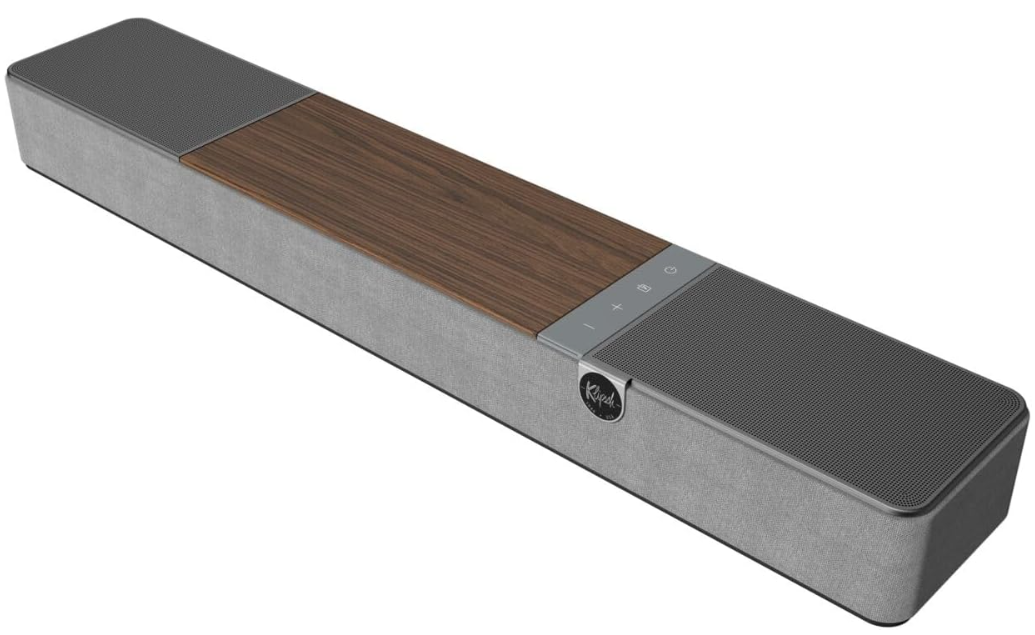
 Klipsch FLEXUS CORE 100 Bluetooth Sound Bar

 Safety Instructions
- PROTECT the power cord from being walked on or pinched, particularly at plugs, convenience receptacles, and the point where they exit from the apparatus. ONLY USE attachments/accessories specified by the manufacturer.
- USE ONLY with the cart, stand, tripod, bracket, or table specified by the manufacturer, or sold with the apparatus. When a cart is used, use caution when moving the cart/ apparatus combination to avoid injury from tip-over.
- UNPLUG this apparatus during lightning storms or when unused for long periods of time. REFER all servicing to qualified service personnel. DO NOT expose this apparatus to dripping or splashing, and ensure that no objects filled with liquids, such as vases, are placed on the apparatus.
- To completely disconnect this apparatus from the AC Mains, disconnect the power supply cord plug from the AC receptacle. The mains plug/appliance coupler is used as a disconnect device; the disconnect device shall remain readily operable.
- DO NOT overload wall outlets or extension cords beyond their rated capacity, as this can cause electric shock or fire. The equipment shall be used at a maximum of 113˚F / 45˚C.
Adding to the System
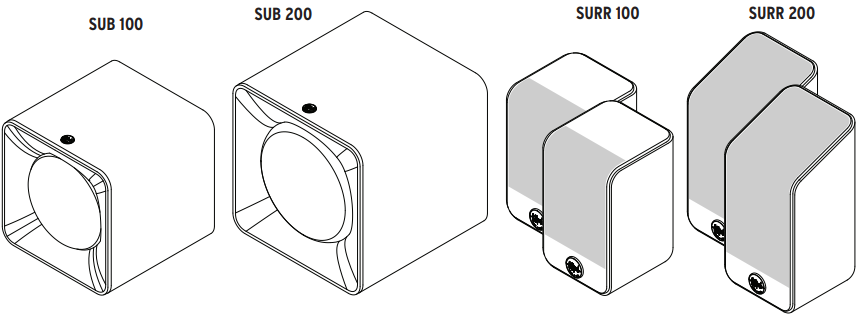
Flexus Sound System is built to grow with you. Add up to two wireless subwoofers and two wireless surround speakers to create a home theater
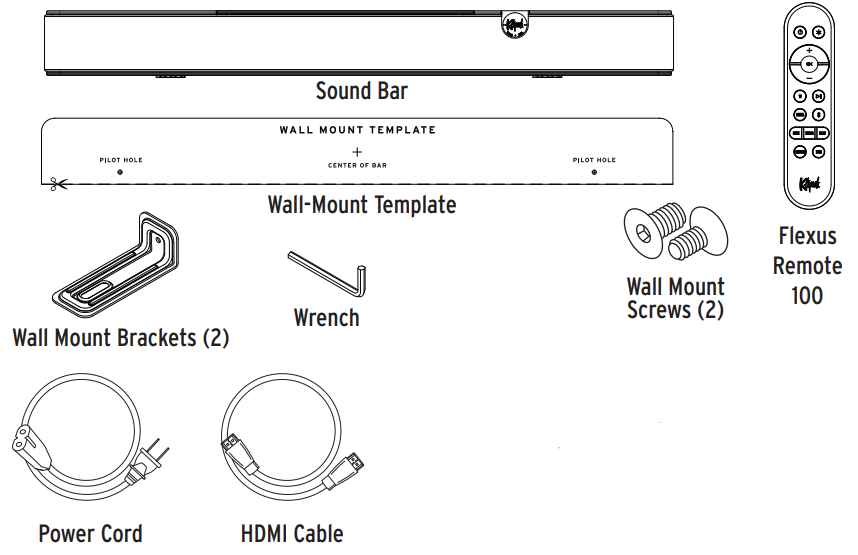
 Box Content
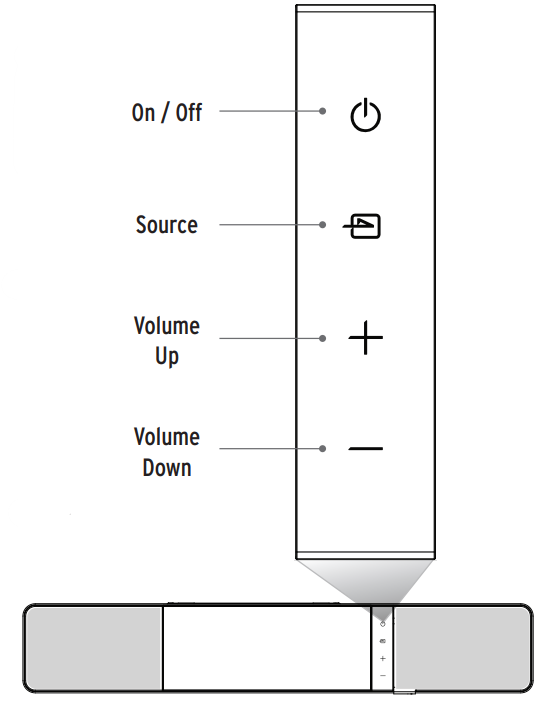
Controls
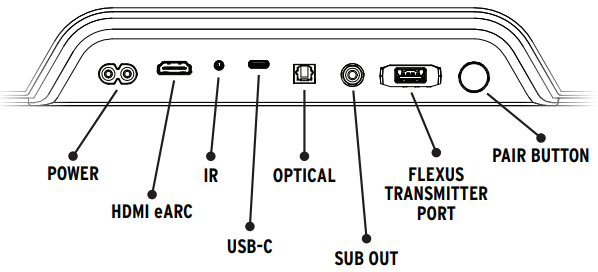
Input/Output
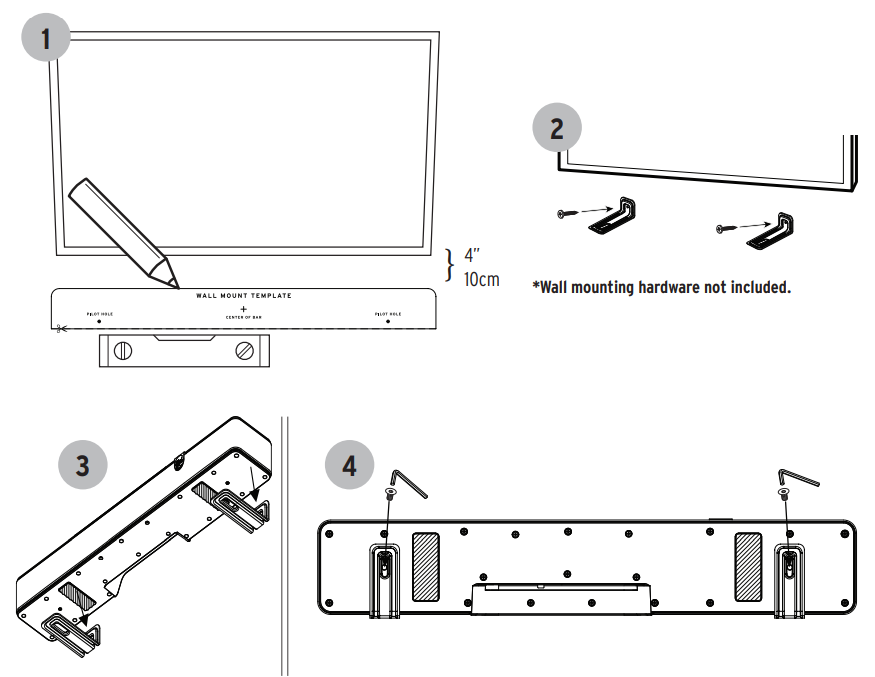
Direct Wall Mounting
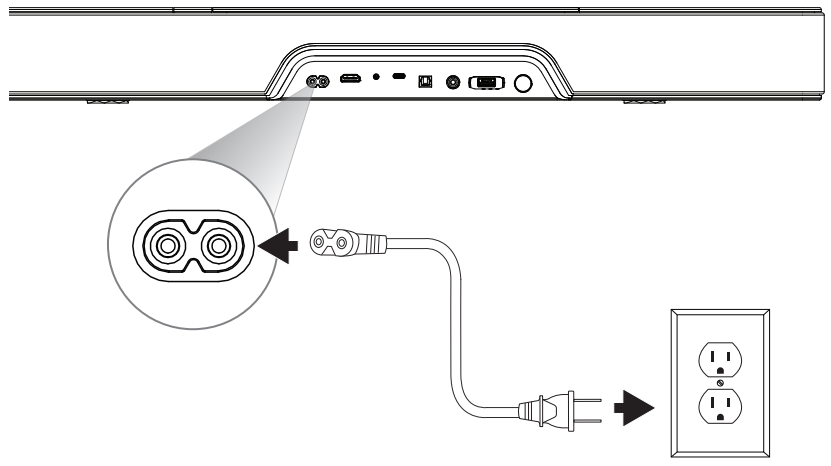
Connecting the Power
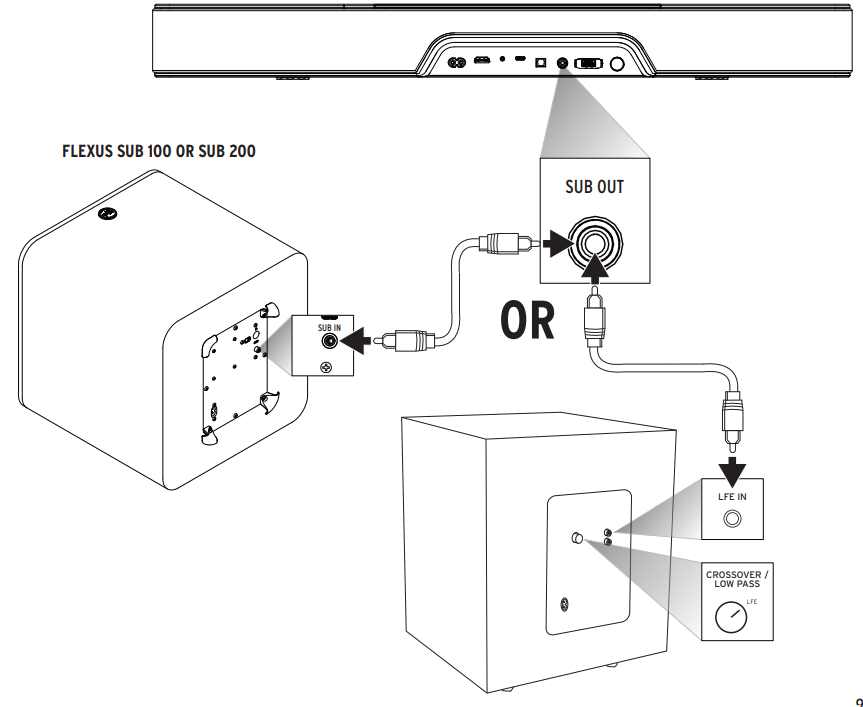
Wired Subwoofer
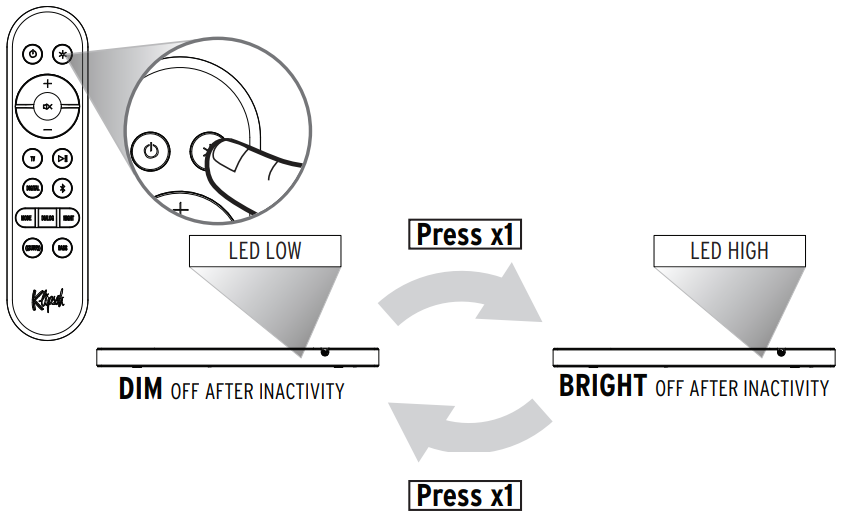
LED Brightness
Flexus Remote
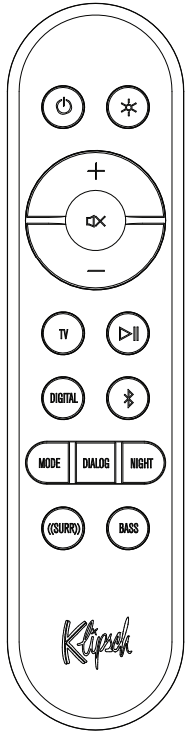
- On/Off

- LEDs High/Low
- Source Select
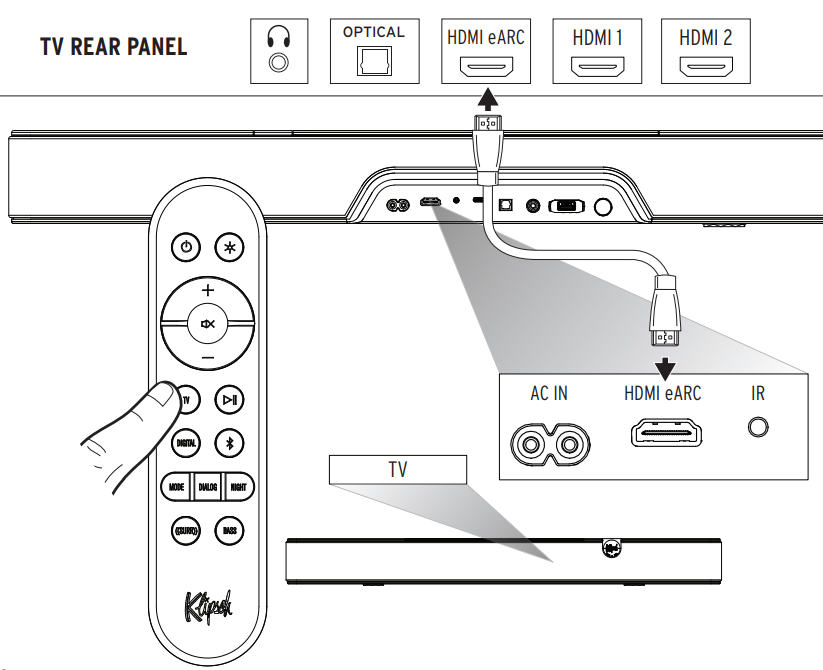
- Selects HDMI eARC Input
- Play/Pause
- Source Select
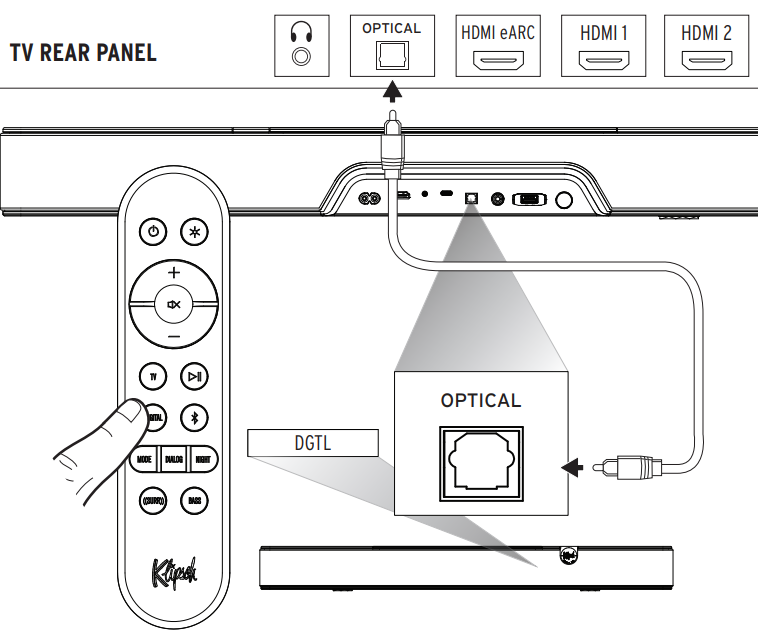
- Selects Optical Input
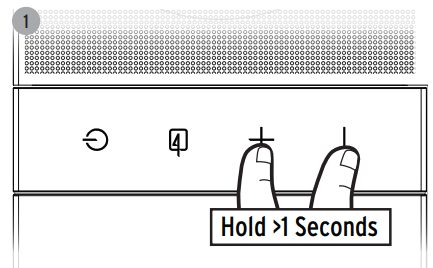
- Bluetooth Source Select
- Long-pressto enter Bluetooth pairing mode
- Surround Level
- Cycles available surround channels.
- Bass Level
- Adjusts the bass equalizer value.



- Sound Mode
- Cycles through available Sound Modes. Movie/Music
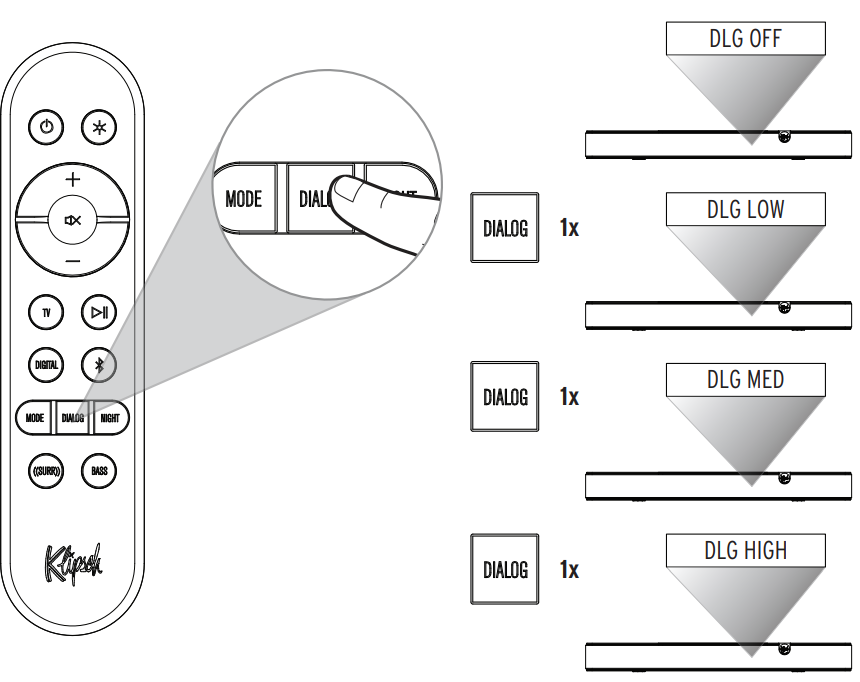
- Dialog Boost
- Toggles through Off, Low, Medium, High
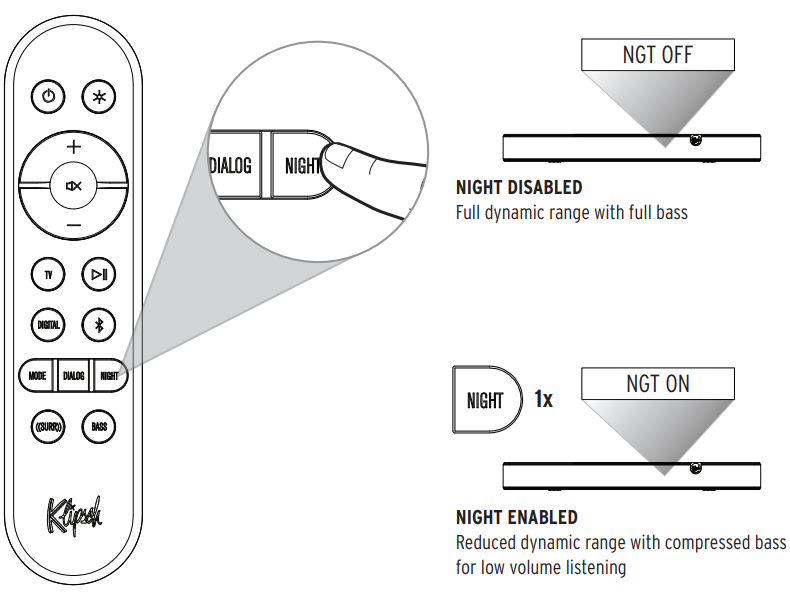
- Night Mode
- Enables/disables Night Mode
Advanced Functionality
- Long Press

- Sets Dialog Boost to OFF.
- Long Press
- Exits Surround adjust mode.
- Long Press
- Enters remote pairing mode.

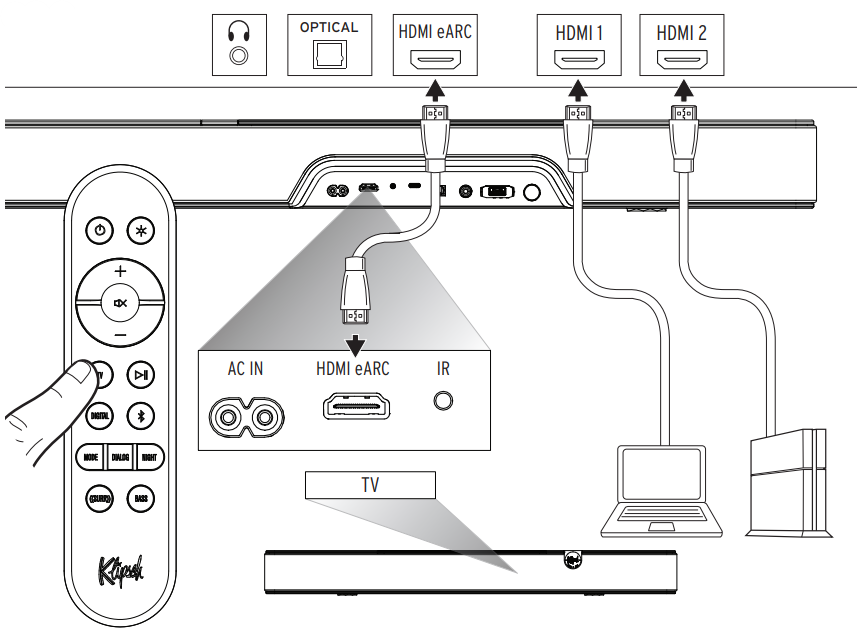
Connections-HDMI eARC
Digital Optical
External HDMI Source Through TV
Via Digital Optical
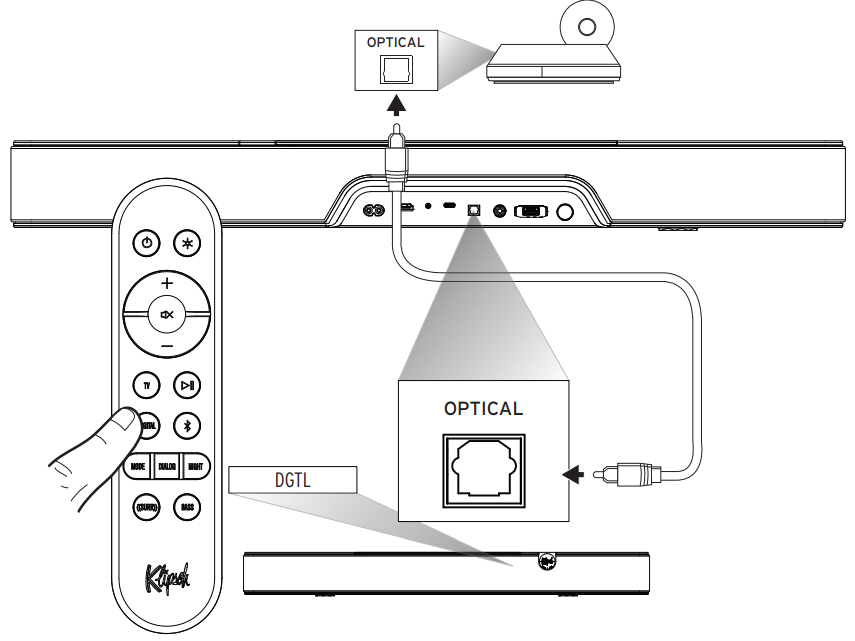
Use this connection method when connecting audio sources with a digital optical output, such as CD Players, PC audio servers, or streaming audio players.
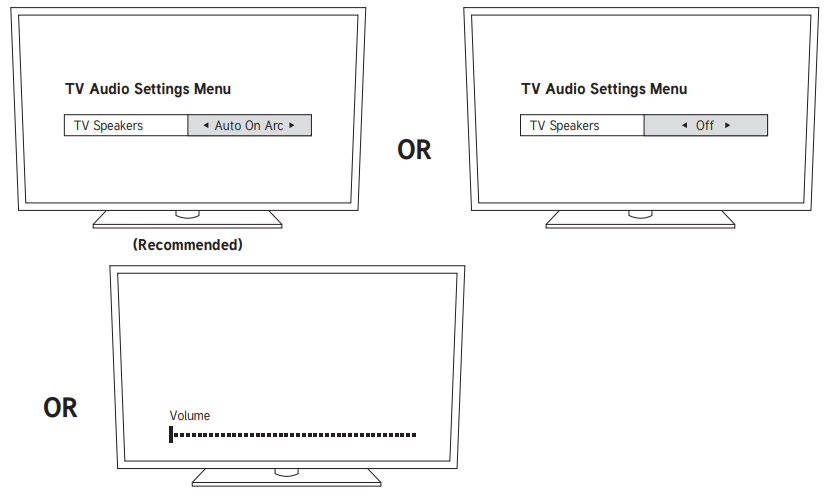
Turn Off
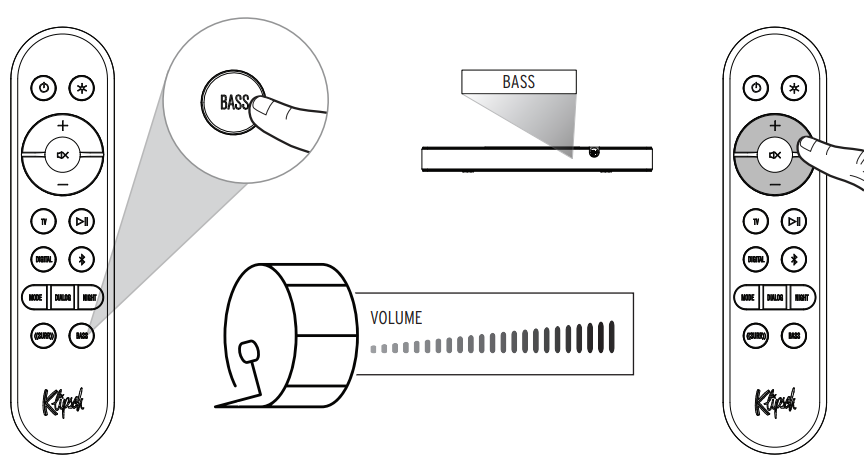
Adjusting Bass Level
Night Mode
Dialogue Mode
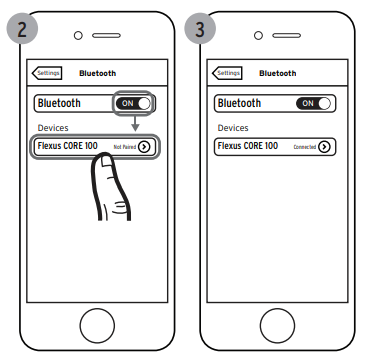
Bluetooth Pairing Mode
Hold >1 Seconds (Flexus Core)
Example only. Your device may differ.
Factory Reset
Hold 10 Seconds
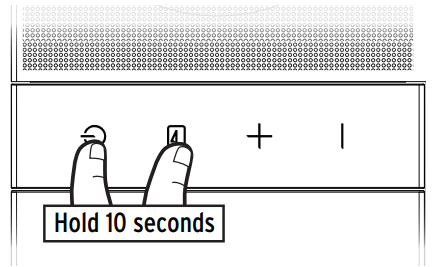
Clears Bluetooth pairing history anduser-programmedd IR commands
Decoding & Playback Modes
| INCOMING DIGITAL AUDIO
SIGNALS THE FLEXUS CORE 100 WILL DECODE |
PCM |
| LPCM Up to 8 Channels | |
| Dolby Audio-Dolby Digital (2.0, 5.1, Etc.) | |
| Dolby Audio-Dolby Digital Plus (2.0, 5.1, 7.1, Etc.) | |
| Dolby TrueHD | |
| Dolby Atmos |
Flexus Core 100 comes equipped with several user-selectable playback modes. Depending on which playback mode the user has selected, the system will decode the surround sound signal. The following chart shows which playback modes will result in which type of surround sound from the system, along with the recommended uses for each mode.
| USER SELECTED INPUT MODE | OUTPUT
FORMAT |
RECOMMENDED FOR: |
| MOVIE (DEFAULT) | Dolby Atmos mixed to 5.1.4 | The most immersive and complete system tuning for everyday use. Perfect for shows and movies, Movie mode upmixes all signals into all available channels and virtualizes a wide soundstage. Movie mode boosts surround effects and increases dialog clarity. |
| MUSIC | Dolby Atmos mixed to 5.1.4 | Optimized to keep music sounding like the artist intended, Music mode disables virtualization, dialog enhancement, and boosted surround experience while maintaining upmixing of stereo sources to all available channels. |
LED Display
| DISPLAY | BAR STATUS | |
| INPUTS | BT | Bluetooth Input Selected |
| DIGITAL | Digital (Optical) input Selected | |
| TV | HDMI-eARC input Selected | |
| USB | USB Thumb Drive Input | |
| SOUND MODES | MOVIE (Default) | Movie Mode ON |
| MUSIC | Music Mode ON | |
| DIALOG
MODE |
DLG OFF | Dialog Boost Off |
| DLG LOW | Dialog Boost Low | |
| DLG MED | Dialog Boost Medium | |
| DLG HIGH | Dialog Boost High | |
| NIGHT
MODE |
NGT OFF | Night Mode OFF |
| NGT ON | Night Mode ON |
| DISPLAY | BAR STATUS | |
| LEVEL ADJUST | [SOURCE] XX | System Volume Setting [0] – [50] |
| MUTE | System Muted / Volume Set To Minimum | |
| [SOURCE] MAX | System Volume Set To Max | |
| BASS [XX] | Bass equalizer volume [-6] – [+6] | |
| CEC TOGGLE | CEC [XXX] | CEC Protocol Turned [On] or [Off] |
| DECODING | DOLBY SURROUND | Dolby Audio (supporting Dolby Digital, Dolby Digital Plus, Dolby TrueHD) |
| DOLBY ATMOS | Dolby Atmos Input | |
| PCM | PCM or LPCM Input | |
| OTHER | BT PAIRING | Pairing Bluetooth |
| BT PAIRED | Bluetooth Paired | |
| LED HI | LED high brightness | |
| LED LOW | LED low brightness |
Power Consumption
| INFORMATION OF POWER CONSUMPTION | |
| STANDBY MODE | Power consumption is lower than 0.5W in this mode. |
| BLUETOOTH MODE | In this mode, when there is no signal output, the idle power consumption is lower than 0.5W after 15 minutes. |
| HDMI MODE | In this mode, when there is no signal output, the idle power consumption is lower than 0.5W after 15 minutes. |
| OPTICAL MODE | In this mode, when there is no signal output, the idle power consumption is lower than 0.5W after 15 minutes. |
| USB MODE | In this mode, when there is no signal output, the idle power consumption is lower than 0.5W after 15 minutes. |
FCC and Canada EMC Compliance Information
This device complies with Part 15 of the FCC Rules. Operation is subject to the following two conditions:
- This device may not cause harmful interference, and
- This device must accept any interference received, including interference that may cause undesired
operation.
This equipment has been tested and found to comply with the limits for a Class B digital device, pursuant to part 15 of the FCC Rules. These limits are designed to provide reasonable protection against harmful interference in a residential installation. This equipment generates, uses, and can radiate radio frequency energy and, if not installed and used in accordance with the instructions, may cause harmful interference to radio communications.
However, there is no guarantee that interference will not occur in a particular installation. If this equipment does cause harmful interference to radio or television reception, which can be determined by turning the equipment off and on, the user is encouraged to try to correct the interference by one or more of the following measures:
- Reorient or relocate the receiving antenna.
- Increase the separation between the equipment and receiver.
- Consult the dealer or an experienced radio/TV technician for help.
Wireless Transmitter Compliance Information
Radiation Exposure Statement
This equipment complies with FCC radiation exposure limits set forth for an uncontrolled environment. This equipment should be installed and operated with a minimum distance of 20cm between the
radiator & your body.
Industry Canada statement
This device complies with Industry Canada’s licence-exempt RSSs. Operation is subject to the
following two conditions:
- This device may not cause interference; and
- This device must accept any interference, including interference that may cause undesired
operation of the device.
Radiation Exposure Statement
This equipment complies with ISED radiation exposure limits set forth for an uncontrolled environment. This equipment should be installed and operated with a minimum distance of 20cm between the radiator & your body.
Customer Service
- Website: Klipsch.com
- Ph: 1-800-554-7724