

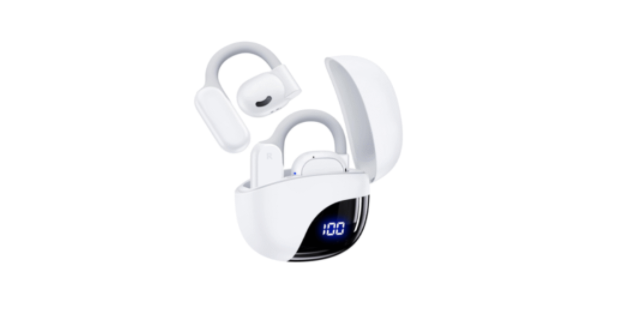
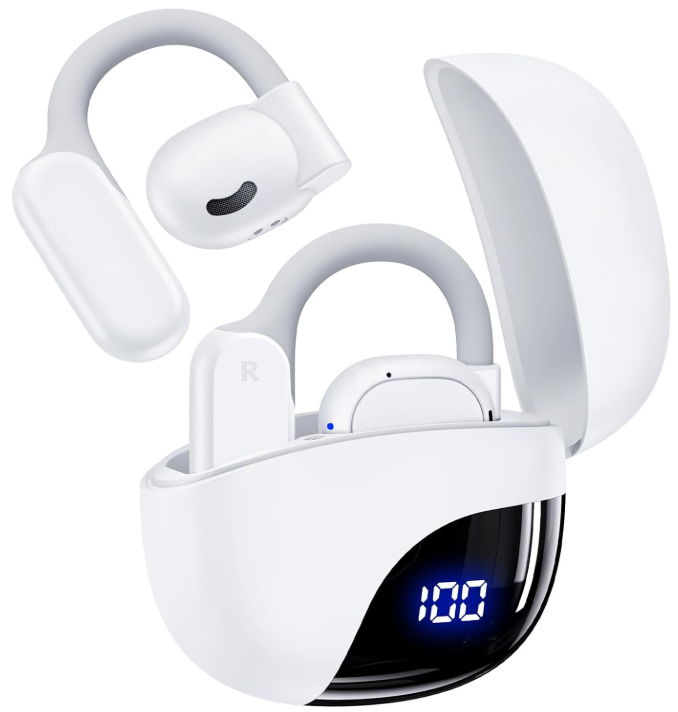
 Tagry K08 Open Ear Sport Headphones

Introduction
This guide provides solutions to common issues with the TAGRY K08 Open Ear Headphones, particularly related to Bluetooth pairing difficulties. Issue: The headphones do not pair to devices, and you cannot establish a Bluetooth connection.
Bluetooth Not Enabled on Device
Description: The pairing process requires Bluetooth to be activated on your device; it may not be turned on or searching for the headphones.
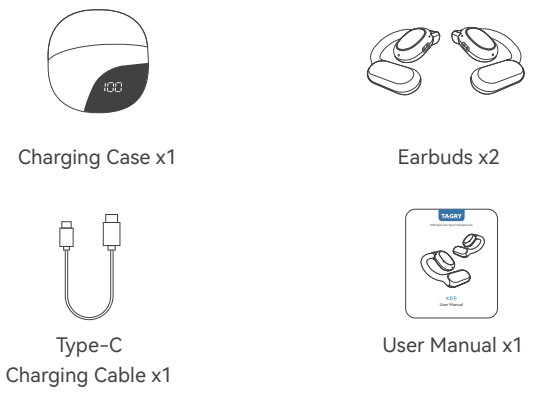
Packing List
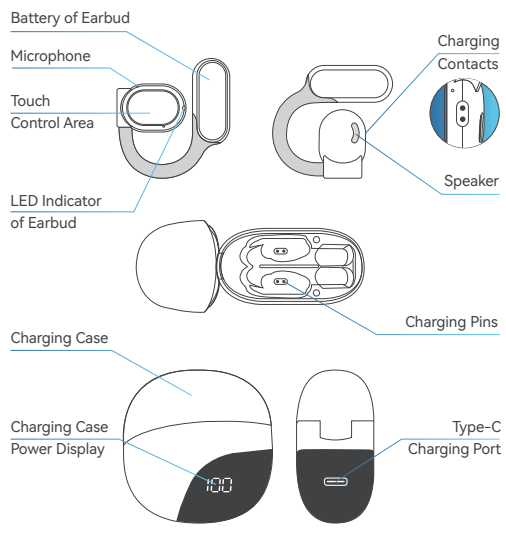
Overview
First Time Using
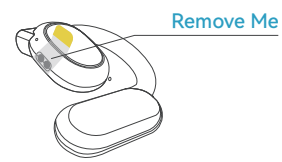
- Before first use, please ensure to remove the protective film from the earbuds.

- Insert the earbuds into the charging case and connect both the earbuds and the charging case to a power source using the provided Type-C charging cable.
- Allow them to charge for at least 10 minutes, especially if they haven’t been used for an extended period. It is crucial not to remove the earbuds from the case while they are being charged.
Correct Wearing
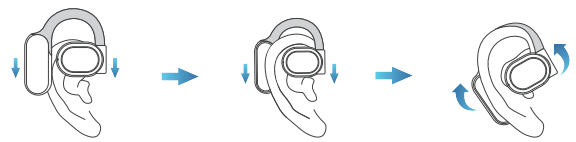
- Please refer to the diagram below to ensure the correct positioning of the earbuds for optimal comfort:
- Adjust the earbuds to the most comfortable position once they are properly inserted.
Pairing and Connection
Stereo Mode
Open the charging case and take both earbuds out. The earbuds will automatically enter the pairing mode.
- During pairing mode, the LED indicator light on the earbuds will flash red and blue alternately.

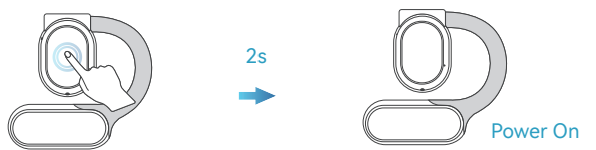
- If your earbuds are in the standby state, waiting to connect, but fail to do so within 5 minutes, they will automatically power off. In such cases, you can manually power them on by tapping and holding each earbud for 2 seconds.

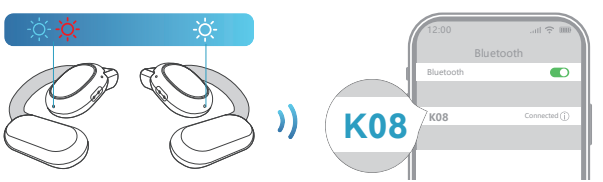
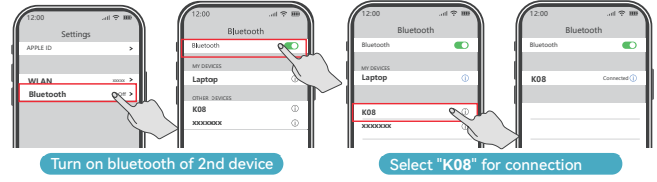
To connect your earbuds to your device, please proceed with the following.g
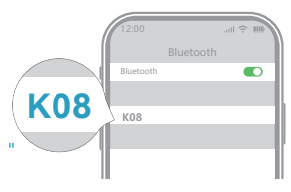
- Access the Bluetooth settings on your device.
- From the list of available devices, select “K08” to initiate the connection.
- Once successfully connected, you will hear a prompt saying “connected.”
Mono Mode
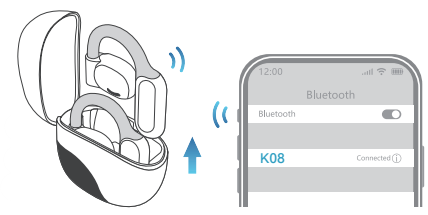
To use only one earbud, follow these steps:
- If you wish to use a single earbud, simply take out one earbud from the charging case.
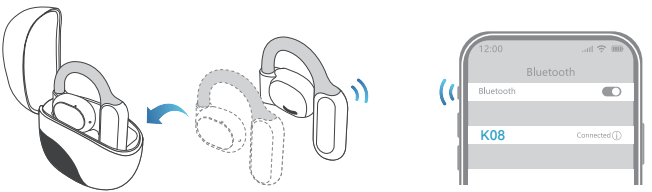
- To transition from using both earbuds to using only one earbud, follow these steps: When you want to switch from using both earbuds to using only one earbud, place one of the earbuds back into the charging case.

Friendly Reminder
- After the initial pairing, the K08 earbuds will remember the first device they were paired with.
- When you take out the earbuds from the charging case, and your first device is nearby, they will automatically reconnect to it.
- To pair the earbuds with a new device, you can follow either of the two methods below:
- If the initial device is out of range or more than 33 feet (10 meters) away, simply take out the earbuds and pair them with the new device.
- If the initial device is within range, refer to the diagram below to disconnect the earbuds from it.
- Then, take out the earbuds and pair them with the new device.
First Device
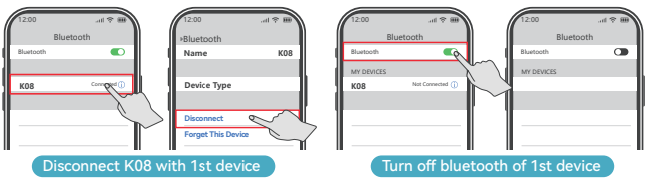
Second Device
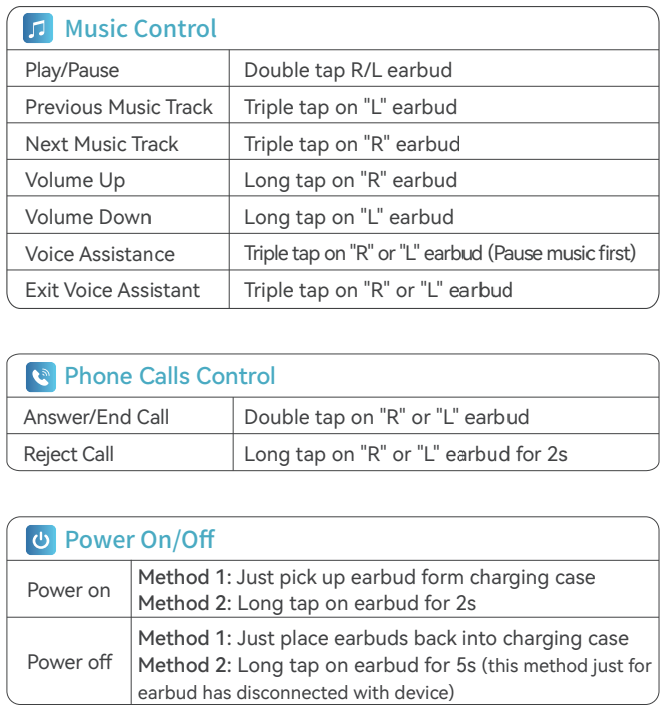
Smart Touch Control
How to Reset
- Take both earbuds out of the charging case.
- Ensure that both earbuds are disconnected from any devices.
- Simultaneously touch the R (right) and L (left) earbuds five times at the same time.
Sync volume with Android Devices
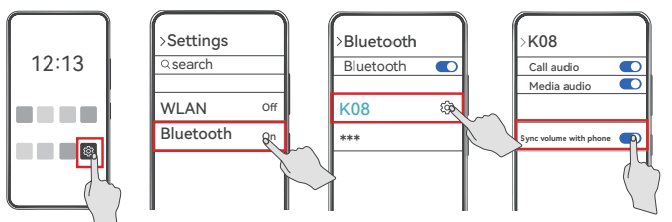
- Find “Settings” on your phone
- Enable “Bluetooth”
- Pair and connect with your “K08.”
- Then click the k”set” button on the right of “K08” on bluetooth list
- Then enable “Sync volume with phone.”
Charging
Earbuds Charging
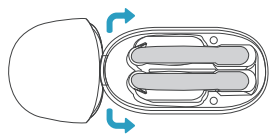
- Just placethe earbud into the charging case, and then the earbud will be charged. The indicator light of the earbud is always red. Once the earbud is fully charged, the red light will disappear.
Charging Case Charging
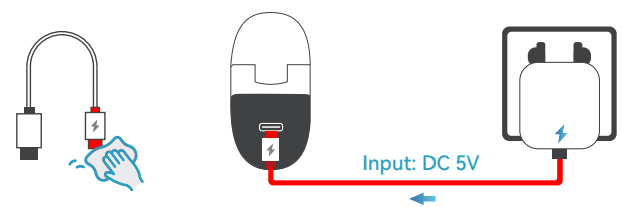
- Fully dry off the charging cable and the USB port before charging. Use a certified charger and the USB-C cable we provided to prevent any damage.
- Please use the provided USB-C cable to connect the charging case to the power supply.
Maintenance
Care for earbuds
Please clean your earbuds regularly using a pointed cotton swab for optimal performance and hygiene.
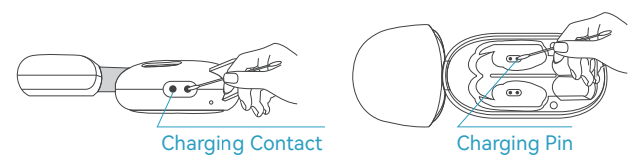
- Refer to the imageon the right for instructions on how to clean the charging contacts regularly.

- Refer to the image on the right for instructions on how to clean the protective grille regularly.

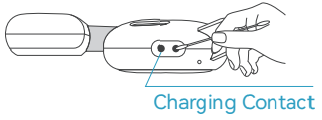
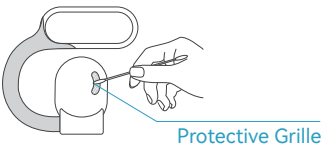
Regular cleaning of both the charging contacts and the protective
grille will help maintain the quality and functionality of your earbuds.
Care for Charging Case
- Please ensure to regularly charge your K08 charging case using the included Charging Cable and a charger (not included).

- Additionally, it is recommended to clean the charging pins of the case regularly using a pointed cotton swab.

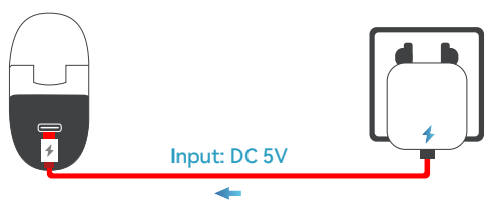
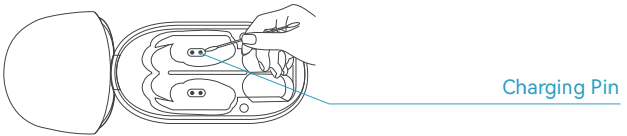
Regular charging and cleaning of the charging pins will help maintain the functionality and performance of your K08 charging case.
Specifications
- Model No.: K08
- Input: 5V = 1A
- Charging Case Capacity: 400mAh 3.7V, 1.48Wh
- Earbuds Capacity: 85mAh 3.7V, 0.315Wh
- Bluetooth Version: Bluetooth 5.3
- Earbuds Battery Life: 13.5hours ona single charge
- Transmission Range: 33ft/10m
Troubleshooting
Charging Of Earbuds
- First, ensure that the charging case has sufficient power. If not, please charge the case first.
- If the case has enough power, carefully inspect the charging contacts and the pins inside the charging case for any dirt or dust. If you notice any buildup, use a pointed cotton swab dipped in alcohol to clean the charging contacts and pins.
Disconnect the Earbuds
Please note that encountering connectivity issues does not indicate a problem with the earbuds themselves. It could be due to the connected device, and the surrounding environment signals can be affected by obstacles such as walls, pillars, homes, and Ni-Fi signals, and more. To ensure a stable connection, we recommend avoiding such obstructions. To address this issue, please try the following steps:
- Make sure to fully charge your earbuds and reset them as early as possible.
- Then, re-pair them with your device.
- Test the earbuds by playing a downloaded song or video to check if the audio is clear and consistent.
- Verify the performance of the earbuds by connecting them to another Bluetooth device in a different environment to see if they function properly.
Adjust the Volume
Please note that this doesn’t necessarily mean there is an issue with the earbuds. Our K08 earbuds are set so that when you pause music, you can not adjust volume via long tap on either earbud. If you still want to adjust the volume at this stage, there are 2 methods below.
- Adjust volume via the “Volume Button” on your phone.
- Please play music again, and then you can adjust volume via long tap on rthe ight or left earbud.
Pair the Earbuds
Please make sure that the K08 headphones are disconnected from your previous paired device before pairing them with your new device, and ensure that the K08 headphones have sufficient battery. Please ensure that your new device has Bluetooth functionality. If both of the above conditions are met, but the K08 headphones still cannot connect to your new device, please follow the steps below to reset your K08:
- Take out both K08 earbuds from the charging case.
- After removing the earbuds, make sure they are not connected to any device, then click both earbuds five times simultaneously.
- After completing the above steps, place both earbuds back into the charging case, then take them out again. At this point, both earbuds have been reset. Please proceed with the pairing process to connect them to your device.
If you still cannot connect your K08 headphones to your new device after resetting, please scan the QR code to contact us, and we will assist you in resolving the issue.
Sound of Earbuds
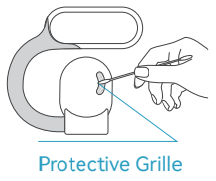
- Please refer to the diagram on the right and use a pointed cotton swab (not included) to clean the grille.
- If the sound remains low despite following the above steps, please scan the QR code to contact us, and we will assist you in resolving the issue.
FCC Warning Statement
- Changes or modifications not expressly approved by the party responsible for compliance could void the user’s authority to operate the equipment.
- This equipment generates uses and can radiate radio frequency energy and, if not installed and used in accordance with the instructions, may cause harmful interference to radio communications.
- However, there is no guarantee that interference will not occur in a particular installation.
- Reorient or relocate the receiving antenna.
- Increase the separation between the equipment and receiver.
- Consult the dealer or an experienced radio/TV technician for help.
This device complies with part 15 of the FCC Rules. Operation is subject to the following two conditions:
- This device may not cause harmful interference
- This device must accept any interference received, including interference that may cause undesired operation.
Customer Service
After-sales Service ( Mon.-Fri )
- Tel: +1 (781) 430-4818
- Website: https://tagry.net/