



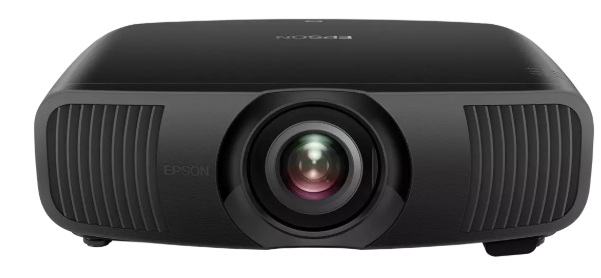
EPSON EH-LS9000B 4K HDR True 3LCD Laser Projector
Quick Setup
Choose a Location
See the online User’s Guide for more information on where to place your projector.
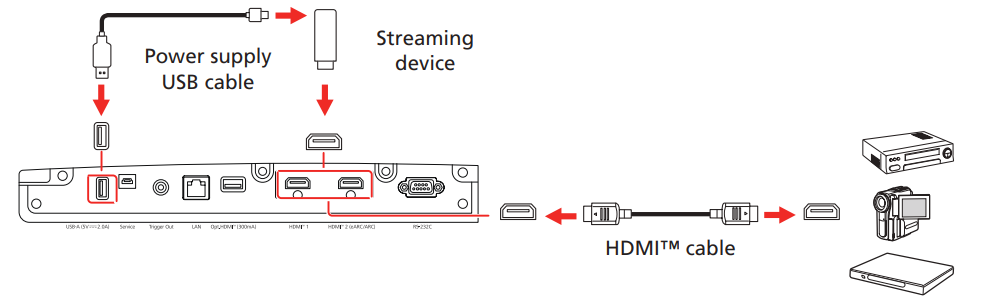
Connect the Projector
Connect multiple video devices and use the Source buttons on the remote control or the Source button on the projector to switch between them. For additional connection types, see the online User’s Guide.
Turn On Your Equipment
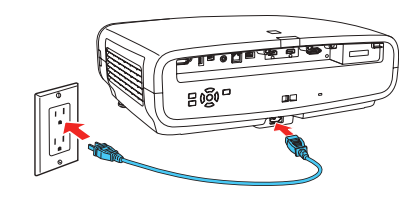
- Plug in the projector.

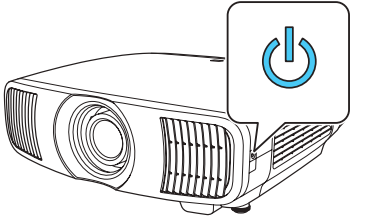
- Press the power button on the projector or the On button on the remote control.

- Turn on your video source. If you don’t see an image, press one of the Source buttons on the remote control to select the image source.ce
Using the Remote Control
Install the batteries as shown (two AA batteries).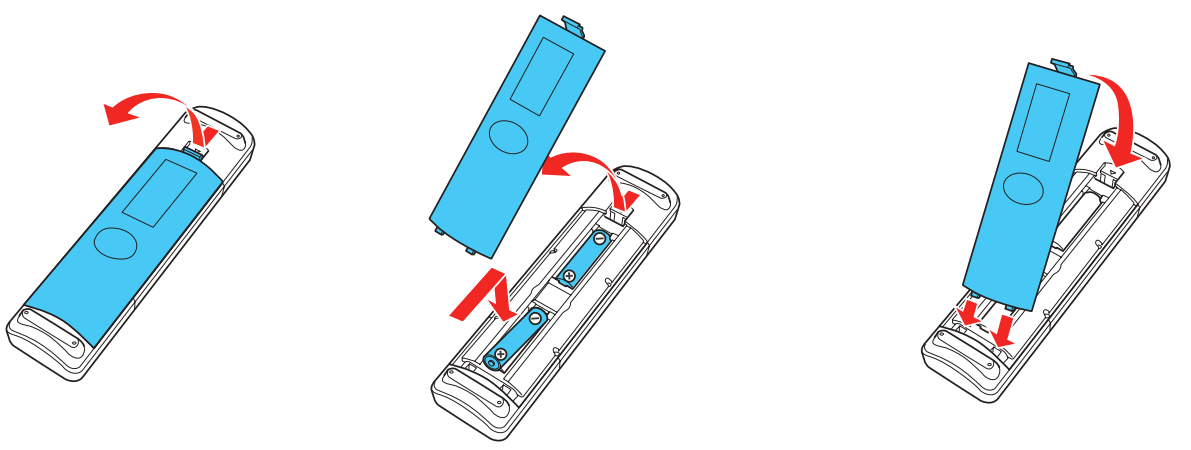
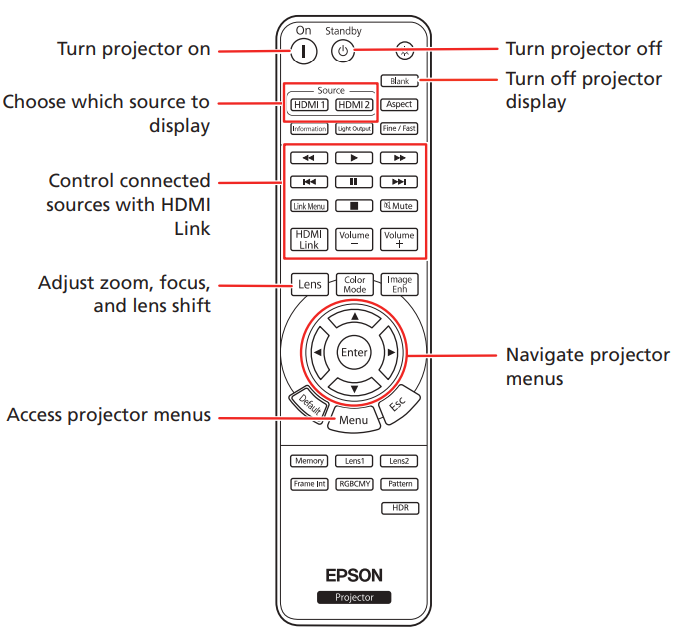
For more information on using the remote control, see the online User’s Guide.
Adjust the Image
- Press the Pattern button on the remote control to display a test pattern.

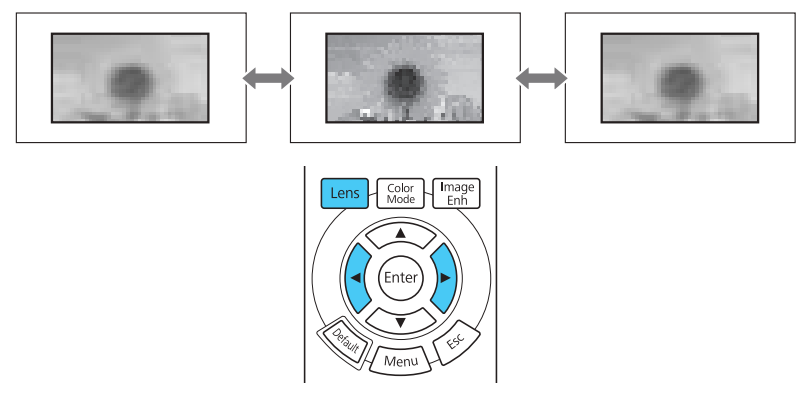
- Press the Lens button on the remote control and use the and buttons to focus the image.

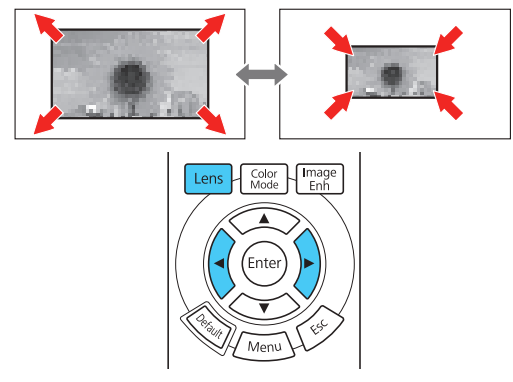
- Press the Lens button on the remote control again and use the and buttons to reduce or enlarge the image.

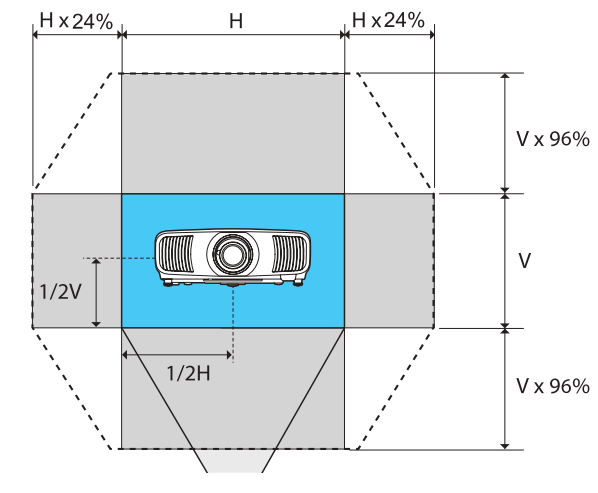
- Press the Lens button on the remote control again and use the and buttons to reposition the image.


Supplier’s Declaration of Conformity
According to 47CFR, Part 2 and 15, Class B Personal Computers and Peripherals; and/or CPU Boards and Power Supplies used with Class B Personal Computers. W: Epson America, Inc. Located at 3131 Katella Ave., Los Alamitos, CA 90720.
Each product marketed is identical to the representative unit tested and found to be compliant with the standards. Records maintained continue to reflect that the equipment being produced can be expected to be within the variation accepted, due to quantity production and testing on a statistical basis as required by 47CFR § 2.906.
- Trade Name: Epson
- Type of Product: LCD Projector
- Model: HC13A
- Options: Remote controller: 2214345 xx (x=0-9)
Epson Limited Warranty Coverage
Technical Support Service and Support
Epson offers technical assistance through electronic and telephone services. Before calling Epson, refer to the documentation included with your product.
Extended Warranty Service and Support
To be eligible for one (1) additional year of limited warranty (for a total of two (2) years), you must register your product at http://latin.epson.com/registro within 30 days of the purchase date, that is, from the date of the original purchase invoice.
Copyright Notice
Neither Seiko Epson Corporation nor its affiliates shall be liable to the purchaser of this product or third parties for damages, losses, costs, or expenses incurred by the purchaser or third parties as a result of: accident, misuse, or abuse of this product or unauthorized modifications, repairs, or alterations to this product, or (excluding the U.S.) failure to strictly comply with Seiko Epson Corporation’s operating and maintenance instructions.
Trademarks
Epson disclaims all rights in those marks. Software Copyright: This product uses free software as well as software to which this company holds the rights.
Copyright Attribution
This information is subject to change without notice. © 2023 Seiko Epson Corporation Rev.3.0 2024.12 EN
Registration
Scan the QR code to register for product updates and exclusive offers.
Customer Service
- Telephone: (562) 981-3840
- Website: http://epsonstore.com