

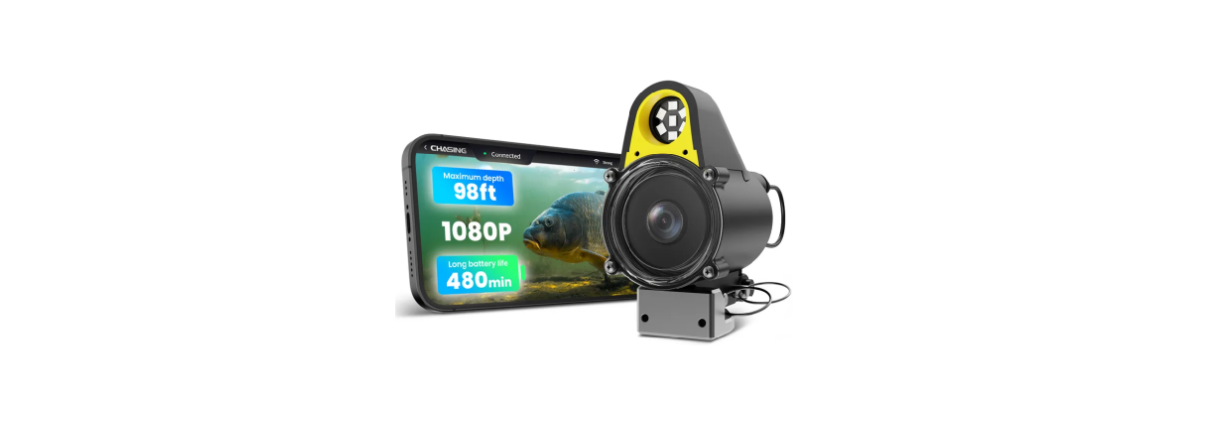

CHASING CanFish CF1 Underwater Live Fish Finder
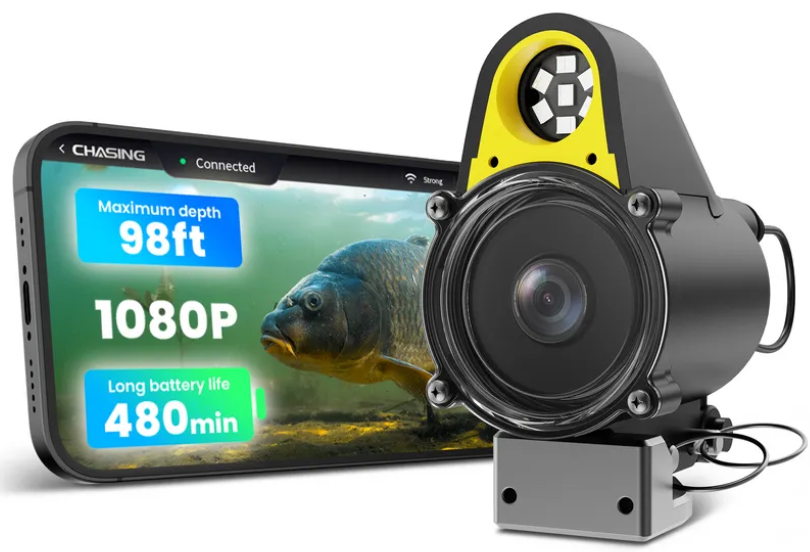
User Manual
CHASING CanFish CF1 is a customized accessory for the Gladius series. Its simple and easy tool replacement form and an intelligent grip control system provide more help for users to explore unknown underwater areas.
Safety Instructions
Precautions of Lithium Battery
- Don’t squeeze the battery pack; there may be a risk of fire and explosion.
- Don’t place the battery pack close to the fire source or heat source, otherwise.
- Don’t discard lithium battery packs at will; otherwise, it may endanger the environment.
- Don’t short-circuit the battery pack; otherwise, there may be a risk of fire and explosion.
- Don’t soak the battery pack in water; there may be a risk of fire and explosion.
- Don’t store the battery pack for a long time, otherwise it may enter a power loss state.
Waterproof Safety
- Don’t keep the waterproof camera at a depth over 30 meters, otherwise it may leak, and thecamera’sa function may fail.
USB Connection
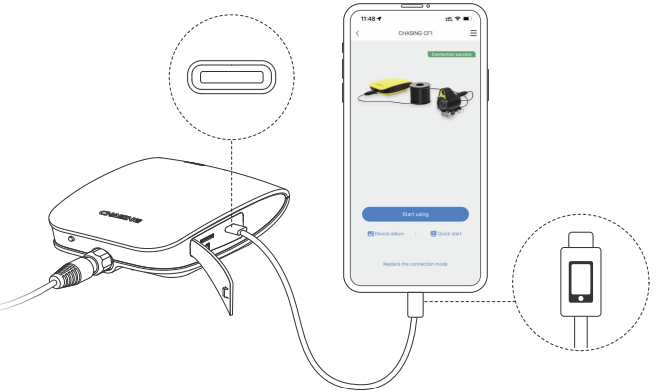
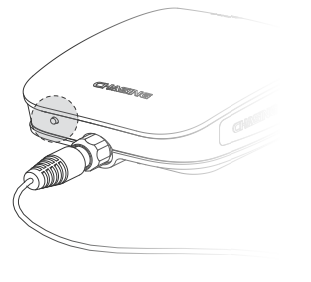
- The provided USB cable is used to connect the repeater and the mobile phone/tablet, et respectively, and the USB interface with the mobile phone logo is used to connect the mobile phone/tablet.

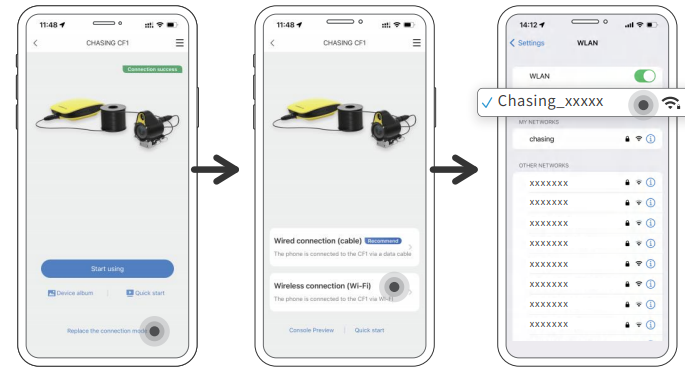
- Wi-Fi name: Chasing_xxxxxx/password: 12345678

- Turn Wi-Fi on/off or switch Wi-Fi frequency. Turn Wi-Fi on/off: Press the key on the side of the repeater for 3 seconds to turn on/off the Wi-Fi function.

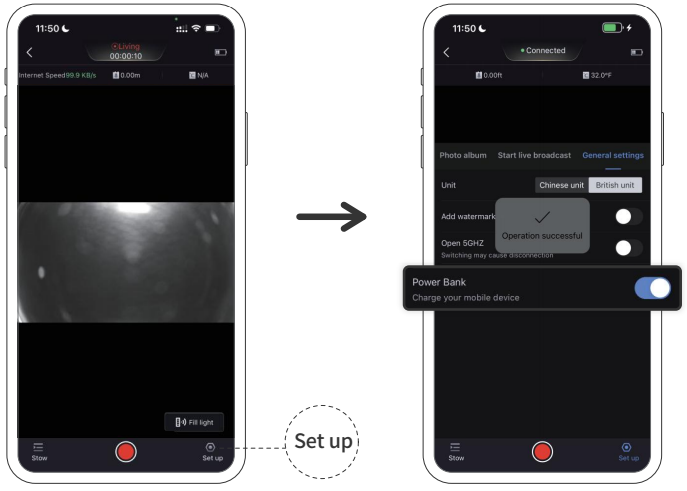
- Power bank function After the mobile phone/tablet is connected to the repeater by USB cable, the power bank function can be turned on in the APP, and the repeater charges the\ mobile phone with the output power supply through the USB cable, with a power of 5V/1A. After charging, the endurance may be reduced.

Main Function Description
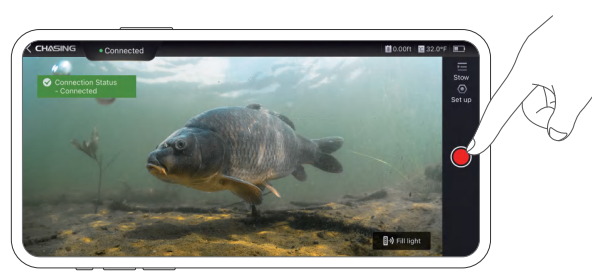
- Preview/Video APP may preview the picture of the underwater camera in real time, and press the video button in the APP to start or stop recording

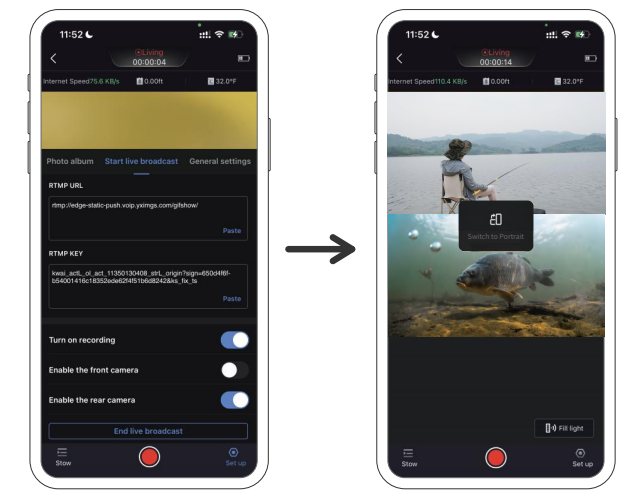
- Live\ Mainstream live platforms such as Douyin, Kwai, Huya, Doyu, Inke, BiliBili, Facebook, YouTube, Tiktok and Zoom are supported in the APP.

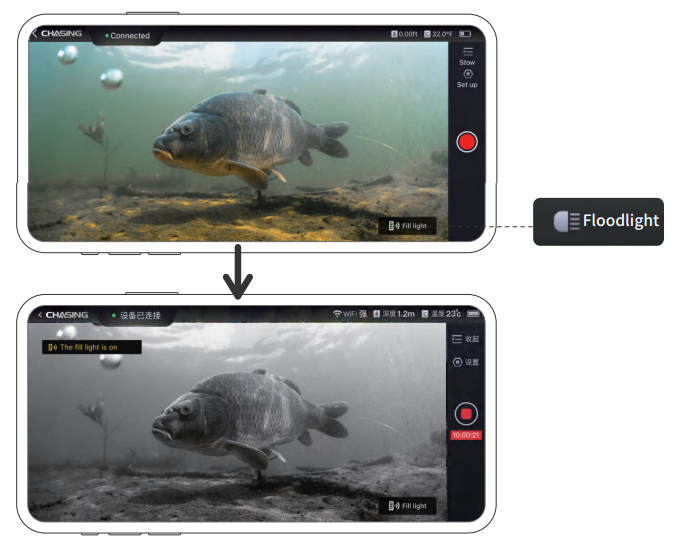
- Infrared Lamp (IR) When the camera is turned on in underwater dark light or a turbid environment, it may have night vision function, and the picture may turn black and white after being turned on.

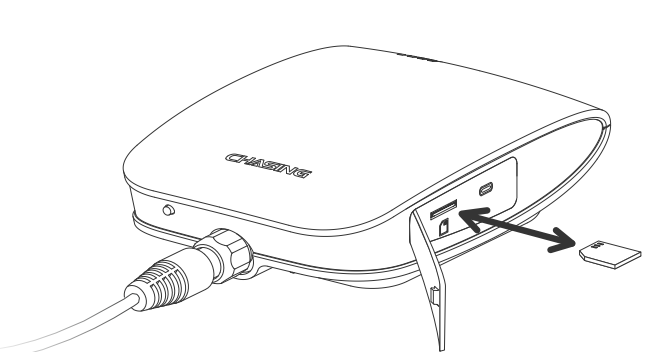
- Storage: The video file may be stored onthe TF card of the repeater.

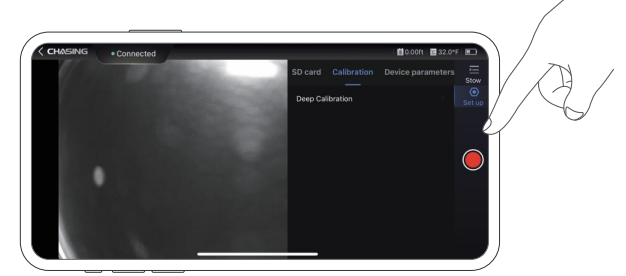
- Depth/Temperature Sensor When used at different altitudes, the depth sensor may have a deviation. Please calibrate the depth/temperature sensor before launching.

Charging Guidance
Please charge the USB interface of the repeater with a PD protocol charger. The specific time is dependent on the charger power.
Recommendations for Maintenance
- Please dry it after each use, and store it in a cool and dry place.
- After usingit in seawater, please rinse the probe and cable fully with clear water, dry them, and store them.
Product Parameters
Camera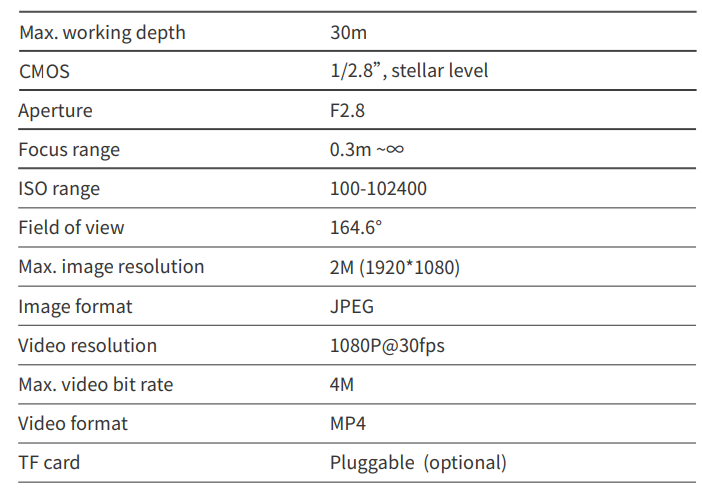
Charger and battery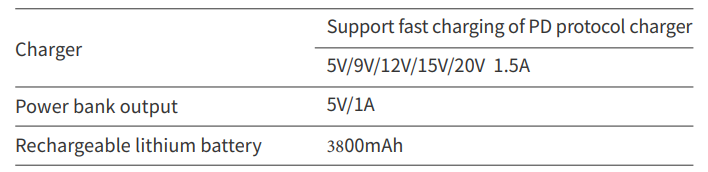
Other parameters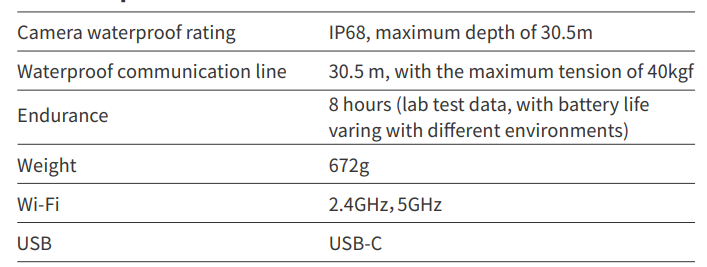
FCC Statement
This device complies with Part15 of the FCC Rules. Operation is subject to the following two conditions:
This device may not causeharmful interference, and this device must accept any interference received, including interference that may cause undesired operation.
Changes or modifications not expressly approved by the party responsible for compliance could void the user’s authority to operate the equipment. This equipment generates, uses, and can radiate radio frequency energy and, if not installed and used in accordance with the instruction manual, may cause harmful interference to radio communications.
FCC Radiation Exposure Statement: This equipment complies with FCC radiation exposure limits set forth for an uncontrolled environment.
FCC Radiation Exposure Statement: This equipment complies with FCC radiation exposure limits set forth for an uncontrolled environment.
Installing and Connecting The APP
Download and installthe CHASING GO2 App (Applicable to iOS 9.0/Android 5.0 and other versions above Scan the QR code to download or visit ios App Store/Google Play/ CHASING official website to download.
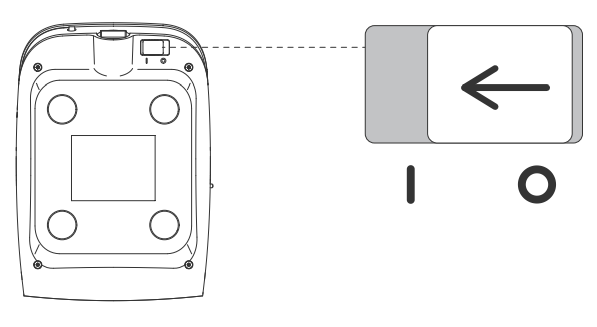
- Booting: Push the power switch button on the repeater and push it from “O” to “I”.

- Connect CanFish CF.1 Two ways of USB connection and Wi-Fi connection are available.
Support
If you have any questions or technical issues, send an email to the after-sales services of Chasing or contact us on the official website.
- Website: https://www.chasing.com
- Address: 506 of Xita in Digital cultural industry base of Shennan 10128 Nanshan, Nantou street, Nanshan District, 518052 Shenzhen.