

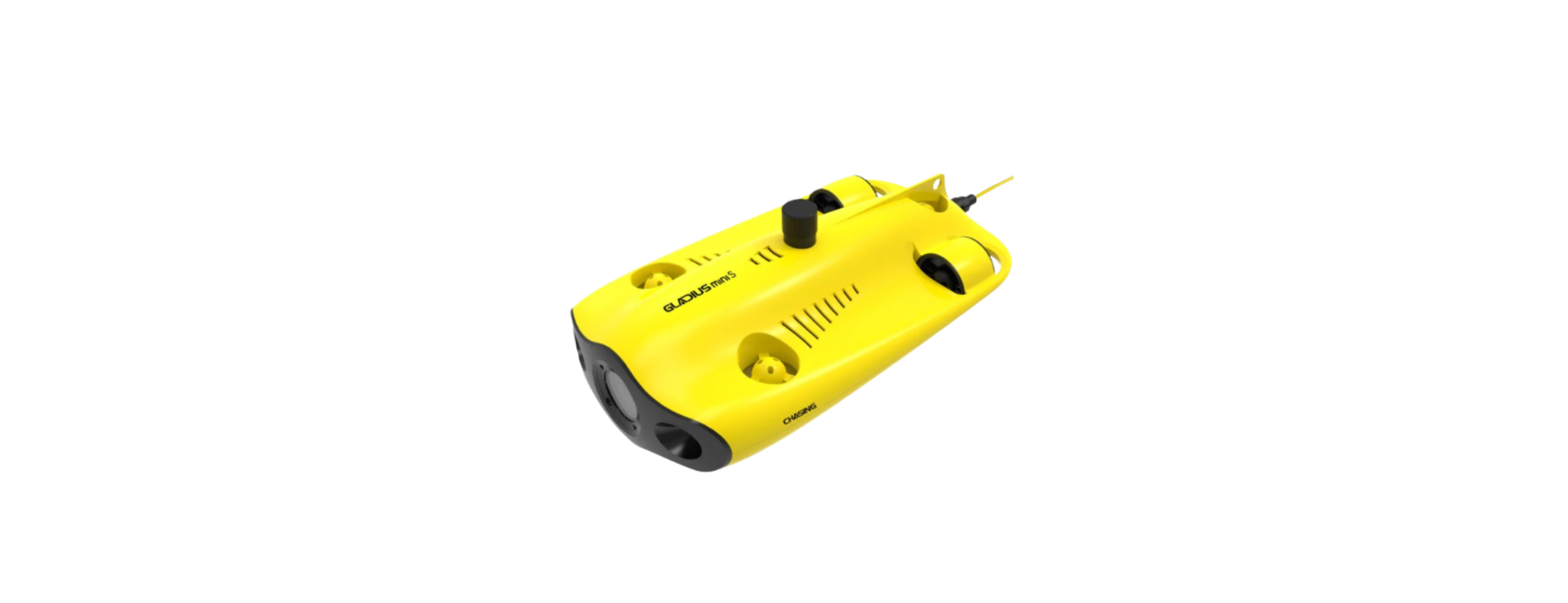

CHASING GLADIUS Pro 4K Underwater Drone

Overview
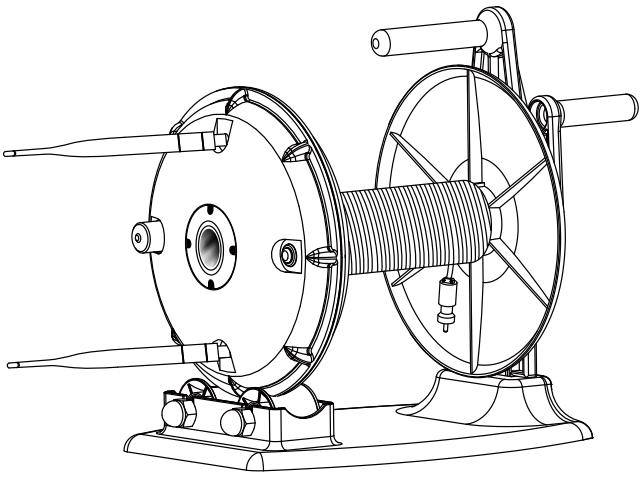
Winder & Buoy
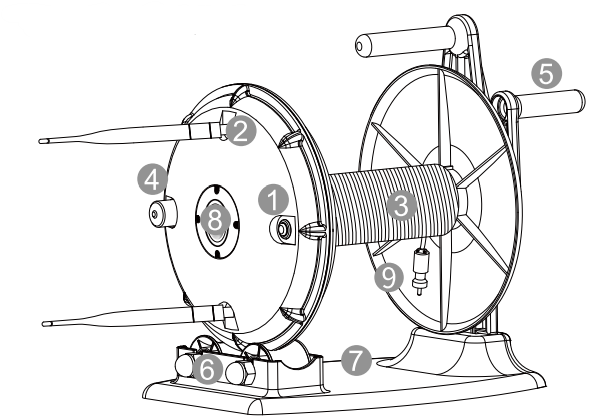
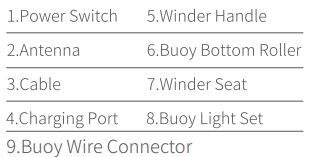
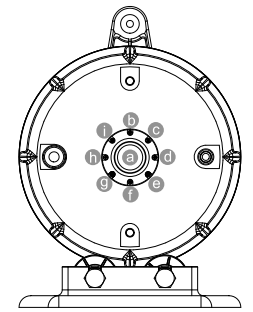
Buoy Light Set
Controller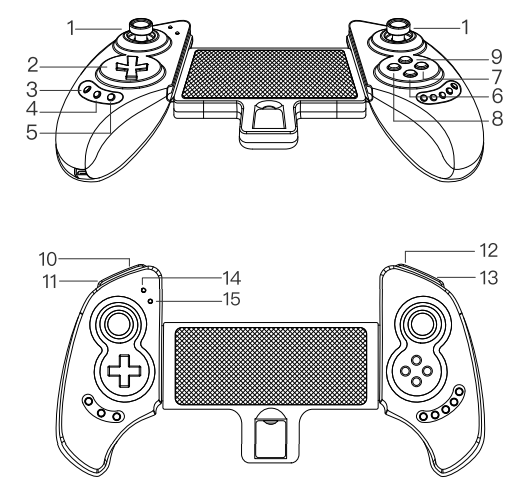
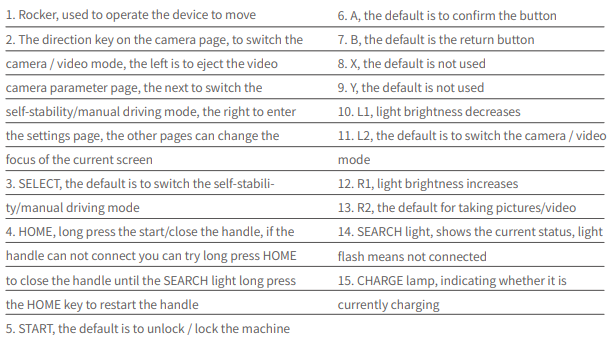
Charging Guide
Charging for a drone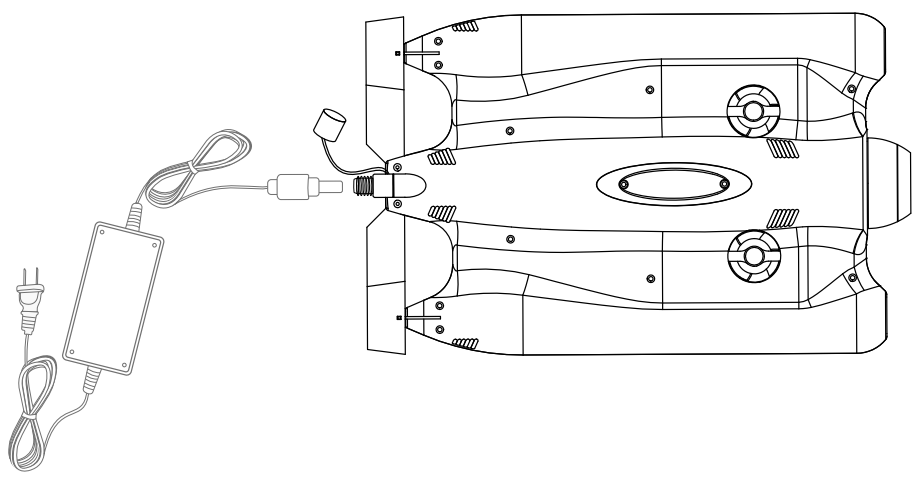
Unscrewing the cover counterclockwise, insert and charge (big-size charger). When charging is complete (the power indicator will show green) screwing the cover clockwise.
Charging for Buoy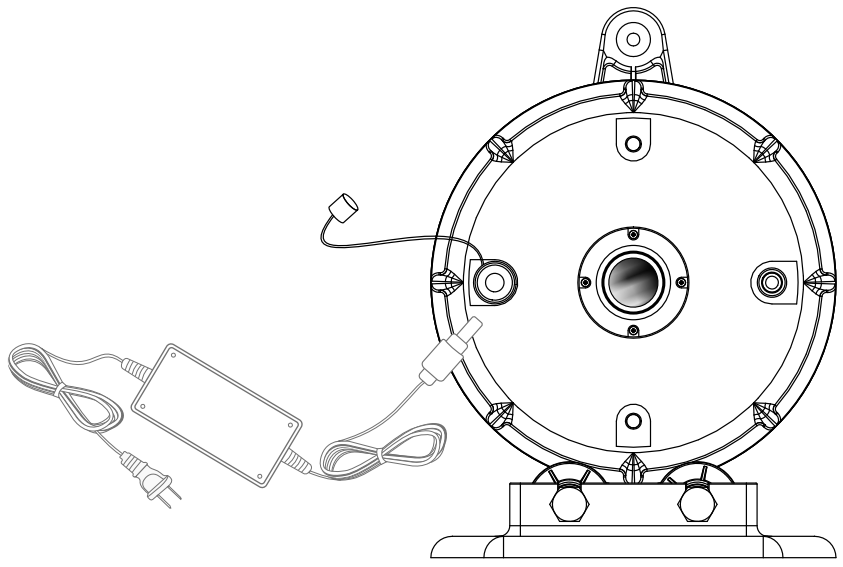
Unscrewing the cover, Counter-clockwise, insert and charge (small size charger), screwing the cover clockwise.
Charging for Remote Controller
Charging with a 5V Input USB port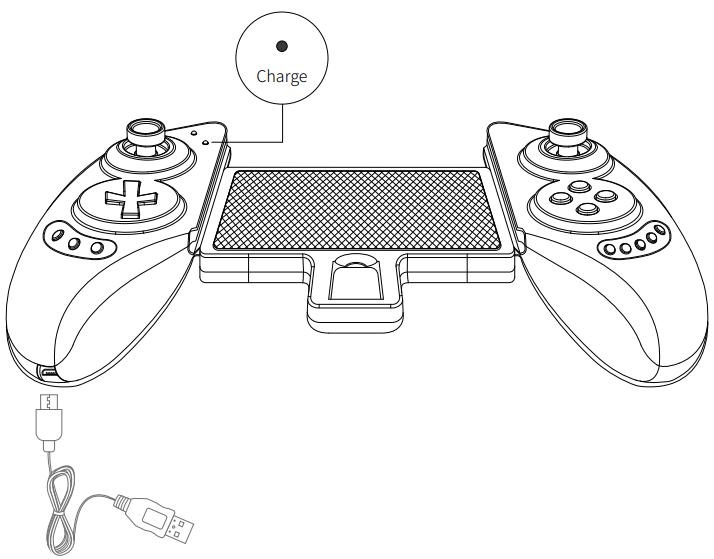
- The charge indicator will light up while charging and will turn off after fully charged.
- The charge indicator is flashing quickly for a low battery.
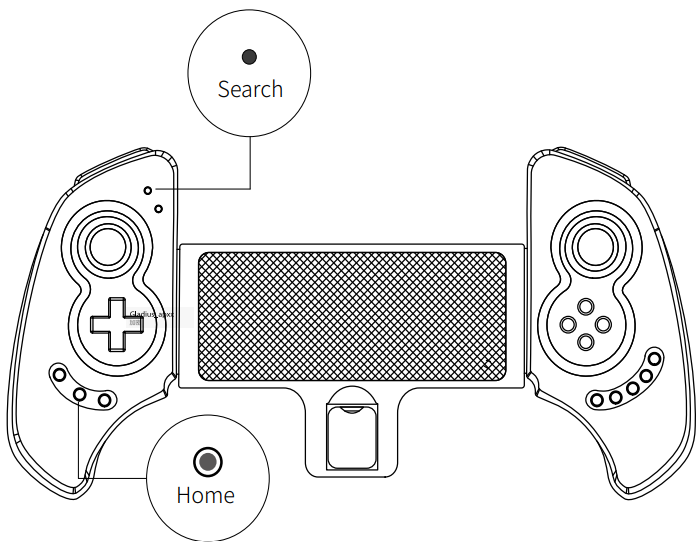
- Sleep/Wake up function: Gamepad will enter sleeping mode if not in use for 5 minutes, and long press home button to wake up and reconnect automatically.
Installation & Connection
- Download IF. Dive App Android / iOS: (iOS 9.0 version/Android4 is suitable) Scan the QR code to download or search on ios store/Google Play.

- Install the Buoy Antenna: Turn round and fix the 2 antennas clockwise.

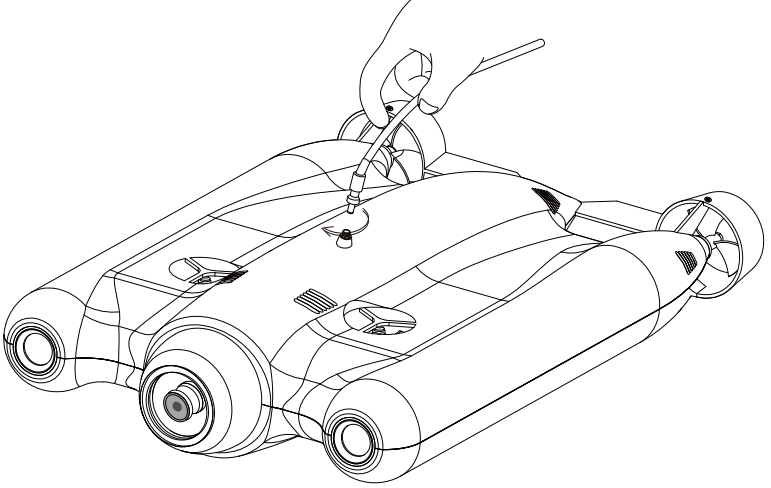
- Connect the Drone and the Buoy: Plug in the buoy connector with thedrone, then screw the connector clockwise.

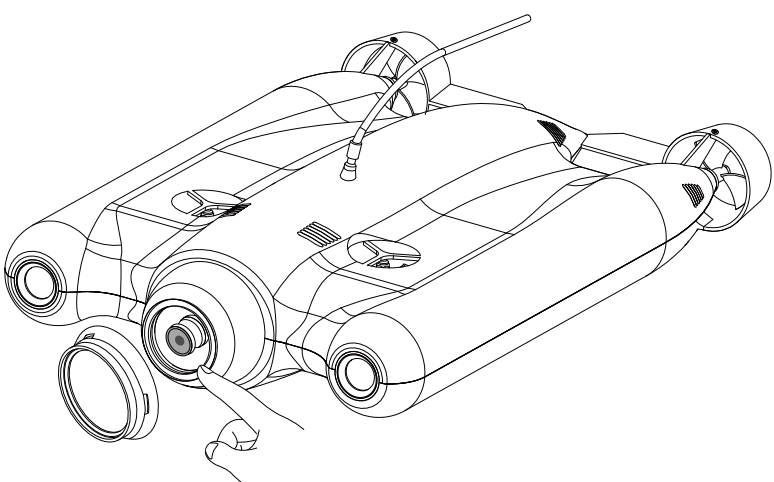
- Connect the Filter: Unscrew the protective ring of the Lens and screw the filter ring on with some colorful filters.

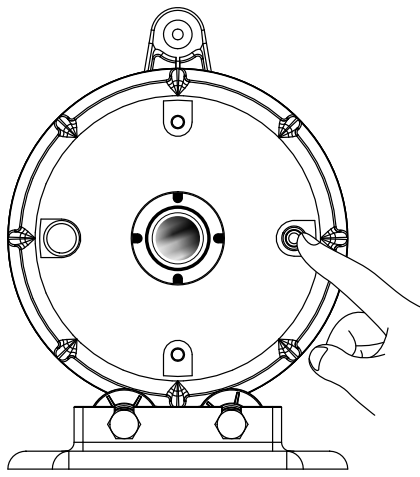
- Start Button: Press the button with sound and light on

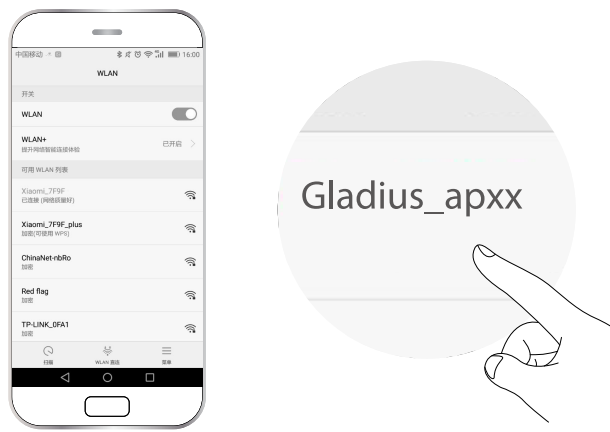
- WI-FI Connection: Open App, click Wi-Fi icon, search “Gladius_2.4G_apXX” or”Gladi- us_5G_apXX.Password: 12345678. Remarks: Gladius is built with a dual-band 2.4G +5.8G Wi-Fi module, can choose any signal access to log in.

- Extend the Controller and Put the Phone Inside: Long press home button, then get into the App. The search LED Indictor would always be on after the controller is automatically connected.


Operation Guide
- To protect the light sets, please DO NOT turn the accent light on unless Gladius has been put in water.
- For the best experience, please firstly let Gladius dive to 3 meters to exhaust beforeother operations.
- The speed can be set on the app from 30% to100% (the default factory setting is 50%). To prevent | collision, please set the speed to 70% or below for the new pilot.
- DO NOT put the buoy far away from you (should be within 100 meters) |
- Chloride or chemical substances will corrode gladius seals if some of the swimming pool whashigh chlorine levels, which is forbidden to use Gladius.
Battery Storage
- If the battery cannot charge, please discharge the battery to1%-5%, then charge again.
- This can greatly extend the battery life.
- Drone Storage: Please store the drone in a cool, dry place away from direct sunlight.
- Cleaning: Please clean the drone with freshwater after work and store it after drying thoroughly.
Usage
IF. Dive App is dedicated to Gladius Press sstartingto enter the app.

Specifications


Customer Support
If you have any questions or technical issues, send an email to the after-sales services of Chasing or contact us on the official website.
- Website: https://www.chasing.com
- Address: 506 of Xita in Digital cultural industry base of Shennan 10128 Nanshan, Nantou street, Nanshan District, 518052 Shenzhen.
2 Comments
Pingback: Yuneec ST16S Typhoon H Plus Pro Drone User Manual Guide
Pingback: Pro Flight PFBD301 Remote Control Drone User Guide