Close Menu
onyxguides.comonyxguides.com

    Subscribe to Updates

    Get the latest creative news from FooBar about art, design and business.

    What's Hot

    Sony HDIH-1200 HD Projection Head Instruction Manual

    May 11, 2026

    Do Ceiling Fans Use a Lot of Electricity

    May 11, 2026

    Which Retro Gaming Console Is Best

    May 8, 2026
    Facebook X (Twitter) Instagram
    onyxguides.comonyxguides.com
    Facebook X (Twitter) Instagram Pinterest
    • Home
    • About us
    • Terms & Conditions
    • Privacy Policy
    • FAQs
    • Contact us
    onyxguides.comonyxguides.com
    Home » Bwine F7 4K 3 Batteries Camera GPS Drone User Manual
    Other

    Bwine F7 4K 3 Batteries Camera GPS Drone User Manual

    By Gabriel SmithMarch 24, 2026Updated:March 28, 2026No Comments3 Mins Read
    Facebook Twitter Pinterest LinkedIn Tumblr WhatsApp Telegram Email
    Bwine-F7-4K-3-Batteries-Camera-GPS-Drone-featured
    Share
    Facebook Twitter LinkedIn Pinterest Email

    Bwine-logo

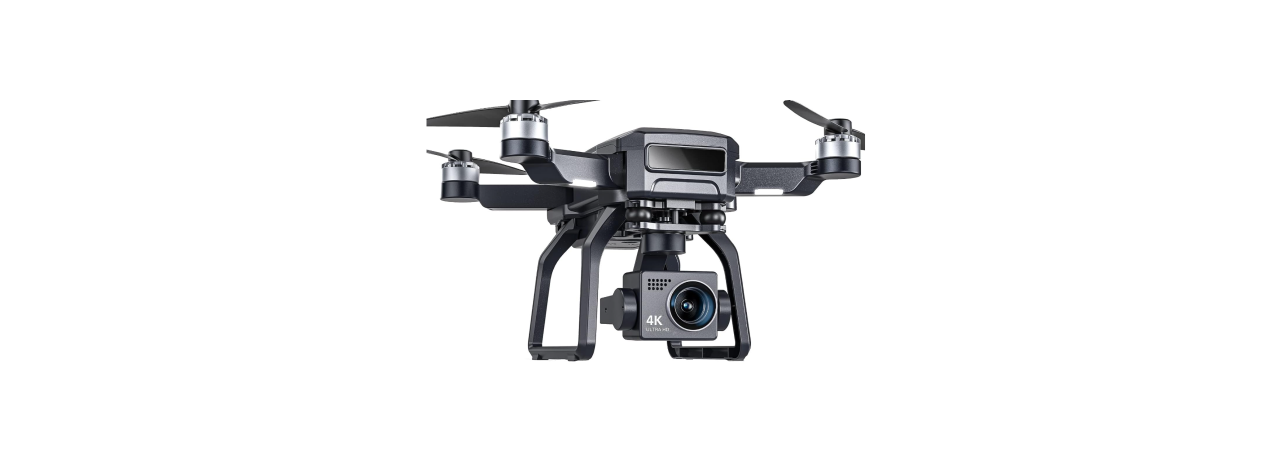
    Bwine F7 4K 3 Batteries Camera GPS DroneBwine-F7-4K-3-Batteries-Camera-GPS-Drone-product

    Package Contents

    • Bwine F7 Drone × 1
    • Remote Controller × 1
    • Rechargeable Battery (7.4V 2000mAh) × 1
    • Spare Propellers × 4
    • USB Charging Cable × 1
    • Screwdriver × 1
    • User Manual × 1
    • Propeller Guards × 4
    • Carrying Case × 1

    Charge the Batteries
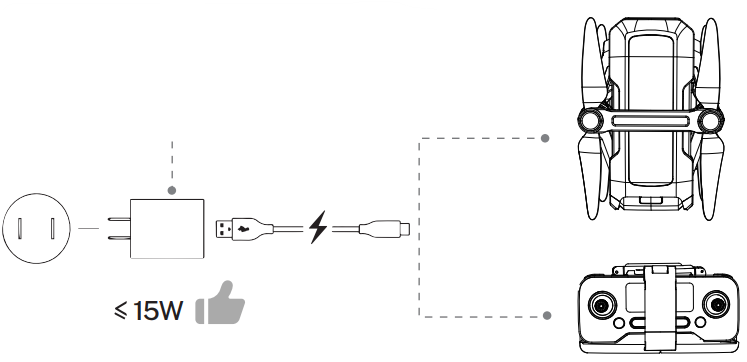
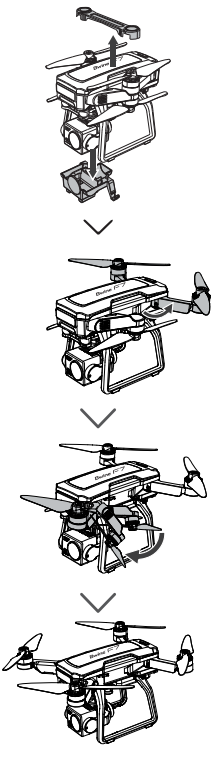
    Bwine-F7GB2-Auto-Return-GPS-Follow-Pro-Drones-Figure-1

    Bwine-F7GB2-Auto-Return-GPS-Follow-Pro-Drones-Figure-2


    Bwine-F7GB2-Auto-Return-GPS-Follow-Pro-Drones-Figure-3

    Bwine-F7GB2-Auto-Return-GPS-Follow-Pro-Drones-Figure-4

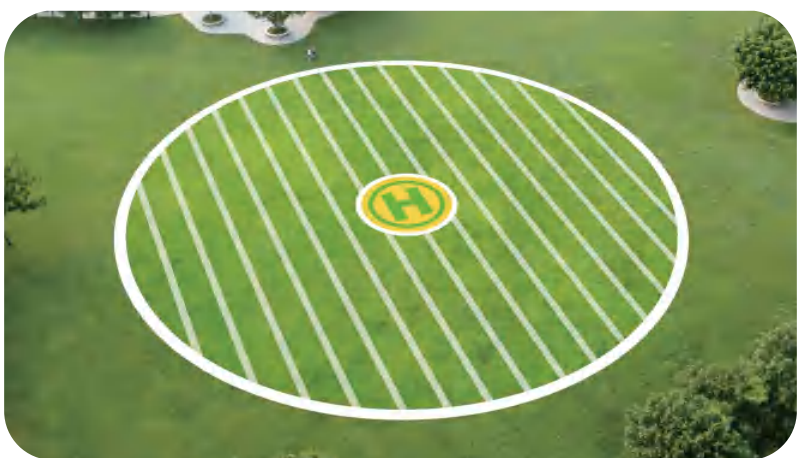
    Select an Open Flight

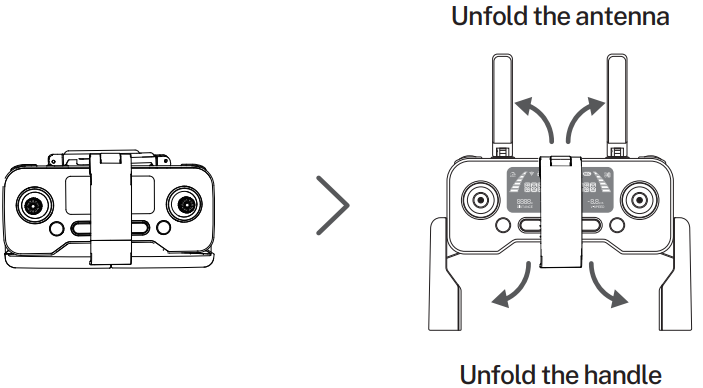
    Bwine-F7GB2-Auto-Return-GPS-Follow-Pro-Drones-Figure-5

    Bwine-F7GB2-Auto-Return-GPS-Follow-Pro-Drones-Figure-6

    • Press and hold the button until the aircraft plays the startup sound.
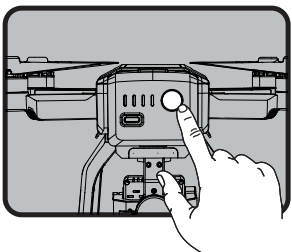
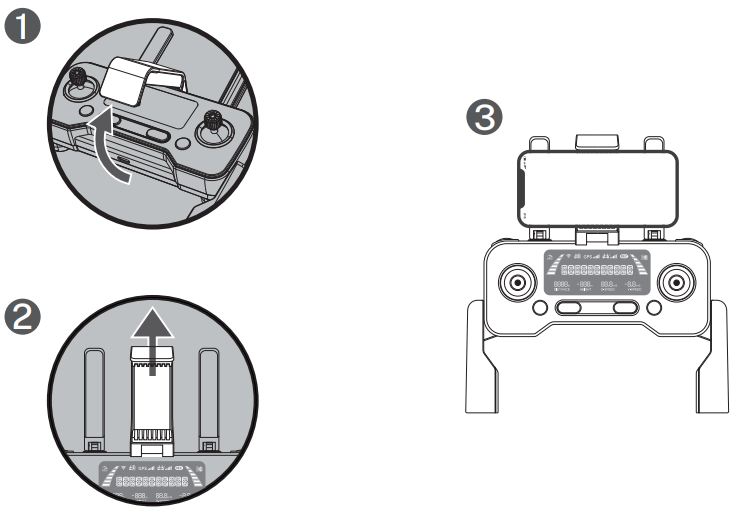
    Bwine-F7GB2-Auto-Return-GPS-Follow-Pro-Drones-Figure-7

    • Short-press 2 times to power on the transmitter.
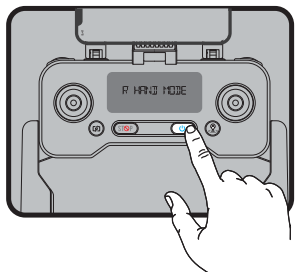
    Bwine-F7GB2-Auto-Return-GPS-Follow-Pro-Drones-Figure-8

    Pair the Transmitter with the Aircraft
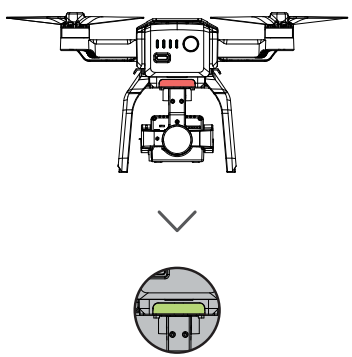
    Bwine-F7GB2-Auto-Return-GPS-Follow-Pro-Drones-Figure-9

    • The light on the back of the drone turns from red to green. ( About 40 seconds )
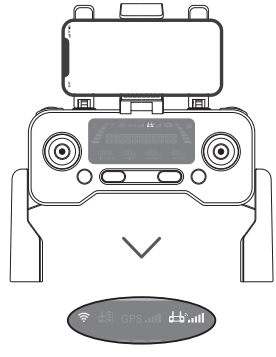
    Bwine-F7GB2-Auto-Return-GPS-Follow-Pro-Drones-Figure-10

    • The DI sounds of the transmitter stop, and the signal sign on the screen lights, pairing completed.

    Connect to Wi-Fi
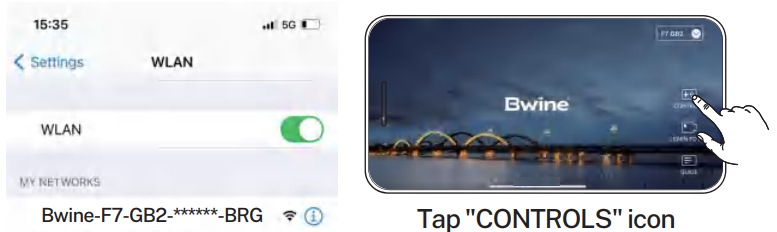
    Bwine-F7GB2-Auto-Return-GPS-Follow-Pro-Drones-Figure-11Connect the mobile device to the aircraft’s Wi-Fi and enter the App operation page. Please refer to the user manual (page 34) for more details.

    Calibrate the Compass
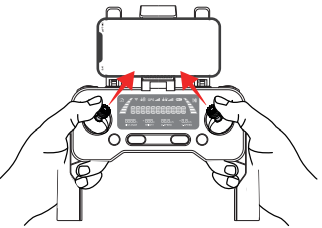
    Bwine-F7GB2-Auto-Return-GPS-Follow-Pro-Drones-Figure-12

    • Push joysticks to 1 & 11 o’clock position.
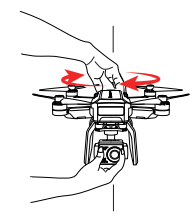
    Bwine-F7GB2-Auto-Return-GPS-Follow-Pro-Drones-Figure-13

    • Rotate the aircraft horizontally 360°. ( About 1-2 turns )
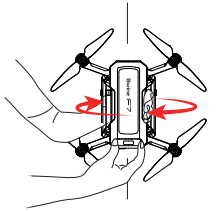
    Bwine-F7GB2-Auto-Return-GPS-Follow-Pro-Drones-Figure-14

    • Rotate the aircraft vertically 360°. ( About 1-2 turns )

    Calibrate the Gyroscope
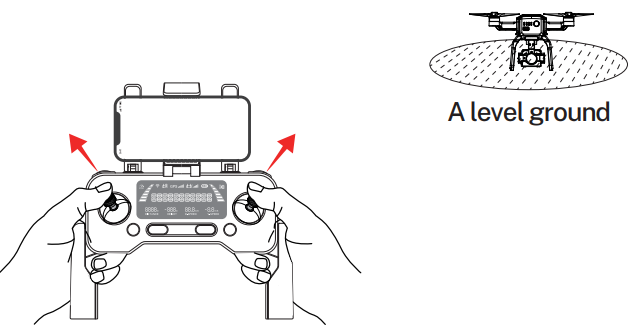
    Bwine-F7GB2-Auto-Return-GPS-Follow-Pro-Drones-Figure-15

    • Push joysticks to 11 & 1 o’clock position. ( About 2 seconds )

    Gimbal Self-inspection
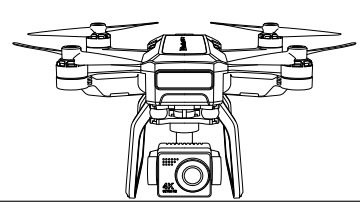
    Bwine-F7GB2-Auto-Return-GPS-Follow-Pro-Drones-Figure-16

    • Put on a level surface. ( About 20 seconds )

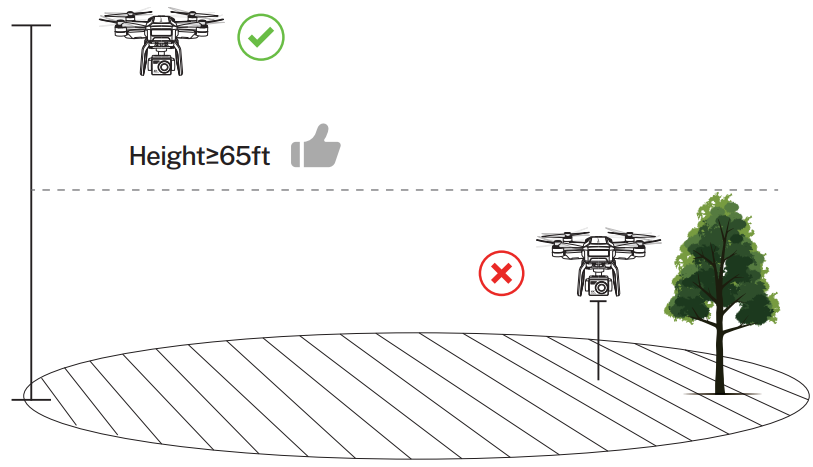
    Search for GPS Automatically
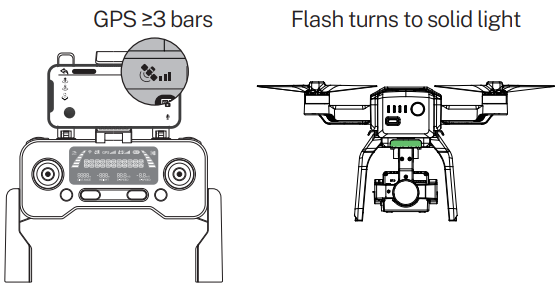
    Bwine-F7GB2-Auto-Return-GPS-Follow-Pro-Drones-Figure-17

    1. The searching time depends on the flight environment.
    2. If unsuccessful, the motors can’t be started.

    Start the Motors
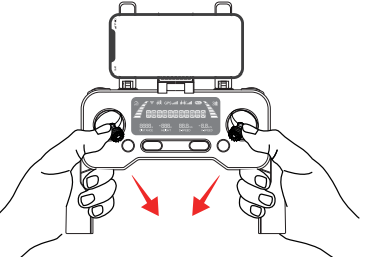
    Bwine-F7GB2-Auto-Return-GPS-Follow-Pro-Drones-Figure-18

    • Push joysticks to the 5 & 7 o’clock position. ( About 2 seconds )

    Take Off
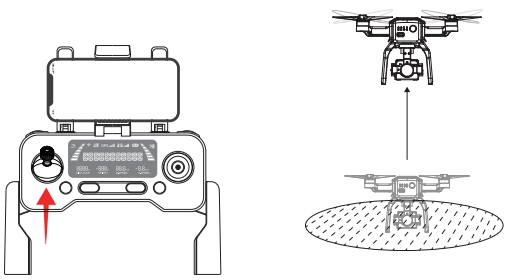
    Bwine-F7GB2-Auto-Return-GPS-Follow-Pro-Drones-Figure-19

    • Push up the left stick.

    Flying Drones

    Bwine-F7GB2-Auto-Return-GPS-Follow-Pro-Drones-Figure-20

    Troubleshooting

    Question Reason Solutions
    The motors cannot be started Weak GPS signal Turn on the aircraft in an open area with a strong GPS signal
    The red light stays on The aircraft hasa low battery. Please charge the battery in time
    The pink light stays on The compass is not calibrated. Please refer to the “Calibration Before Flight” section of the user manual.
    The left and right joysticks are in place. Push the left and right joysticks simultaneously to 5 o’clock and 7 o’clock for 2 seconds.
    Unstable flight Flying too low, affected by aircraft airflow Please fly the aircraft above 9.84ft(3 meters)
    The gyroscope is not calibrated Place the aircraft on a horizontal surface and conduct gyroscope/horizontal calibration. Please refer to the “Calibration Before Flight”  section of the user manual.
    The propellers become deformed and incomplete. Replace the propellers with new ones.
    GPS signal is unstable. Flying near buildings and in obstructed places Please fly the aircraft in an open area free of obstacles within the circle of radius 32.81 ft (10 meters)

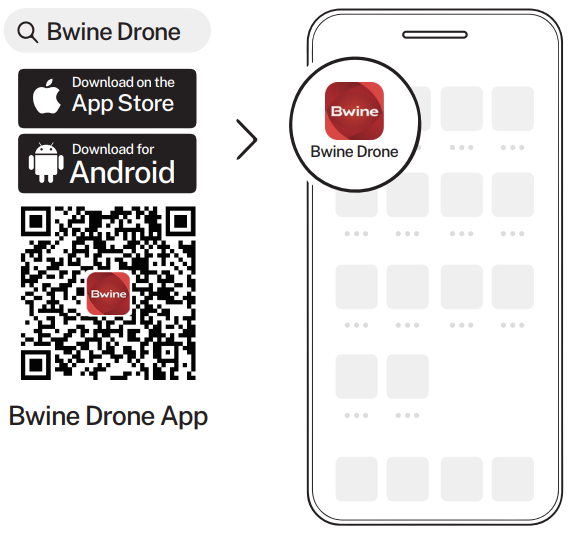
    Download App

    Bwine-F7GB2-Auto-Return-GPS-Follow-Pro-Drones-Figure-21

    Customer Support

    • Timings: Mon-Fri 7:00 AM – 5:00 PM (PST)
    • Tel: +1 (619) 614-7960
    • Website: https://www.bwine.net/
    • Address: Room 1705, Rufeng Building, No. 573, Bulong Road, Ma’antang Community, Bantian Street, Longgang District, Shenzhen

    © 2024 Bwine Technology. All rights reserved.

    Share. Facebook Twitter Pinterest LinkedIn Tumblr Email
    Gabriel Smith

    Related Posts

    Sony HDIH-1200 HD Projection Head Instruction Manual

    May 11, 2026

    Do Ceiling Fans Use a Lot of Electricity

    May 11, 2026

    How to Use Lexar Portable SSD

    May 8, 2026

    Which Retro Gaming Console Is Best

    May 8, 2026

    Case Android Phone User Manual

    May 7, 2026

    How To Use Phone Gaming Controller

    May 7, 2026
    Add A Comment
    Leave A Reply Cancel Reply

    Don't Miss
    Other

    Sony HDIH-1200 HD Projection Head Instruction Manual

    May 11, 2026

    Sony HDIH-1200 HD Projection Head THIS APPARATUS MUST BE EARTHED IMPORTANT The wires in this…

    Do Ceiling Fans Use a Lot of Electricity

    May 11, 2026

    Which Retro Gaming Console Is Best

    May 8, 2026

    How to Use Lexar Portable SSD

    May 8, 2026
    Stay In Touch
    • Facebook
    • Twitter
    • Pinterest
    • Instagram
    • YouTube
    • Vimeo

    Subscribe to Updates

    Subscribe to Updates

    Follow us

    Facebook X-twitter Instagram Pinterest

    © 2025 All rights reserved Onyx Guide.