Close Menu
onyxguides.comonyxguides.com

    Subscribe to Updates

    Get the latest creative news from FooBar about art, design and business.

    What's Hot

    How To Change Password Of Wi-Fi Router TP-Link

    March 16, 2026

    CHASING DORY 1080P Full HD Underwater Drone User Manual

    March 16, 2026

    BARCO QDX Rental Laser Projectors Instruction Manual

    March 13, 2026
    Facebook X (Twitter) Instagram
    onyxguides.comonyxguides.com
    Facebook X (Twitter) Instagram Pinterest
    • Home
    • About us
    • Terms & Conditions
    • Privacy Policy
    • FAQs
    • Contact us
    onyxguides.comonyxguides.com
    Home » Bwine F7GB2 Auto Return GPS Follow Pro Drones User Manual
    Other

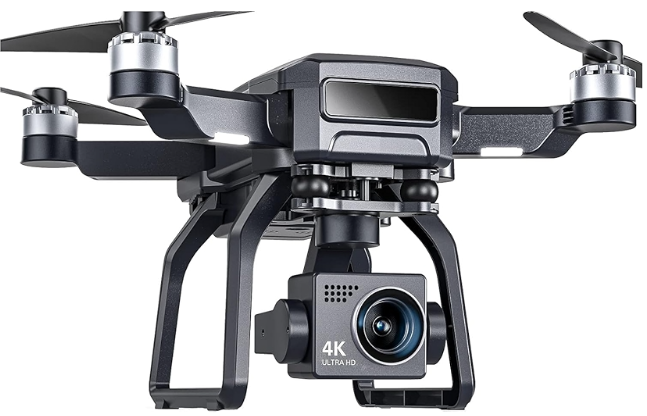
    Bwine F7GB2 Auto Return GPS Follow Pro Drones User Manual

    By Gabriel SmithFebruary 23, 2026No Comments3 Mins Read
    Facebook Twitter Pinterest LinkedIn Tumblr WhatsApp Telegram Email
    Bwine-F7GB2-Auto-Return-GPS-Follow-Pro-Drones-Featured
    Share
    Facebook Twitter LinkedIn Pinterest Email

    Bwine-logo

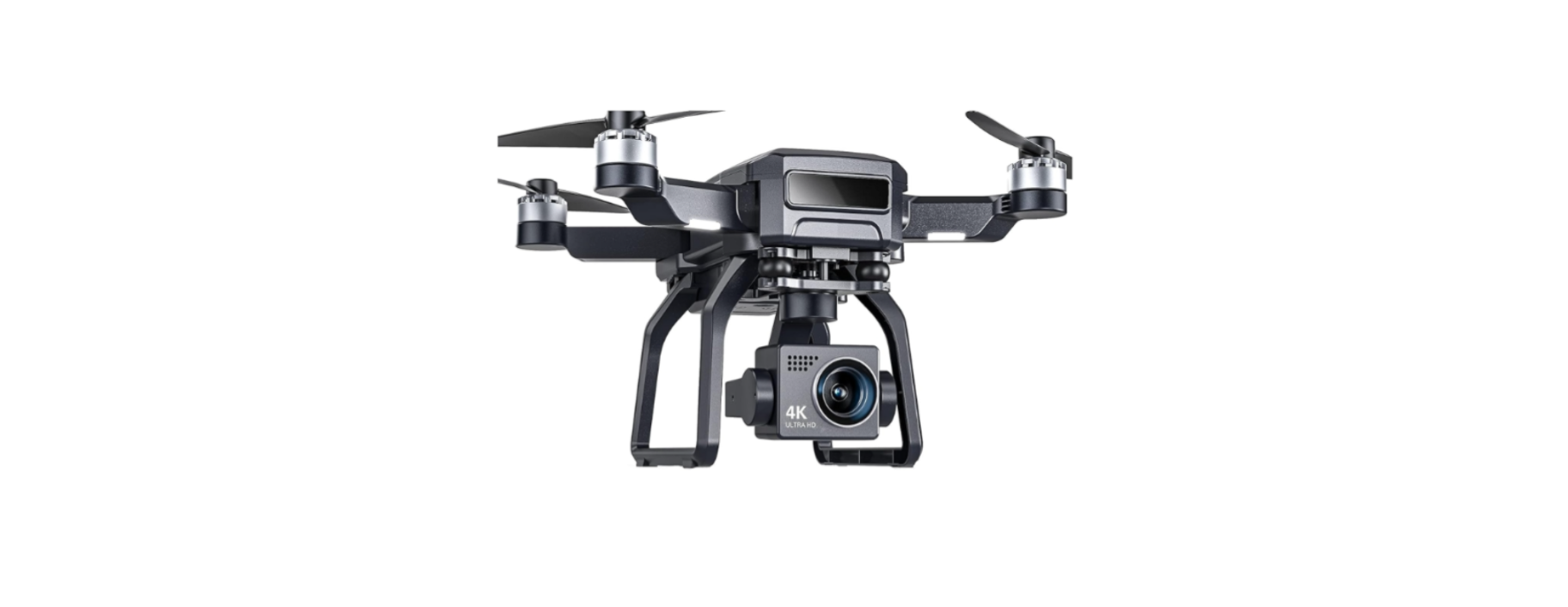
    Bwine F7GB2 Auto Return GPS Follow Pro Drones

    Bwine-F7GB2-Auto-Return-GPS-Follow-Pro-Drones-Product

    Package Contents

    • Bwine F7 Drone × 1
    • Remote Controller × 1
    • Rechargeable Battery (7.4V 2000mAh) × 1
    • Spare Propellers × 4
    • USB Charging Cable × 1
    • Screwdriver × 1
    • User Manual × 1
    • Propeller Guards × 4
    • Carrying Case × 1

    Charge the Batteries
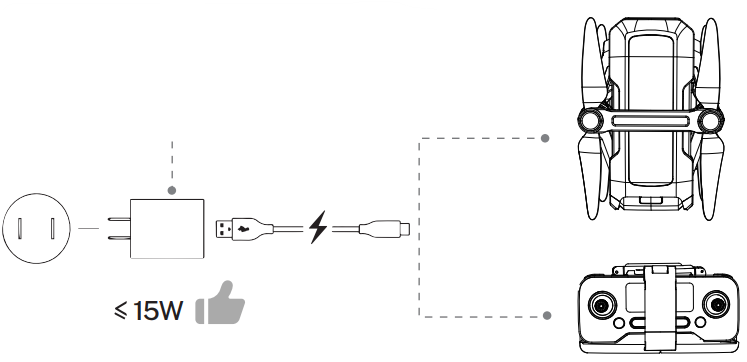
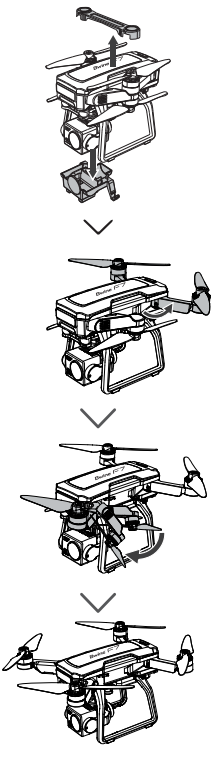
    Bwine-F7GB2-Auto-Return-GPS-Follow-Pro-Drones-Figure-1

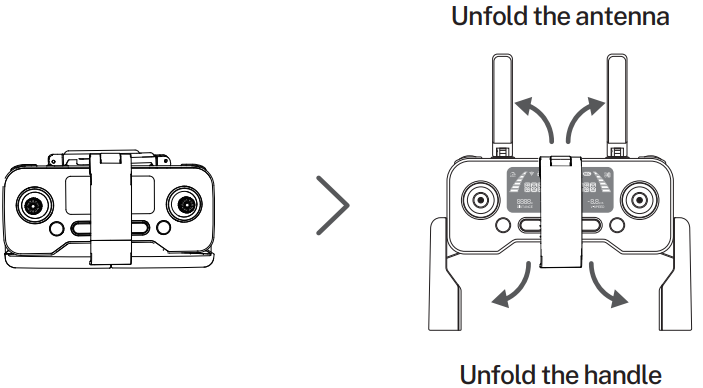
    Bwine-F7GB2-Auto-Return-GPS-Follow-Pro-Drones-Figure-2


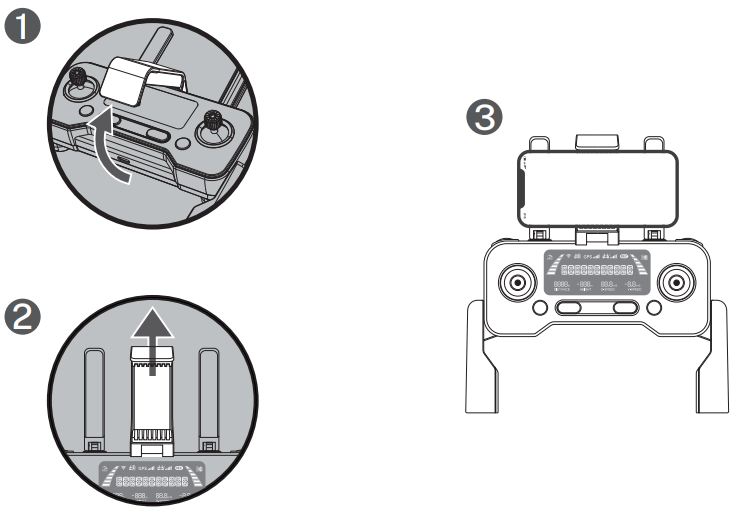
    Bwine-F7GB2-Auto-Return-GPS-Follow-Pro-Drones-Figure-3

    Bwine-F7GB2-Auto-Return-GPS-Follow-Pro-Drones-Figure-4

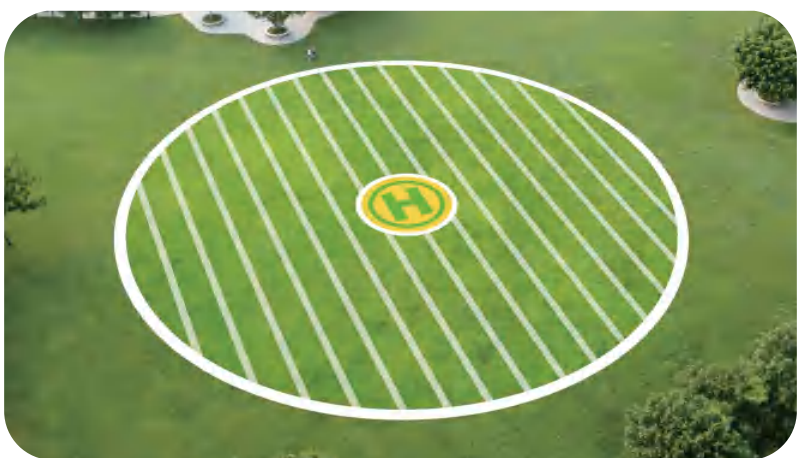
    Select an Open Flight

    Bwine-F7GB2-Auto-Return-GPS-Follow-Pro-Drones-Figure-5

    Bwine-F7GB2-Auto-Return-GPS-Follow-Pro-Drones-Figure-6

    • Press and hold the button until the aircraft plays the startup sound.
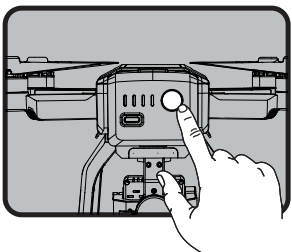
    Bwine-F7GB2-Auto-Return-GPS-Follow-Pro-Drones-Figure-7

    • Short-press 2 times to power on the transmitter.
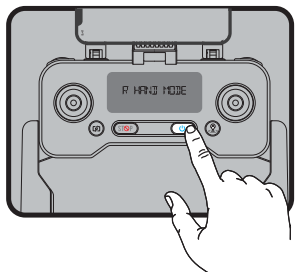
    Bwine-F7GB2-Auto-Return-GPS-Follow-Pro-Drones-Figure-8

    Pair the Transmitter with the Aircraft
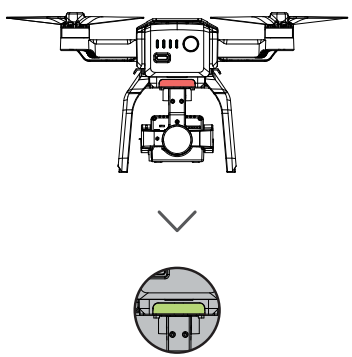
    Bwine-F7GB2-Auto-Return-GPS-Follow-Pro-Drones-Figure-9

    • The light on the back of the drone turns from red to green. ( About 40 seconds )
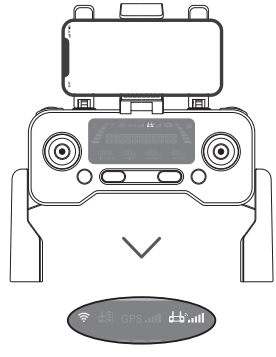
    Bwine-F7GB2-Auto-Return-GPS-Follow-Pro-Drones-Figure-10

    • The DI sounds of the transmitter stop, and the signal sign on the screen lights, pairing completed.

    Connect to Wi-Fi
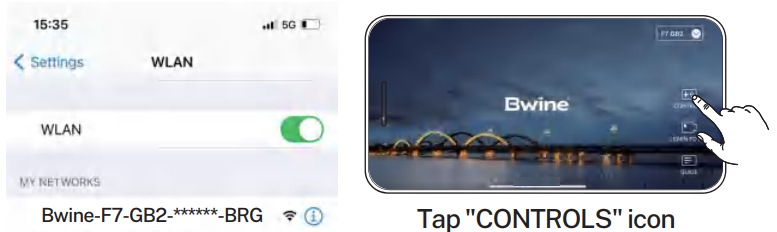
    Bwine-F7GB2-Auto-Return-GPS-Follow-Pro-Drones-Figure-11Connect the mobile device to the aircraft’s Wi-Fi and enter the App operation page. Please refer to the user manual (page 34) for more details.

    Calibrate the Compass
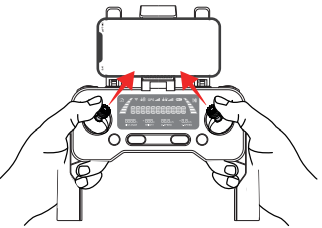
    Bwine-F7GB2-Auto-Return-GPS-Follow-Pro-Drones-Figure-12

    • Push joysticks to 1 & 11 o’clock position.
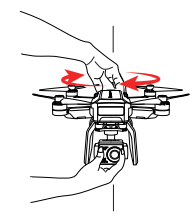
    Bwine-F7GB2-Auto-Return-GPS-Follow-Pro-Drones-Figure-13

    • Rotate the aircraft horizontally 360°. ( About 1-2 turns )
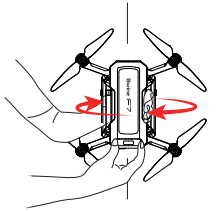
    Bwine-F7GB2-Auto-Return-GPS-Follow-Pro-Drones-Figure-14

    • Rotate the aircraft vertically 360°. ( About 1-2 turns )

    Calibrate the Gyroscope
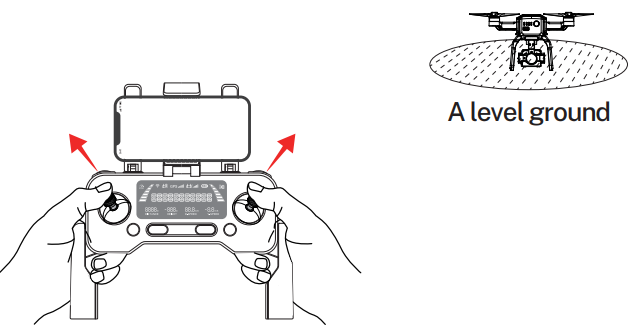
    Bwine-F7GB2-Auto-Return-GPS-Follow-Pro-Drones-Figure-15

    • Push joysticks to 11 & 1 o’clock position. ( About 2 seconds )

    Gimbal Self-inspection
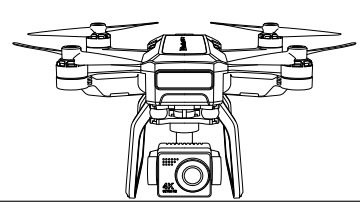
    Bwine-F7GB2-Auto-Return-GPS-Follow-Pro-Drones-Figure-16

    • Put on a level surface. ( About 20 seconds )

    Search for GPS Automatically
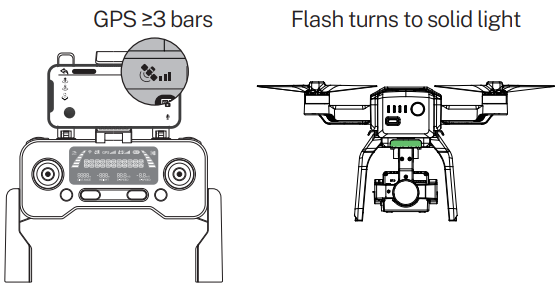
    Bwine-F7GB2-Auto-Return-GPS-Follow-Pro-Drones-Figure-17

    1. The searching time depends on the flight environment.
    2. If unsuccessful, the motors can’t be started.

    Start the Motors
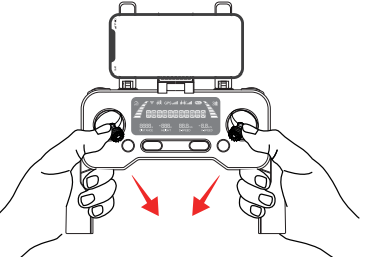
    Bwine-F7GB2-Auto-Return-GPS-Follow-Pro-Drones-Figure-18

    • Push joysticks to the 5 & 7 o’clock position. ( About 2 seconds )

    Take Off
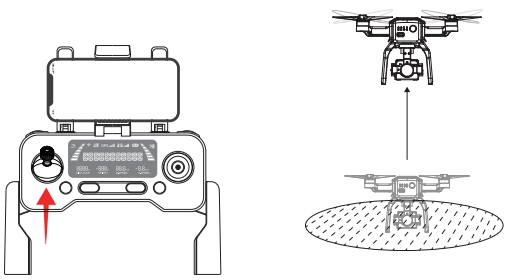
    Bwine-F7GB2-Auto-Return-GPS-Follow-Pro-Drones-Figure-19

    • Push up the left stick.

    Flying Drones

    Bwine-F7GB2-Auto-Return-GPS-Follow-Pro-Drones-Figure-20

    Troubleshooting

    QuestionReasonSolutions
    The motors cannot be startedWeak GPS signalTurn on the aircraft in an open area with a strong GPS signal
    The red light stays onThe aircraft hasa low battery. Please charge the battery in time
    The pink light stays onThe compass is not calibrated. Please refer to the “Calibration Before Flight” section of the user manual.
    The left and right joysticks are in place.Push the left and right joysticks simultaneously to 5 o’clock and 7 o’clock for 2 seconds.
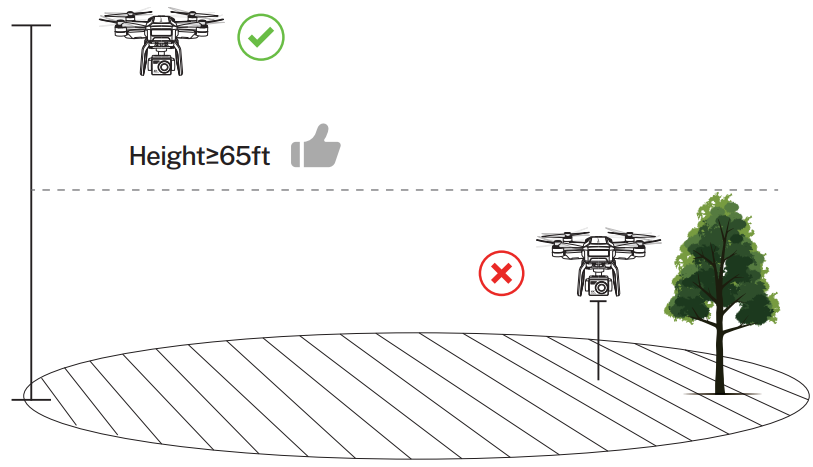
    Unstable flightFlying too low, affected by aircraft airflowPlease fly the aircraft above 9.84ft(3 meters)
    The gyroscope is not calibratedPlace the aircraft on a horizontal surface and conduct gyroscope/horizontal calibration. Please refer to the “Calibration Before Flight”  section of the user manual.
    The propellers become deformed and incomplete.Replace the propellers with new ones
    GPS signal is unstable. Flying near buildings and in obstructed placesPlease fly the aircraft in an open area free of obstacles within the circle of radius 32.81 ft (10 meters)

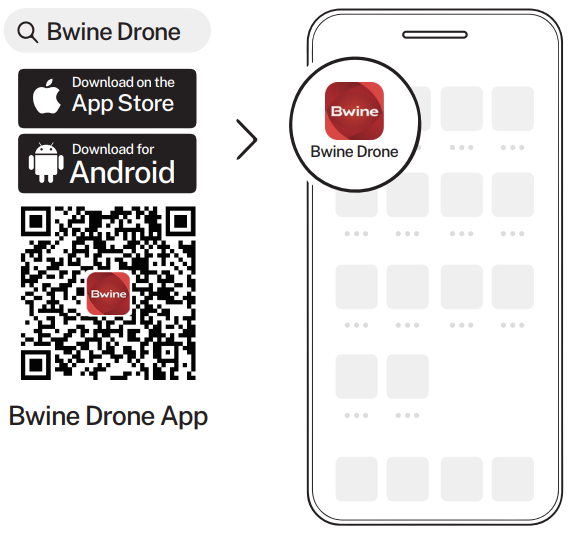
    Download App

    Bwine-F7GB2-Auto-Return-GPS-Follow-Pro-Drones-Figure-21

    Customer Support

    • Timings: Mon-Fri 7:00 AM – 5:00 PM (PST)
    • Tel: +1 (619) 614-7960
    • Website: https://www.bwine.net/
    • Address: Room 1705, Rufeng Building, No. 573, Bulong Road, Ma’antang Community, Bantian Street, Longgang District, Shenzhen’

    © 2024 Bwine Technology. All rights reserved.

    Share. Facebook Twitter Pinterest LinkedIn Tumblr Email
    Gabriel Smith

      Related Posts

      How To Change Password Of Wi-Fi Router TP-Link

      March 16, 2026

      CHASING DORY 1080P Full HD Underwater Drone User Manual

      March 16, 2026

      BARCO QDX Rental Laser Projectors Instruction Manual

      March 13, 2026

      CHRISTIE D4K2560 High Frame 4K Projector Instruction Guide

      March 13, 2026

      How To Protect Electronic Devices From EMP

      March 12, 2026

      Hisense PX1 Triple Laser Ultra Throw Projector User Guide

      March 12, 2026
      Add A Comment
      Leave A Reply Cancel Reply

      Don't Miss
      Other

      How To Change Password Of Wi-Fi Router TP-Link

      March 16, 2026

      Introduction The TP-Link router is used for several purposes. Because it is dependable and simple…

      CHASING DORY 1080P Full HD Underwater Drone User Manual

      March 16, 2026

      BARCO QDX Rental Laser Projectors Instruction Manual

      March 13, 2026

      CHRISTIE D4K2560 High Frame 4K Projector Instruction Guide

      March 13, 2026
      Stay In Touch
      • Facebook
      • Twitter
      • Pinterest
      • Instagram
      • YouTube
      • Vimeo

      Subscribe to Updates

      Subscribe to Updates

      Follow us

      Facebook X-twitter Instagram Pinterest

      © 2025 All rights reserved Onyx Guide.