

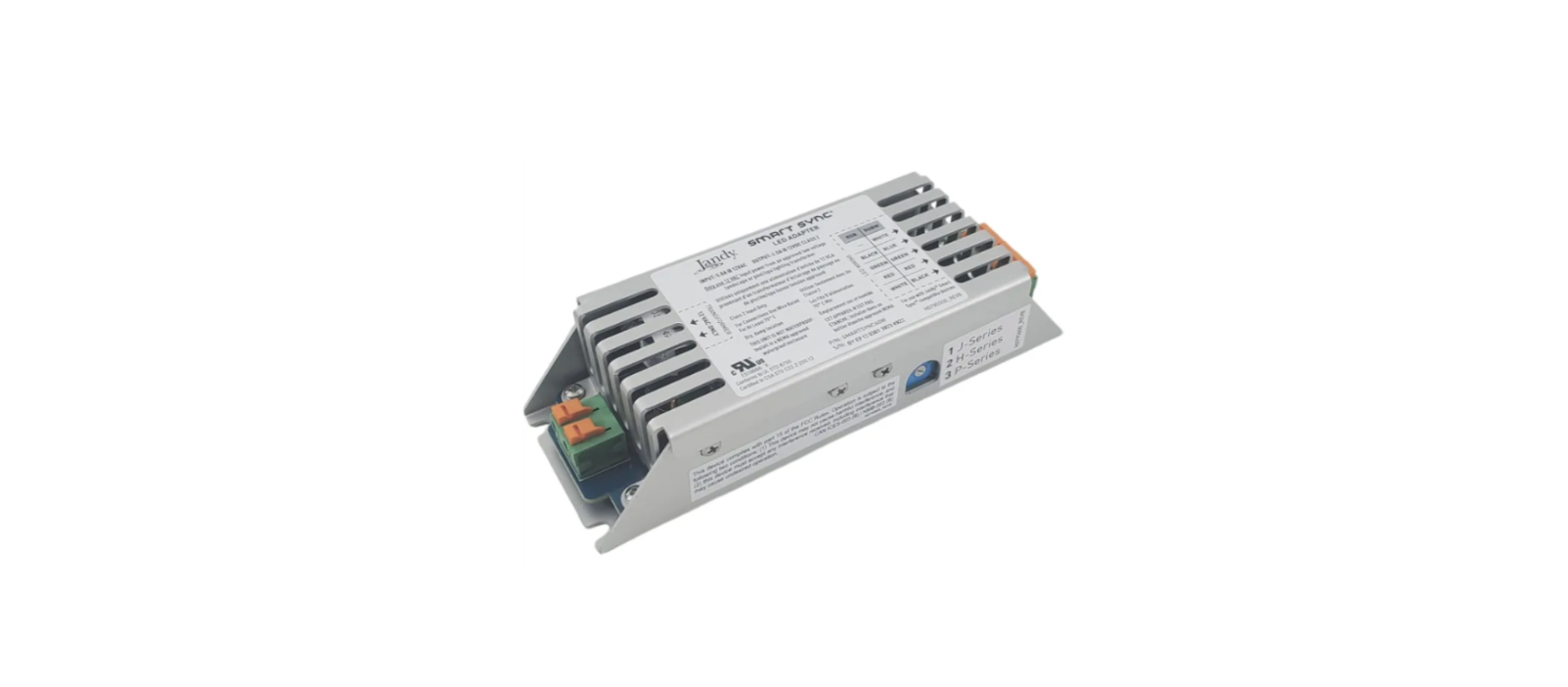

JANDY IWCSS60W Smart Sync LED Adapter

The JANDY IWCSS60W Smart Sync LED Adapter allows pool and spa owners to control LED lighting colors, brightness, and sequences through the JANDY automation system.
Safety Instructions
The JANDY IWCSS60W Smart Sync LED Adapter is designed to be powered and operated with the Infinite WaterColors™ Light Controller. The lights will not operate when connected to an alternate transformer. Follow all installation and operating instructions for the JANDY IWCSS60W Smart Sync LED Adapter and Light Controller (Model: IWCLC300W).
Installation
Before attempting to install or service the JANDY IWCSS60W Smart Sync LED Adapter, ensure that all power to the circuit supplying power to the system is disconnected or turned off at the circuit breaker. All wiring for the JANDY IWCSS60W Smart Sync LED Adapter must be done in accordance with the National Electrical Code® (NEC®), NFPA70®. In Canada, follow the Canadian Electrical Code (CEC), CSA C22.1, and all applicable local installation codes and regulations.
Mount the Smart Sync LED Adapter
- Mount the Smart Sync LED Adapter in a NEMA-approved weatherproof enclosure using the included mounting screws, as shown in Figure 2. Enclosure is not included.
- Minimum Enclosure Size (Internal): 9″ x 3″ x 4″ (228 mm x 100 mm x 75 mm)

Figure 1. Smart Sync LED Adapter Dimensions

Figure 2. NEMA-Approved Weatherproof Enclosure
Attach Wiring
- Wire to the Infinite WaterColors™ Smart Sync compatible device. Strip the four RGB or five RGBW wires by at least ¼”. (Compatible with both solid and stranded wire 24–14 AWG.)
- Attach each of the four or five wires to the Smart Sync LED Adapter by pushing back an orange spring clamp and inserting the correct wire below.
- If needed, push back the orange spring clamps to release wires. See Figure 3 for wire stripping and insertion, Figure 4 for RGB wiring, and Figure 5 for RGBW wiring.
- Repeat steps 1 and 2 to connect wiring from the Jandy Infinite WaterColors™ LED Light Controller. See Figure 6.

Figure 3. Wire Stripping and Insertion

Figure 4. RGB Wiring

Figure 5. RGBW Wiring

Figure 6. Jandy Infinite WaterColors Wiring Diagram
System Wiring Examples

iAquaLink® App Features
Download the iAquaLink app and/or upgrade to the latest version prior to light and zone setup. App function and design are subject to change.
Light Setup
- Open the app on your device.
- From the My Systems page, select your pool.
- From the home page, choose the cog system icon on the top right and select System Setup.
Assign Lights
- From the System Setup page, select Light Setup and Assign Lights.
- From the Assign Lights pop-up, choose Proceed to continue the process.
- On the Light the Zone Setup page, select a light in order to move it to a different zone and follow further instructions in the app.
Name Light Zones
- Go to > System Setup > Light Setup > Zone Name.
- From the Edit Zone Name pop-up, enter the zone name and choose OK.
Turn Lights On/Off
- Open the app on your device.
- From the My System page, select your pool.
- Choose the equipment page.
- Turn zone lights on/off by tapping the toggle to the right of the desired zone.
Select Colors
- Open the app on your device
- From the My System page, select your pool.
Select Custom Color
- Go to > equipment page.
- From the equipment page, choose the zone you want to change the color of.
- From that zones page, choose Custom Color.
- Choose your custom color from the color wheel.
- Choose Apply to apply the custom color to your zone.
Preset Colors
- Go to > equipment page and select the zone you want to change color.
- After selecting the zone, choose from the list of preset colors to apply that preset color to your zone.
Preset Color Shows
- Go to > equipment page.
- From the equipment page, choose the zone you want to change the color of.
- After selecting the zone, choose from the list of preset color shows to apply that preset color show to your zone.
Adjust Brightness
- From the equipment page, select the sun icon on the zone where you want to change to adjust the brightness.
- Move the slider bar up or down with your finger and then click apply to change the brightness.\
Specifications
The JANDY IWCSS60W Smart Sync LED Adapter includes:
- 60W LED Driver
- Rated Max Input: 5.0A @ 14 VAC
- Rated Max Output: 4.5A @12 VDC
- Controls up to 12 feet of Brilliant Wonders™ LED Waterfalls (each waterfall requires 5 watts per foot)
- Only use 14 VAC input power from the Jandy Infinite WaterColors™ Light Controller, a listed low-voltage pool/spa transformer, between pool controls and the JANDY IWCSS60W Smart Sync LED Adapter.
- Must be mounted in a NEMA-approved weatherproof enclosure.
- Requires AquaLink® RS automation (Rev Y or later) to operate.
Additional Online Content
For detailed guidance on the JANDY IWCSS60W Smart Sync LED Adapter, please refer to the online manual for the following features:
- OneTouch Setup
- Amazon Alexa Light Control
- Troubleshooting
You can also check the JANDY H0666700 Pool & Spa LED Light User Instructions for more detailed guidance on compatible LED lighting setups and operation.
FCC Regulatory Compliance Statement
This device complies with Part 15 of the FCC Rules. Operation is subject to the following two conditions:
- This device may not cause harmful interference, and
- This device must accept any interference received, including interference that may cause undesired operation.
This equipment generates, uses, and can radiate radio frequency energy and, if not installed and used in accordance with the instructions, may cause harmful interference to radio communications. However, there is no guarantee that interference will not occur in a particular installation.
- Reorient or relocate the receiving antenna.
- Increase the separation between the equipment and receiver.
- Connect the equipment to an outlet on a circuit different from that to which the receiver is connected.
- Consult the dealer or an experienced radio/TV technician for help.
1 Comment
Pingback: JANDY H0666700 Pool & Spa LED Light | Safety User Guide