

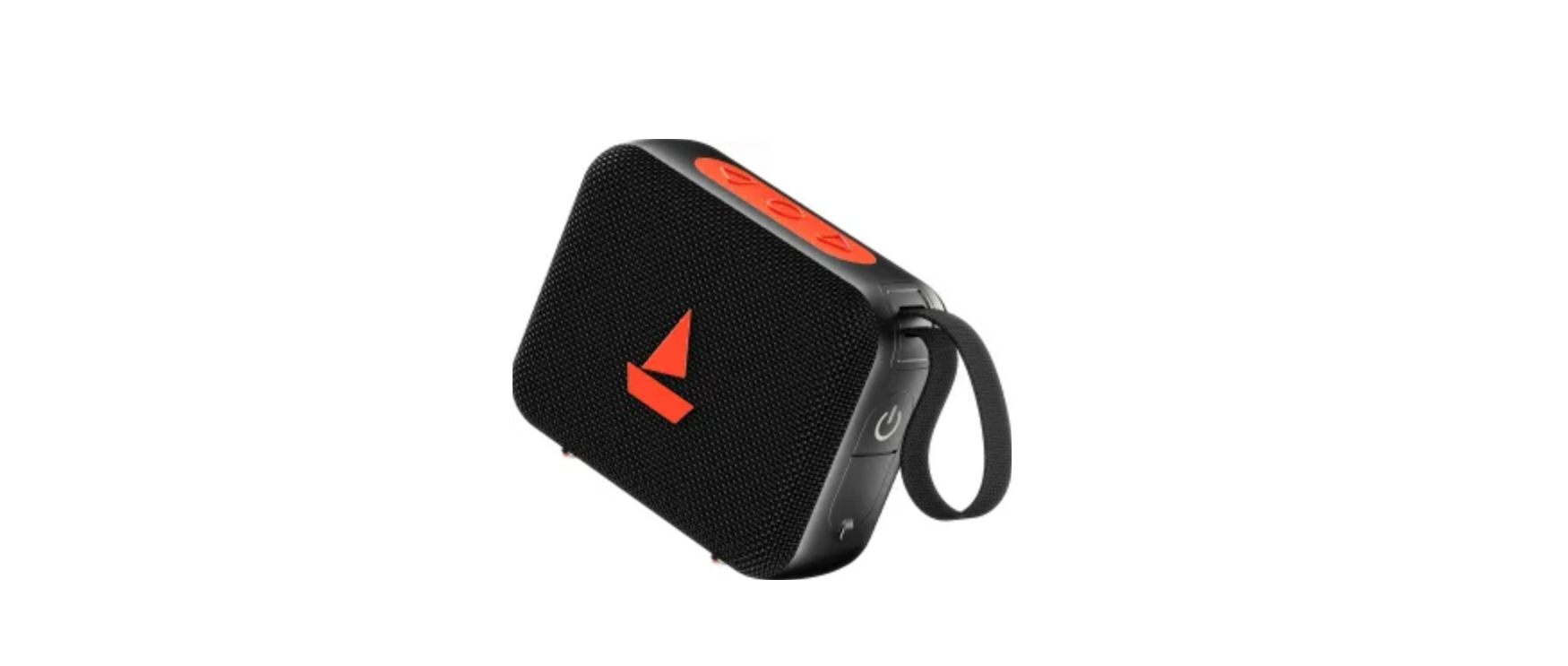

K-Mate BTS002 Mini Bluetooth Stereo Speaker
Brief Introduction
Bluetooth is a standard of close-range radio-communication technology that was developed by Ericsson, IBM, Intel, Nokia, and Toshiba. With Bluetooth technology, we can achieve the highest transmission rate among cell phones, computers, printers, PDAs, and other devices. The max transmission range of class II is 10 meters, while the max transmission range of class I can reach up to 100 meters.
About the speaker
- HFP—Hands-free Profile
- A2DP—Advanced Audio Distribution Profile
- AVRCP—Audio/Video Remote Control Profile
Features
- Pairing with a Bluetooth mobile phone or PDA supporting HFP. Answer a call, end a call, and reject a call.
- Redial last number
- Voice dial
- Adjust the volume
- Three-way calling
- Calls transfer
- Microphone mute
- Pairing with a Bluetooth music device or Bluetooth transmitter supporting A2DP.
- Enjoy music wirelessly
- Adjust the volume
- Remote control pause/play
- Remote control previous/next track
- Easy to switch between the conversation and music, you will not miss incoming calls while listening to music.
- Every time the speaker is turned on, it will connect to the last connected device automatically.
Getting Started
- Neck Chain Loop
- Line In/Out Port
- Line In/Out Switch
- Volume Control Button
- Next/Previous Track Button
- Power/Play/Pause Button
- Microphone
- Charging Jack
- Built-In Speaker
- Answer/Reject/End Call/Redial/Voice Dial/Transfer Calls/Status LED.
Charging the battery of the speaker
- The speaker comes with a built-in rechargeable battery; before using it, it is recommended to charge the battery fully for the first time.
- Connect the USB cable to a computer USB port and the USB cable plug to the charging socket of the speaker. The LED will be red while charging. It takes about 2.5 hours to charge the battery fully. When charging is completed, the LED will be off.
- When the speaker is on and the battery becomes low, the LED flashes red twice and the speaker emits three “Dong” tones every 10 seconds. Please recharge the battery fully as described above.
Using the speaker
| Functions | Operations | LED
indicator |
Indication tone | |
| Turning on the speaker | Press and hold the button for about 3 seconds until the LED flashes blue | 5 | The LED
flashes blue |
A string of tones |
| Turning off the speaker | Press and hold the button for about 2 seconds until the LED flashes red | 3 | The LED
flashes red |
A string of tones |
Pairing the speaker with Bluetooth devices: How to enter pairing mode
| Function | Status of the speaker | Operation | LED indicator |
| Entering pairing mode | Turned on | Press and hold the button for 7 8 seconds | The LED flashes red and blue alternately |
Pairing the speaker with a Bluetooth mobile phone
Prior to using the speaker for the first time, you have to pair it with a Bluetooth-enabled mobile phone. The pairing procedure is subject to different models of mobile phones. Please refer to your mobile phone user’s manual for details. The general pairing procedure is as follows:
- Place the speaker and Bluetooth mobile phone where they are easily viewable by no more than 1 meter apart;
- Make sure the speaker is off; otherwise, switch it off first.
- Enter the speaker’s pairing mode (please refer to “How to enter pairing mode).
- Activate your mobile phone’s Bluetooth function and set your mobile phone to search for Bluetooth devices. After the search is completed, select “BTS002” from the Bluetooth device list.
- According to the indication, enter password or PIN No:”0000” and press ” Yes” or “confirm”;
- Go back to your mobile phone’s main menu. For certain mobile phone models, a speaker icon will be shown on the screen. You should now be able to listen to music and make calls using the speaker.
Pairing the speaker with a Bluetooth transmitter
You can connect the speaker to a Bluetooth transmitter to enjoy music wirelessly. Hereby taken the BTT001 iPod Bluetooth transmitter is taken for example. The pairing procedure is as follows:
- Place the speaker and Bluetooth transmitter where they are easily viewable by no more than 1 meter apart;
- Enter the speaker’s pairing mode (Please refer to “How to enter pairing mode).
- Turn on the Bluetooth transmitter. It will search for Bluetooth devices automatically and send a pairing request.
- When the speaker requests to enter a PIN, the transmitter will respond “0000” automatically.
- After successful pairing and connecting, the LED will flash blue twice every 4 seconds.
Making a call with the speaker
| Functions | Status of the speaker | Operations |
| Basic conversation functions | ||
| Answer a call | Incoming ring | Press the button once |
| Reject a call | Incoming ring | Press and hold the button for about 2 seconds until you hear the indication tone |
| Cancel calling | Calling | Press the button once |
| End a call | During a call | Press the button once |
| Adjust the volume | During a call | Press the button to
Adjust the volume |
| Microphone mute | During a call | Press the button twice quickly |
| Cancel mute | Microphone mute | Press the button twice quickly |
| Call transfer (speaker to mobile phone) | During a call (speaker) | Press and hold the button for about 2 seconds until you hear the indication tone |
| Call transfer (mobile phone to speaker) | During a call mobile phone | Press and hold the button for about 2 seconds until you hear the indication tone |
| Redial last nomber | Standby mode and connected | Press and hold the button once |
| Voice dial | Standby mode and connected | Press the button twice quickly |
Three-way calling function
| Answer a new incoming call and end the current call | There is a new incoming call | Short press button |
| Reject a new incoming call and continue the current call | There is a new incoming call | Press and hold the button |
| Answer a new incoming call and keep the current call | There is a new incoming call | Short press button |
| Switch between two calls | During a call (Keeping a call) | Short press button |
| End the current call and switch to the keeping call | During a call (Keeping a call) | Short press button |
Music playback
After connecting the speaker to a Bluetooth mobile phone or K-Mate BTS002 Mini Bluetooth Stereo Speaker Bluetooth transmitter supporting A2DP, you can enjoy music with the speaker.
If you want to remote control the previous/next track, pause/play, you need a Bluetooth mobile phone or Bluetooth transmitter paired with the speaker to support AVRCP.
| Functions | Status of the speaker | Operation |
| Adjust the volume | Playing music | Press the button to adjust the volume |
| Previous track | Playing music | Press the button once |
| Next track | Playing music | Press the button once |
| Pause | Playing music | Press the button once |
| Play | Pausing | Press the button once |
Re-connecting with a Bluetooth device
- Automatic connecting
Every time the speaker is turned on, it will connect to the last connected device automatically. - Connecting manually
When the speaker is in standby mode, press the MFB button once to connect the speaker to the last connected device.
Auto-off
- The speaker will turn off automatically if no devices can be connected after 5 minutes in order to save power.
Using the speaker with an external device
You can listen to music through your car audio system or home audio system from your stereo speaker.
- Step 1: Turn the LINE IN/OUT button to “OUT” as the K-Mate BTS002 Mini Bluetooth Stereo Speaker following picture shows:

- Step 2: Use a Line-out cable to connect the LINE port to your car audio system or home system, as the following picture shows:

Please read your car audio system’s user manual or home audio system’s user manual to understand how to activate and use the stereo Line function.
Connecting with a non-Bluetooth device
You can listen to music through the stereo speaker from an external device that doesn’t even support the Bluetooth function.
- Turn the LINE IN/OUT button to “IN” as the following picture shows:

- Use a Line-in cable to connect the Line-out port of the external music player to the LINE port of the speaker.
- Play music from your music player.
LED indicator
LED indicator |
Status of the speaker |
| The LED is red | Charging in progress |
| The LED is off | Finish charging |
While the speaker is not charging
LED indicator |
Status of the speaker |
| The LED flashes red and blue alternately | Pairing mode |
| The LED flashes blue twice every 2 seconds | Not connected |
| The LED flashes blue twice every 5 seconds | Set up HFP connection |
| The LED flashes blue twice every 5 seconds | Set up A2DP connection |
| The LED flashes blue 3 times every 2 seconds | Incoming call/calling |
| The LED flashes blue once every 3 seconds | During a call |
| The LED flashes red twice every 10 seconds | Low power |
| The LED is red | Plug the Line-in cable |
Indication tone
Indication tone |
Status of the speaker |
| Emits 2 DU tones every 5seconds | Microphone mute |
| Emits 3 Dong tones every 10 seconds | Low power |
Care and Maintenance
Read the following recommendations before using the speaker. Following these, you will be able to enjoy our product for many years.
- Do not expose the speaker to liquid, moisture, or K-Mate BTS002 Mini Bluetooth Stereo Speaker humidity to avoid the product’s internal circuit being affected.
- Don’t use abrasive cleaning solvents to clean the speaker.
- Don’t dispose of the speaker in a fire, as it will result in an explosion
- Don’t expose the speaker to contact with sharp objects, as this will cause scratches and damage.
- Don’t let it fall onto the floor. The internal circuit might get damaged.
- Don’t attempt to disassemble the product as it may get damaged if you are not a professional.
In case the speaker doesn’t function properly, send it to the store where you bought it. The staff will help you solve the problem.
Specifications
| Bluetooth specification | Bluetooth V2.1 |
| Bluetooth profiles | HFP, A2DP, and AVRCP |
| Bluetooth frequency range | 2.402GHz 2.480GHz |
| Operating distance | 10 meters |
| Talk time | Up to 6 hours |
| Music playing time | Up to 6 hours |
| Charing input | DC 5V 500 mA |
| Charging time | Approx 2.5 hours |
| Dimensions | 94×50×16mm |
| Weight | 56.2g |
Customer Support
- 86-0760-88320910
- E Bldg., Fuwan Ind.Zone, Fuwan Nan Rd., Zhongsha, N China, Jining, Shandong, China
- https://kmate8.goldsupplier.com/
FAQs
Q: What devices are compatible with the BTS002 Mini Bluetooth Speaker?
Bluetooth-enabled gadgets, including MP3 players, laptops, tablets, and smartphones, are compatible with the BTS002. Additionally, it has an AUX input for cable connections to non-Bluetooth devices.
Q: What is the Bluetooth range of the BTS002?
Without obstructions, the speaker’s wireless range is normally up to 10 meters (33 ft). Interference and walls may shorten its distance.
Q: How long does the battery last on a full charge?
Depending on volume and use, the BTS002 can play music for four to six hours. Using the included USB cord, charging takes about two to three hours.
Q: Can the BTS002 speaker be used while charging?
Yes, you may use a USB to charge the speaker while listening to music. However, it is advised to charge the battery completely before using it whenever feasible for optimal battery health.
Q Does the BTS002 support hands-free calls?
Yes, when paired with a smartphone, the speaker’s built-in microphone enables hands-free call answering and making.
Q: What audio formats does the BTS002 support?
Depending on the device connected, the speaker can play music from any Bluetooth-enabled device as well as from the AUX input. It supports all common file types, including MP3, AAC, WAV, and others.
Q: How do I clean and maintain the speaker?
Clean the outside with a gentle, dry cloth. Keep the speaker away from moisture and don’t submerge it in water. Avoid placing the speaker in direct sunlight, dust, or extremely hot or cold environments.
Q: Can I connect two BTS002 speakers for stereo sound?
No, linking two units for stereo output at the same time is not supported by the BTS002. It is intended to be used as a stand-alone little speaker.