

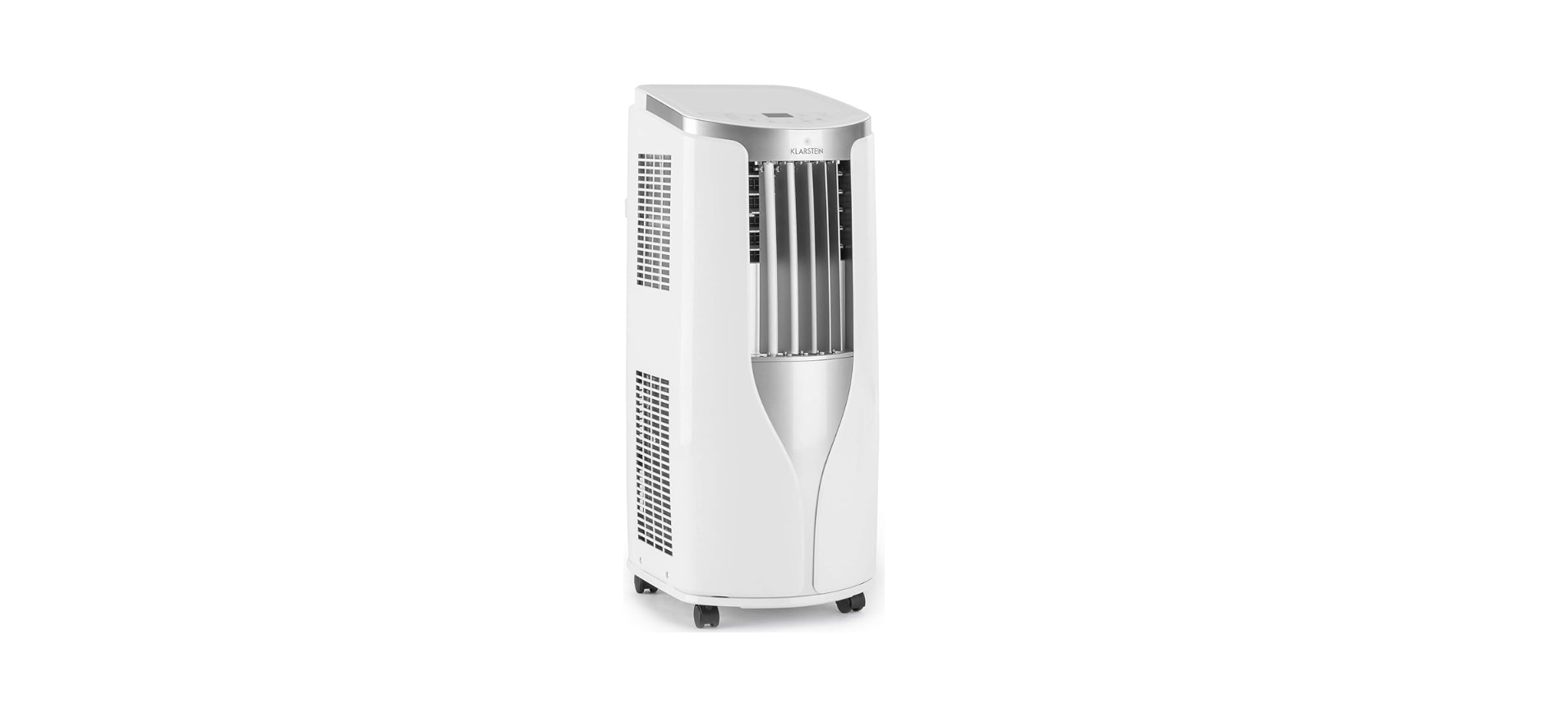

KLARSTEIN 10032511 BREEZE ECO Air Conditioner

SAFETY INSTRUCTIONS
- Only use agents recommended by the manufacturer for defrosting or cleaning.
- Do not puncture or burn the appliance.
- Always turn off the appliance before cleaning and unplug it from the wall outlet.
- Switch off the appliance before moving it and unplug it from the wall outlet.
- Move the appliance slowly and carefully.
- To avoid the risk of fire, do not cover the unit.
- All fan connections must comply with local electrical safety regulations.
- If necessary, refer to these regulations.
- Supervise children so that they do not play with the unit.
- Type and voltage of fuses: T, 250 V AC, 2 A or higher.
- Contact customer service for cleaning and maintenance.
- Do not pull the power cord, deform or modify it, or immerse it in water.
- Incorrect handling of the power cord may result in damage to the equipment and/or electric shock.
- Do not block the ventilation openings.
- Do not operate the appliance solely by inserting or removing the power plug, as this may result in electric shock or fire due to heat.
- Immediately unplug the appliance from the wall outlet if it emits strange noises, odours, or smoke.
Overview
- Control panel
- Ventilation slats
- Vibrating fins
- Rollers

- Cable holders
- Plugs and power cord
- Ventilation slots
- Air intake
- Connection A
- Exhaust air hose
- Connections B and C

Control Panel
- +/- Key
- Temperature display
- Cooling display
- Drying indicator
- Fan display
- Mode
- Timer
- On / off button
- Sleep mode
- Fan
- Fan speed

Functions
- +/-
- In cooling mode, press these buttons to adjust the temperature in 1 °C increments. The adjustable temperature range is between 16 °C – 30 °C. This button is inactive in auto, drying, or fan mode.
- Mode
- Press this button to select the mode in the following order
Cooling> Drying> Fan. - Cool
The cooling indicator lights up in this mode. This display shows the set temperature. The adjustable temperature is between 16 °C and 32 °C. - Dry
The drying indicator lights up in this mode. This display shows no temperature.
- Press this button to select the mode in the following order
- Fan
- In this mode, only the fan works. The fan indicator lights. The display shows no temperature.
- Press this button to select the speed in the following order: low > medium > high > auto > low.
- Timer
- Press this button to call up the timer. Then press the +/- key to set the timer. Each time the button is pressed, the time will change by 0.5 hours until 10 hours are reached. After that, the value will change by 1 hour each time you press the button.
- After you have entered the desired value, wait 5 seconds until the display automatically accepts the time. As soon as the timer starts running, the timer indicator will light up in the display. If you want to cancel the timer, press the timer button again in timer mode.
- Sleep
- Press this button to activate sleep mode. If the device is currently in cooling mode, the temperature will increase by 1 °Coverf one hour as soon as the sleep mode starts.
- Over the next 2 hours, the temperature will rise by a further 2 °C and then will stay at this level. The sleep function does not work in fan, auto, or drying mode.
Remote Control
- 1 Power button
- Up key (+)
- Mode
- Swivel movement (up/down)
- Down key (-)
- Fan
- Automatic switch-off
- Time
- Automatic switch-on
- Sleep mode
- Temperature
- Turbo
- X-Fan / Light
- WiFi
- Health mode / Air purge

Indicators

On/Off switch (ON/OFF)
- Press to switch the unit on or off.
- After starting, the light turns green. (The color of the indicator differs from model to model.)
Up Button (+)
- Press this button to increase the set temperature by 1 °C. Press and hold for more than 2 seconds to increase the set temperature faster. The temperature cannot be set in automatic mode.
Mode (MODE)
- A mode is selected with each keystroke. The modes go through in the following order: AUTO > COOL > DRY > FAN > HEAT (for models with heating function).
- After switching on, the automatic mode (AUTO) is selected by default. In automatic mode, the set temperature is not displayed.
- The appliance selects the appropriate mode depending on the room temperature to create a pleasant indoor climate. In cooling mode, nothing happens if signals are coming from the remote control.
Pivoting movement (SWING)
- Swivel movement up/down. The settings appear in the following order
This is a universal remote control. When the / / is sent, the device will understand the input as follows.
Down button (-)
- Use this button to reduce the set temperature by 1 °C. Press and hold the button for more than 2 seconds to reduce the set temperature faster. The temperature cannot be set in automatic mode.
Fan (FAN)
- Press to set the fan speed in a circle: Automatic, low, medium, high.

Automatic switch-off (TIMER OFF)
- Press this button to activate the automatic switch-off function. To deactivate the auto power off, simply press the button again. The setting is made in the same way as for automatic switch-on.
Setting the time (CLOCK)
- Setting the time: Press the CLOCK button; the clock symbol flashes. Press the [+] or [-] button within 5 seconds to set the current time.
- Press and hold one of the buttons for at least 2 seconds, the set time increases or decreases by 1 or 10 minutes every half second.
- If the display flashes after setting, press CLOCK again, and the time is displayed continuously.
Automatic power on (TIMER ON)
- Press this button to set the automatic switch-on. To turn off the auto power on, press the button again.
- After pressing the button, the clock symbol on the display disappears. Within 5 seconds, press the [+] or [-] button to set the power-on time.
- Press [+] and [-] to increase or decrease the time by 1 minute. Press and hold any of the buttons for at least 2 seconds to increase or decrease the set time by 1 or 10 minutes every half second.
Sleep mode (SLEEP)
- Press to switch the sleep mode on or off. This function is available in heating or cooling mode and provides the most comfortable temperature for you.
Temperature setting
- Press this button to show the set temperature, indoor temperature, or outdoor temperature on the display.

- Selection of no display on the remote control: display of the set temperature.
- Selection of no display on the remote control: display of the internal temperature.
- Selection of no display on the remote control: display of the outside temperature.
Turbo
- Pressing this button turns the turbo on or off. The appliance reaches the set temperature in the fastest way. In cooling or heating mode, the fan blows at high speed.
- After pressing this button in cooling mode and dehumidifying mode, the display shows, and the fan runs for 2 minutes to dry the indoor unit.
- Once the unit is switched on, ventilation mode is automatically activated. The function is not available in automatic mode, ventilation mode,e, and heating mode.
Light
- Use this button to turn off the light of the remote control display. The light symbol disappears. Press the button again to switch the light back on. The light symbol appears again.
WiFi (wireless)
- Turn WiFi on and off. When WiFi is on, the WiFi icon appears on the remote control display. When the power is off, press and hold the MODE and Wifi buttons simultaneously for 1 second to restore the WLAN module to its factory default settings.
Health mode – Air cleaning ( / )
- Press 1x: Starting the air purge. The display shows
- Press 2x: Starting the health mode and the air purge function simultaneously. The display shows and.
- Press 3x: Switch off both functions.
- Press 4x: Start of the health function. The display shows. These functions are available on some models
Parental lock
- Press [+] and [-] simultaneously to turn on the parental lock. When the parental lock is on, the screen appears on the remote control. If you now press buttons, the symbol flashes three times, and the remote control does not send a signal.
Setting the temperature in °F or °C
- Press [+] and [-] simultaneously to turn on the parental lock. When the parental lock is on, the screen appears on the remote control. If you now press buttons, the symbol flashes three times, and the remote control does not send a signal.
Energy-saving function
- With the instrument switched off, press the MODE and „-“ buttons simultaneously to switch between the display in °C and °F.
Installation
Accessory

Additionally, you need: a cross screwdriver, a straight screwdriver, a saw, a gauge, a pair of scissors, and a pencil.
Installing the Wire Hook
- Assemble the wire hook at the back of the unit with screws (the direction of the wire hook is as shown in the following figure.

- Wind the power cord around the wire hook.
Installing the Heat Discharge Pipe
- Rotate joint A and joint B clockwise into the two ends of the heat discharge pipe.
- Insert joint A of the heat discharge pipe (the side with „TOP“ is upwards) into the groove until you hear a sound.

- Aim the locating pole of joint B of the heat discharge pipe at the opening of joint C; rotate it slightly to make joint B and joint C connect tightly.
- In order to improve cooling efficiency, the heat discharge pipe should be as short as possible and flat without a curve to ensure smooth heat discharge.

- Correct installation is as shown in the figure. When installing it on a wall, the height of the hall
should be about 40 cm – 130 cm from the floor - Manual Removal of Collected Water.. If the pipe is bent too much, it would easily cause malfunctions.

Manual Removal of Collected Water
- When using the continuous drainage option from the bottom hole, install the drainage pipe before using, other- wise poor drainage will affect the normal operation of the unit.
- Remove the rubber plug from the drainage port. Fix the drainage pipe clip on the right of the rear side plate near the drainage port with a screw.

- Put the drainage pipe into the drainage port and screw it up, and then bind it with the pipe hoop.
- Put the rubber plug into the other side of drain- age pipe, fix it with a pipe hook, and then fix it in the drainage pipe clip.

Drainage
In a cooling or drying operation, the condensation water will be drained to the chassis and spattered by the water-striking motor. As the temperature of the condenser is high, most of the condensation water will be evaporated and drained outdoors. So usually, only a little condensation water will be accumulated inside the chassis, and you do not need to discharge the water frequently. When the chassis is full of water, the buzzer will give out 8 sounds, and „H8“ is displayed to remind the user to discharge water:
- Move the unit to a suitable place for discharging water; do not tilt the unit and keep it horizontal during moving.
- Take the drainage pipe from the clip and pull out the rubber plug on the drainage pipe to discharge water.
- After full water protection is eliminated and the compressor has been stopped for 3 minutes, the unit will resume operation.
Using a continuous Drainage
- The water can be discharged automatically via the central outlet. You will need the supplied rubber hose, hose adapter, and hose clamp. This is how you set up the drain:
- Remove the continuous drain cap 1 by turning it counterclockwise, then remove the rubber stopper 2 from the spout.

- Screw the drain connector to the spout of the spout (included in the package) by turning clockwise.

- Put the hose on the adapter and fasten it with the hose clamp. Guide the free end of the hose into a suitable drain.


CLEANING AND CARE
- Before cleaning the air conditioner, please turn off the unit and disconnect the power.
- Clean outer case: If there‘s dust on the surface of the outer case, please use a soft towel to wipe it.
- If the outer case is very dirty (such as with grease), please use neutral detergent to wipe it. Clean grille: Use a cleaner or a soft brush to clean it.
- Remove filter.
- Use clean water to clean the filter. If the filter is very dirty (such as grease), use warm water 40 °C (104 °F) mixed with neutral abluent to clean it, and then KLARSTEIN 10032511 BREEZE ECO Air Conditioner put a shady place to dry it..
- After the filter is cleaned and completely dried, reinstall it well.

Cleaning the Heat Discharge Pipe
- Remove the heat discharge pipe from the air conditioner, clean and dry it, and then reinstall it. (For the method of installation and removal, please refer to the instructions for „Installation and disassembly of heat discharge pipe“).
Checking before Use-Season
- Check whether the air inlets and air outlets are blocked.
- Check whether the plug and socket are in good condition.
- Check whether the filter is clean.
- Check whether batteries are installed in the remote controller.
- Check whether the joint, the window bracket, and the eat discharge pipe are installed tightly.
- Check whether the heat discharge pipe is damaged.
Checking after Use Season
- Disconnect the power supply. Clean the filter and outer case.
- Remove dust and sundries from the air conditioner.
- Eliminate accumulated water in the chassis (refer to the section on „Drainage way“ for details).
- Check whether the window bracket is damaged or not. If yes, please contact the dealer.
Long-time Storage
- If you don‘t use the air conditioner for a long time, make sure there‘s no accumulated water in the chassis. Pull out the plug and wrap the power cord. Clean the air conditioner and pack it well to prevent dust.
Technical Data
- Item number: 10032511, 10033584
- Power supply: 220-240 V ~ 50/60 Hz
- Cooling capacity: 10.000 BTU
- Room size: 29 – 49 m²
Troubleshooting
| Problem | Possible Cause | Solution |
| The air conditioner can‘t operate. | Is the plug loose? | Reinsert the plug. |
| Whether the unit is restarted immediately after stopping. | Wait for 3min, and then turn it on again. | |
| Poor cooling. | The air filter is too dirty. | Clean the air filter. |
| The set temperature is proper. | Adjust the temperature. | |
| The door and window are not closed. | Close doors and windows. | |
| The air conditioner can‘t receive a signal from the remote controller, or the remote controller is not sensitive. | The remote controller is not within the receiving range. | The receiving range of the remote controller is 8 m.
Do not exceed this range. |
| Whether it‘s blocked by obstacles. | Remove the obstacles. | |
| The sensitivity of the remote controller is low. | Check the batteries of the remote controller. If the power is low, please replace the batteries. | |
| There’s a fluorescent lamp in the room. | Move the remote
controller close to the air conditioner, or turn off the fluorescence lamp and try it again. |
|
| No fan blew out from the air conditioner. | The air outlet or air inlet is blocked. | Eliminate the obstacles. |
| The set temperature can‘t be adjusted. | The unit operates under auto mode. | The temperature can‘t be adjusted under auto mode. |
| The required temperature exceeds the temperature setting range. | Temperature setting range: 16°C-30°C. | |
| There‘s an abnormal sound during operation. | The unit is interfered with by thunder, radio, etc. | Disconnect power, put thro- ugh the power back on, and then turn the unit on again. |
Error Codes
| H8 | The chassis is full of water. | Pour out the water inside the chassis. If „H8“ still exists, please contact a professional person to maintain the unit. |
| F1 | Malfunction of the ambient temperature sensor. | Please contact a professional person to deal with it. |
| F2 | Malfunction of the evaporator temperature sensor. | Please contact a professional person to deal with it. |
| F0 | Refrigerant is leaking, or the system is blocked. | Re-energize the unit after turning off and pulling out the plug for 30 min; If there‘s still a malfunction, please contact after-sales service. |
| H3 | Overload protection for the compressor. | Check if the unit is under a high-temperature and high-humidity environment; if the ambient temperature is too high, power off the unit and then energize it for operation after the ambient temperature drops to 35 °C below. |
| E8 | Overload malfunction. | If the malfunction still occurs, please contact our after-sales service center. |
| The outdoor | The tube temperature sensor is open/short-circuited. | Please contact a professional person to deal with it. |
Data Sheet
Information according to regulation (EU) No. 206/2012
| Model identifier(s) | 10032511, 10033584 | ||
| Description | Symbol | Value | Unit |
| Rated capacity for cooling | Prated for cooling | 2,9 | kW |
| Rated capacity for heating | Prated for heating | – | kW |
| Rated power input for cooling | PEER | 0,9 | kW |
| Rated power input for heating | PCOP | – | kW |
| Rated Energy Efficiency Ratio | EERd | 3,1 | – |
| Rated Coefficient of Performance | COPd | – | – |
| Power consumption in thermostat-off mode | PTO | – | W |
| Power consumption in standby mode | PSB | 0,4 | W |
| Electricity consumption of single/double duct appliances
(indicate for cooling and heating separately) |
DD: QDD SD: QSD | 0,9 | DD: kWh/a SD: kWh/h |
| Sound power level | L WA | 64 | dB(A) |
| Global warming potential | GWP | 3 | kgCO2 eq. |
| Contact details
for obtaining more information |
Chal-Tec GmbH,
Wallstraße 16, 10179 Berlin, Germany. |
||
Disposal
By disposing of it according to the rules, you are protecting the environment and the health of your fellow human beings from negative consequences. For information about the recycling and disposal of this product, please contact your local authority or your household waste disposal service.
Environmental Safety
- During cooking, make sure that there is sufficient air KLARSTEIN 10035380 ELEONORA Range Hood supply so that the cooker hood can operate efficiently and with low operating noise.
- Adjust the fan speed to the amount of steam produced during cooking. Use the intensive mode only when necessary.
- Switch off the cooker hood when you no longer need it.
- Switch off the lighting when you no longer need it.
- Clean the filter at regular intervals and replace it if necessary to increase the effectiveness of the ventilation system and prevent fire hazards.
- Always put the lid on when cooking to reduce cooking steam and condensation.
Customer Service
Manufacturer & Importer (UK)
- Manufacturer: Chal-Tec GmbH, Wallstrasse 16, 10179 Berlin, Germany.
- Importer for Great Britain: Berlin Brands Group UK Ltd PO Box 42 272 Kensington High Street, London, W8 6N, D United Kingdom
- Website: http://www.klarstein.com
- Scan the QR code to get access to the latest user manual for KLARSTEIN 10035380 ELEONORA Range Hood and more product information.

Dear Customer
Congratulations on purchasing this device. Please read the following instructions carefully and follow them to prevent possible damage. We assume no liability for damage caused by disregard of the instructions and improper use.
FAQs
Q: Is the refrigerant used in the unit environmentally friendly?
Ans: Indeed. In contrast to earlier refrigerants, the BREEZE ECO employs R290 natural refrigerant, which is non-toxic, ozone-friendly, and energy-efficient.
Q: How noisy is the BREEZE ECO during operation?
Ans: Depending on the fan speed used, the unit’s operating noise level ranges from 50 to 65 dB.
Q: Does the unit come with a remote control?
Ans: Indeed. With the remote control that comes with the BREEZE ECO, you can change all of the important settings (temperature, fan speed, mode, and timer) from across the room.
Q: How long is the exhaust hose?
Ans: The typical length of an exhaust hose is about 1.5 meters (4.9 feet). For optimal effect, it should be as brief and uncomplicated as possible.
Q: Can I use an extension cord or power strip?
Ans: No, the device needs to be plugged straight into a wall outlet that is grounded. Using a power strip or extension cord could result in electrical risks or overheating.