

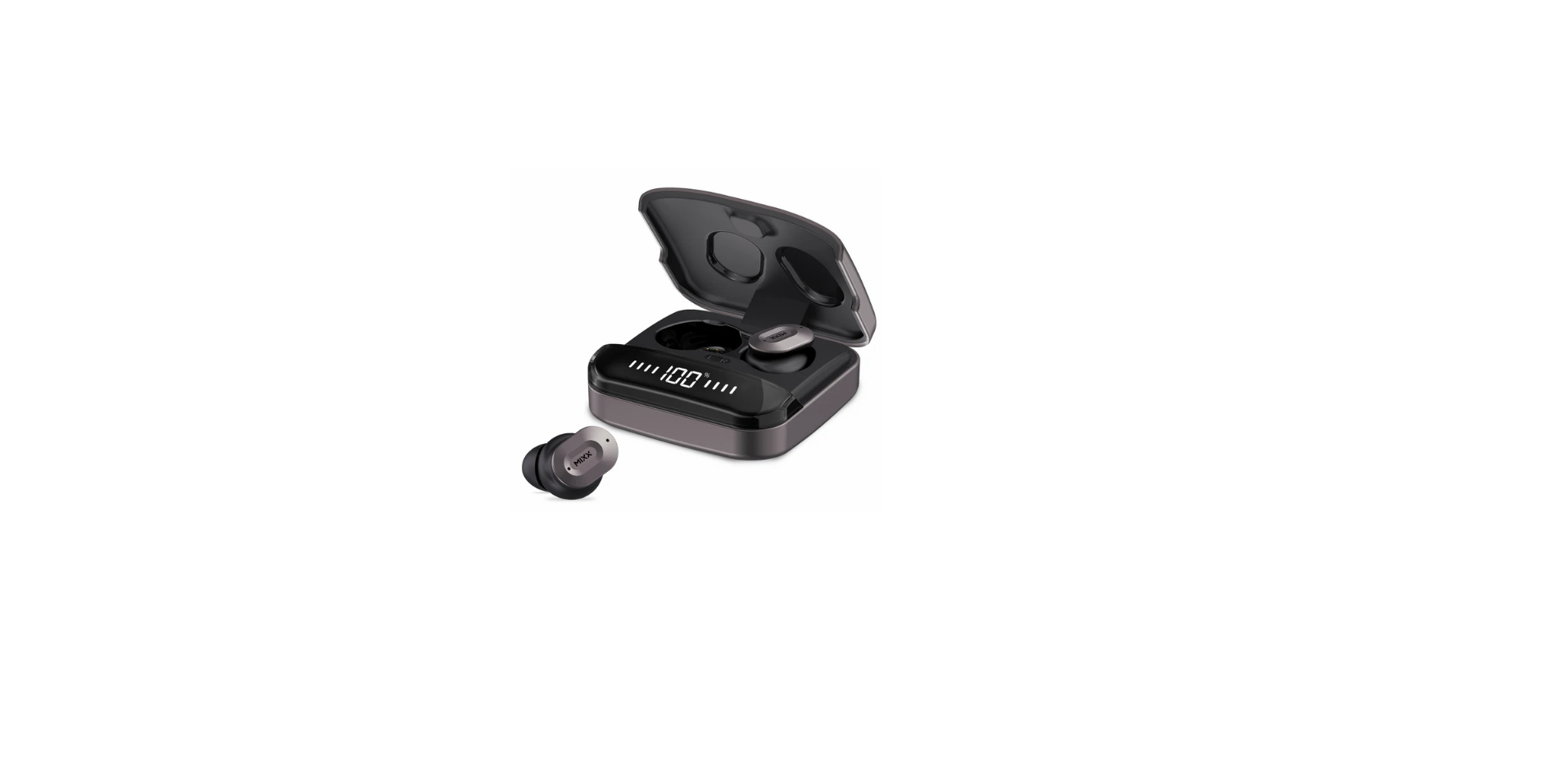

Mixx Audio StreamBuds Dots Wireless Earbuds

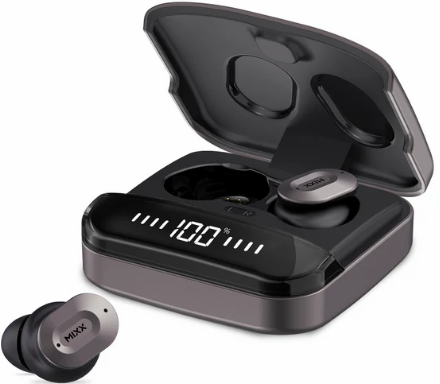
Let’s Start
What’s in the box?
A pair of earbuds
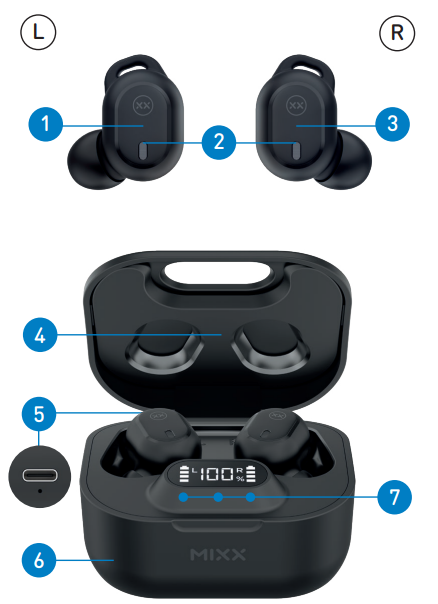
- Left Touch Sensor
- Earbud LED Lights / Microphones
- Right Touch Sensor
- Portable Charging Case
- USB Type-C Charging Port (Back)
- Qi Wireless Charging Surface (Base)
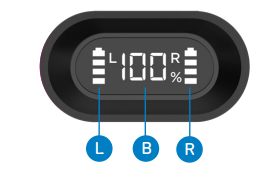
- LED Digital Display and Charge Indicators
- USB Type-C Charging Cable


Let’s Connect
First time pairing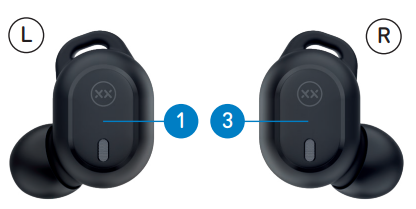
- When you open the Portable Charging Case 4, both earbuds will turn on and connect. A voice prompt will confirm with ‘Power on, pairing’.
- One Earbud LED Light 2 will flash WHITE to indicate pairing mode.
- Go to the Bluetooth settings on your audio device to select ‘MIXX StreamBuds Dots’ from the list.
- Once paired successfully, you will hear ‘Connected’ and the Earbud LED Lights 2 will turn off.
- You can now enjoy your music, watch a video, or take a call hands-free.
- The earbuds will automatically reconnect to the last device they were paired with, confirming ‘Connected’.
Let’s Stay Charged
The Earbuds
A voice prompt ‘Battery low’ allows for 2 minutes of play time before the earbud powers down, stating ‘Battery low, power off’. The Earbuds LED Light 2 will flash WHITE for 1 second and will then switch off. Each LEFT and RIGHT earbud has a 4-line LED Charge Indicator on the case. Place the earbuds in the case and close the lid to charge. The 4 LED indicators will flash to show that the earbuds are charging. Each LED represents 25% charge. Once the earbuds are fully charged, the LED indicators will stop flashing and turn off.
The Portable Charging Case
To check the battery status of the case, open the lid of the Portable Charging Case. The LED Digital Display will show the percentage of the battery remaining for 30 seconds.
You can charge the case in two ways:
- With a Type C charging cable
Always connect the case to a suitable USB wall charger, computer USB port, or a power bank using the USB Type-C charging cable supplied. When the LED Digital Display number reaches 100 (i.e., 100%), the case is fully charged, and the display will switch off. - Qi wireless charging
At the base of the case is a Qi wireless charge surface. Place the case flat on a Qi Wireless Charger (sold separately). When the LED Digital Display number reaches 100(i.e., 100%), the case is fully charged, and the display will switch off. Charging the case may take up to 2 hours.
Let’s Play

- First initial pairing: Remove both earbuds from the charging case. Go to the Bluetooth settings on your audio device to select ‘MIXX StreamBuds Dots’ from the list. Once paired, you will hear ‘Connected’.
- Play / Pause.Long-presss for 1 second either the Touch Sensor or
- Increase Volume Single tap RIGHT Touch Sensor
- Decrease Volume Single tap LEFT Touch Sensor
- Activate Siri / Google Assistant. Double-tap the RIGHT Touch Sensor. The voice assistant’s familiar ‘Beep’ will sound, then ask a question or state a command.
- Change the Preset Equalisation (EQ) Settings. Double-tap the LEFT Touch Sensor to cycle through the Music, Bass Boost, and Voice modes to find your preferred sound.
- Answer / End a call: Long-press for 1 second either the Touch Sensor or
- Decline an Incoming Call: Double-tap either Touch Sensor or
- Power On: Remove both earbuds from the case, and they will automatically turn on and pair together. To manually turn on, long-press for 2 seconds each Touch Sensor.
- Power Off: Insert both earbuds into the case and close the lid. This will automatically turn off the earbuds and the Bluetooth.
Technical Specifications
- Playtime on a single charge: Up to 7 hours
- Playtime with charging case: Up to 28 hours
- Bluetooth: Version 5.1
- Supported profiles: HSP, HFP, A2DP, AVRCP
- Wireless range: 10m
- Earbud capacity: 40mAh each side
- Charge case capacity: 300mAh
- Qi wireless charging: 3W
- Standby: 120 days
- Dynamic driver: 10mm
- Frequency response: 20Hz – 20KHz
- Weight including case: Total 56g (earbuds 4.8g each)
- Portable case dims: 62 x 55 x 31 mm (L x H x D)
Compatibility
Suitable for most Bluetooth audio-supported smartphones, tablets, notebooks, laptops, and computers.
Customer Support
- Email: support@mixx-io.com
- Visit: mixxaudio.com
- Address: 5 The Pavilions, Brighton Road, Pease Pottage, West Sussex, RH11 9BJ. United Kingdom
- Tel: 0844 800 3480