

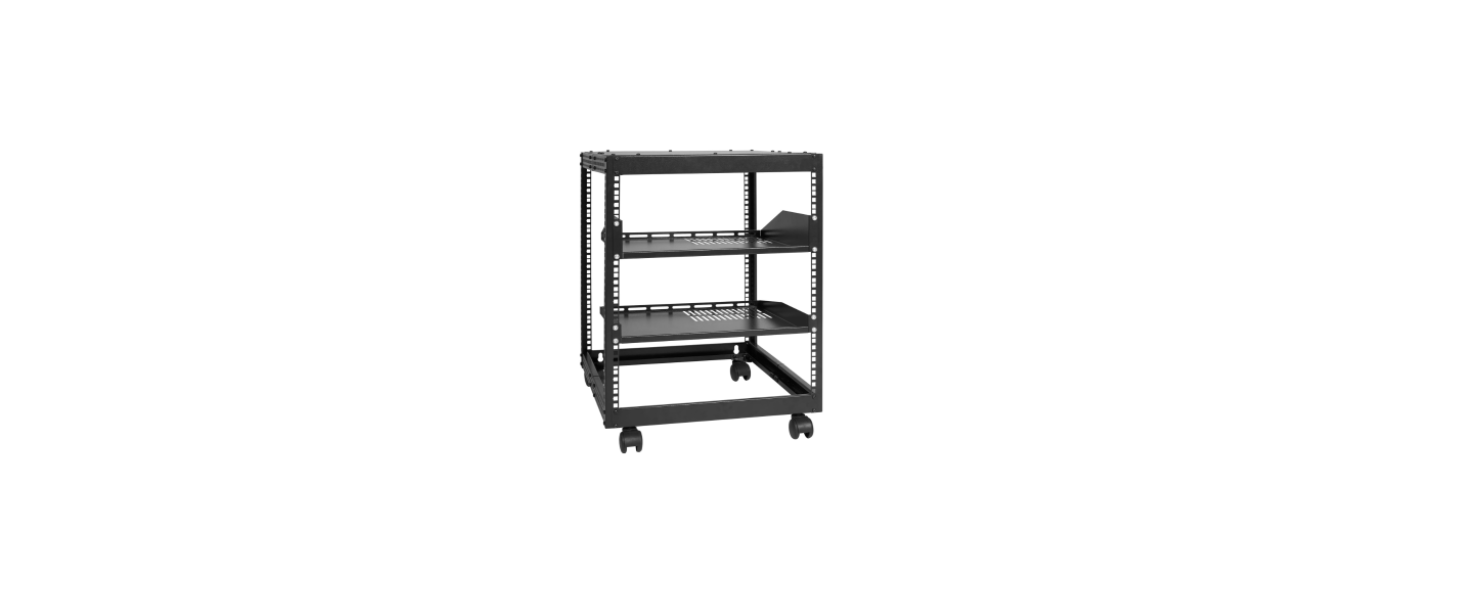

Vevor HT-W6412 Adjudtable Open Frame Server

Description
Expanded View


Package Content
- Vertical Rails Qty: 4

- Left Upper Bracket Qty: 1

- Left Lower Bracket Qty: 1

- Left Corner Brackets Qty: 4

- Right Corner Brackets Qty: 4

- Right Upper Bracket Qty: 1

- Right Lower Bracket Qty: 1

- Center Sections Qty: 4

- Corner Piece Qty: 8

- Top Panel Qty: 1

- Top Pallet Qty: 1

- Bottom Palle Qty: 1

- Limit Parts Qty: 8

- M5*10 Cross Head Screw Qty: 145

- M6 Cage Nuts Qty: 10

- M6*12 Cross Head Screw Qty: 10

- Expansion bolts Qty: 4

REQUIREMENTS

- Electric screwdriver (sold separately)
- Two People (for assembly)
- Earth Ground Connection
- Allen key
INSTALATION
Note:
Two people are required for the Rack assembly. Adjust the torque of the electric screwdriver to 10
Set the Mounting Depth
- Align the Left corner Brackets(#4 )and the Right corner Brackets(#4) with the Center Sections(#8),slide the Corner Brackets overtop of the Center Sections.(Figure 1)

- Determine the maximum required mounting depth for the Rack Mountable Equipment.
- Slide the Left corner Brackets and the Right corner brackets inward along the Center Sections, and align the Center Sections with the hole on the Left corner Brackets and the Right corner brackets.

- Insert M5*10 cross-head screws through the holes in the Corner Brackets and Center Sections.

- Tighten the M5*cross-headead screws on the Centre Section Assembly using an Electric screwdriver.
- Place two Limit parts(#13) on Corner Brackets, tighten the M5*10 Cross head screws using an Electric screwdriver. (Figure 4)

- Repeat the above steps and assemble the other 4 center sections
Assemble the Rack
- Place Vertical Rails on the Center Section Assembly, Secure with the M5*10 cross-head screws.

- Place Vertical Rails at the other end of the Center Section Assembly, Secure with the M5*10 cross-head screws.

- Insert one Center Section Assembly between the Top of the two Vertical Rails.
- Tighten the M5*10 cross-head screws on the Vertical Rails using an Electric screwdriver.

- Repeat the above steps and assemble another half-frame.

- Place the Left lower Bracket between the Half-frame Assembly, align the two holes in the Vertical Rail and the Left lower Bracket.
- Tighten the M5*10 cross-head screws on the Left lower Bracket using an Electric screwdriver.

- Place the Left upper Bracket between the Half-frame Assembly, align the two holes in the Vertical Rail and the Left upper Bracket.
- Tighten the M5*10 cross-head screws on the Left upper Bracket using an Electric screwdriver.

- Place the Right lower Bracket between the Half-frame Assembly, align the two holes in the Vertical Rail and the Right lower Bracket.
- Tighten the M5*10 cross-head screws on the Right lower Bracket using an Electric screwdriver.

- Place the Right upper Bracket between the Half-frame Assembly, align the two holes in the Vertical Rail and the Right upper Bracket.
- Tighten the M5*10 cross-head screws on the Right upper Bracket using an Electric screwdriver.

- Place the Corner piece on the Center Section Assembly and the lower Bracket(or upper Bracket). 8 locations need to be installed.
- Tighten the M5*10 cross-head screws on the Corner piece using an Electric screwdriver.

- Place the Top Pallet and Bottom Pallet on the Enclosure.
- Tighten the M6 Cage Nuts and M6*12 Cross hex head screws on the Corner piece using an Allen key.
- Place the Top panel on the Enclosure.
- Tighten the M5*10 cross-head screws on the Top panel using an Electric screwdriver.

Ground the Rack
- Insert an M6 Screw through the Grounding Point on the Grounding Wire and into the grounding hole located on the bottom of the Rack.
- Run the Grounding Wire under the Rack’s Frame. Connect the Grounding Wire to an Earth Ground Connection.

Limitation of Liability
In no event shall the liability of vevor (or their officers, directors, employees or agents)for any damages(whether direct or indirect, special, punitive, incidental, consequential, or otherwise), loss of profits, loss of business, or any pecuniary loss, arising out of or related to the use of the product exceed the actual price paid for the product. Some states do not allow the exclusion or limitation of incidental or consequential damages. If such laws apply, the limitations or exclusions contained in this statement may not apply to you.
WARNING STATEMENTS
- Make sure that you assemble this product according to the instructions.
- Do not exceed the weight capacity of this product.
- Overloading this product might result in injury or property damage.
- Ground-mounted load-bearing: 200Ib, Wall-mounted load-bearing: 100 lb.
- This product is intended for indoor use only and should not be used outdoors.
- This enclosure is extremely heavy. Never attempt to move or lift this enclosure without assistance.
- To avoid this risk, do not extend more than one component from the enclosure.
- Do not place any items in this enclosure, and do not stack the enclosure on top of another enclosure.
- Keep liquids away from this enclosure.
- This product requires an earth-ground connection.
- Do not use this product without an earth-ground connection.
Technical Parameter

FCC Informaton
This product is subject to the provisions of European Directive 2012/19/EC. The symbol showing a wheelie bin crossed through indicates that the product requires separate refuse collection in the European Union. This applies to the product and all accessories marked with this symbol.
This device complies with Vevor EV-A01-US011B EV Charging Station with Part 15 of the FCC Rules. Operation is subject to the following two conditions:
- This device may not cause harmful interference, and
- This device must accept any interference received, including interference that may cause undesired operation.RF Exposure:
This equipment complies with FCC radiation exposure limits set forth for an uncontrolled environment. Odyy.
Radiation Exposure Statement
This equipment complies with RSS-102 – Radio Frequency(RF)Exposure Compliance radiation exposure limits set forth for an uncontrolled environment.
FCC Statements
Digital device, under Part 15 of the FCC Rules. This equipment generates, uses, and can radiate radio frequency energy and, if not installed and used in accordance with the instructions, may cause harmful interference to communications. However, there is no guarantee that interference will not occur in a particular installation.
- Reorient or relocate the receiving antenna.
- Increase the separation between the equipment and receiver.
- Consult the dealer or an experienced radiTV technician for help.
Customer Service
- Website: https://www.vevor.com/
- Manufacturer: Cixi Jirui Electric Appliance Co., Ltd
- Add: 118# Nanxin Road, Zonghan Street, Cixi City, Zhejiang Province
- E-mail: CustomerService@vevor.com