Close Menu
onyxguides.comonyxguides.com

    Subscribe to Updates

    Get the latest creative news from FooBar about art, design and business.

    What's Hot

    YABER Y21 HD Video LCD Projector Instruction Guide

    April 19, 2026

    AURZEN EAZZE D1G 4K Google TV Smart Projector User Guide

    April 19, 2026

    Acer P5630 3D DLP Beamer Projector Instruction Manual

    April 18, 2026
    Facebook X (Twitter) Instagram
    onyxguides.comonyxguides.com
    Facebook X (Twitter) Instagram Pinterest
    • Home
    • About us
    • Terms & Conditions
    • Privacy Policy
    • FAQs
    • Contact us
    onyxguides.comonyxguides.com
    Home » ZEBRONICS ZEB-MB10000S9 PRO Power Bank Instruction Manual
    ZEBRONICS

    ZEBRONICS ZEB-MB10000S9 PRO Power Bank Instruction Manual

    By Gabriel SmithOctober 12, 2025Updated:October 13, 2025No Comments3 Mins Read
    Facebook Twitter Pinterest LinkedIn Tumblr WhatsApp Telegram Email
    ZEBRONICS-ZEB-MB10000S9-PRO-Power-Bank-featured
    Share
    Facebook Twitter LinkedIn Pinterest Email

    zebronics logo

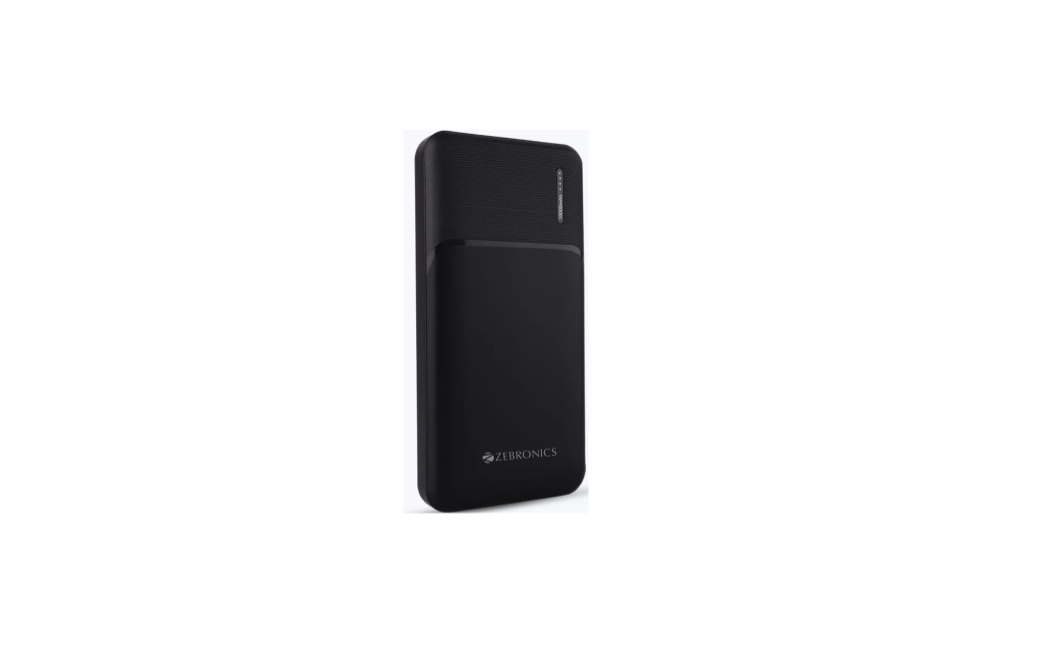
    ZEBRONICS ZEB-MB10000S9 PRO Power BankZEBRONICS-ZEB-MB10000S9-PRO-Power-Bank-product

    Features

    • Dual Output
    • LED Indicator
    • Mobile/Tablet Compatible
    • Type C & Micro USB Input
    • Over Charge Protection
    • Overload Protection
    • Short Circuit Protection

    Charging InstructionsZEBRONICS-ZEB-MB10000S9-PRO-Power-Bank-figure-1

    • Connect the Type-C/micro USB end of the charging ZEBRONICS ZEB-MB10000S9 PRO Power Bank cable to the power bank, and the other end to the charger or adapter.
    • Please charge the power bank with a rated DC 5V/2A power adapter.

    Charging your Device with the Power BankZEBRONICS-ZEB-MB10000S9-PRO-Power-Bank-figure-2

    • Connect your device with the Type C, Micro USB, or Lightning connector and connect the other end of the cable to the power bank USB/Type C output ports.

    Specifications

    1. Battery Capacity: 10000mAh
    2. Input: DC 5V/2A
    3. Output 1: DC 5V/2.4A
    4. Output 2: DC 5V/2.4A (total 2.4A max)
    5. No. of Output Port: 21
    6. Charging Time: 5 – 6h
    7. Product Dimension (W x D x H): 6.9 x 1.6 x 13.6 cm|
    8. Net Weight: 227g

    Customer Support

    • Website: www.zebronics.com
    • Tel: 044 40000004

    FAQs

    Q: What is the battery capacity of the ZEB-MB10000S9 PRO power bank?

    Ans: Depending on the battery size, this 10,000mAh power bank is perfect for repeatedly charging smartphones, smartwatches, Bluetooth headsets, and other USB-powered devices.

    Q: How many devices can I charge at once?

    Ans: Its dual USB output ports allow you to charge up to two devices at once.

    Q: Does the power bank support fast charging?

    Ans: High-speed charging (up to 2.1A) is supported, although it is not compatible with USB Power Delivery (PD) or Qualcomm Quick Charge, two sophisticated fast charging protocols.

    Q: How long does it take to charge the power bank itself fully?

    Ans: Using the Micro USB or Type-C input port, a full charge could take four to six hours, depending on the input current and cable used.

    Q: Can the power bank charge laptops or tablets?

    Ans: Tablets can be charged with it, but laptops cannot unless the laptop has a 5V USB interface and needs less than 10W, which is not the case for most laptops. Instead, use a specialised laptop charger.

    Q: Is the power bank safe to carry on flights?

    Ans: Yes, it is well within the range that most airlines allow for carry-on luggage, with a capacity of 10,000mAh (37Wh). Prior to departure, always confirm the airline’s unique policy.

    Q: Does it support pass-through charging (charging devices while charging itself)?

    Ans: In order to avoid overheating and maintain battery health, the majority of devices do not support pass-through charging. Avoid charging the output devices and the power bank at the same time.

    Q: Does the power bank turn off automatically?

    Ans: Yes, it will switch off automatically if no device is connected for a predetermined amount of time or after all connected devices have finished charging.

    OnyxGuides Manual User Manual ZEB-MB10000S9 PRO Power Bank Guide ZEBRONICS Power Bank Instructions ZEBRONICS ZEB-MB10000S9 PRO Manual ZEBRONICS ZEB-MB10000S9 PRO Setup Guide
    Share. Facebook Twitter Pinterest LinkedIn Tumblr Email
    Gabriel Smith

    Related Posts

    Sony ILCE-6700 Interchangeable Lens Digital Camera User Guide

    December 7, 2025

    Bose MA12 Panaray Modular Line Array Loudspeaker User Manual

    December 4, 2025

    Bowers & Wilkins Px8 Wireless Headphones User Manual

    December 4, 2025

    Sonos Arc Black Voice Control Ultra Soundbar User Manual

    December 4, 2025

    JANAM GT1 Self Mobile Entry Head Unit Instruction Manual

    December 4, 2025

    Ronix 1250 Carpet Vacuum Cleaner Instruction Manual

    December 4, 2025
    Add A Comment

    Comments are closed.

    Don't Miss
    Other

    YABER Y21 HD Video LCD Projector Instruction Guide

    April 19, 2026

    YABER Y21 HD Video LCD Projector Product Packing List YABER Y21 projector X1 Power cord…

    AURZEN EAZZE D1G 4K Google TV Smart Projector User Guide

    April 19, 2026

    Acer P5630 3D DLP Beamer Projector Instruction Manual

    April 18, 2026

    GEPRC CineLog35 Analog CineWhoop FPV Drone Instructions Guide

    April 18, 2026
    Stay In Touch
    • Facebook
    • Twitter
    • Pinterest
    • Instagram
    • YouTube
    • Vimeo

    Subscribe to Updates

    Subscribe to Updates

    Follow us

    Facebook X-twitter Instagram Pinterest

    © 2025 All rights reserved Onyx Guide.