

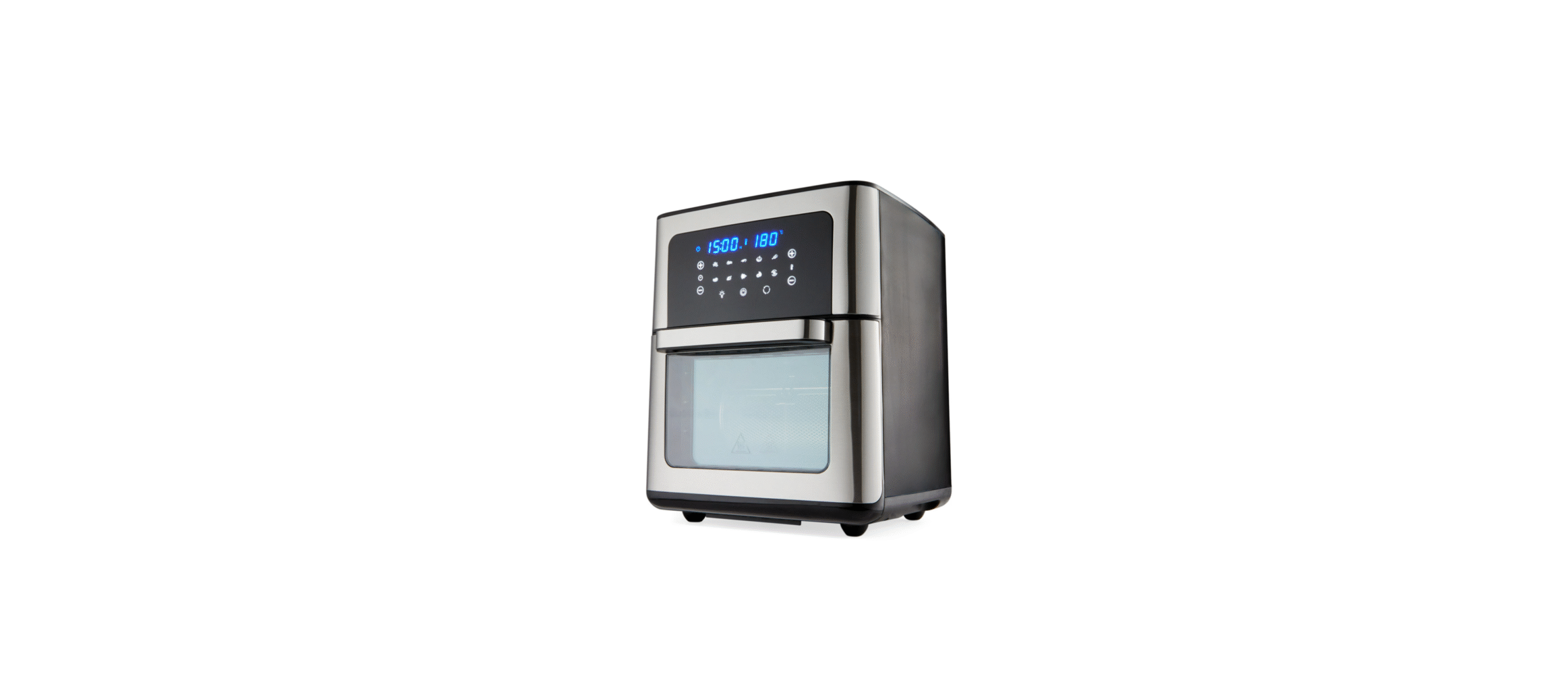

Anko AF1202T Silver Air Fryer Oven

Introduction
The air fryer oven provides an easy and healthier way of cooking your favourite foods. By applying rapid air circulation from all directions addition to a top grill, it can cook a variety of dishes without adding any oil or cook with a mist of oil.
Safety Instructions
When using any electrical product, always follow these basic safety precautions:
- Read all instructions before using this appliance.
- To prevent electric shock and short-circuit, avoid any liquid from entering the appliance.
- Unplug from the outlet when not in use and before cleaning.
- Allow the appliance to cool down before putting on or taking off parts.
- Do not leave the appliance unattended when in use.
- Children should be supervised to ensure that they do not play with the appliance.
- Surfaces may become hot during use. This is normal.
- Do not let the cord touch hot surfaces, become knotted, or hang from the edge of bench tops.
- Do not place the appliance under shelving or flammable materials when in use.
- Do not move the appliance when in use.
- Do not cover the air inlet or the air outlet when the appliance is working.
- Do not touch the inside of the appliance while it is working.
- Do not use the appliance for any other purpose than described in this manual.
- Do not place anything on top of the appliance when in use or when stored.
Parts
- Main unit
- Air inlet
- Hot air outlet
- Control panel
- Door handle
- Door

- Air flow racks (3pcs)

- Drip tray

- Rotisserie basket

- Rotisserie fork set

- Fetch tool

Please make sure that your appliance is received with the right components shown above. Check everything carefully before use. If any parts are missing or damaged, do not use. Return the product to the respective service centre.
Before First Use
When using the appliance for the first time, carefully remove all internal and external packaging, protective film, and accessories.
- Clean the main unit with a damp cloth or sponge.
- Wipe dry with a soft dry cloth. Do not immerse the main unit in water or any other liquids to clean.
- Wash the accessories with soapy water. Dry all components thoroughly before use.
- This is an oil-free fryer that works on hot air. To avoid fire and/or personal injury, do not fill with oil, frying fat, or any other liquid.
How to Use
Air Flow Racks
- Slide along the rack shelf to install or take out the air flow racks.
- The maximum weight on the air flow rack must not exceed 1.5Kg
Fork Set
- The rotisserie fork set is used for roasting large meat or a whole chicken.
- Install a fork on the shaft. Force the shaft lengthwise through the meat/chicken in the centre.
- Install another fork on the shaft. Slide both forks into the meat/chicken and adjust the meat/chicken to the middle of the shaft, then drive the screws to lock the forks in position.
- You can adjust the forks closer to the middle if needed, but never outwards to the screw grooves of both ends.
- To install the rotisserie fork set, put the cuboid end into the hole on the left side, and put the other side onto the rotating shelf on the right side.
Basket
- Great for fries, roasting nuts, and other snacks.
- Use the hasp to open and lock the rotisserie basket.
- To install the rotisserie basket, put the cuboid end into the hole on the left side, then put the other side onto the rotating shelf on the right side.
Fetch Tool
- Used to remove the rotisserie basket or fork set from the appliance.
- Place the fetch tool under the shaft at both sides of the rotisserie basket or fork set, then gently extract the rotisserie basket or fork set.
Drip Tray
- Cook with the drip tray for easy clean-ups.
- Put the drip tray into the bottom of the appliance when in use. It is easy to take out for cleaning.
Door
- The door is detachable for easy cleaning.
- Open the door at a 30 ° angle from the appliance and gently put on or take off the door.
- The appliance will not work with the door open.
Control Panel

Power Button
- Once the appliance is plugged in, the Power Button will light u,p and the appliance is in standby mode
- Long-press the power button, and he full control panel will be illuminated.
- Choose the right preset or
set the appliance manually, then touch the power button to start the cooking process. - If there is no operation within 1 minute, the control panel will switch OFF automatically.
- Long-press the power button at any time during the cooking process, the control panel will switch OFF immediately, and the appliance will shut down at the same time, but the fan will continue running for 20 seconds. This is normal.
Internal Lamp
- With the help of the internal lamp, you can check the cooking progress.
- Touch the light button, the icon will start to blink, and the internal lamp will be illuminated.
- The lamp will illuminate for 30 seconds during the cooking process.
- The internal lamp will illuminate for 3 minutes when you open the door in standby mode.
- The internal lamp will automatically turn OFF when the oven door is closed.
Rotation Button
- Touch the rotation button when cooking using the Rotisserie basket or fork set.
- This function can be used with any preset. The icon will blink while the function is in use.
- You can stop this function by touching the blinking icon at any time.
Time Control Buttons
Time control buttons enable you to select the exact cooking time by hour or minute. For the dehydrating function, you can increase or decrease the time by 30minutes from 2 hours to 24 hours. And for all the other functions, you can increase or decrease time by 1 minute, from 1minute to 60 minutes.
Temperature Control Buttons
Temperature control buttons enable you to raise or lower cooking temperature by 5℃ starting from 80℃ to 200℃ under normal conditions, 30℃ to 80℃ under preset function on dehydrator, and 40℃ to 70℃ under preset function on defrost.
Preset Functions
- Select any of the icons, and this will automatically set the Time and Temperature to a default setting for the selected food type.
- The preset functions will help you to start cooking efficiently.
- You can override the default presets with the time and temperature buttons.
- The icons will keep blinking and switch off until the cooking process is completed.
- The preset settings are as follows:
Use the table below for reference only. Actual cooking time and temperature may have to be adjusted depending on the quantity or size.
Digital Display
The Digital Display shows the time, temperature, fan, and heater working status.
Preparation
Place the appliance on a stable, level, horizontal, heat-resistant surface. Do not place the appliance on a non-heat-resistant surface. Do not place or use the appliance on a laminated / Vinyl bench top. To prevent heat damage, placing the air fryer oven on an insulated heat pad is recommended.
- NEVER put anything on top of the appliance.
- NEVER cover the air vents on the top and back of the cooking Unit.
- NEVER fill any cooking vessel with oil or liquid of any kind. This Unit cooks with hot air only.
- NEVER use the Oven Door as a place to rest a hot Fry Basket filled with food.
- Select the right cooking accessory (air flow rack, rotating basket, or fork set) for your food.
- Connect the plug of the appliance to an earthed power outlet socket.
- The power button will light up.
- Long-press the power button to illuminate the control panel.
- You can reset the time and temperature during the cooking process according to the actual condition.
- Open the door and take out the accessories with food.
Cooking Chart
| Category | Food | Amount (g) | Time (min.) | Temperature (℃) |
| Potato & chips | Thin frozen chips | 600-700 | 15-20 | 200 |
| Thick frozen chips | 600-700 | 20-25 | 200 | |
| Potato gratin | 800-1000 | 25-30 | 200 | |
| Meat & Poultry | Steak | 500-800 | 10-15 | 180 |
| Pork chops | 500-800 | 15-20 | 200 | |
| Hamburger | 400-800 | 10-15 | 180 | |
| Sausage roll | 400-800 | 13-15 | 200 | |
| Drumsticks | 400-800 | 25-30 | 180 | |
| Chicken breast | 400-800 | 15-20 | 180 | |
| Chicken | 500-1000 | 30-40 | 190 | |
| Snacks | Spring rolls | 500-800 | 8-10 | 200 |
| Frozen chicken nuggets | 500-1000 | 6-10 | 200 | |
| Frozen fish fingers | 500-800 | 6-10 | 200 | |
| Frozen bread crumbed cheese snacks | 500-800 | 8-10 | 180 | |
| Stuffed vegetables | 400-800 | 10 | 160 | |
| Dried fruit | / | 240 | 35 | |
| Baking | Cake | 800 | 20-25 | 160 |
| Quiche | 800 | 20-22 | 180 | |
| Muffins | 800 | 15-18 | 200 | |
| Sweet snacks | 800 | 20 | 160 | |
Troubleshooting
| Problem | Possible cause | Solution |
| The air fryer oven does not work | The appliance is not plugged in. | Connect the supply cord plug into an earthed power outlet socket. Check the power outlet socked is switched ON. |
| The food was not well-cooked. | The number of ingredients is too large. | Put smaller batches of ingredients in the air fryer oven. Smaller batches are fried more evenly. |
| The set temperature is too low. | Set a higher temperature. | |
| The set time is too short. | Set a longer time. | |
| Fried snacks are not crispy. | You used a type of snack meant to be prepared in a traditional deep fryer. | Use oven snacks or lightly brush some oil onto the snacks for a crispier result. Do this before starting the cooking process. |
| The pan still contains grease residues from previous use. | Make sure you clean the appliance and accessories properly after each use. | |
| Fresh fries are fried unevenly | You did not use the right potato type. | Use fresh potatoes to ensure they stay firm during frying. |
| You did not rinse the potato sticks properly before frying. | Rinse the potato sticks properly to remove starch from the surface. | |
| Fresh fries are not crispy. | The crispiness of the fries depends on the amount of oil and water in the fries. | Make sure you dry the potato sticks properly before you add a mist of oil.
Cut the potato sticks smaller for a crispier result. |
| White smoke coming from the Unit | Oil is being used. Accessories have excess grease residue from previous cooking. | Wipe down to remove excess oil. Clean the appliance and accessories after each use. |
| Food is not fried evenly | Some foods need to be turned during the cooking process. | Refer to tips when cooking with your air fryer oven. |
Cleaning & Storage
- Clean the air fryer oven after each use. Clean the door, inside and outside of the appliance, with a warm, moist cloth or a nonabrasive sponge with mild detergent.
- Take off the door for cleaning if necessary. Do not soak or submerge the door in water or wash it in the dishwasher. The accessories are dishwasher safe. Never use abrasive cleaning materials.
- Make sure all components are clean and dry thoroughly, Anko AF1202T Silver Air Fryer Oven, before storing. Store the appliance in a clean and dry location.
Technical Specifications
- Voltage: 220-240V~ 50-60Hz
- Power: 1800W
Disposal
Do not dispose of this product with normal household waste collection. If unsure, contact the local council waste management service for proper disposal facilities available for your area. a
Warranty
This warranty is in addition to your rights under the Australian Consumer Law. For New Zealand customers, this warranty is in addition to statutory rights observed under New Zealand legislation.
We will provide you with your choice of a refund, repair (where possible) or exchange (availability dependent) for this product if it becomes defective within the warranty period. The business will bear the reasonable expense of claiming the warranty. This warranty will no longer apply where the defect is a result of alteration, accident, misuse, abuse or neglect.
Please retain your receipt as proof of purchase and contact our Customer Service Centre as listed below, for the entity you purchased this product from, for any difficulties with your product.
Customer Service
- Website: https://ankoglobal.com/
- Ph: +1 800-446-2656~