

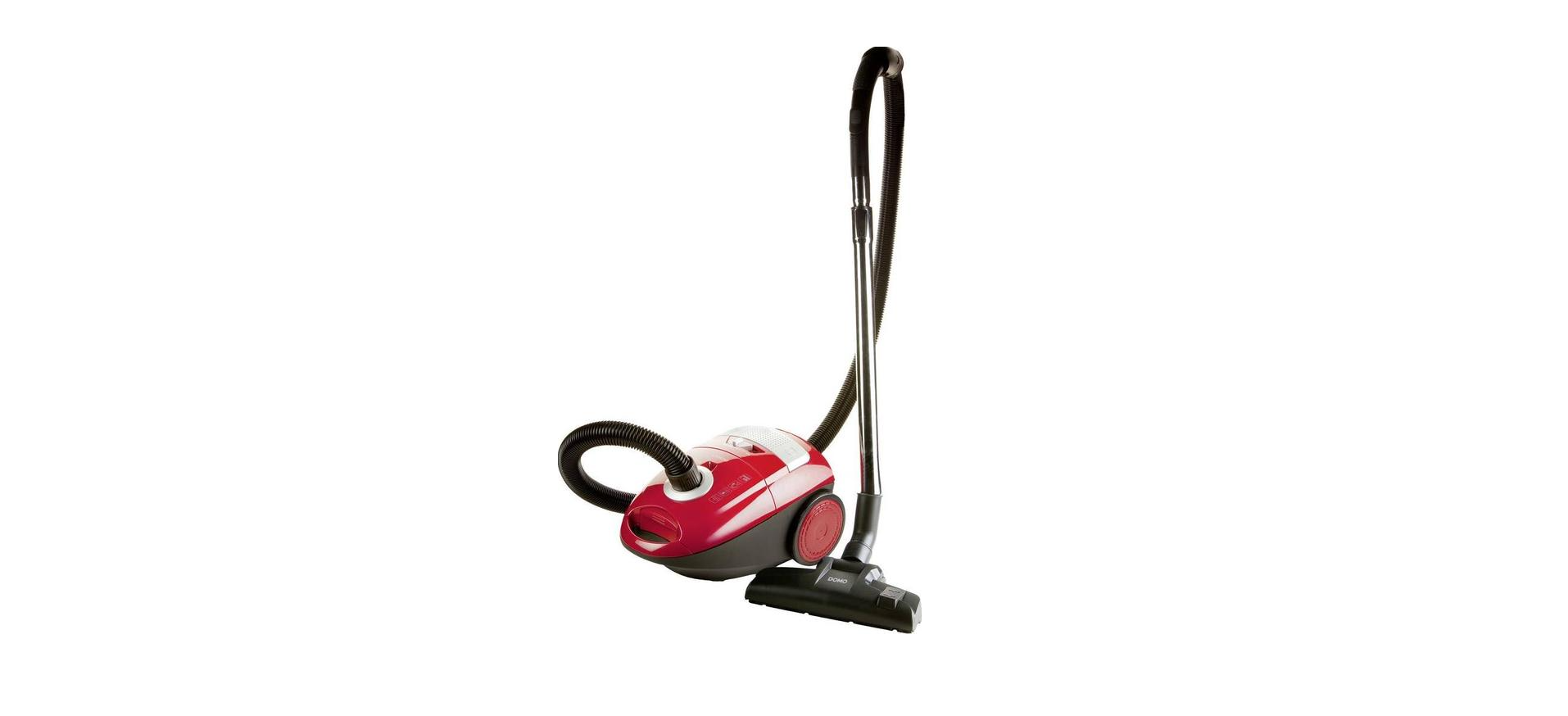

DOMO DO7283S Handleiding Vacuum Cleaner

Safety Instructions
When using your DOMO Ultra Steam Shark II, always follow the safety instructions below:
- Read all instructions before using your Ultra Steam Shark II.
- Only use the appliance for its intended use.
- Never immerse any part of the appliance in water, because of the danger of electrocution.
- Never pull the cord to remove the plug from the socket; always take hold of the plug itself.
- Turn the cord loosely around the appliance for storage.
- Open the safety cap from the unit slowly so any residual steam and pressure can escape gradually.
- Never try to repair your Ultra Steam Shark II yourself.
- Always return the unit to the vendor for repair.
- When the appliance isn’t repaired correctly, you can run the risk of electrocution or injury.
- Close supervision is necessary when the appliance is used by or near children.
- Never leave the appliance unattended when it is still plugged in.
- Contact with hot metal parts, hot water, or steam can cause burns.
- Be extra careful when emptying the unit; there can still be hot water inside.
- Never steam towards persons. The steam is very hot and can cause burns.
- Never use the appliance near combustible or explosive materials.
- This appliance is only intended for household use. Follow all the directions in this instruction booklet.
- DO NOT use any chemicals or other liquids other than water in the unit
- Other liquids may damage the unit and will invalidate your warranty.
Parts

- Floor nozzle
- Button to pull out or retract brushes
- Slide the button to set the length of the tube
- Telescopic tube
- Hose
- Connection for hose
- Handle
- Handle the lid dust bag compartment
- Full dust bag indicator
- Button for automatic cord rewinding
- Button to set the suction power
- On/off button
- HEPA filter behind the grid

- Dust bag: 2.5 l
- Dust bag frame

- Additional suction power control
Assembly
Always unplug the vacuum cleaner before (dis)assembling any parts.
- Hose
Put the connection ring at the end of the hose into the hose connection in the vacuum cleaner and turn to the right so that it is locked into place. - Disassembly
Unplug the vacuum cleaner. Turn the connection ring at the end of the hose to the left and remove it from the hose connection.
Telescopic Tube
- Put the handle of the hose into the telescopic tube.

- Set the telescopic tube to the desired length. To do this, push the slide button forward and pull out the bottom part of the tube to make it longer. Release the slide button and let the tube snap into place.

- Attach the floor nozzle to the telescopic tube by firmly sliding the tube into the nozzle.

Accessories
- Crevice nozzle
for hard to reach areas like radiators, crevices, corners, in between pillows,… - Dust brush
for furniture, shelves,… - Parquet brush
for parquet floors and other delicate floors.
Using the Device
- Unwind the cord to a substantial length and plug in the vacuum cleaner.
- The yellow label on the cord indicates the maximum length of the cord, which should not be exceeded.
- To turn the vacuum cleaner on and off, press the foot pedal with the symbol.
- To set the suction power, slide the suction power button to the left or right between the MIN and MAX indicators. For delicate materials, it is best to use the minimum power level; medium power is recommended for mattresses, furniture, and carpets, and the maximum power level should be used for tiles, wood, and other hard floors.
- When you want to clean hard floors, make sure that the brushes in the floor nozzle are down.
- When you want to clean the carpet, make sure that the brushes in the floor nozzle are retracted.
- When you have finished vacuuming, unplug the vacuum cleaner and automatically rewind the cord by pressing the foot pedal with the symbol. Make sure that the plug does not whip back and forth while rewinding the cord by guiding the cord with your hand. This is to prevent possible damage.


Maintainance
Check the hose, dust bag, and filters regularly. Empty the hose when it is clogged, replace the dust bag when it is full, and clean the filters when they are dirty.
Disposable dust bags and filters
The dust bag and the motor filter play a very important role in the efficiency of the vacuum cleaner. The purpose of the dust bag is to capture dirt, but at the same time, the filter needs to be porous enough to allow air to pass through. If the bag or motor filter gets clogged, no air can pass through the clean, er and no cleaning can take place, regardless DOMO DO7283S Handleiding Vacuum Cleaner of how powerful the unit.
To keep the cleaner operating at maximum efficiency, change the dust bag frequently and clean the filter when needed. Some fine particles can restrict the air flow very quickly and will decrease the performance even before the bag appears to be full. For that reason, the bag and filter may need to be changed more often when vacuuming carpet fresheners or cleaners, powder, plaster dust, or similar fine substances.
Replacing the dust bag and cleaning the motor filter
Be sure to turn off and unplug the vacuum cleaner before replacing the dust bag or cleaning the filter. Never vacuum without the dust bag or filters in place.
- Turn off and unplug the vacuum cleaner.
- Remove the hose from the hose connection and open the dust bag compartment by pushing the handle upwards and lifting the lid.

- Slide the dust bag out of the frame and DOMO DO7283S Handleiding Vacuum Cleaner remove the dust bag from the dust bag compartment.

- If at this point you want to clean the motor filter, take out the filter by sliding it upwards. Clean the filter by rinsing it under warm water. Let the filter air dry completely before reinstalling it. Reinstall the filter before placing the dust bag into the dust bag compartment.
- Slide a new dust bag (2.5 L) into the dust bag frame.
- Close the dust bag compartment and push the lid back into place. The spring on the dust bag frame will make sure that the opening of the dust bag is pushed into the right position when closing the lid.

Cleaning the air filter or HEPA filter
The exhaust air filter or HEPA filter cleans the air a final time before it leaves the vacuum cleaner. This filter and the grid that covers the filter should be cleaned regularly. You can clean the filter as follows:
- Turn off and unplug the vacuum cleaner. Always pull the plug itself, never pull the cord.
- Open the grid that covers the filter by pushing it left at the clip. The filter is visible when the grid is removed.
- Take out the filter.

- Rinse the filter under cold water DOMO DO7283S Handleiding Vacuum Cleaner and let it air dry completely.
- Put the filter back into place or replace the filter with a new one. Make sure that the filter is placed properly.
- Seal with the grid. Make sure that the grid clicks into place.

Environmental Instructions
For more detailed information about the recycling of this product, please contact your local city office, your household waste disposal service, or the shop where you purchased the product.
Warranty
Should you nevertheless experience problems with your device, we sincerely regret this. In that case, we kindly request that you contact our customer service. Our staff will gladly assist you. This appliance has a two-year warranty period. During this period, the manufacturer is responsible for any failures that are the direct result of construction failure.
Warranty period, you can return the device together with your receipt to the shop where you purchased it. The guarantee on accessories and components that are liable to wear and tear is only 6 months. The guarantee and responsibility of the supplier and manufacturer lapse automatically in the following cases.
- In case of incorrect connection, e.g., electrical voltage that is too high.
- In case of incorrect, rough, or abnormal use.
- In case of insufficient or incorrect maintenance.
- In case of repairs or alterations to the device by the consumer or non-authorised third parties.
Customer Support
- Timings: Monday – Thursday: 8.30 – 12.00 and 13.00 – 17.00. Friday: 8.30 – 12.00 and 13.00 – 16.30
- Address: LINEA 2000 – Dompel 9 – 2200 Herentals, Belgium
- Website: http://webshop.domo-elektro.be
- Tel: +32 14 21 71 91
FAQs
Q: Does the vacuum cleaner have adjustable suction power?
Indeed. To adjust suction for carpets, hard floors, draperies, or upholstery, the DO7283S usually has a manual suction control (slider or rotary dial).
Q: How often should I empty the dust container or replace the bag?
To maintain maximum suction force, empty the dust container (for bagless models) or replace the dust bag when it is two-thirds full.
Q: Can the DO7283S pick up liquids?
No. This is just a dry vacuum. Liquid pickup can result in interior damage or electrical problems.
Q: How long can I use the vacuum continuously?
The Hoover may normally run for extended cleaning sessions, but to avoid overheating, don’t run it for longer than 30 to 40 minutes without taking a little rest.
Q: Is the vacuum safe for allergy sufferers?
Indeed. Typically, the DO7283S has HEPA filtration, which ensures cleaner exhaust air by capturing dust, pollen, and allergens.
Q: Can I use the vacuum cleaner on sofas and curtains?
Indeed. To prevent fabric damage, use the mild suction setting for curtains and the upholstery tool for couches.
Q: Does the vacuum support scented filter tablets?
Unless authorised by the manufacturer, do not use them in bagless versions.