



Palmer ILM speaker simulation DI-box
Introduction
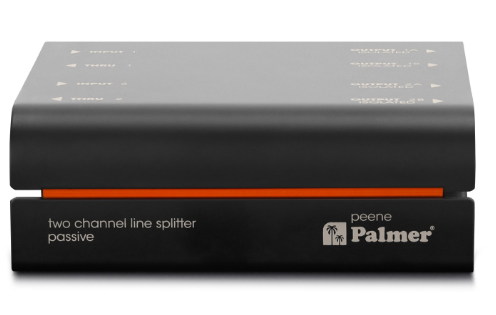
The Palmer ILM Speaker Simulation DI-Box is designed to deliver clean, balanced audio signals, similar to other high-quality DI solutions like the Palmer KYLL 2-Kanal Line Isolation Box. It features 6.3 mm jack sockets on the input and output sides, which can be used both balanced and unbalanced. With high-quality transformer-based galvanic isolation, hum loops are reliably eliminated. This DI-box is perfect for balancing audio signals and transmitting them over long cable runs without interference.
Safety Instructions
- Please read these instructions carefully before using the Palmer ILM Speaker Simulation DI-Box.
- Keep all information and instructions in a safe place.
- Follow the instructions.
- Use the device in the prescribed manner only.
- Do not open the device and do not perform any modifications.
Packaging
- Packaging can be fed into the reusable material cycle using the usual disposal methods.
- Please separate the packaging in accordance with disposal laws and recycling regulations in your country.
Device
- This device is subject to the European Waste Electrical and Electronic Equipment Directive in the currently valid version.
- WEEE Waste Electrical and Electronic Equipment Directive. Old appliances do not belong in household waste.
- The old device must be disposed of via an approved disposal company or a municipal disposal facility.
- Please observe the applicable regulations in your country!
- Observe all disposal laws applicable in your country.
- As a private customer, you can obtain information on environmentally friendly disposal options from the seller of the product or the appropriate regional authorities.
Batteries
- Observe all disposal laws applicable in your country.
- As a private customer, you can obtain information on environmentally friendly disposal options from the seller of the product or through the relevant regional authorities.
The product is not suitable for
- Persons (including children) with limited physical, sensory, or mental abilities or a lack of experience and knowledge.
- Children (children must be instructed not to play with the device)
Connections
- INPUT
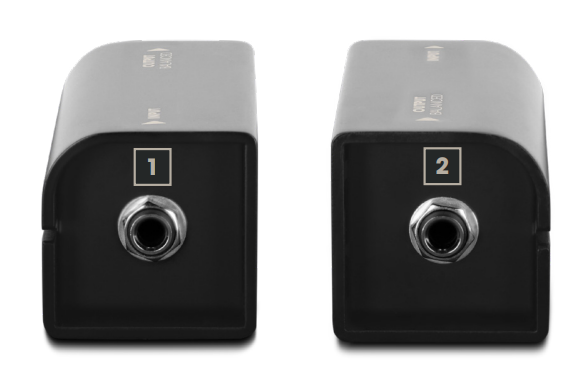
Line input with 6a.3 mm jack socket suitable for both unbalanced and balanced cabling. Use a shielded audio cable to connect, for example, a keyboard to the Line Isolation Box. - OUTPUT
Line output with a 6.3 mm jack socket suitable for both unbalanced and balanced cabling. Use a shielded audio cable to connect the Line Isolation Box to an input of a mixer or audio interface.
For simpler setups, a single-channel alternative such as the Palmer Iller 1-Kanal Line Isolation Box can be used for balancing and transmitting audio signals over long cable runs.
Wiring Example

Technical Data
| Product number | PWUPPER |
| Product type | Line Isolator |
| No. of channels | 1 |
| Type | passive |
| Transformer isolated | yes |
| No. of inputs | 1 |
| Input type | symmetrical/asymmetrical |
| Input connections | 6.3 mm jack |
| No. of outputs | 1 |
| Output type | symmetrical/asymmetrical |
| Output connections | 6.3 mm jack |
| Ground/lift switch | no |
| Housing | Aluminium continuous casting |
| Dimensions (H/W/D) | 110 x 50 x 50 mm |
| Weight | 0.3 kg |
| Ambient temperature for operation | -20°C…70°C |
| Relative air humidity | <80%, non-condensing |
| Included accessories AUDIO | Rubber feet, inscription label |
| Max. Input level (< 1% THD, 20 Hz) | +10 dBu |
| Max. Input level (< 1% THD, 1 kHz) | +32 dBu |
| Frequency response (±2dB, relative 1kHz) | 20 Hz – 20 kHz |
| Input impedance (1 kHz) | 17 kΩ |
| Output impedance (1 kHz) | 500 Ω |
| THD (30 Hz, +4 dBu, unity, unweighted) | < 0.09 % |
| THD (1 kHz, +4 dBu, unity, unweighted) | < 0.002 % |
| IMD (SMPTE) (60 Hz / 7 kHz, 4:1, +4 dBu) | < 0.002 % |
| Transformer ratio | 1:1 |
Manufacturer’s Declarations
Herstellergarantie und Haftungsbeschränkung Manufacturer’s warranty & limitation of liability Adam Hall GmbH Adam-Hall-Str. 1 61627 Neu-Anspach, Germany.
CE Conformity
Adam Hall GmbH hereby confirms that this product, Palmer Pan16 19“ DI-bo,x meets the following guidelines (where applicable): Low-Voltage Directive (2014/35/EU), EMC Directive (2014/30/E/U), RoHS (2011/65/EU), RED (2014/53/EU)
FCC Statement
This device complies with Part 15 of the FCC Rules. Operation is subject to the following two conditions: (1) This device may not cause harmful interference, and (2) This device must accept any interference received, including interference that may cause undesired operation.
UKCA- Conformity
Hereby, Adam Hall Ltd. declares that Palmer Naab 2-Kanal Media DI-Bo,x this product, Palmer Pan16 19“ DI-bo,x meets the following guidelines (where applicable): Electrical Equipment (Safety) Regulations 2016, Electromagnetic Compatibility Regulations 2016 (SI 2016/1091). The Restriction of the Use of Certain Palmer Pan16 19“ DI-box Hazardous Substances in Electrical and Electronic Equipment Regulation 2012 (SI 2012/),32,) Radio Equipment Regulations 2017 (SI 2016/2015), Adam Hall Ltd. | The Seedbed Bus. Centre | SS3 9QY Essex | UK
Customer Support
- Email: Info@adamhall.com
- Website: www.adamhall.com/compliance
- Ph: +49 (0)6081 / 9419-0
FAQs
Q: What is the main function of the Palmer ILM DI-Box?
The ILM is a speaker-emulated DI box that mimics the sound of a miked speaker cabinet and lets you send a guitar or bass signal straight to a recording system, audio interface, or mixing console. It keeps the tonal qualities of a cabinet while doing away with the necessity to mic an amplifier.
Q: Can I use the ILM with any guitar or bass amplifier?
Indeed. Any amplifier’s line-level outputs or high-impedance instrument signals can be accepted by the ILM. It works with modelling, solid-state, and tube amplifiers.
Q: Can I use the ILM for recording directly into an audio interface?
Indeed. For direct connection to recording interfaces, mixers, or PA systems, the ILM offers a mic-emulated signal that is secure. Without using too much volume, it maintains the miked speaker’s tonal qualities.
Q: Can I use the ILM live on stage?
Of course. It is perfect for live performances because of its sturdy construction and speaker-emulated output, which provides a clean, cab-simulated signal to the front-of-house mixer while enabling constant stage loudness.
Q: Can the ILM be used with modelling amplifiers or multi-effects units?
Yes, it is compatible with any gadget that produces signals at the speaker level. To prevent overloading the DI input, you might need to review the device’s requirements for line-level outputs.
Q: Is it safe to connect the ILM to a live speaker cabinet?
Yes, when utilised appropriately. The ILM can simultaneously produce a mic-emulated XLR output and use its via output to send the signal to a cabinet. To guarantee correct connections, always refer to the handbook.
1 Comment
Pingback: Palmer PCAB112BX & PCAB212BX Guitar Cabinets | Setup Guide