



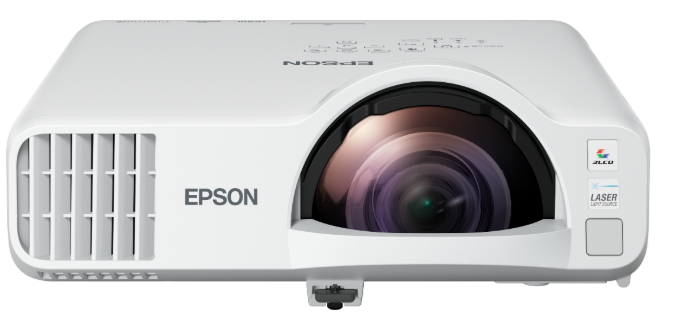
EPSON EB-L210SW Versatile Laser Projector
Introduction
A versatile laser projector combined with 3LCD technology is ideal for delivering quality HD content in meeting rooms and classrooms. The EB-L210SW delivers quality images and a host of features as standard to give users more for value, producing a bright and vibrant HD image up to 120″. Its compact and lightweight design makes this a perfect mobile display solution for meetings, or it can be wall or ceiling mounted for a permanent solution, freeing up workspace. The EB-L210SW’s short-throw lens allows close positioning of the projector to the display, ideal for small rooms and reducing the risk of shadows cast onto the display.
Unlike some other brand projectors, EB-L210SW features 3LCD technology, enabling 4,000 lumens of Colour and White Light Output levels for a bright and vibrant display. The experience is immersive and user-friendly. Scalable from 53-120″, display sizes can be optimised for each room with one product and at a fixed cost, and produce a large display up to 125″, clearly visible from all angles and at a distance.
The EB-L210SW can be portable, and there is no glass flat panel to create disruptive, reflected blind spots at certain angles. Versatile wired and wireless connectivity options, including Miracast™ screen mirroring, ensure effortless, multi-device content sharing, and with a connected optional Epson visualiser, documents, presentations, or 3D objects can be projected in incredible detail to the whole room. With USB 2A power output, HDMI streaming sticks can also be connected to open further possibilities.
Key Features
- Scalable, portable HD display
- 53-120″ ST display for unrestricted viewing without reflections
- Bright and energy-efficient laser
- 4,000lm CLO with 3LCD technology for brighter colours at only 201W
- Effortless connectivity options
- Auto-on, wired / wireless display with USB 2A output for smart sticks
- Simple to use and built to last
- Virtually maintenance-free with a 5-year, 12,000hr warranty
- Document camera compatibility
- Create and record a live, totally immersive lesson or presentation
Quick Setup
Choose a Location
See the online User’s Guide for more information on where to place your projector.
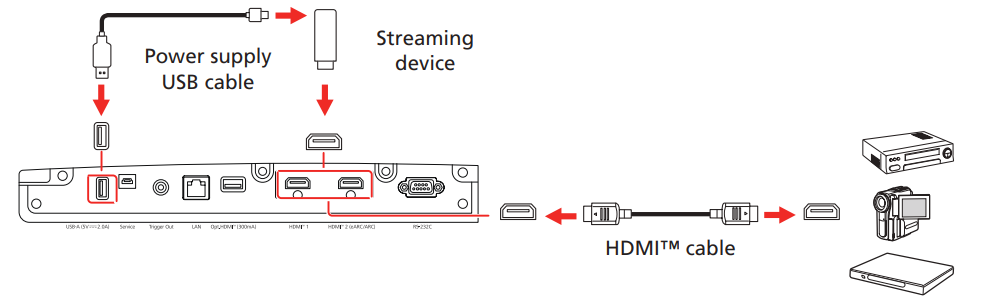
Connect the Projector
Connect multiple video devices and use the Source buttons on the remote control or the Source button on the projector to switch between them. For additional connection types, see the online User’s Guide.
Turn On Your Equipment
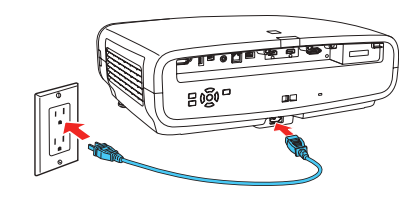
- Plug in the projector.

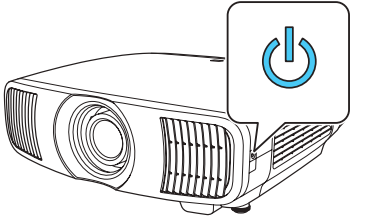
- Press the power button on the projector or the On button on the remote control.

- Turn on your video source. If you don’t see an image, press one of the Source buttons on the remote control to select the image source.ce
Using the Remote Control
Install the batteries as shown (two AA batteries).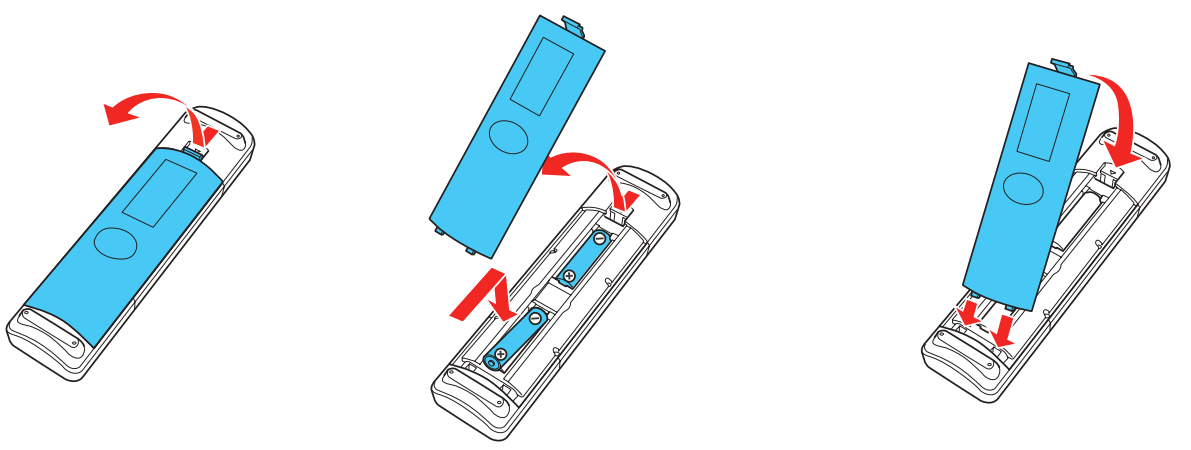
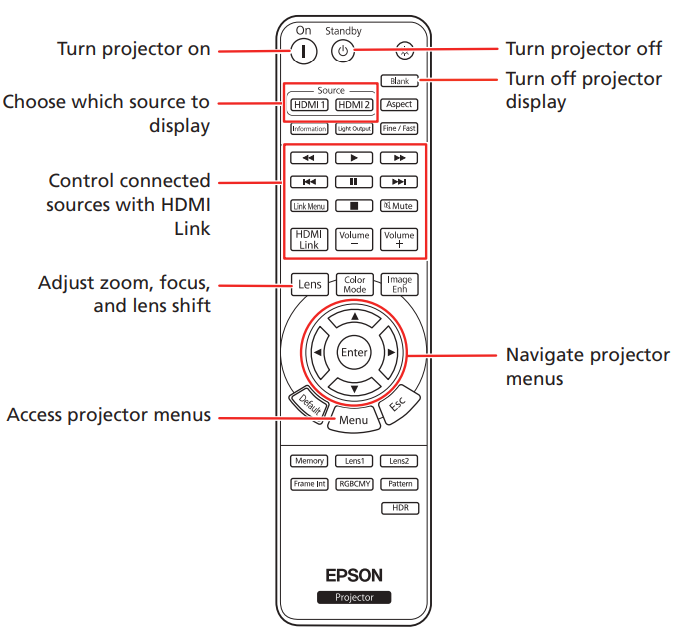
For more information on using the remote control, see the online User’s Guide.
Adjust the Image
- Press the Pattern button on the remote control to display a test pattern.

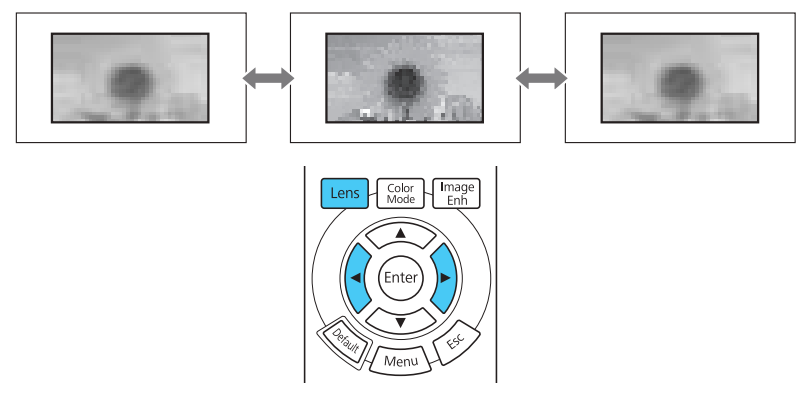
- Press the Lens button on the remote control and use the and buttons to focus the image.

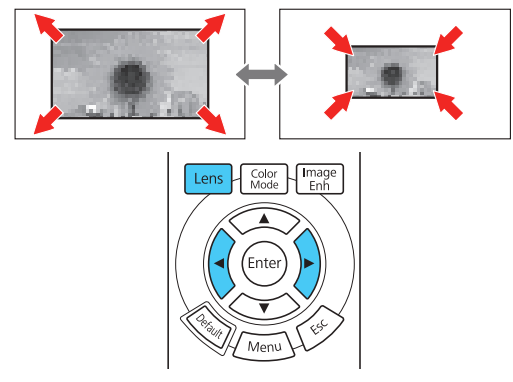
- Press the Lens button on the remote control again and use the and buttons to reduce or enlarge the image.

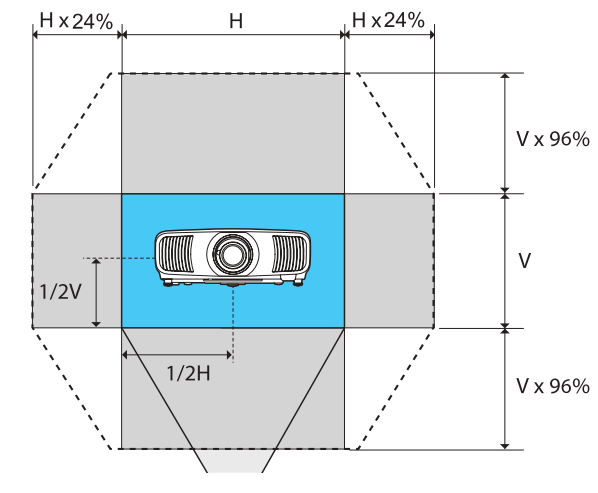
- Press the Lens button on the remote control again and use the and buttons to reposition the image.


Supplier’s Declaration of Conformity
According to 47CFR, Part 2 and 15, Class B Personal Computers and Peripherals; and/or CPU Boards and Power Supplies used with Class B Personal Computers. W: Epson America, Inc. Located at 3131 Katella Ave., Los Alamitos, CA 90720.
Each product marketed is identical to the representative unit tested and found to be compliant with the standards. Records maintained continue to reflect that the equipment being produced can be expected to be within the variation accepted, due to quantity production and testing on a statistical basis as required by 47CFR § 2.906.
- Trade Name: Epson
- Type of Product: LCD Projector
- Model: HC13A
- Options: Remote controller: 2214345 xx (x=0-9)
Epson Limited Warranty Coverage
Technical Support Service and Support
Epson offers technical assistance through electronic and telephone services. Before calling Epson, refer to the documentation included with your product.
Extended Warranty Service and Support
To be eligible for one (1) additional year of limited warranty (for a total of two (2) years), you must register your product at http://latin.epson.com/registro within 30 days of the purchase date, that is, from the date of the original purchase invoice.
Copyright Notice
Neither Seiko Epson Corporation nor its affiliates shall be liable to the purchaser of this product or third parties for damages, losses, costs, or expenses incurred by the purchaser or third parties as a result of: accident, misuse, or abuse of this product or unauthorized modifications, repairs, or alterations to this product, or (excluding the U.S.) failure to strictly comply with Seiko Epson Corporation’s operating and maintenance instructions.
Trademarks
Epson disclaims all rights in those marks. Software Copyright: This product uses free software as well as software to which this company holds the rights.
Copyright Attribution
This information is subject to change without notice. © 2023 Seiko Epson Corporation Rev.3.0 2024.12 EN
Registration
Scan the QR code to register for product updates and exclusive offers.
Customer Service
- Telephone: (562) 981-3840
- Website: http://epsonstore.com