

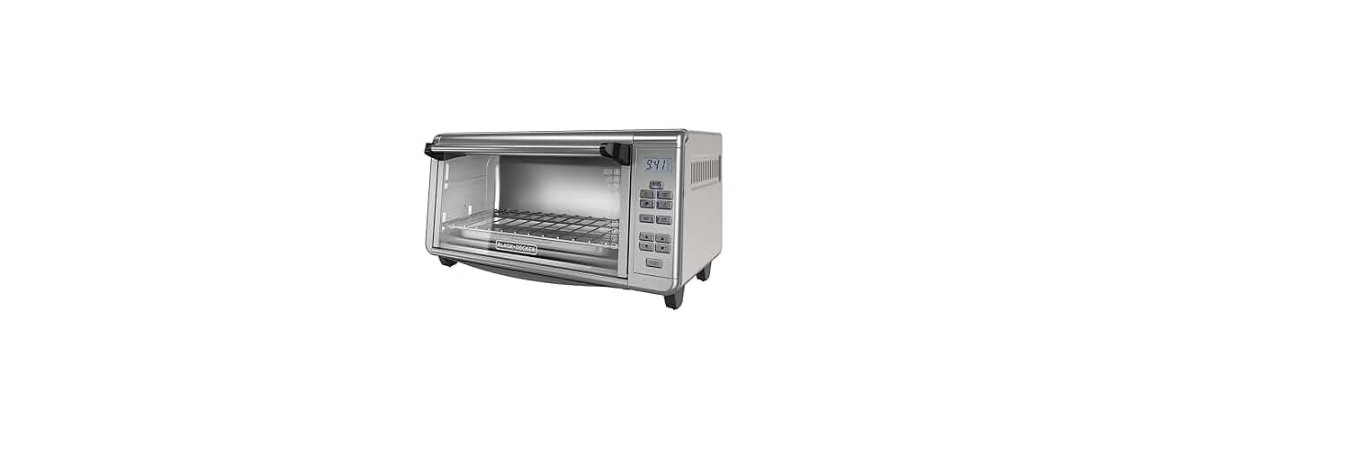

Black & Decker TO3290XSD Digital Countertop Oven

Safety instructions
When using electrical appliances, basic safety precautions should always be followed, including the following:
- DO NOT leave unattended with children or pets.
- KEEP this appliance and cord away from children.
- Close supervision is necessary when any appliance is used by or near children.
- ALWAYS place the appliance on a flat, heat-resistant surface.
- DO NOT place on or near a hot gas or electric burner or in a heated oven.
- DO NOT operate the appliance in an enclosed space or under hanging cabinets.
- DO NOT let the cord hang over the edge of the table or counter or touch hot surfaces.
- DO NOT use this appliance for anything other than its intended use.
- NEVER use an outlet below the counter. DO NOT use the appliance outdoors.
- UNPLUG the appliance from the outlet when not in use and before cleaning.
- Allow the appliance to cool before attaching or removing parts.
- Do not reach into the liquid if the appliance is plugged in and immersed.
- Do not immerse or rinse cords or plugs in water or other liquids.
- The appliance’s outer surfaces may become hot during use.
- Wear oven mitts when handling hot surfaces and components.
- When cooking, DO NOT place the appliance against a wall or other appliances.
- Leave at least 5 inches of free space on the top, back, and sides, and above the appliance.
- If you are unsure, place a trivet or hot pad under the appliance before using it.
- This appliance is intended for normal household use only.
- It is NOT INTENDED for use in commercial or retail environments.
Description
The product may vary slightly from what is illustrated.

- On indicator light.
- Digital display.
- Digital control panel (See B).
- Curved glass door.
- Dual-position rack (Part # 1 7 10 )
- Bake pan (drip tray) (Part # 0 88 )
- Broil rack (Part # 1 7 601)
- Slide-out crumb tray (Part # 0 88 7)
- Door handle
- Extra-deep curved interior
Control Panel

- Indicates when a function is selected and activated.
- Lets you monitor cooking time, temperature, and toast/bagel shade levels.
- Increases time, temperature, and toast/bagel shade level.
- Decreases time, temperature, and toast/bagel shade level.
- Allows you to use preset cooking time (1 minute) and temperature ( 0˚F) or adjust as desired.
- Allows you to use preset cooking time ( 0 minutes) and temperature ( 00˚F) or adjust as desired.
- Allows you to use preset cooking time (6 minutes) and temperature ( 00˚F) or adjust as desired.
- Allows you to use preset cooking time ( minutes) and temperature ( 00˚F) or adjust as desired.
- Sets desired cooking time up to hours.
- Turns on the internal fan to distribute heat evenly as it cooks.
- Works with the BAKE function. When using this function, lower the temperature degrees.
- Preheat and cook to set temperature ( 0˚F) and time ( 0 minutes), or you can adjust as desired.
- Broil at preset temperature ( 0˚F) and time ( 0 minutes), or you can adjust as desired.
- Sets bagel shade level (1- 7). Sets toast shade level (1- 7).
- Press Start to activate all functions. Press StOP to end all functions; the On indicator light shuts off.
How to Use
This product is for household use only.
- Remove packing materials and any stickers. Peel off the clear protective film from the control panel.
- Remove and save literature.
- Please go to www.prodprotect.com/applica to register your warranty.
- Wash all parts as instructed in Care and Cleaning.
- Select a location for the unit. Leave some space between the back of the unit and your wall to allow heat to flow without damaging the cabinet and walls.
- Insert a crumb tray underneath the bottom heating elements.
- Untie the cord and unwind it.
- Plug the unit into an electrical outlet. 0 00 shows on the digital display.

Operation
- You can change the temperature from ˚F to ˚C by pressing the ▲ and ▼ buttons simultaneously.
- For your convenience, black and Decker CTO6335s the unit always remembers the last selected setting unless unplugged.
- You can change this setting before the oven begins preheating or once it has reached the preset temperature and time.
- You cannot change the temperature or time during the preheat cycle.
- Once the set temperature is reached, you can then change the temperature or time at any time.
- If using convection bake, remember to lower the suggested temperature of a recipe or package by 25˚F.
There are four positions for the slide rack. It can be inserted in either the upper or lower slot. It can also be inverted for two additional positions.

Cooking Chart

Care and Cleaning
This product contains no user-serviceable parts. Refer service to qualified service personnel.
- Turn off the unit, unplug it from the wall outlet, and let it cool before cleaning.
- Clean the glass door with a nylon pad and sudsy water. Do not use a spray glass cleaner.
- To remove the slide rack, open the door, and pull the rack forward and out.
- Wash in warm, sudsy water or a dishwasher. To remove stubborn spots, use a polyester or nylon pad.
- To replace the slide rack, open the door completely, slide it into the rail, and close the door.
- To minimise scratching, use a polyester or nylon pad.
- To remove the crumb tray, grasp the handle at the front of the oven and pull it out.
- Dispose of crumbs and wash the tray in warm, sudsy water.
- Remove stubborn spots with a nylon mesh pad. Be sure to dry thoroughly before inserting the tray back into the oven.
Let the oven cool completely before cleaning any outer surface. Wipe with a damp cloth or sponge and dry with a paper towel or soft cloth.
Troubleshooting

Two-Year Limited Warranty
(Applies only in the United States and Canada)
What does it cover?
- Any defect in material or Black And Decker RC3303 3-Cup Rice Cooker workmanship provided; however, Applica’s liability will not exceed the purchase price of the product.
For how long?
- One year after the date of original purchase.
What will we do to help you?
- Provide you with a reasonably similar replacement product that is either new or factory refurbished.
How do you get service?
- Save your receipt as proof of the date of sale.
What does your warranty not cover?
- Damage from commercial use
- Products used or serviced outside the country of purchase
- Shipping and handling costs associated with the replacement of the unit
How does state law relate to this warranty?
- This warranty gives you specific legal rights, and you may also have other rights that vary from state to
state or province to province.
Customer Service
- Website: https://support.blackanddecker.com/
- Timings: Monday–Friday, 8:00 a.m. – 5:00 p.m.
- Ph: +1-800-544-6986