

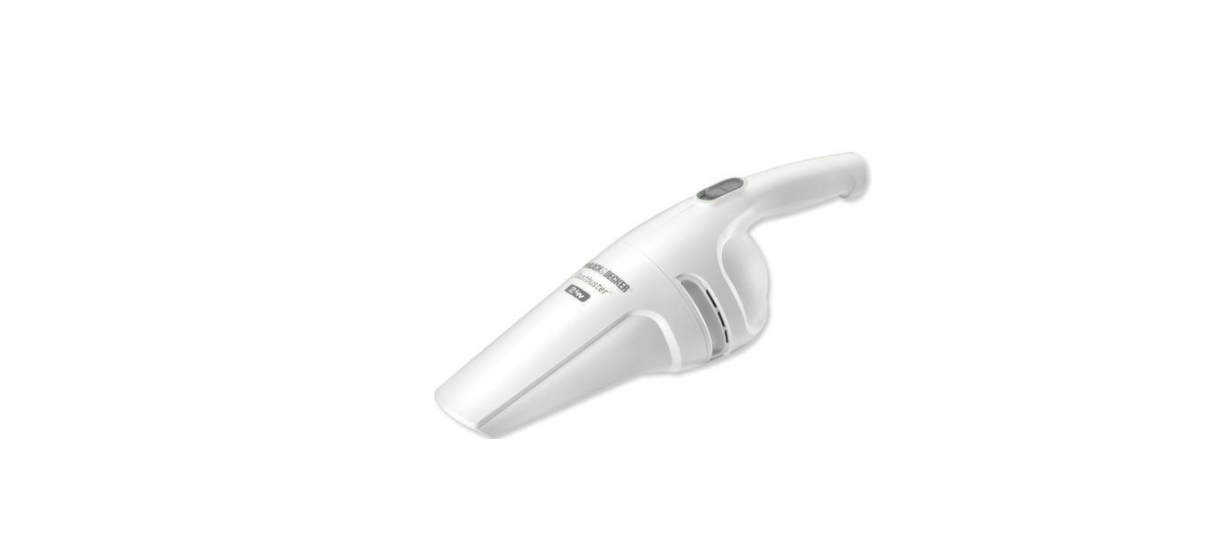

Black & Decker V2400 Dustbuster

Safety Instructions
- When using battery-powered appliances, basic safety precautions, including the following, should always be followed to reduce the risk of fire, leaking batteries, personal injury, and material damage.
- Read all of this manual carefully before using the appliance.
- The intended use is described in this manual. The use of any accessory or attachment or the performance of any operation with this appliance other than those recommended in this instruction manual may present a risk of personal injury. Retain this manual for future reference.
Using your Appliance
- Do not use the appliance to pick up liquids.
- Do not use the appliance to pick up any materials that could catch fire.
- Do not use the appliance near the water. Do not immerse the appliance in water.
- Keep the motor draught away from your eyes and face.
- Keep children and animals at a safe distance when using this appliance.
Description
- On/off switch
- Release button
- Dustbowl
- Charging base
- Charger
EC DECLARATION OF CONFORMITYBlack & Decker declares that these products conform to:
- 98/37/EC, 89/336/EEC,
- 73/23/EEC, EN 55014,
- EN60335, EN 61000
Inteded Use
Your Black & Decker Dustbuster® hand-held vacuum cleaner has been designed for light dry vacuum cleaning purposes. This product is intended for household use only.


Charger
- Do not expose the charger to water.
- Do not open the charger.
Installation
Fitting the charging base to the wall (fig. B). The charging base can be fitted to the wall to provide a convenient storage and charging point for the appliance.
- Find a suitable indoor location near a mains outlet.
- Position the charging base as shown and mark the location of the mounting holes (6) on the wall.
- Drill a hole (ø 6 mm, approx. 35 mm deep) at each of the marked locations.
- Insert the wall plugs (7) provided into the holes.
- Fit the charging base to the wall using the screws (8) provided. Make sure to guide the charger lead through the slot (9). Excess lead can be stored at the rear of the charging base.
- Never pull the charger lead to disconnect the charger from the socket. Keep the charger lead away from heat, oil, and sharp edges.
After Use
- Unplug the charger before cleaning the charger or charging base.
- When not in use, the appliance should be stored in a dry place. Children should not have access to stored appliances.
Inspection and Repairs
- Before use, check the appliance for damaged or defective parts.
- Check for breakage of parts, damage to switches that may affect their operation.
- Regularly check the charger lead for damage.
- Never attempt to remove or replace any parts other than those specified in this manual.
Battery
- Never attempt to open the battery for any reason.
- Do not expose the battery to water.
- Do not incinerate the battery.
- When disposing of batteries, follow the instructions given in the section “Protecting the Environment.”
Accessories
These models are supplied with the following accessories (fig. E):
- The crevice tool (10) for confined spaces
- The hard brush (11) for furniture and stairs
To fit an accessory, proceed as follows (fig. F):
- Take the accessories from the appliance.
- Insert the appropriate accessory into the front of the appliance.
- You may refit the other accessory by clicking it into the accessory holder. To refit both accessories:
- Insert the brush into the accessory holder.
- Slide the crevice tool into the brush.
- Push the accessories down until they click into place.
Cleaning & Maintainance
Regularly clean the filters. Before first use, the battery must be charged for at least 16 hours.
- Before charging, preferably, Black & Decker V2400 Dustbuster Instruction,s discharge the battery by operating the appliance until the motor stops.
- Charge the battery as described below.
Use
Operating the appliance.
- To switch on, slide the on/off switch (1) forward.
- To switch off, slide the on/off switch back.
Charging the battery
- Place the appliance on the charging base as shown.
- Plug in the charger. Switch on at the mains.
Leave the appliance to charge for at least 16 hours.
Whilst charging, the charger may become warm. This is normal and does not indicate a problem.
Replacing the filters
The filters should be replaced every 6 to 9 months and whenever worn or damaged. Replacement filters are available from your Black & Decker dealer (cat. no. VF10).
- Press the release button (2) and remove the dust bowl (3) (fig. G).
- Push the clip (18) down, slide the battery back, and pull it out.
- Take the battery to your service agent or a local recycling station.
Troubleshooting
If the product does not work, follow the instructions below. If this does not solve the problem, please contact your local Black & Decker repair agent.
GUARANTEE
(Applies only in the United States and Canada)
What does it cover?
- Any defect in material or Black And Decker RC3303 3-Cup Rice Cooker workmanship provided; however, Applica’s liability will not exceed the purchase price of the product.
For how long?
- One year after the date of original purchase.
What will we do to help you?
- Provide you with a reasonably similar replacement product that is either new or factory refurbished.
How do you get service?
- Save your receipt as proof of the date of sale.
What does your warranty not cover?
- Damage from commercial use
- Products used or serviced outside the country of purchase
- Shipping and handling costs associated with the replacement of the unit
How does state law relate to this warranty?
- This warranty gives you specific legal rights, and you may also have other rights that vary from state to
state or province to province.
Customer Service
- Website: https://support.blackanddecker.com/
- Timings: Monday–Friday, 8:00 a.m. – 5:00 p.m.
- Ph: +1-800-544-6986