

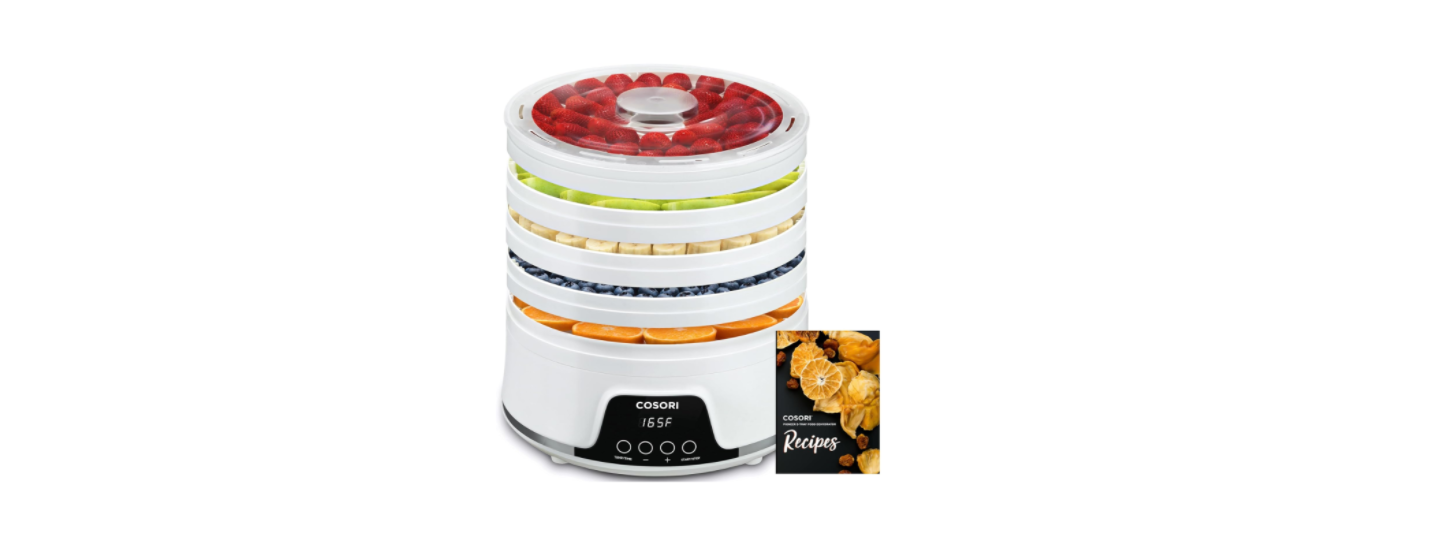

Cosori CFD-N051-W Food Dehydrator

Safety Instructions
- Do not touch hot surfaces.
- Do not immerse the cord, plug, or base in water or other liquids.
- Closely supervise children near the dehydrator.
- Using third-party parts or accessories may cause injuries.
- Do not use outdoors.
- Do not place on a stove, near gas or electric burners, or in a heated oven.
- Do not clean the base with metal scouring pads. Metal fragments can break off the pad and touch electrical parts, creating a risk of electric shock.
- Do not allow liquids to drip into the vents in the base of the dehydrator.
- Not for commercial use. Household use only.
- Only use the dehydrator as directed in this manual.
Power & Cord
- Do not let a cord (or any extension cord) hang over the edge of a table or counter, or touch hot surfaces.
- This dehydrator has a polarized plug (one prong is wider than the other), which fits into a polarized outlet only one way. If the plug does not fit, reverse the plug. If it still does not fit, do not use the plug in that outlet. Do not alter the plug in any way.
- This dehydrator uses a short power-supply cord to reduce the risk of entangling or tripping. Use extension cords with care.
- The marked electrical rating of an extension cord should be at least as high as the rating of the dehydrator (page 3).
- Your dehydrator should only be used with 120V, 60Hz electrical systems. Do not plug into another type of outlet. If you try to use the dehydrator with a higher voltage, the display will show an E4 error.

Package Contents
- 1 × Pioneer 5-Tray Food Dehydrator
- 5 × Trays
- 1 × Recipe Book
- 1 × User Manual
Diagram

- Base
- Underpan
- Control Panel
- Trays
- Cover
- Power Cord
CONTROL PANEL

Controls
- To start or stop the dehydrator, press START/STOP. Hours Minutes
- To change the temperature, press TEMP/TIME once, then press + or
- To change the time, press TEMP/TIME a second time, then press + or
Sounds
- To turn sounds on/off, wait for the display to show, then press and hold + for 5 seconds until the dehydrator beeps 1 time.
Use
Setting Up
- Remove all packaging from your dehydrator and its accessories. Make sure all package contents are included.
- Clean the base and trays with a moistened cloth. Place the dehydrator base on a solid, level surface. Plug in. Stack the drying trays on top of the base.
- Run the dehydrator for 30 minutes at any temperature, without adding any food. Make sure that the room has sufficient ventilation, in case the dehydrator produces any smoke or smells. This is normal.
- Place food on trays. The trays can hold up to 1.1 lb (0.5 kg) of food. Be careful not to overload the trays.

- Plug in. The dehydrator will beep, and the display will show “88:88”. The dehydrator will switch to standby mode after 3 seconds, and the display will show “–:–”.
- Press TEMP/TIME to choose the temperature. The temperature will blink on the display, and the + and – buttons will light up. Use + or – to change the temperature (95°—165°F).
- Press TEMP/TIME again to choose a time. The time will blink on the display, and the + and – buttons will light up. Use + or – to change the time (0:30–48:00).
- Press START/STOP to start dehydrating. The dehydrator will start heating. START/STOP will stay lit, and the other buttons will turn off. Temperature and time will cycle on the display every 3 seconds.
- Optionally, you can change the time and temperature at any time by pressing TEMP/TIME.
- When the timer finishes, the display will show “End” and the heat will turn off. The dehydrator will beep 5 times, and the fan will continue running for 5 seconds before stopping.
Overheat Protection
- Overheating is extremely rare. If the dehydrator overheats, it will automatically shut down as a safety feature and will no longer turn on. Contact Customer Support (page 14).
Care & Maintainance
- Unplug the dehydrator and allow it to cool before cleaning.
- If you used a recipe that left traces of liquid or other residue, use paper towels to wipe down the trays before cleaning.
- Soak trays in hot, soapy water for easy removal of food residue.
- Use a soft brush to clean the trays. Note: The trays can be washed in the top rack of a dishwasher only if you remove them before the drying cycle starts. Do not wash the base in a dishwasher. Do not immerse the base in water.
- Clean the surface of the dehydrator base with a damp cloth.
- Dry all parts before storing or using the dehydrator.
- When storing, turn the base upside down and wrap the cord around the center of the base. Secure the cord under the clips.

- Set the base back upright, Cosori CFD-N051-W Food Dehydrator, and stack the trays on top of the dehydrator as normal.
Specifications

TROUBLESHOOTING

FCC Statement
This device complies with part 15 of the FCC rules. Operation is subject to the following two
conditions.
- This device may not cause harmful interference, and
- This device must accept any interference received, including interference that may cause undesired operation.
However, there is no guarantee that interference will not occur in a
particular installation. If this equipment does cause harmful interference to radio or television reception,
Interference by one or more of the following measures:
- Reorient or relocate the receiving antenna.
- Increase the separation between the equipment and receiver.
- Consult the dealer or an experienced radio/TV technician for help.
Warranty
Arovast Corporation (“Arovast”) warrants this product to the original purchaser to be free from defects in material and workmanship, under normal use and conditions, for 1 year from the date of original purchase. Arovast agrees, at our option, Cosori CO294-CW Coffee Warmer Instructions during the warranty period, to repair any defect in material or workmanship or furnish an equal product in exchange without charge, subject to verification of the defect or malfunction and proof of the date of purchase.
- To damages or defects caused by accident, abuse, misuse, or improper or inadequate maintenance.
- To damages or defects caused by the service or repair of the product performed by an unauthorized service provider or by anyone other than Arovast.
- To damages or defects exceeding the cost of the product.
CUSTOMER SUPPORT
- Arovast Corporation 1202 N. Miller St. Suite A Anaheim, CA 92806
- Website: www.cosori.com
- Email: support@cosori.com
- Toll-Free: (888) 402-1684