

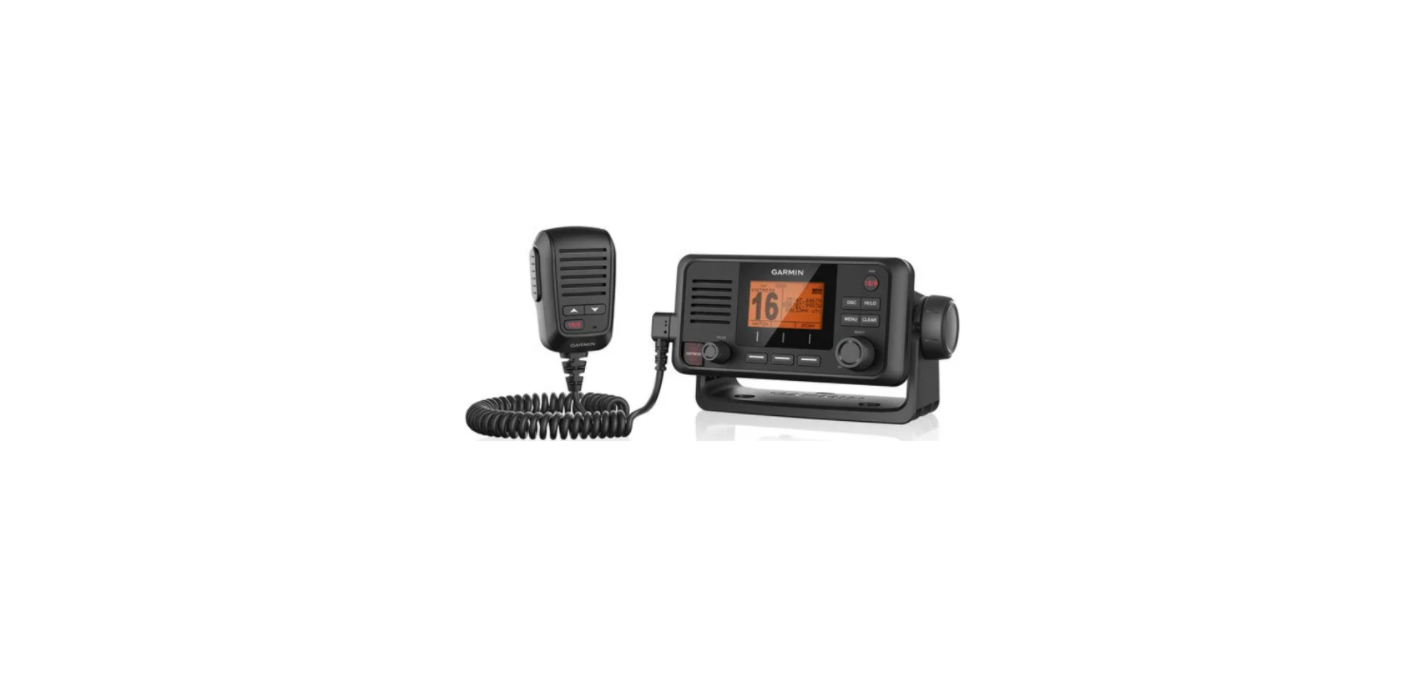

Garmin VHF 115 VHF 215 AIS Series
Safety Information
See the Important Safety and Product Information guide in the product box for product warnings and other important information. Always wear safety goggles, ear protection, and a dust mask when drilling, cutting, or sanding. When drilling or cutting, always check what is on the opposite side of the surface to avoid damaging the vessel.
Mounting Considerations
When selecting a mounting location, you should observe these considerations.
- The location should provide optimal viewing as you operate your boat.
- The location must allow room for the routing and connection of all cables.
- When flush mounting the device, the location must not be a flat, horizontal surface.
- The location should be at a vertical angle.
- The location and viewing angle should be tested before you install the device.
- High viewing angles from above and below the display may result in a poor image.
VHF Antenna Mounting and EME Exposure
Radio operators with cardiac pacemakers, life-support machines, or electrical medical equipment should not be exposed to excessive radio-frequency (RF) fields, because the RF field may interfere with the function of their medical equipment.
This device generates and radiates radio frequency (RF) electromagnetic energy (EME). Failure to observe these guidelines may expose people to RF radiation absorption exceeding the maximum permissible exposure (MPE).
Garmin® declares an MPE radius of 2.48 m (97.64 in.) for this system, which was determined using 5 W output to an omnidirectional, 6 dBi gain antenna. The antenna should be installed to maintain a distance of 2.48 m (97.64 in.) between the antenna and all people.
Bail Mounting the Device
If you are mounting the bracket on fibreglass with screws, it is recommended to use a countersink bit to drill a clearance counterbore through only the top gel-coat layer. This will help to avoid cracking in the gel-coat layer when the screws are tightened.
You can use the included bracket to mount the device on a flat surface.
- Using the bail-mount bracket as a template, mark the pilot holes.
- Using a 3.5 mm (9 /64 in.) drill bit, drill the pilot holes.
- Using the included screws, secure the bail-mount bracket to the mounting surface.
- Install the bail-mount knobs on the sides of the device.
- Place the device in the bail-mount bracket and tighten the bail-mount knobs.
Flush Mounting the Device
Be careful when cutting the hole to flush-mount the device. There is only a small amount of clearance between the case and the mounting holes, and cutting the hole too large could compromise the stability of the device after it is mounted.
If you are mounting the bracket on fibreglass with screws, it is recommended to use a countersink bit to drill a clearance counterbore through only the top gel-coat layer. This will help to avoid cracking in the gel-coat layer when the screws are tightened.
Before cutting or drilling to flush mount the device, be sure the space behind the mounting surface can accommodate the radio. The included template and hardware can be used to mount the device in your dashboard.
- Trim the template and make sure it fits in the location where you want to mount the device.
- Place the device in the cutout to test the fit.
- If necessary, use a file and sandpaper to refine the size of the cutout.
- If the mounting holes on the device do not line up, mark the new pilot-hole locations.
- Using a 3.5 mm (9 /64 in.) drill bit, drill the pilot holes.
- Remove the template from the mounting surface.
- Remove the protective liner from the foam gasket.
- Install the gasket on the back of the device.
- Place the device in the cutout.
- Secure the device to the mounting surface using the included screws.
- Install the decorative bezel by snapping it in place around the edges of the device.
Mounting the Microphone Hanger
If you are mounting the bracket on fibreglass with screws, it is recommended to use a countersink bit to drill a clearance counterbore through only the top gel-coat layer. This will help to avoid cracking in the gel-coat layer when the screws are tightened.
You can mount the microphone hanger in a convenient location near the radio.
- Select a mounting location for the microphone within reach of the microphone cable.
- Using the microphone hanger as a template, mark the pilot holes.
- Drill the mounting holes using a 3 mm (1 /8 in.) drill bit.
- Secure the microphone hanger to the mounting surface using the included screws.
Connection Considerations
Connectors and port locations vary by model.

Connecting to Power
- Route the power wiring cable to the power source and to the device.
- Connect the red wire to the positive (+) battery terminal, and connect the black wire to the negative (-)
battery terminal.
Additional Grounding Considerations
This device should not need any additional chassis grounding in most installation situations. If interference is experienced, the grounding screw on the housing can be used to connect the device to the water ground of the boat to help avoid the interference.
Connecting a VHF Antenna
- Mount the VHF antenna (sold separately) according to the installation instructions provided with the antenna. Connect the VHF antenna cable to the VHF antenna port on the VHF device.
NMEA 2000 Connections
If you are installing a NMEA 2000 power cable, you must connect it to the boat ignition switch or through another in-line switch. NMEA 2000 devices will drain your battery if the NMEA 2000 power cable is connected to the battery directly.
If you are unfamiliar with NMEA 2000, you should read the “NMEA 2000 Network Fundamentals” chapter of the Technical Reference for NMEA 2000 Products. Go to garmin.com/manuals/nmea_2000.


Connecting to a Remote GPS Antenna
This device includes an internal GPS antenna. If your mounting location does not provide good GPS reception, you may install a remote GPS antenna with a female BNC connector (not included) and connect it to the device.
- Follow the instructions provided with the external GPS antenna to install it on your boat correctly.
- Route the GPS antenna cable to the back of the VHF 115/VHF 215/VHF 215 AIS device, away from sources of electrical interference.
- Connect the GPS antenna cable to the BNC connector on the wiring harness on the VHF 115/VHF 215/VHF 215 AIS device.
NMEA 0183 Device Connections
This diagram illustrates two-way connections for both sending and receiving data. You can also use this diagram for one-way communication. The table below identifies the wiring harnesses and the NMEA 0183 wires. To obtain information from a NMEA 0183 device, Garmin VHF 115 VHF 215, andAIS Series, refer to the items when connecting the Garmin device. To transmit information to a NMEA 0183 device, refer to the items when connecting the Garmin device.

Connecting to an External Speaker
You can connect your VHF device to an external marine speaker (not included) to amplify sound at remote locations on the vessel or to communicate with other vessels.
- Route or extend the wire from the external speaker to the VHF device.
- Connect the red wire on the data cable to the positive (+) wire from the external speaker.
- Connect the black wire on the data cable to the negative (-) wire from the external speaker.
- Cover the connections with a waterproof tape or heat-shrink tubing.
Connecting to a Hailer Horn or PA Speaker
You can connect a VHF 215 radio to a hailer horn or public address (PA) speaker (not included) to use the microphone or the handset to make announcements.
- If necessary, mount the hailer horn or PA speaker according to the installation instructions provided with the device. Route or extend the wire from the hailer Garmin VHF 115 VHF 215 AIS Series horn or PA speaker to the radio.
- Connect the white wire on the data cable to the positive (+) wire from the hailer horn or PA speaker.
- Connect the green wire on the data cable to the negative (-) wire from the hailer horn or PA speaker.
- Cover the connections with a waterproof tape or heat-shrink tubing.
Specifications
Transmit
Receive
Customer Service
- Website: https://support.garmin.com/
- Ph: 00 886 2 2642 9199