

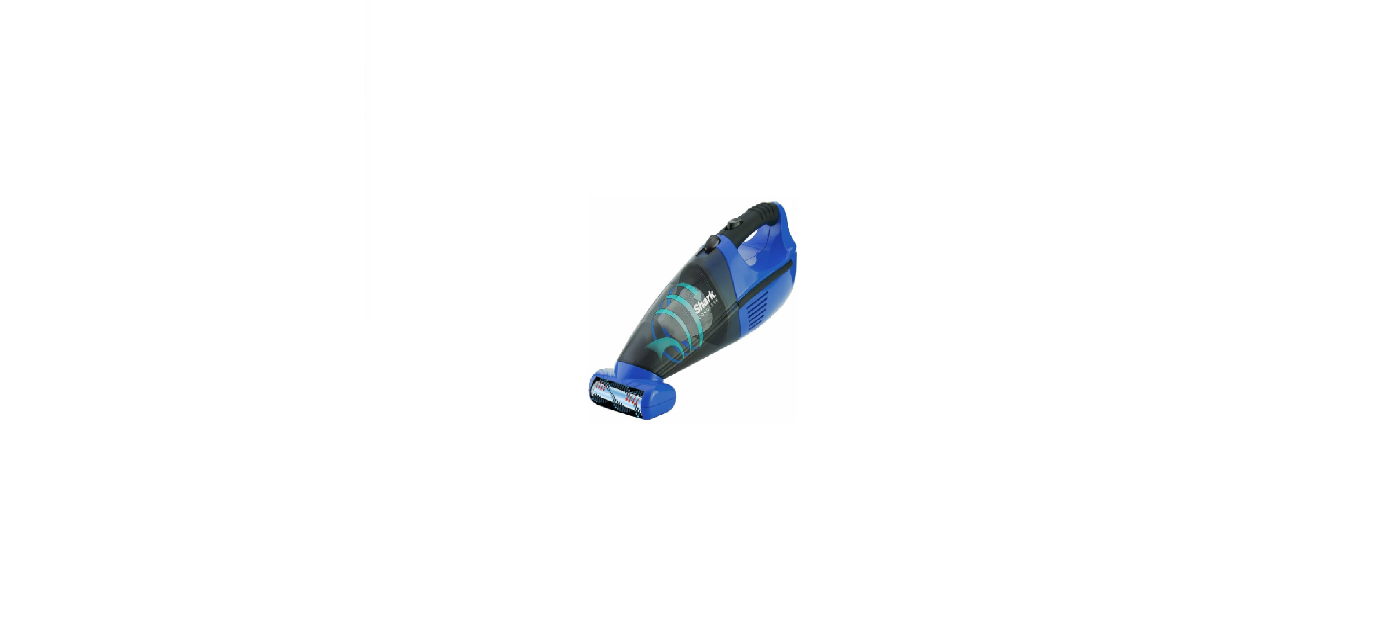

Shark SV75 Series Handheld Vacuum

Safety Instructions
Power supply, charging dock, and vacuum contain electrical connections.
- There are NO serviceable parts.
- DO NOT use it to vacuum any liquids.
- DO NOT immerse in water or other liquids.
- If the vacuum is damaged, discontinue use.
- DO NOT use a damaged vacuum or charging dock.
- DO NOT use outdoors or on wet surfaces. Use only on dry surfaces.
- DO NOT handle the charger or vacuum cleaner with wet hands.
- DO NOT leave the vacuum cleaner unattended while powered on.
- Keep the vacuum away from heated surfaces.
- If the vacuum cleaner is not working as it should, or has been dropped, damaged, left outdoors, or immersed in water, return it to SharkNinja Operating LLC for examination, repair, or adjustment.
Description
- Air-Intake Nozzle
- Dust Cup Container
- Dust Cup Filter
- Dust Cup Release Button
- Charging Indicator Light
- On/Off Switch
- Motor Housing
- Charging Adapter
- Motorized Brush
- Crevice Tool
- Dusting Brush*
Accessories vary by model
Reach Anywhere
Press the MultiFLEX® Lock Release button to lower the angle of the wand to increase your reach.
Store Anywhere
Press the MultiFLEX Lock Release button and fold the handheld vacuum forward. To vacuum, lift the handheld vacuum until the wand locks in place.
Emptying the Dust Cup
- To empty the dust cup, first disconnect the handheld vacuum from the wand by pressing the Wand Release button and pulling up on the handheld vacuum.
- Position the dust cup over a trash bin and slide the lid release button forward.
Power Settings
OFF
Slide the switch to the top to turn off the power. To begin vacuuming in Standard Mode, slide the switch to the appropriate setting.
Bare Floor Setting
Bare Floor/Area Rugs: Slide the switch to the middle. The brushroll spins slowly to clean bare floors and small area rugs.
Carpet Slide switch to the bottom. The brushroll spins faster to pick up debris below the surface of your carpets.
Boost Mode
For an added boost in power, pull the Trigger on the handheld vacuum. Release it to return to standard power.
For deep cleaning per ASTM F 608 (embedded Shark IZ1441H PowerFins Cordless Vacuum dirt in carpets), please select the Carpet setting and pull the trigger to go into Boost mode.
LI-Ion Battery
In Use

Full charge takes approximately 3 hours.
Battery Indicator Lights
The battery comes partially charged. Charge fully before first use.
Charging
- To charge, remove the handheld vacuum from the wand by pressing the Wand Release button and pulling up. Plug the charger into the charging port.
- To put the vacuum in storage mode, press the MultiFLEX Lock Release button while folding the handheld vacuum forward until the wand clicks and locks. Plug the charger into the charging port on the battery.
Battery Runtime

Troubleshooting

Two-Year Limited Warranty
The Two (2) Year Limited Warranty applies to purchases made from authorized retailers of SharkNinja
Operating LLC. Warranty coverage applies to the original owner and the original product only and is
not transferable.
What is covered by this warranty?
- SharkNinja reserves the right to replace the unit with a Shark WV400 Series Cordless Vacuum, one of equal or greater value.
What is not covered by this warranty?
- Replacement parts are available for purchase at sharkaccessories.com.
- Consequential and incidental damages.
- Defects caused by repair persons not authorized by SharkNinja.
- Products purchased, used, or operated outside North America.
How to get service
We also ask that you register your product online at registeryourshark.com and have the product on hand when you call, so we may better assist you. SharkNinja will cover the cost for the customer to send in the unit to us for repair or replacement.
How to initiate a warranty claim
To better assist you, please register your product before calling and have your product with you at Shark WV400 Series Cordless Vacuum the time of your call. You will need the receipt as proof of purchase. A Customer Service Specialist will provide you with return and packing instructions. We also ask that you register your product online at registeryourshark.com and have the product on hand when you call, so we may better assist you.
How state law applies
This warranty gives you specific legal rights, and you also may have other rights that vary from state to
state. Some states do not permit the exclusion or limitation of incidental or consequential damages, so
the above may not apply to you. The Two (2) Year VIP Limited Warranty applies to purchases made from authorized retailers of SharkNinja
Operating LLC
Warranty coverage applies to the original owner and to the Shark WV400 Series Cordless Vacuum, the original product only, and is not transferable. SharkNinja warrants that the battery shall be free from Shark WV400. According to the requirements outlined in the Owner’s Shark WV400 Series Cordless Vacuum Guide, subject to the following conditions and exclusions:
What is covered by this warranty?
- SharkNinja reserves the right to replace the unit with one of equal or greater value.
What is not covered by this warranty?
- Normal wear and tear of the battery requires optimal temperature storage and operation to ensure its proper functioning.
- Consequential and incidental damages.
- Defects caused by repair persons not authorized by SharkNinja.
- Products purchased, used, or operated outside North America.
How to initiate a warranty claim
You will need the receipt as proof of purchase. We also ask that you register your product online at registeryourshark.com and have the product on hand when you call, so we may better assist you. A Customer Service Specialist will provide you with return and packing instructions when you call.
How state law applies
This warranty gives you specific legal rights, and you also may have other rights that vary from state to state.
Some states do not permit the exclusion or limitation of incidental or consequential damages, so the above may not apply to you.
BATTERY REMOVAL AND DISPOSAL
This product uses a lithium-ion rechargeable and recyclable battery. In some areas, it is illegal to place spent lithium-ion batteries in the trash or a municipal solid waste stream. Return spent by yt authorizer d rec the retailer for recycling. Contact your local recycling center for information on where to drop off the spent battery. In some areas, it is illegal to place spent lithium-ion batteries in the trash or municipal solid waste stream, and the RBRC program provides an environmentally conscious alternative.
RBRC, in cooperation with SharkNinja and other battery users, has established programs in the United States and Canada to facilitate the collection of spent lithium-ion batteries. Help protect our environment
and conserve natural resources by returning the spent lithium-ion battery to an authorized SharkNinja
service center or your local retailer for recycling.
Customer Support
- Website: sharkclean.com
- Ph: 0800 368 7155