

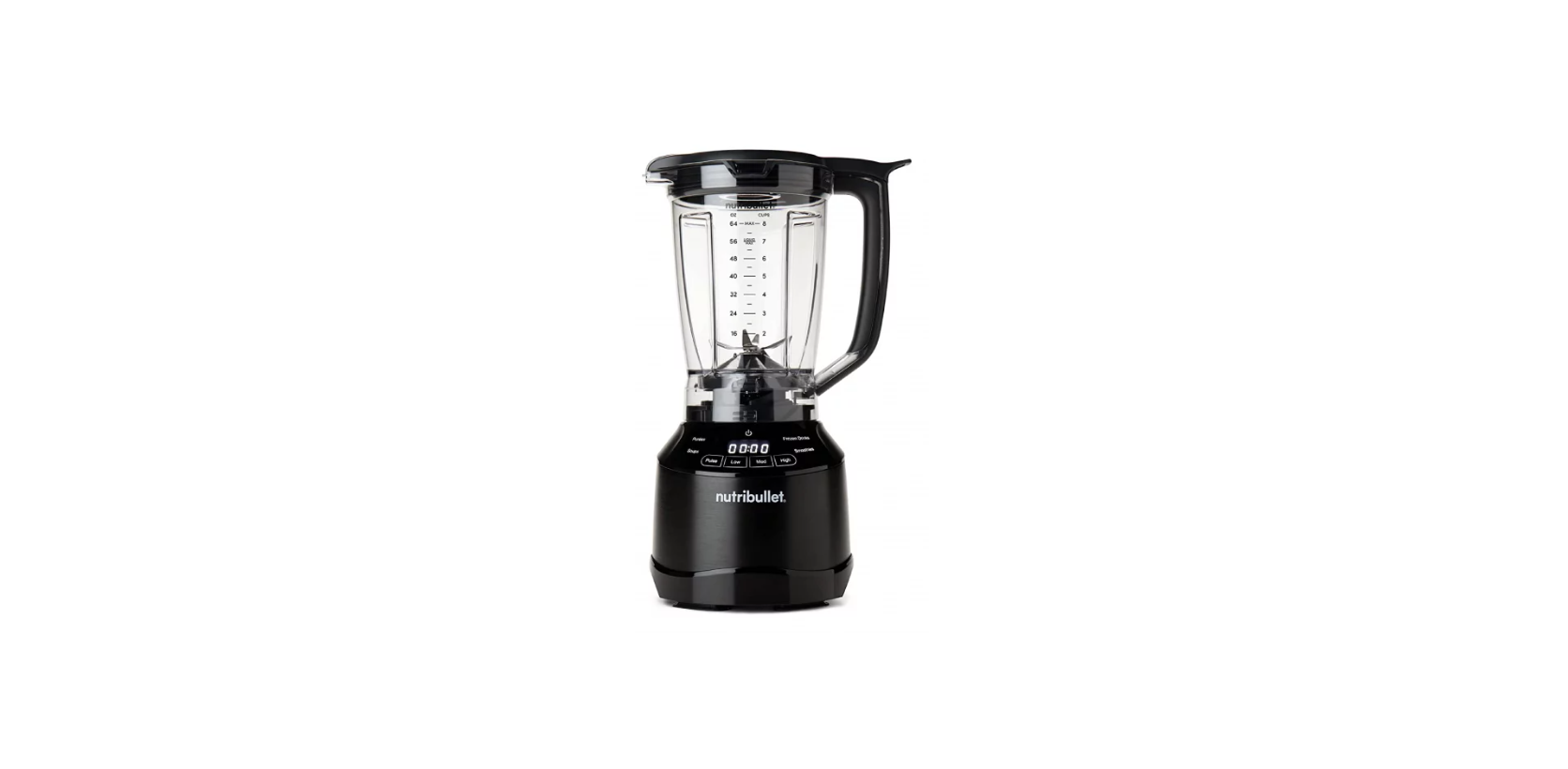

Nutribullet NBF50420 Smart Touch Blender

Getting started
- Make sure the base is plugged in for use.
- Never run the appliance while empty.
- Appliance accessories are not intended to be used in the microwave, as they may damage the microwave.
- Never leave the appliance unattended while in use.
- Use extra caution when blending hot liquid or ingredients in the pitcher.
- Steam and splatters can escape through the vented lid, potentially causing scalding and/or burns.
- NEVER blend hot liquids in your pitcher without the pitcher lid and vented lid cap attached.
- The vented lid cap is ventilated to allow steam and pressure to release, while guarding against excess splashing.
- NEVER blend hot liquids in your NutriBullet cups or any other sealed vessel.
What’s included


Pitcher assembly & use
- Place the motor base on a clean, dry, level surface such as a counter or table.

- Place the pitcher on a clean, dry, level surface.
- Add the ingredients to the pitcher, making sure they do not exceed the MAX line.

- Place the lid on top of the pitcher and press down firmly until locked in place.
- Place the lid cap over the lid opening, then press down and twist until locked in place.

- Place the pitcher (lid-side up) onto the motor base and twist clockwise to lock it into place.
- When you hear the click, it’s locked and ready to blend.

- Plug the power cord into an electrical outlet and press POWER to turn on the blender.
- Once the pitcher is fully locked and the unit is plugged in, the Blending Control Panel will illuminate, and the unit will be ready to operate.

- To begin blending, select a manual speed or program on the Blending Control Panel.
- To pause blending, press the current speed or program once; the unit will stop running, and the timer will pause.
- To resume blending, press a manual speed or the same program again.


- When you have reached your desired consistency, stop the appliance by pressing POWER.
- If you are using a program, you will hear a beep when the program has completed.
- Wait for the blades to stop turning. The unit will enter idle mode.
- The timer will reset, and the Blending Control Panel will remain illuminated.
- Press POWER again to turn off the unit completely, and the illuminated display will turn off.

- Twist the pitcher counterclockwise and lift off the motor base.
- Pour and enjoy! WARNING: Blades are sharp. Never insert your hands into the pitcher.


Manual speeds
Turning On/Off
- The power button controls the master power of the appliance.
- When the pitcher with the pitcher lid is locked in place, pressing POWER will indicate the motor is powered on, and the Blending Control Panel will illuminate.

Timer
- When using a blending speed: timer starts at zero (00:00) and increases during operation, showing time elapsed since blending began.
- When using program presets, the timer counts down during operation until the program is completed.

Pulse
- Used to control chopping and processing.

Low Speed
- Use to mix thin batters, gravies, and marinades. Or, to scramble eggs, process cooked foods, and uncooked fruits.

Medium Speed
- Use to cream soups, blend sauces and spreads, or mix dips. Also great for grinding nuts, making mixed drinks, powdered drinks, or milkshakes.

High Speed
- Use to liquefy thick mixtures and extract frozen fruits and vegetables into smoothies.

Select the Speed
- Press the desired speed once to turn on.
- The selected speed will illuminate, and the rest of the speeds will dim.
- To toggle to another blending speed, press the inactive, dimmed speed desired.
- To pause blending at any point, press the active spe.
- The motor will stop, and the timer will pause counting.
- To resume blending, press a manual speed button again.
- To return to the main blending control panel, press POWER once.
- To fully power down after pausing, press POWER twice and unplug the unit.
Intelligent programs
Purees
- Delivers a perfectly smooth texture — ideal for dips, sauces, and spreads of all kinds.

Soups
- Blends sweet or savory ingredients into the silkiest of ready-to-heat soups and chilled gazpachos.

Frozen Drinks
- Perfect for ice-blended mocktails or cocktails, and frappe-style drinks.

Smoothies
Easily turn fresh or frozen fruits and vegetables into sippable, nutritious smoothies.
Select the Program
- Press the desired program to turn on.
- The selected program will illuminate, and the rest of the blending control panel will disappear.
- The program will start to run, and the timer will count down until the program is complete.
- To pause a program before completion, press the active program.
- The motor will stop, and the timer will pause counting.
- To resume the program, press the program button again.
- To return to the main blending control panel, press POWER once.
- To fully power down, press POWER twice and unplug the unit.
- During each program, the unit may pulse, change speeds, and blend as needed until the program is complete.
Tamper
- Always hand-wash the tamper with soap and water.
- Stuck-on ingredients might require extra scrubbing from a dish brush or sponge.
Care & maintenance
Here’s how to clean the NutriBullet®
- Do not attempt to handle the appliance until all parts have stopped moving.
- This includes during assembly and disassembly, while changing accessories during cleaning, and any time you leave the machine unattended.
- Detach the pitcher from the motor base.
- Clean the individual components (motor base, pitcher) as recommended on the following pages.
Motor Base
- Do not attempt to remove any pieces from the motor base.
- Use a sponge or dishcloth dampened with warm, soapy water to wipe down the motor base until clean.
- To clean leakage residue from the motor base, wipe with a damp sponge and warm water.
- If necessary, you may use a small brush to scrub the actuator system area to ensure it’s clean.
Pitcher
- The pitcher is top-rack dishwasher-safe.
- If preferred, hand-wash the pitcher with soap and water.
- Stuck-on ingredients might require extra scrubbing from a dish brush or sponge. T
- he blades are sharp. Use caution to not touch the blades while hand-washing the pitcher.
- Regularly check the structure of the pitcher and twisting threads for cracking, crazing, or breakage.
- If damaged, replace immediately to prevent possible personal injury.
How to store
- Store the NutriBullet® pitcher Nutribullet NBF50420 Smart Touch Blender upright with the pitcher lid secured on top.
- Do not place anything on top of the pitcher lid.
One-year limited warranty
- NutriBullet, LLC (“NutriBullet”) warrants this NutriBullet® against defects in materials and workmanship for one year from Nutribullet NBF50420 Smart Touch Blender the date of original retail purchase.
- A replacement product assumes the remaining warranty of the original product. A repaired product has a one-year warranty from the date of repair.
Obtaining Warranty Service
- Before sending your product for limited warranty service, please make sure to keep a copy of all relevant documents for your files (receipt, etc.).
Exclusion & Limitations
- This limited warranty extends only to the original consumer purchaser and is not transferable.
- Repair or replacement of the product (or, if repair or replacement is not feasible, a refund of the purchase price) is the exclusive remedy of the consumer under this limited warranty.
- NutriBullet shall not be liable for any incidental or consequential damages for breach of this limited warranty or any implied warranty on this product.
Warranty registration
- The registration will enable us to contact you in the unlikely event of a product safety notification.
- By registering your product, you acknowledge that you have read the instructions and understood the warnings as outlined in the accompanying instructions.
- To find the serial number, check the warranty card that came with the Immersion Blender.
- If you cannot find the serial number, call customer service for assistance.

Customer Support
- websites: nutribullet.com/shop/accessories, nutribullet.com;
- toll: 1 (800) 523-5993.