

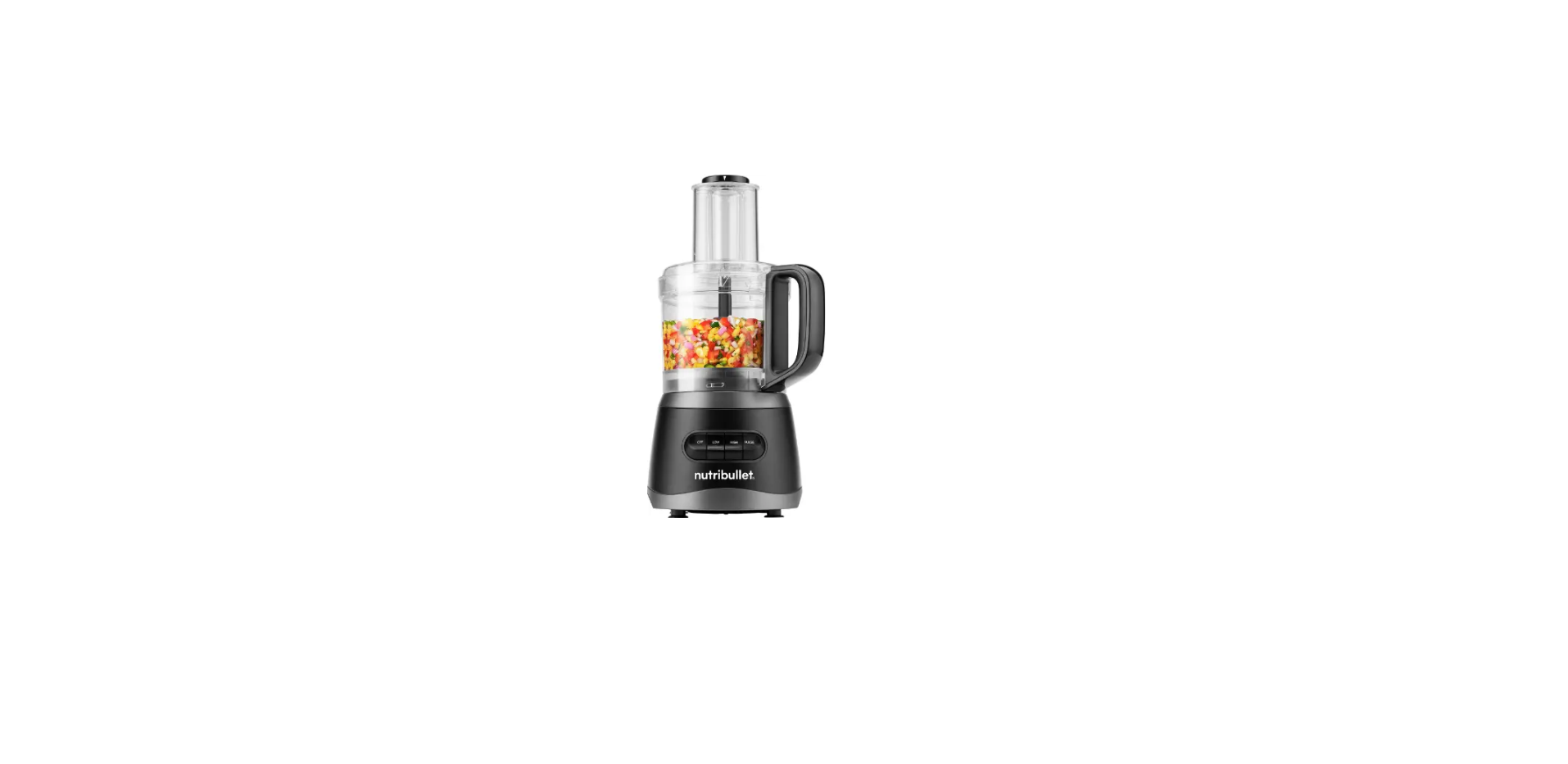

Nutribullet NBP50100 Food Processor

What’s included

Parts Description

Control Panel
- The nutribullet® Food Processor features a multi-speed control panel for all types of food prep.
Off
- Stops the Food Processor when operating on continuous LOW or HIGH speeds.

Low
- Continuous LOW-speed chopping or mixing.

High
- Continuous HIGH-speed chopping or mixing.

Pulse
- A burst of chopping or mixing that runs at HIGH speed. PULSE must be held to activate; motion will stop when the button is released.

Use
Before first use
Before using your nutribullet® Food Processor for the first time, please take a moment to perform the steps below.
Unpack
- Open box. Remove the Motor Base and all attachments. Place all parts on a flat, dry surface.
Clean
- Rinse all detachable parts and accessories. All parts except the Motor Base are dishwasher safe, or can be cleaned by rinsing with warm, soapy water. Clean the Motor Base with a clean, damp cloth.
Assembly
- Place the Blade Adaptor on the center shaft.
- Lower the Chopping Blade onto Lower the Chopping Blade onto the blade shaft, and then lower the Dough Blade onto the blade shaft so that it sits above the Chopping Blade on the shaft.
- Lower the disc attachments onto the adaptor, on top of the Chopping Blade.
- In storage mode, the discs should sit in the lower position on the adaptor than when used in normal operation.
- When storing the Spiralizer Disc, align the notches on the Spiralizer Disc with the tabs that are located inside the Motor Base towards the top.

- Place the Work Bowl Lid onto the Work Bowl and lock into place, with the Dual-Size Pusher nestled in the Feed Chute.
- Place the Work Bowl on a clean, dry, flat surface, like a countertop or table.

- Place the Blade Adaptor in the Work Bowl. Lower the Blade Adaptor onto the top of the shaft located in the center of the Work Bowl. Push down so the adaptor is firmly and securely in place.

- If using the Chopping Blade or Dough Blade: Hold the plastic center of the blade, and carefully place it on top of the Blade Adaptor. Slide the blade down until it reaches the bottom of the Work Bowl. Press it down firmly to set it in place.

- If using a Slice/Shred disc attachment: The disc attachments can be placed in 2 different positions on the Blade Adaptor.


- If using the Spiralizer disc attachment: Align the notches on the Spiralizer Disc with the tabs that are located inside the Work Bowl towards the top.

Using the Chopping Blade
- Place the Work Bowl, with the Chopping Blade attached, on a clean, dry, flat surface like a countertop.

- Prepare food (cut into smaller pieces, remove seeds, etc.) and place into the Work Bowl.

- Place the Work Bowl Lid on top of the Work Bowl. Turn the lid clockwise, lining up the arrows on the lid and handle, to lock into place.

- Place the Work Bowl, with lid attached, onto the Motor Base.

- Plug in the unit, then press your desired speed to start processing food.

- If you need to add liquid while processing, unlock the Inner Pusher by turning the Pusher Cap clockwise.

- If you need to add liquid while processing, unlock the Inner Pusher by turning the Pusher Cap clockwise.
- When you’re done, press the OFF button. Wait until the Chopping Blade has come to a complete stop.

- Remove the Work Bowl Lid from the Work Bowl by turning the lid counterclockwise to unlock.

- Carefully remove the Chopping Blade and the Blade Adaptor from the Work Bowl and set them aside.

- Remove your food from the Work Bowl using a spatula or spoon.

Using the Dough Blade
- Place the Work Bowl, with the Dough Blade attached, on a clean, dry, flat surface like a countertop. Refer to the assembly instructions on page 12 for how to properly attach the Dough Blade.

- Prepare food, ensuring to chop ingredients like butter into small chunks, and place them into the Work Bowl. Do not overload the bowl with food. If you are using liquid ingredients, do not fill past the LIQUID MAX line.

- Refer to the instructions on page 14 for attaching the Work Bowl Lid and the Work Bowl to the Motor Base.

- After plugging in the unit, press your desired speed to start processing food. The blue light will illuminate over the speed that is currently running.

- Use LOW speed for all dough making. Using a lower speed will help to avoid overworking the dough, which can lead to a tough dough. If the dough is cold and not overly blended, it will remain flaky.

- Use PULSE to cut butter into flour before switching to LOW speed for mixing and kneading the dough.

- Use LOW speed for all dough making. Using a lower speed will help to avoid overworking the dough, which can lead to a tough dough. If the dough is cold and not overly blended, it will remain flaky.
- If you need to add liquid while processing, unlock the Inner Pusher by turning the Pusher Cap clockwise. Once unlocked, lift the Inner Pusher and drizzle liquid (like ice water) through the narrow chute. Process just long enough to bring the dough together in a loose ball.

- Refer to the instructions on page 15 for removing the Work Bowl from the Motor Base once the dough has reached your desired consistency and you are done mixing.

Using a Disc Attachment
- Place the Work Bowl, with disc attached, on a clean, dry, flat surface like a countertop. Refer to the assembly instructions on page 12 for how to properly attach a disc for use.

- Place the Work Bowl Lid on top of the Work Bowl. Turn the lid clockwise, lining up the arrows on the lid and handle, to lock into place.

- Place the Work Bowl, with lid attached, onto the Motor Base. Turn the Work Bowl clockwise to lock in place. You should hear a click when the bowl is properly locked in place.

- Prepare food (cut into smaller pieces, remove seeds, etc.) and set aside.

- Plug in the unit and press the HIGH speed button.

- When you’re done, or when your processed ingredients have filled the work bowl, press the OFF button. Wait until the blade has come to a complete stop

- With the motor running, place food into the Feed Chute, carefully guiding it down using the Food Pusher.

- Remove the Work Bowl Lid from the Work Bowl by turning the lid counterclockwise to unlock. Carefully remove the lid and set it aside

- Carefully remove the Disc Blade and Blade Adaptor from the bowl and set them aside

- Remove your food from the Work Bowl using a spatula or spoon. Dispose of any leftover food in the bowl, then clean the bowl, blades, and other parts to avoid food residue buildup.

Using the dual-size food pusher
- The Dual-Size Food Pusher features a smaller pusher inside a larger one.
- Use the Full-Sized Pusher for guiding bigger pieces of food down the Feed Chute — like when shredding lettuce or a big block of cheese.
- Unlock the Inner Pusher to create a narrower Feed Chute, and use the Inner Pusher for better control with thinner ingredients, such as zucchini or carrots.
- The narrow Feed Chute is also ideal for drizzling in liquids during processing.

- Separate the Inner Pusher from the outer pusher piece by gripping the circular Pusher Cap.
- Twist the top of the pusher clockwise and lift the Inner Pusher from the outer piece.
Care & maintenance
- The most important thing — ALWAYS POWER OFF THE UNIT and UNPLUG the Motor Base from the power outlet when it is not in use.
- Do not attempt to handle the appliance until all parts have stopped moving! This includes during assembly and disassembly, while changing accessories, during cleaning, and any time you leave the machine unattended.d
- Detach the blades and other attachments from the Motor Base.
- Clean the individual components as recommended in the following sections.
Motor Base
- Do not attempt to remove any pieces from the Motor Base.
- Use a sponge dishcloth dampened with warm, soapy water to wipe down the Motor Base until clean.
- If necessary, you may use a small brush to scrub the actuator system area to ensure it’s clean.
- To clean leakage residue from the Motor Base, wipe with a damp sponge and warm water.
How to store
The blade attachments conveniently store within the Nutribullet NBP50100 Food Processor Work Bowl when not in use.
Troubleshooting
Problem: The unit does not power on
Solutions: Make sure the Power Cord is plugged into an electrical outlet, and that outlet has power. Make sure the Work Bowl Lid is locked into place on top of the Work Bowl.
Problem: The Food Processor stopped in the middle of processing.
Solutions: You have exceeded 10 minutes of continuous running time. Unplug the Food Processor and keep the unit off for 15 minutes before continuing use.
One-Year Limited Warranty
Warranty Service
For limited warranty service, simply call our customer service department at 1 (800) 523-5993 or contact us via email from our website at nutribullet.com; click the Contact Us link, fill out and submit the customer contact form, and we will be glad to help you. Before sending your product for limited warranty service, please make sure to keep a copy of all relevant documents for your files (receipt, etc.).
Exclusions & Limitations
This limited warranty extends only to the original consumer purchaser and is not transferable. Repair or replacement of the product (or, if repair or replacement is not feasible, a refund of the purchase price) is the exclusive remedy of the consumer under this limited warranty.
NutriBullet shall not be liable for any incidental or consequential damages for breach of this limited warranty or any implied warranty on this product. This limited warranty gives you specific legal rights, and you may also have other rights which vary from state to state. NutriBullet is not liable for any damage to products not covered by this warranty (e.g., cups, book, User Guide).
Some states and provinces do not allow the exclusion or limitation of incidental or consequential damages or exclusions or limitations on the duration of implied warranties or conditions, so the above limitations or exclusions may not apply to you. This warranty gives you specific legal rights, and you may also have other rights that vary by state or province.
Warranty registration
To find the serial number, check under the Motor Base. If you cannot find the serial number, call customer service for assistance.

Customer Service
- Website: nutribullet.com
- Tel: 1 (800) 523-5993