

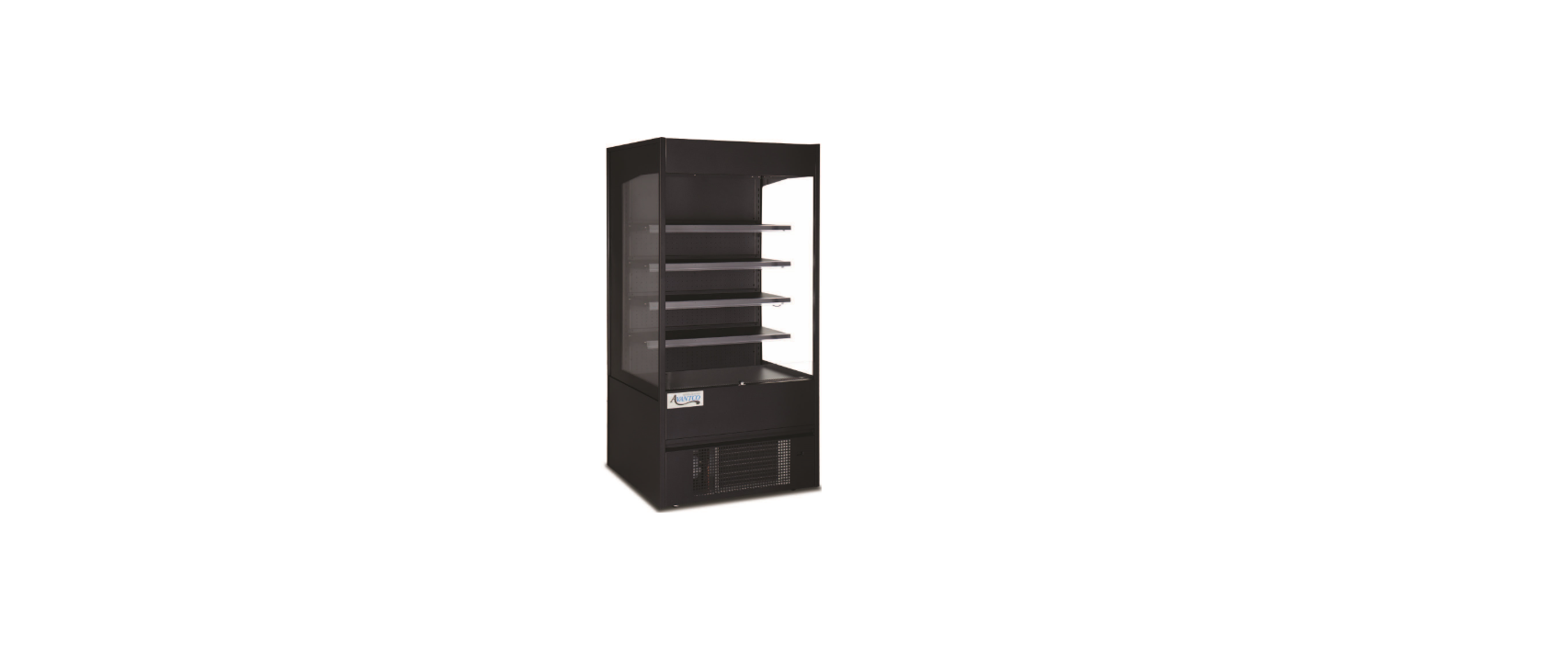

AVANTCO 193VOA36B Open Air Merchandisers

Safety Instructions
- Make sure that the unit has reached the desired temperature before loading the unit with products.
- Make sure that there is proper ventilation around the unit in the area where it will operate.
- Do not attempt to remove or repair any component of the unit. Consult an authorized service technician for servicing/repair.
- Do not stand inside the unit.
- Read through the manual in its entirety.
- This unit is designed to perform in a temperature-controlled environment at 55% relative humidity. The unit should be located away from doors, air ducts, and fans that could disrupt airflow and negatively impact performance.
Cabinet Location Guide
- Install the unit on a strong and level surface.
- If the surface is uneven, the unit may be noisy.
- The unit may malfunction if the surface is uneven.
- Uneven floors may cause leakage.
- Install the unit in an indoor, well-ventilated area.
- For best performance, please maintain a clearance of 6″ on the back of the unit.
- Brackets should be attached to the back of the unit.
- Do not use outdoors. For indoor use only.
- Avoid direct sunlight.
- Avoid installation in a high-humidity and/or dusty area.
- Humidity above 55% can cause the unit to rust, collect condensation, and decrease efficiency.
- Dust collected on the condenser coil will cause the unit to malfunction.
- Malfunctions due to temperatures above 75ºF, humidity above 55%, or improperly maintained condenser coil will void the warranty.
- Select a location away from heat and moisture-generating equipment.
- Ambient temperatures above 75ºF may cause the compressor to malfunction.
- The unit should not be used in areas over 90ºF.
- Malfunctions due to ambient temperatures above 75ºF will void the warranty.
- Do not install the unit inside a closet or alcove.
Electrical
- Please ensure that the required voltage is being supplied at all times.
- The unit should be plugged into a grounded and properly sized electrical circuit with appropriate over-current protection.
- This equipment must be run on a dedicated circuit. Not doing so may damage the equipment.
- Do not use extension cords.
- Do not unplug your cooler by pulling on the power cord. Grip the plug firmly and pull straight out from the outlet.
- Ensure the unit is not resting on or against the electrical cord.
- If the unit is not in use for a long period of time, please unplug the unit from the outlet.
- To avoid shock and fire hazards, do not plug in or unplug the unit with wet hands.
- After unplugging the unit, wait at least 10 minutes before plugging it back in.
- Failure to do so could cause damage to the compressor.
Adjusting Temperature
- Adjusting the temperature changes the minimum temperature at which your unit will run.
- Your unit will not run constantly at this setting. To change it, follow these instructions

Temperature Controller Operation
- Set temperature.
- Press or to modify the displayed value. SE SET efrigerant LED Defrost LED
- Press the button to exit the adjustment and display the unit’s current temperature.
- Lights: Press the button to turn the lights on or off. Manual start/stop defrost: Press the button and hold for 6 seconds to defrost or stop defrosting.
- Refrigerant LED: When the compressor is running, the LED is on. When the refrigerator temperature is constant, the LED is off. During the delay start, the LED flashes.
- Defrost LED: During the defrost cycle, the LED is on. When it stops defrosting, the LED is off. During the delayed display of defrost, the LED flashes.
Defrost System
- During compressor downtime, the evaporator fan continues to circulate air through the evaporator coil.
- This air circulation raises the coil temperature above the freezing point, melting any accumulated frost.
- Automatic defrost timers automatically initiate at preset intervals and for a predetermined duration.
UNPLUG CORD
- To minimize shock and fire hazards, please do not plug in or unplug the cord with wet hands.
- During maintenance and cleaning, please unplug the unit.
Operation / Maintenance
- Do not block the air duct/fan at the top of the unit. Maintain a minimum of 4″ of clearance between products and the fan at all times.
- Do not store flammable and explosive gases or liquids inside the unit.
- For efficient operation, keep the condenser surface free of dust, dirt, and lint.
- We recommend cleaning the condenser coil at least once per month.
- If necessary, clean the fan blades and motor with a soft cloth.
- If it is necessary to wash the fan blades, cover the fan motor to prevent moisture damage.
- When cleaning the cabinet interior, use AVANTCO 193VOA36B Open Air Merchandisers a solvent of warm water and mild soap.
- Do not use steel wool, caustic soap, abrasive cleaners, or bleach that may damage the interior finish.
- Periodically, remove the shelves and AVANTCO 193VOA36B Open Air Merchandisers pilasters from the unit and clean them with mild soap and warm water. To remove the pilasters, first remove the shelves and shelf brackets. Then, simply lift the pilaster up and out.
Condenser Coil Cleaning Instructions
A dusty condenser may lead to high energy consumption, less cooling effectiveness, and compressor damage. The condenser coil is located at the bottom behind the panel.
- Disconnect the electrical power from the unit.
- Remove the front cover and base cover with a screwdriver.
- Using a soft brush and/or vacuum, remove the dirt, lint, etc. from the finned condenser coil in a vertical direction.
- Clean the condenser with a commercial condenser coil cleaner, available from any kitchen equipment retailer. Ex. Noble Chemical Tech Line.
- After cleaning, straighten any bent condenser fins with a fin comb.
- When finished, be sure to reinstall the front cover and base cover.
- Reconnect the electrical power to the unit.
Troubleshooting


Customer Service
- Website: https://www.avantcorefrigeration.com/
- Tel: 717-381-4844