

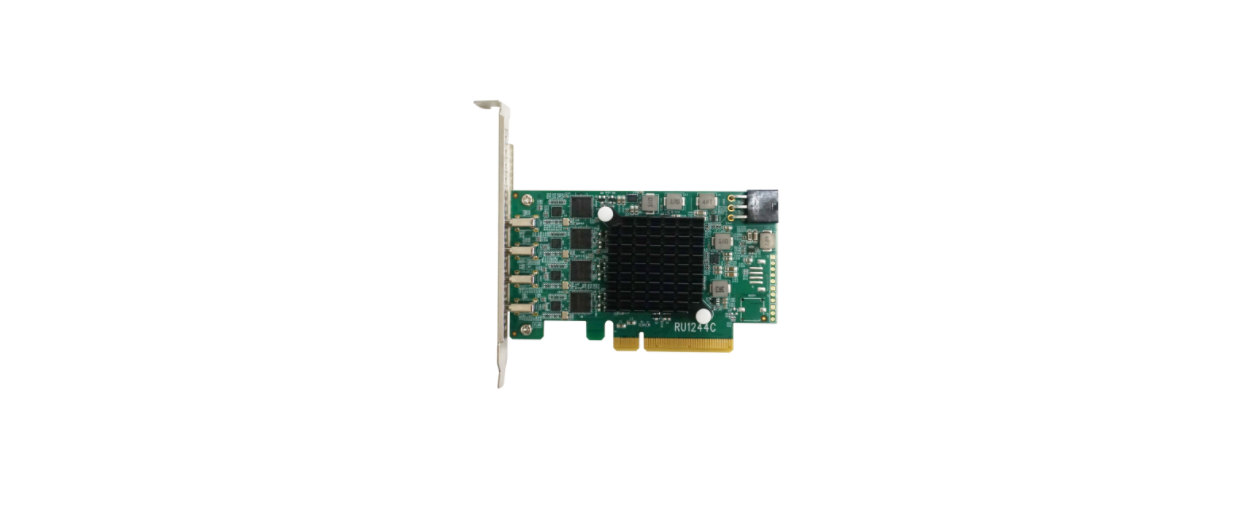

HIGHPOINT Rocket 1580 8x U.2 Port Quick

System Requirements
PC Requirements
- System with a free PCIe 4.0 (or 3.0) x16 slot
- Windows 11, 10 / Server 2022, 2019, 2016, Microsoft Hyper-V
- RHEL/Debian/Ubuntu/Fedora/Proxmox/XenServer (Linux kernel 3.10 and later)
- FreeBSD 12.1 and later
R1580 Kit Content
- R1580 Controller Card
- Quick Installation Guide
R1580 Hardware
Front View

Hardware Installation
The R1580 provides four device ports, which utilize SFF-8654 connectors. These HIGHPOINT Rocket 1580 8x U.2 Port Quick ports accept a variety of HighPoint Certified Cable Accessories (see the Accessories section towards the end of this guide for more information). The following procedure explains how to connect U.2 NVMe SSDs directly to the R1580 using HighPoint TS8i-8639-060 NVMe cables.

Connecting the SSDs using TS8i-8639-060 cables. Insert the R1580 controller into one of the motherboard’s open PCI-E 4.0 x16 slots.

As described in step 2, connect the SFF-8639 cable connectors to the U.2/U.3 SSDs. Next, connect the SFF-8654 cable connector to one of the R1580’s four device ports (Ports 1 through 4)

Connect the remaining NVMe SSDs to the R1580 as described above. Once complete, Power on the system
Optional Certified Cable Accessories


Resources
Various manuals, guides, and FAQs are available for the SSD7749M2NVMe RAID AIC. In addition, we recommend visiting the Software Downloads webpage for the latest drivers and RAID Management software.
- For Software Downloads, Documentation, and more product information
- Visit: https://www.highpoint-tech.com/nvme-individual/ssd7749m2
- FAQ & Troubleshooting
- Visit: http://helpjuice.com
Customer Support
If you encounter any problems while utilizing the SSD7749M2 or have questions about this or any other HighPoint Technologies, Inc. product, feel free to contact our Customer Support Department.
- Web Support: https://www.highpoint-tech.com/support-and-services HighPoint Technologies, Inc.
- websites: https://www.highpoint-tech.com
FAQs
Q: What kind of PCIe slot does the Rocket 1580 require?
Ans: For maximum performance and bandwidth, the card needs a PCIe Gen4 x16 slot.
Q: What cables are needed to connect two U.2 SSDs?
Ans: Depending on your chassis or backplane configuration, use Mini-SAS HD (SFF-8643 to U.2) cables or appropriate SlimSAS cables.
Q: Do I need to install drivers to use the Rocket 1580?
Ans: Use HighPoint’s management software for RAID.
Q: Does the Rocket 1580 support RAID configurations?
Ans: Indeed. It can be set up using the UEFI RAID utility, HighPoint’s WebGUI, or CLI tools. It supports RAID 0, 1, 5, 10, and JBOD.
Q: Can I use the Rocket 1580 in a critical server environment?
Ans: Yes, but make sure that mission-critical systems have RAID 10 or 5, redundant cooling, and clean power (UPS) for failure tolerance.
Q: Is it possible to boot from a RAID array created on this card?
Ans: Indeed, provided that the motherboard is capable of UEFI boot from NVMe RAID. RAID drivers must be installed during OS setup.