Close Menu
onyxguides.comonyxguides.com

    Subscribe to Updates

    Get the latest creative news from FooBar about art, design and business.

    What's Hot

    BARCO QDX Rental Laser Projectors Instruction Manual

    March 13, 2026

    CHRISTIE D4K2560 High Frame 4K Projector Instruction Guide

    March 13, 2026

    How To Protect Electronic Devices From EMP

    March 12, 2026
    Facebook X (Twitter) Instagram
    onyxguides.comonyxguides.com
    Facebook X (Twitter) Instagram Pinterest
    • Home
    • About us
    • Terms & Conditions
    • Privacy Policy
    • FAQs
    • Contact us
    onyxguides.comonyxguides.com
    Home » HIGHPOINT Rocket 1580 8x U.2 Port Quick Installation Guide
    HIGHPOINT

    HIGHPOINT Rocket 1580 8x U.2 Port Quick Installation Guide

    By Gabriel SmithSeptember 29, 2025Updated:September 30, 2025No Comments3 Mins Read
    Facebook Twitter Pinterest LinkedIn Tumblr WhatsApp Telegram Email
    HIGHPOINT-Rocket-158-8x-U.-Port-Quic-featured
    Share
    Facebook Twitter LinkedIn Pinterest Email

    HIGHPOINT-logo

    HIGHPOINT Rocket 1580 8x U.2 Port Quick

    HIGHPOINT-Rocket-158-8x-U.-Port-Quic-product

    System Requirements

    PC Requirements

    • System with a free PCIe 4.0 (or 3.0) x16 slot
    • Windows 11, 10 / Server 2022, 2019, 2016, Microsoft Hyper-V
    • RHEL/Debian/Ubuntu/Fedora/Proxmox/XenServer (Linux kernel 3.10 and later)
    • FreeBSD 12.1 and later

    R1580 Kit Content

    • R1580 Controller Card
    • Quick Installation Guide

    R1580 Hardware

    Front View

    Hardware Installation

    The R1580 provides four device ports, which utilize SFF-8654 connectors. These HIGHPOINT Rocket 1580 8x U.2 Port Quick ports accept a variety of HighPoint Certified Cable Accessories (see the Accessories section towards the end of this guide for more information). The following procedure explains how to connect U.2 NVMe SSDs directly to the R1580 using HighPoint TS8i-8639-060 NVMe cables.

    HIGHPOINT-Rocket-158-8x-U.-Port-Quic-figur-2

    Connecting the SSDs using TS8i-8639-060 cables. Insert the R1580 controller into one of the motherboard’s open PCI-E 4.0 x16 slots.

    HIGHPOINT-Rocket-158-8x-U.-Port-Quic-figur-3

    As described in step 2, connect the SFF-8639 cable connectors to the U.2/U.3 SSDs. Next, connect the SFF-8654 cable connector to one of the R1580’s four device ports (Ports 1 through 4)

    Connect the remaining NVMe SSDs to the R1580 as described above. Once complete, Power on the system

    Optional Certified Cable Accessories

    Resources

    Various manuals, guides, and FAQs are available for the SSD7749M2NVMe RAID AIC. In addition, we recommend visiting the Software Downloads webpage for the latest drivers and RAID Management software.

    • For Software Downloads, Documentation, and more product information
    • Visit: https://www.highpoint-tech.com/nvme-individual/ssd7749m2
    • FAQ & Troubleshooting
    • Visit:  http://helpjuice.com

    Customer Support

    If you encounter any problems while utilizing the SSD7749M2 or have questions about this or any other HighPoint Technologies, Inc. product, feel free to contact our Customer Support Department.

    • Web Support: https://www.highpoint-tech.com/support-and-services HighPoint Technologies, Inc.
    • websites: https://www.highpoint-tech.com

    FAQs

    Q: What kind of PCIe slot does the Rocket 1580 require?
    Ans:
    For maximum performance and bandwidth, the card needs a PCIe Gen4 x16 slot.

     Q: What cables are needed to connect two U.2 SSDs?
    Ans: Depending on your chassis or backplane configuration, use Mini-SAS HD (SFF-8643 to U.2) cables or appropriate SlimSAS cables.

    Q: Do I need to install drivers to use the Rocket 1580?
    Ans: Use HighPoint’s management software for RAID.

    Q: Does the Rocket 1580 support RAID configurations?
    Ans: Indeed. It can be set up using the UEFI RAID utility, HighPoint’s WebGUI, or CLI tools. It supports RAID 0, 1, 5, 10, and JBOD.

    Q: Can I use the Rocket 1580 in a critical server environment?
    Ans: Yes, but make sure that mission-critical systems have RAID 10 or 5, redundant cooling, and clean power (UPS) for failure tolerance.

    Q: Is it possible to boot from a RAID array created on this card?
    Ans: Indeed, provided that the motherboard is capable of UEFI boot from NVMe RAID. RAID drivers must be installed during OS setup.

    Buy HighPoint Rocket 1580 Online HighPoint Rocket 1580 Enterprise Storage HighPoint Rocket 1580 NVMe Expansion HighPoint Rocket 1580 PCIe U.2 Solution HighPoint Rocket 1580 Professional RAID Card HighPoint Rocket 1580 U.2 NVMe Adapter Rocket 1580 8-Port U.2 PCIe Card Rocket 1580 High-Speed NVMe Adapter Rocket 1580 Multi-Port NVMe HBA Rocket 1580 PCIe Gen4 U.2 Adapter
    Share. Facebook Twitter Pinterest LinkedIn Tumblr Email
    Gabriel Smith

      Related Posts

      HIGHPOINT SSD7104/SSD7204 RAID Controller Installation Guide

      September 29, 2025

      HIGHPOINT SSD7502 2x M.2 Port to PCIe 4.0×16 Installation

      September 29, 2025

      HIGHPOINT SSD7104F 4x M.2 Port to PCIe 3.0×16 Installation

      September 29, 2025

      HIGHPOINT R1120 4x U.2 Port to PCIe 3.0×16 Installations

      September 29, 2025

      HIGHPOINT SSD7540 & SuperMicro X11QPH+ Instruction Manual

      September 29, 2025

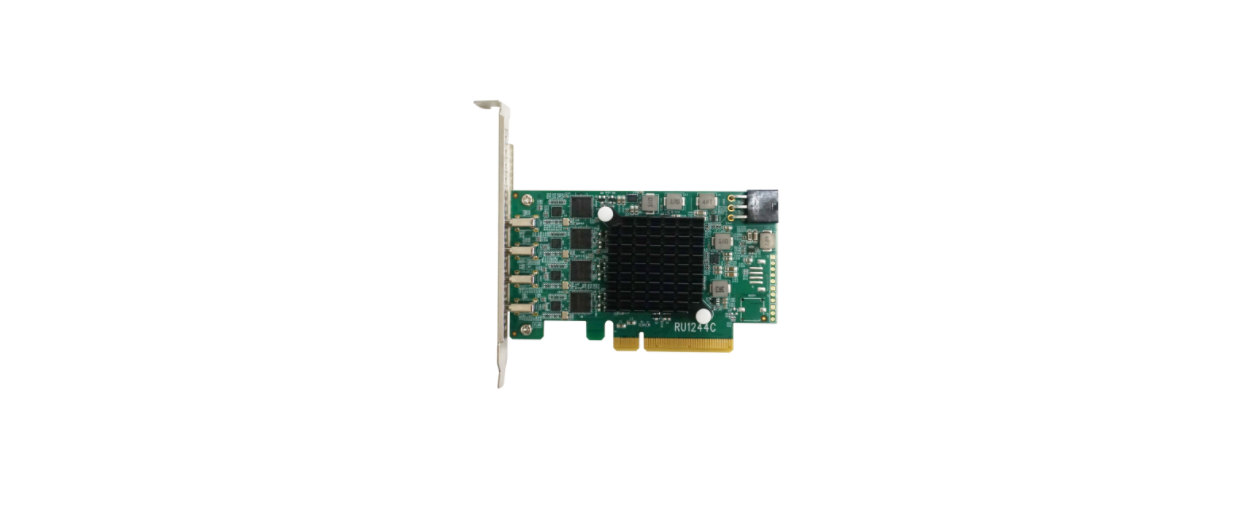
      HIGHPOINT RocketU 1244C PCIe 3.0 10Gbs HBA User Manual

      September 29, 2025
      Add A Comment

      Comments are closed.

      Don't Miss
      Other

      BARCO QDX Rental Laser Projectors Instruction Manual

      March 13, 2026

      BARCO QDX Rental Laser Projectors Quick Start Guide Environment conditions Main Power Requirements The projector…

      CHRISTIE D4K2560 High Frame 4K Projector Instruction Guide

      March 13, 2026

      How To Protect Electronic Devices From EMP

      March 12, 2026

      Hisense PX1 Triple Laser Ultra Throw Projector User Guide

      March 12, 2026
      Stay In Touch
      • Facebook
      • Twitter
      • Pinterest
      • Instagram
      • YouTube
      • Vimeo

      Subscribe to Updates

      Subscribe to Updates

      Follow us

      Facebook X-twitter Instagram Pinterest

      © 2025 All rights reserved Onyx Guide.