

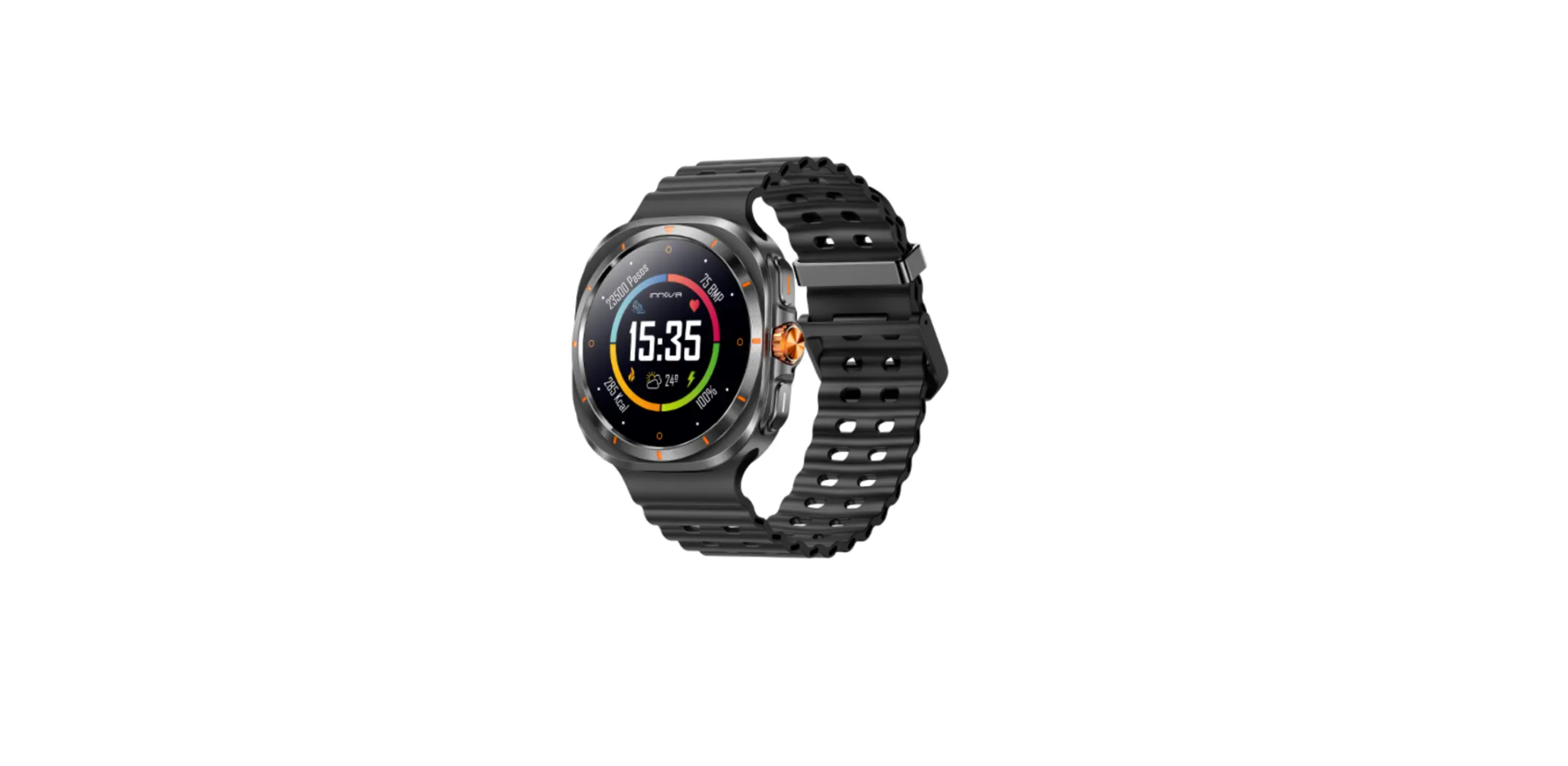

INNOVA Fitness Ares Smart Watch

Safety Instructions
The materials used for our INNOVA Smartwatches and Smartbands are selected following a rigorous control of hypoallergenic measures, as well as guaranteeing that all materials comply with current regulations for materials in contact with the skin.
A small number of people, however, may experience some type of skin reaction. If you suspect, or know, that you are allergic or have an above-average sensitive skin type, you should monitor the use of these devices for any type of reaction due to said allergies, environmental factors, or prolonged exposure to irritants, like soap, sweat, or other causes.
Smartwatches and Smartbands may contain materials such as nickel and acrylate, which, even though they are within the permitted amounts in the manufacturing process, may cause skin to react if you are sensitive to them.
If you use these devices for a prolonged period of time, you may be more susceptible to developing skin sensitivities. To avoid possible skin irritation, we recommend that you do not expose the device to chemicals or use it if your skin has, or has been recently applied with, any of the products listed below:
- Insect repellents
- Moisturizing creams and lotions
- Oils
- Perfumes
- Antiseptic gels
- Soaps
- Sun protection creams
If the strap is too tight, it may cause skin irritation. If the strap is too loose, chafing may occur. The watch strap should be left so that it can move slightly back and forth on the wrist. If you wear the device for prolonged periods of time, remove it to give your skin a rest. To avoid irritation, swap the device to your other wrist. If you notice redness, swelling, itch, irritation, or any other irritation, remove the Smartwatch immediately and consult your physician before using the device again.
Features
LCD resolution: 1.52” / BT 5.2 / Battery capacity: 230 mAh / Charging time: 2.5 – 3 hours / Standby time: 10 – 15 days approx. / Normal using time: 5 – 7 days approx. / Notifications / Call BT / Multi sport / Breathe training / Heart rate /Blood pressure / Blood oxygen / Sleep monitor / Steps / Sedentary reminder / Drink reminder / Remote camera / Weather / Music control / Find watch / LCD lightness adjustment / Change watchface / Not waterproof / BT frequency: 2.4 GHz / Maximum RF power emitted < 100 mW
Charging
Charging the device to activate before the first timer using: To charge your device, plug the charging cable into the adapter or USB port on your computer
Connecting call BT
Once you have successfully connected the smart watch to the APP, a pop-up window will appear with a BT prompt message.
You need to press “Pair” for the BT call connection on the Smart Watch to be successful. If you don’t get the above pop-up, you need to go to your smartphone’s Bluetooth settings and pair the audio on the watch manually. Find “SW/46-audio” in the list of available BT devices and connect it like any other BT device on the market.
Setting
Heart Rate Test
- The Smart Watch could record your heart rate all day. You could also tap on the page to start measuring heart rate.
Blood pressure
- Tap on the blood pressure page to start measuring your blood pressure. On the blood pressure page, it can show the blood pressure measured data for the last time.
Blood oxygen
- Tap the blood oxygen page to start measuring your blood oxygen. On the blood oxygen page, it can show the blood oxygen measured data for he last time.
Sports
- SA smartwatch automatically tracks steps taken on the screen.
Training
- Tap the training icon on the menu to start a new training measure recording.
- There are several sports modes to choose from. The last training recording will be shown on the training page.
Sleep
- If you keep wearing a Smart Watch in your sleep, it can provide the hours slept and quality of sleep stats on both the screen and the APP.
Player shutter
- After connecting the device, you can remotely control the music player on your phone.
Remote shutter
- After connecting the device, you can remotely control the camera on your phone.
Messages reminder
- The device can sync incoming notifications from Twitter, Facebook, WhatsApp, Instagram, etc. Recently, 5 messages can be stored.
- Connect the Notifications receive notifications of WhatsApp, Instagram, Facebook, in your Smart Watch, must be activated in the following way through the APP:

Weather
- It could show the weather info for the current and tomorrow on the weather page. Weather info is synced after connecting with the APP; it will not be updated after a long disconnection.
Period reminder
- Click on the menstrual period interface, through the management cycle calendar, intelligently predict victory cycles. On the period reminder page, it can show the period reminder measured data for the last time.
Other features
- Other features include a stopwatch, an alarm, a timer, brightness, mute on/off, theater mode, factory reset, power off, and about.
Remind to move
- The device will vibrate to remind you to take a relax after 1 hour of sitting.
Remind to drink
- The smart watch will remind you “ Time to drink some water” at the planned drinking time.
Sound in the watch (In “Phone” menu of the watch)
- If you want to talk, make, or receive a call through the watch, the option “Telephone” must be in ON

- If you want to listen to the movies that you see on your Smartphone, through the watch, the option “Audio” must be in ON if you want the sound of your movies to be heard through the watch, the option “Audio” must be in OFF

- Remove the device from the APP. To delete the Smart Watch from the APP, you must do it the following way: If your smartphone is an iPhone, in addition to doing the following steps, you have to go to the settings, Bluetooth, and connect the device in this option.

INNOVA Cellular
Please remember the following tips when you maintain your smart watch
- Clean the smart watch regularly, especially its inner side, and keep it dry.
- Adjust the smart watch tightness to ensure air circulation.
- Excessive skincare products should not be used on the wrist wearing the smart watch is worn.
- Please cease wearing the smart watch in case of skin allergy or any discomfort.
Downloading and binding of the smart watch APP
- Download from the App Store or Google Play and install the app, or scan the QR code with your mobile phone to download the app.
APP / APK: INNOVA S-WATCH
- Pairing smart bracelet with APP: Please do not pair the watch directly to your phone’s Bluetooth. If you have already performed this operation, please remove it from the list of paired devices, as it will prevent the connection to the APP.
- Open the APP
- Update your personal details (gender, birth year, etc.) and press the check mark. Once done, grant all permissions requested by the APP.

- To link the watch to your phone, press “To Add”.
- The phone will search and display SW/46. Select it to pair the watch to your phone. Once synchronization is complete, your watch will display the local date and time.
- When you press the watch icon (bottom middle,e), you will see the following screen:

- Here you can set up notifications, alarms, and the background image (can be personalized). In “Others,” you can establish a time format (12/24 hours), reminders, etc.
- The last icon, on the lower right, will show the “My” screen. Here you can complete the details of your profile and establish your objectives.


Guarantee

The INNOVA SMART WATCH FITNESS ARES (SW/46 (SW/50)) has a 3-year warranty from the date of purchase. Special importance in the durability of the products have the elements that compose it and that suffer from degradation and loss of INNOVA Fitness Ares Smart Watch capacities due to their use, being understood as normal wear that they lose capacity, especially in the case of rechargeable batteries, depending largely on infinity of external factors (hours of use, charge and discharge cycles, use of inappropriate chargers, temperatures of use, not respecting the recommended charging times, etc…)
For the guarantee of wear and tear parts, it must be taken into account that the loss of autonomy of the battery as a result of its aging does not imply a manufacturing defect, so it is considered considered normal that after 6 months have a loss of 10%, at 15 months 20% – 30% at 24 months 45%, all corresponding to proper use of the battery and the charge and discharge cycles carried out.
Any battery that presents symptoms other than those listed in this manual will be inspected by the technical service and assessed for its effect on to guarantee. If, after 24 months from its purchas,e the battery presents symptoms different from those detailed, it will be understood to be exempt from guarantee for the reasons stated above and will be left out of the inspection process, becoming the customer who, if they so wish, must reliably demonstrate that the battery presented defects other than those detailed in this manual before those 24 months.
Declaration of conformity
Through this INNOVA CELLULAR, it declares that the INNOVA SMART WATCH FITNESS ARES (SW/46 (SW/50)) complies with the essential requirements and any other applicable or enforceable provisions of Directives 2014/53/UE (RED) and RoHS 2011/65/EU annex II amending Directive (EU) 2015/863. To see the complete declaration of conformity, you can access it through the following link:
https://www.innovacelular.com/descargas/declaracion/declaracion_sw-46.pdf
Customer service
- Working hours: Mon to Thu from 08:00 to 14:00 and from 15:30 to 17:30, and Fri. from 09:00 to 14:00
- Website: sac@innovacelular.com
- Tel: +92 304 4090409
FAQs
Q: What devices is the Ares Smart Watch compatible with?
Ans: The majority of iOS (10.0 or later) and Android (5.0 or later) devices are compatible with the Ares smartwatch. Make sure your phone has Bluetooth 4.0 or higher, then download the INNOVA Fit companion app from Google Play or the App Store for optimal results.
Q: Can the mount loosen over time or on bumpy rides?
Ans: Regularly check the strap’s tension and tighten it again if needed. Use extra stabilisers or zip ties for more intense riding.
Q: Is it waterproof? Will rain affect the installation?
Ans: The installation materials are made to resist damp circumstances, and the LEZYNE 72925 Y18 is water-resistant (certified IPX7 or comparable). After charging, though, make sure the charging port lid is securely closed.
Q: Can I adjust the angle of the light after mounting it?
Ans: Indeed. Small angle adjustments are possible with the mount to improve beam focus. Before completely fastening the strap, tilt the light up or down as necessary.
Q: How long does it take to install the light?
Ans: Installing the light for the first time usually takes less than two minutes. It’s even quicker to reattach it after charging.
Q: Where can I find a digital version of the installation instructions?
Ans: To get the digital handbook or view the installation video for the 72925 Y18 LED model, go to the official LEZYNE website or scan the QR code on the packaging.