

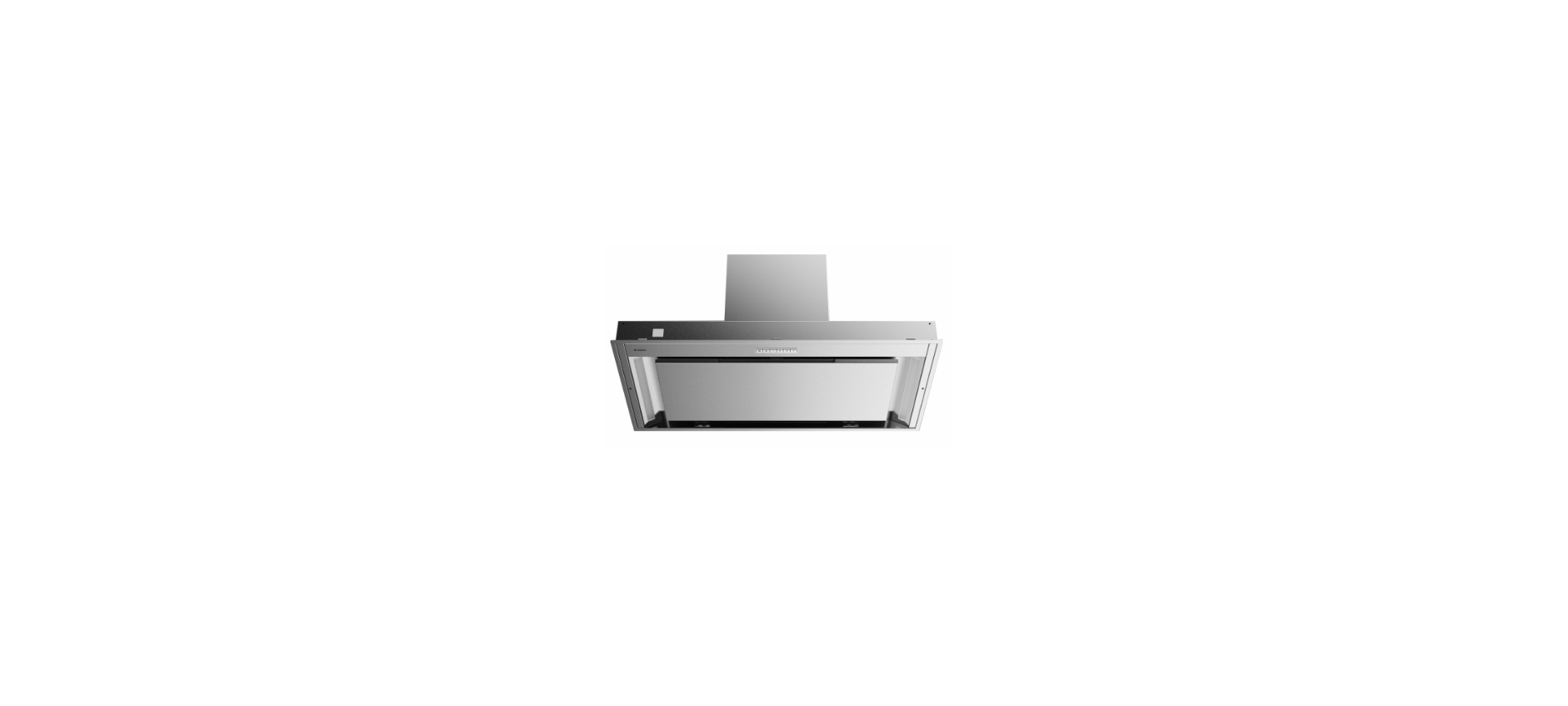

ASKO CBB761SSC Cooker Range Hood
Safety
READ CAREFULLY AND KEEP IT FOR FUTURE REFERENCE!
Safe use
- Children shall not play with the appliance.
- Always provide adequate ventilation!
- When the range hood and appliances supplied with energy other than electricity are simultaneously in operation, the negative pressure in the room must not exceed 4 Pa (4 × 10⁻⁵ bar).
- Never use a steam cleaner for cleaning the appliance. Only clean the appliance when switched off. The steam of a steam cleaner could reach the conducting parts and cause an electrical short.
- The light emitted by LED lights is very dazzling and can damage the eyes. Do not look directly into the switched-on LED lights for longer than 100 seconds.
- Do not use the appliance in temperatures below 5 °C.
- Keep a 20 cm separation distance from the appliance.
Your cooker hood
Description hood
- Button Control
- LED bar
- Edge extraction panel
- Grease filter
- Magnet

Description user interface
- Filter reset button
- Filter indicator signals when filters require cleaning
- The lighting button switches on/off and dims the lighting
- Lighting indicator
- – (minus) push-button, reduces air extraction capacity, and switches off
- + (plus) push-button, switches on and increases air extraction capacity
- Speed level 1 indicator
- Speed level 2 indicator
- Speed level 3 indicator
- Speed level 4/boost indicator
- Push-button timer function turns off the hood after a time.
- Timer indicator light
- Wi-Fi push-button
- Wi-Fi indicator light
Switching extraction on and off

- Press the + (plus) button. The cooker hood will switch on at the lowest setting.
- Press the + (plus) button again for a higher fan setting. Press and hold the + (plus) button for
1 second to select the highest setting (boost). - Press the – (minus) button to select a lower setting. Each light area represents a speed level. Speed level indicator 4 also serves as a boost indicator when it blinks.
- To switch off the cooker hood, press and hold the – (minus) button for at least 1 second.
Switch on the boost setting.

- Press and hold the + (plus) button for at least 1 second.
- The speed level 4 indicator will flash during this period.
- Press and release the – (minus) button to switch off the boost setting.
Switching on the timer
- Press the timer button. The timer indicator will start to blink. The cooker hood will switch off automatically after 10 minutes.
- Switch off the timer function by pressing a random button (except the one for lighting).
Operation
Switching on recirculation mode
Simultaneously press and hold the timer button and the light button until the filter indicator flashes 3 times.
Switching off recirculation mode
Simultaneously press and hold the timer button and the light button until the filter indicator lights up for 3 seconds and then turns off.
Clean Air function
The Clean Air function allows you to freshen the air in your kitchen for a short period every hour, for a maximum of 24 hours at level 1.
- Switch off the cooker hood.
- Press and hold the timer button for approximately 3 seconds. The cooker hood will switch on automatically for 10 minutes every hour at the lowest speed setting. During extraction, the indicator lights show a fast-running light. When the hood switches off after 10 minutes, the indicator lights show a slow-running light until the hood switches on again after 50 minutes.
- Switch off the Clean Air function in the meantime by pressing a random button (any button other than the light button)
Switching the light on and off
- Shortly press and release the light button. The light switches on at maximum strength.
- Press and hold the lighting button to set the lighting strength. The lighting changes from maximum to minimum strength and vice versa.
- To turn off the light, shortly press the light button while the light is on.
Changing the colour temperature
You can adjust the lighting color temperature.
- Press and hold the light button. Press the – (minus) button to make the light ‘colder’ or press the + (plus) button to make the light ‘warmer’.
Making the connection between the cooker hood and the hob
To operate the cooker hood with the hob, you must make a connection between the hob and the
hood. To make the connection, the Connection setup mode of the cooker hood and the hob must be
activated. See also the manual for the hob. Check our website for the full range of hobs that can be connected to your cooker hood.
- The hood and lights must be switched off.
- Press and hold simultaneously the – (minus) and the + (plus) button for 3 seconds. All the indicators will blink simultaneously for a maximum of 3 minutes.
- On your hob, activate the pairing mode in the user menu (see the hob manual). The connection to the hob is established.
- If the connection is successful, the cooker hood will return to standby.
Wi-Fi connectivity
ConnectLife-app and Wi-Fi connection
This appliance is equipped with a Wi-Fi module that allows the appliance to connect to the internet via your home network and to use it with the ConnectLife app, installed on a mobile device like a smartphone or tablet.
The app is available on the Apple App Store and Google Play Store. You will need the app to connect the appliance to your network. After your user account is paired with the appliance, the app can be used to monitor the status of the appliance and enable you to update its firmware.
You can find direct links for the different stores to the ConnectLife app under www.connectlife.io/getstarted and more information about the system, support, available functionalities, and additional options under www.connectlife.io.
Preparation
- Make sure you have the label with the QR code of the appliance’s unique ID (‘AUID’) accessible; you need to scan it with your mobile device when the App prompts to do so.
- Your smart device’s Bluetooth is turned on.
- Install the ConnectLife app on a mobile device – scan the QR code to find it.
- Launch the App. Please register if you don’t have an account yet.
- Log in with your account.
- The App will need access to the mobile’s location to search for Wi-Fi networks and to the camera to scan QR codes.

Wi-Fi Connection setup
You will first connect your mobile device directly to the appliance via Wi-Fi, and then use this connection to share the data of your Wi-Fi home network. The cooker hood can then connect to the home network.
- Launch the ConnectLife app.
- In the ConnectLife application, go to the “Add device” menu and select the appropriate type of device. Then scan the QR code (it can be found on the rating plate of the appliance; you can also enter the AUID/SN code manually).
Follow the instructions in the ConnectLife app.
The user account signed in on the mobile device used for the Connection setup will automatically be paired with the cloud. If you’d like to pair another account, e.g,. On a second user’s mobile device, see “Pairing additional user”. For safety reasons, only paired users can communicate with the cooker hood.
First steps to set up the Wi-Fi connectivity
- Check the “Requirements” as described above.
- The hood and lights must be switched off.
- Press the Wi-Fi button for 3 seconds. Speed levels 2 and 3 indicators will light up. The Wi-Fi menu is activated.

- Press the Wi-Fi button for 3 seconds to turn on Wi-Fi. Speed level 2 and 3 indicators will blink 3 times. The Wi-Fi indicator flashes. Wi-Fi is enabled. After 3 seconds, it will return to the Wi-Fi menu.

- Simultaneously press the + (plus) and timer button for 3 seconds to access ‘Connection settings’. Speed level 2 indicator lights up and Wi-Fi indicator flashes.

- Touch the timer key to enable ‘Connection Setup Mode’. The speed level 2 indicator and the Wi-Fi indicator will flash. This mode will be disabled automatically after 5 minutes.

- Start the ConnectLife app and follow the instructions in the app.
- If the ConnectLife app does not connect to the device, wait 10 minutes and repeat the steps described, or press the ‘-‘ (minus) button for 3 seconds to leave the Wi-Fi menu.

Depending on the Wi-Fi state, there are 1 to 3 options available in the menu:
- The Connection Setup Mode
- The Pairing Mode
- Remote control mode
If more than 1 option is available, then use the + (plus) and – (minus) buttons to toggle between the options.
Connection Setup Mode
- The appliance must be connected to the Cloud for the application to monitor and control the appliance. The speed level 2 indicator and the Wi-Fi indicator will light up.

- Touch the timer key to enable ‘Connection Setup Mode’. The speed level 2 indicator will flash.
- This mode will be disabled automatically after 5 minutes.
- Follow the instructions of the ConnectLife app.
Pairing Mode
When the process is successful and you want to pair another user, you can use the “Pairing mode” of the Wi-Fi menu and the “Pairing” or “Discovery” option of the ConnectLife app. In the ConnectLife app, select the option ‘Add Appliance’ and follow the instructions.
- Touch the timer key to enable ‘Pairing mode’. The speed level 3 indicator will flash.
- This mode will be disabled automatically after 3 minutes.

- On the ConnectLife app, use the ‘Pairing’ or ‘Discovery’ option of the ConnectLife app to pair with
another user.
Remote control mode switch on and off
To be able to change function settings remotely, the appliance must be switched on and the ConnectLife app must be enabled. The speed level 4 indicator and Wi-Fi indicator will be lit statically.
Remote control mode is only available if the Wi-Fi connectivity setup has been performed. Touch the timer key to enable ‘Remote control’.
- Speed level 4 indicator is blinking: Remote control is enabled.
- Speed level 4 indicator lit static: Remote control is disabled.

Wi-Fi menu
To access the Wi-Fi menu, the hood must be on standby (the hood and lights must be switched off). Press the Wi-Fi button for 3 seconds. Speed levels 2 and 3 indicators will light up. The Wi-Fi menu is activated.
Switching on Wi-Fi:
- The hood and lights must be switched off.
- Press the Wi-Fi button for 3 seconds. Speed levels 2 and 3 indicators will light up. The Wi-Fi menu is activated.

- Press the Wi-Fi button to turn on Wi-Fi. Speed levels 2 and 3 indicators will blink 3 times. The Wi-Fi indicator will flash. After 3 seconds, it will return to the Wi-Fi menu.
Switching off Wi-Fi:
- The hood and lights must be switched off.
- Press the Wi-Fi button for 3 seconds. Speed levels 2 and 3 indicators will light up. The Wi-Fi menu is activated.
- Press the Wi-Fi button to turn off Wi-Fi. The Wi-Fi indicator will turn off. After 3 seconds, it will return to the Wi-Fi menu.
- Press the ‘-‘ (minus) button for 3 seconds to exit the WiFi menu.
Displaying the Wi-Fi status:
- Wi-Fi module disabled: Wi-Fi indicator is off.
- Configuration in progress: Wi-Fi indicator flashes.
- Connected to home network router: Wi-Fi indicator flashes.
- Connected to home network router and cloud: Wi-Fi indicator continuously lit.
Wi-Fi troubleshooting 
Remote control
Description remote control
- Timer function
- Increase light intensity
- Colder light temperature
- Decrease light intensity
- Decrease in air extraction capacity
- Clean Air function
- Warmer light temperature
- Switch on/off the lighting
- Increase air extraction capacity
- Fan on/off
Pairing the remote
This remote control must be paired with the cooker hood before first use.
- Switch on the appliance. Press and hold the – (minus) button and + (plus) button for 3 seconds. The hood will start ‘pairing mode’ for 5 minutes.

- Activate the ’Remote pairing mode’ by holding ‘c’ and ‘w’ for 3 sec.
- During pairing, all the indicators on the hood and remote will blink. All indicators will turn off when the connection is established.

Switching extraction on and off
- Press and hold the ‘Fan’ key on the remote for 1 second. The cooker hood will switch on at the lowest setting.
- Press the ‘+’ key again for a higher fan setting. Press and hold the ‘+’ key for 1 second to select the highest setting (boost).
- Press the ‘-’ key to select a lower setting. The extraction setting is indicated by the speed level indicators on the hood.
- To switch off the cooker hood, press and hold the ‘Fan’ key for 1 second.
Switch on the boost setting
- Press and hold the ‘+’ button for at least 1 second. The boost setting is switched on for 10 minutes. The speed level 4 indicator will flash during this period. The original extraction setting will be reactivated after this period.
- Press and release the ‘-’ key to switch off the boost setting.
Switching on the timer
- Press the timer key. The timer indicator will start to blink. The cooker hood will switch off automatically after 10 minutes.
- Switch off the timer function by pressing a random button (except the one for lighting).
Switching on recirculation mode
When the light and fan are off, simultaneously hold the timer key and the light key until the filter indicator flashes 3 times. The carbon filter indicator is activated.
Switching off recirculation mode
When the light and fan are off, simultaneously hold the timer key and the light key until the filter indicator lights up for 3 seconds and then turns off.
Clean Air function
The Clean Air function allows you to freshen the air in your kitchen for a maximum of 24 hours at
level 1.
- Switch off the cooker hood.
- Press and hold the ‘Clean Air’ key for approximately 3 seconds. The cooker hood will switch on automatically for 10 minutes every hour at the lowest speed setting. During extraction, the display will show a fast-moving ‘snake’. When the hood switches off after 10 minutes, the display will show a slow-moving ‘snake’ until the hood switches on again after 50 minutes.
- Switch off the Clean Air function by pressing the timer, clean air, ‘-’ or ‘+’ keys (any key other than the light key)
Switching the light on and off
- Press and hold the light key for 1 second. The light switches on at maximum strength.
- Press and hold the ‘increase light’ or ‘decrease light’ key to set the lighting intensity.
- To turn off the light, press and hold the light key for 1 second
Changing the colour lighting temperature
You can adjust the lighting color temperature.
- Press and hold the light key for 1 second. The light switches on at maximum strength.
- Press the ‘C’ key to make the light ‘colder’ or press the ‘W’ key to make the light ‘warmer’.
Maintenance
Cleaning
Cooker hood
Clean the cooker hood with soapy water and a soft cloth. Then rinse with clean water. Do not use aggressive cleaning agents such as caustic soda.
Metal grease filters
Place the grease filters with the openings facing downwards in the dishwasher so the water can drain out of the filter. Aluminium grease filters become dull as a result of dishwasher cleaning agents. This is normal and does not affect the work.
Cleaning
The filters can be cleaned in the dishwasher. Allow the filters to drain well before replacing. Clean the filters in soapy water with washing-up liquid and rinse. Allow the filters to drain well. Dry off with a paper towel.
Replacing the cassette filter
The filter should be placed with the locking mechanism on the front. Open the filter access latch. The notches at the front of the filter will then slot in. Hold the access latch in this position when placing the filters.
- Slot the notches at the back of the filter in the specially designed opening of the cooker hood.
- Tilt the filter upwards.
- Release the filter access hatch. The notches at the back of the filter will extend outwards and slot into the specially designed openings of the cooker hood. The filter is now in position again.
- Press the edge extraction panel firmly in the magnetic seal again (you will hear a click).
Active carbon filters
Remove the excess water without damaging the filter, remove the holder, and let the filter dry in the oven for at least 40 minutes at a maximum temperature of 70 °C.
Replacing the carbon filter
To replace the carbon filter, consult the ASKO CBB761SSC Cooker Range Hood manual for the recirculation kit.
Filter indication
Saturation of grease and carbon filters.
Grease filter
The filter indicator will light up after 30 ASKO CBB761SSC Cooker Range Hood operating hours.
- Reset the memory by pressing and holding the ‘-‘ (minus) button on the remote control until the filter indicator goes off.
Carbon filter
The filter indicator will flash after 120 operating hours.
- Reset the memory by pressing and holding the ‘-‘ (minus) button on the remote control until the filter indicator goes off.
Lighting
An authorized technician must replace these. Do not ASKO CBB761SSC Cooker Range Hood attempt to replace the LED lights yourself.
Battery of the remote
- Don’t forget to remove the batteries if you don’t ASKO CBB761SSC Cooker Range Hood use the remote for a long time.
- Don’t leave the remote lying upside down on a conductive surface.
- The warranty does not cover the batteries.
- The battery may drain more quickly in connection with the lit icons.
- Avoid storing the remote control in a drawer. The movement of the drawer may inadvertently activate the remote control and significantly shorten battery life.
- Battery specifications: Two AAA batteries.
EU Product Sheet
Technical data
EU Product Fiche
Compliance information
Safety regulations
- Check the appliance for transport damage. Do not ASKO CBB761SSC Cooker Range Hood connect a damaged appliance.
- Always use the original Supply cord to connect the ASKO CBB761SSC Cooker Range Hood appliance.
- The electrical connection must comply with national ASKO CBB761SSC Cooker Range Hood and local regulations.
- The wall plug socket and plug should always be accessible.
- Disconnect the appliance from the mains supply before starting any repair work.
- We advise you to wear protective gloves when assembling the cooker hood because of the possible sharp edges.
- The distance between the lowest point of the cooker hood and the supporting surface for the cooking vessels gas hob should be at least 65 cm.
Installation
If you decide to discontinue using the appliance because of a fault, we recommend you cut off the cable after removing the plug from the plug socket. Take the appliance to your municipality’s waste disposal site.
Place the appliance in an environment that meets the following conditions:
- Ambient temperature range: +5….+40 °C;
- Humidity: 30….70% RH;
- Maximum altitude: 2000 meters above sea level.
Preparations for installation 
Appliance dimensions 
Built-in 
Environmental aspects
Tips for energy-efficient cooking with hoods
- Use a low extractor setting and use the highest setting (boost) only if necessary.
- A well-ventilated kitchen makes the range hood more efficient.
- Clean filters regularly and replace filters when needed to keep the filter efficiency high, as a saturated filter cannot perform and leads to longer usage times.
Disposal of the appliance and packaging
Ask your local authorities for more information about how to do this.
The appliance packaging is recyclable.
- cardboard;
- polyethylene film (PE);
- CFC-free polystyrene (PS rigid foam).
Dispose of these materials in a responsible manner and under government regulations.
Declaration of conformity
We hereby declare that our products satisfy the applicable European directives, orders, and regulations, as well as the requirements stated in the referenced standards.
FAQs
Q: What is the extraction capacity of the ASKO CBB761SSC range hood?
Ans: With a potent extraction rate of up to 860 cubic meters per hour (m³/h), the CBB761SSC model effectively removes grease, smoke, and cooking odours from your kitchen.
Q: How do I know when to clean the filters?
Ans: When it’s time to clean or replace the filters, this model’s control panel has a filter cleaning indicator light that will turn on.
Q: What lighting options are available on this range hood?
Ans: Energy-efficient LED lighting on the CBB761SSC illuminates the cooking surface in a bright, clear manner, making it simple to keep an eye on your food.
Q: Is the range hood noisy during operation?
Ans: The fan speed setting affects the noise levels. It generates about 62 dB at its maximum speed, which is comparable to the volume of a typical conversation. For daily cooking, lower speeds run more silently.
Q: How do I operate the fan speeds?
Ans: There are three fan speed settings on the range hood: low, medium, and high. Using the control panel, set the speed to the level of intensity you want for your cooking—lower for simmering, higher for grilling or frying.