

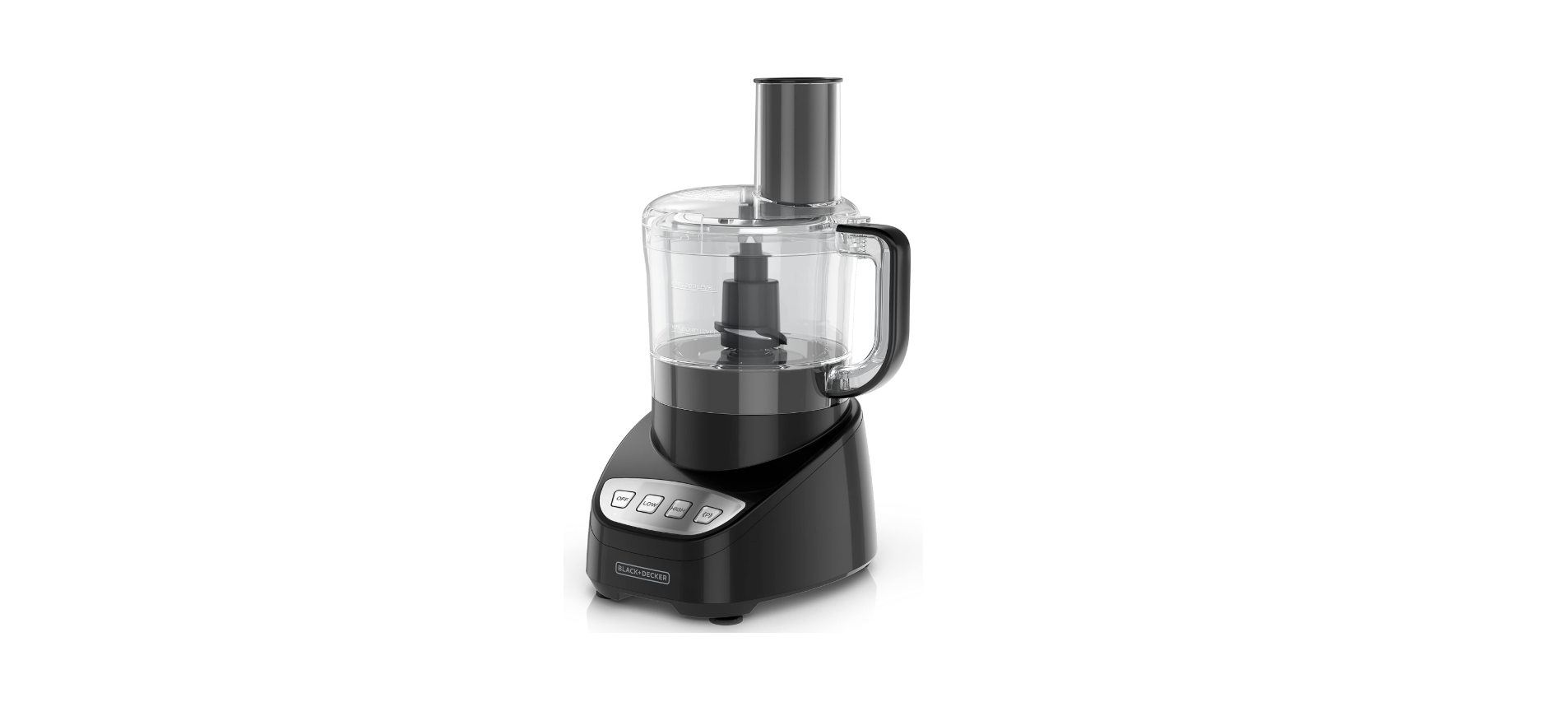

Black & Decker FP4200 8-Cup Food Processor

Safety instructions
When using electrical appliances, basic safety precautions should always be followed, including the following:
- DO NOT leave unattended with children or pets.
- KEEP this appliance and cord away from children.
- Close supervision is necessary when any appliance is used by or near children.
- ALWAYS place the appliance on a flat, heat-resistant surface.
- DO NOT place on or near a hot gas or electric burner or in a heated oven.
- DO NOT operate the appliance in an enclosed space or under hanging cabinets.
- DO NOT let the cord hang over the edge of the table or counter or touch hot surfaces.
- DO NOT use this appliance for anything other than its intended use.
- NEVER use an outlet below the counter. DO NOT use the appliance outdoors.
- UNPLUG the appliance from the outlet when not in use and before cleaning.
- Allow the appliance to cool before attaching or removing parts.
- Do not reach into the liquid if the appliance is plugged in and immersed.
- Do not immerse or rinse cords or plugs in water or other liquids.
- The appliance’s outer surfaces may become hot during use.
- Wear oven mitts when handling hot surfaces and components.
- When cooking, DO NOT place the appliance against a wall or other appliances.
- Leave at least 5 inches of free space on the top, back, and sides, and above the appliance.
- If you are unsure, place a trivet or hot pad under the appliance before using it.
- This appliance is intended for normal household use only.
- It is NOT INTENDED for use in commercial or retail environments.
Description

- Workbowl cover (Part # 2050201951)
- Slicing/shredding disc (Part # 2050201481)
- Chopping blade (Part # 2050201301)
- Center shaft (Part # 2050201311)
- Workbowl (Part # 2050201491)
- Control panel
- Food pusher (Part # 20102000003802)
- Feed chute
- Handle
- Base
The product may vary slightly from what is illustrated.
HOW TO USE
- Remove all packing material, any stickers, and the plastic bands around the power plug.
- Remove and save literature.
- Wash all removable parts as instructed in the CARE AND CLEANING section of this manual.
- Select a level dry countertop where the appliance is to be used, allowing air space on all sides to provide proper ventilation for the motor.
Assembly
- Place the center shaft in the workbowl.

- Place either the chopping blade or the slicing/shredding disc onto the center shaft.
- Place the cover on the work bowl with the small latch to the right of the work bowl’s handle.
- Place the workbowl onto the base.

- Rotate the cover clockwise until the cover locks into place.

- Insert the food pusher into the feed chute.
- Make sure the OFF button is pressed. Plug in the appliance to turn it on. It is now ready to use.
Control Panel
- OFF: Press OFF to stop the food processor when it is running on LOW or HIGH.
- LOW: When LOW is selected, the processor will run at a low speed until OFF is pressed.
- HIGH: When HIGH is selected, the processor will run at a high speed until OFF is pressed.
PULSE
- Use PULSE for short processing tasks using the chopping blade. This lets you control the size and uniformity of foods being chopped.
- The PULSE button must be pressed and held for the appliance to operate in PULSE mode. When released, the appliance will stop.
- Press the button and then release to allow the blade to stop running and the food to fall to the bottom of the work bowl.
Using the Device
The chopping blade is used to coarsely or finely chop, mince, mix, and puree.
- Assemble the food processor with the center shaft and chopping blade in the work bowl.

- Place food in the work bowl.
- Place the cover on the work bowl and lock it into place by rotating clockwise.
- Put the food pusher in place.
- Select your desired speed (LOW, HIGH, or PULSE).
- When finished, press OFF.
- Twist the cover counterclockwise to remove.
- Lift the work bowl off the base.
- Remove the center shaft.
- Unplug the appliance when not in use.
Slicing/ Shredding Disc
- Set the work bowl onto the base.
- Place the center in the work bowl.
- Carefully place the slicing and shredding disc on top of the center shaft with the appropriate side up (depending on the work to be done.
- Place the cover on the work bowl and light it into place by rotating clockwise.
- Place food in the feed chute.
- Press the LOW-speed button; press lightly but firmly on the food pusher to guide food through the processor.
- When finished, press OFF.
- Twist the cover counterclockwise to remove.
- Carefully remove the slicing/shredding disc. Lift the work bowl off the base.
- Unplug the appliance when not in use.
CARE AND CLEANING
This product contains no user-serviceable parts. The free service is for a qualified service professional.
- Completely disassemble the processor parts before washing.
- Rinse parts immediately after processing for easier cleaning.
- Wipe base and feet with a damp cloth and dry thoroughly.
- Stubborn spots can be removed by rubbing with a damp cloth and a mild, nonabrasive cleaner.
- Do not immerse the base in liquid.
- Hand-washing of plastic parts will help to maintain the food processor’s appearance.
- Do not use rough scouring pads or cleansers on any plastic or metal parts to clean.
- Do not allow the blade or disc to soak in water for long periods.
- Remember to clean the internal shaft of the chopping blade.
- Use a brush to remove any residual food particles.
Storage

Wrap the cord under the base. Assemble the parts onto black and decker fp4200 Black and Decker FP4200 base in this order: work bowl, center shaft, chopping blade, slicing/shredding disc, work bowl cover, and food pusher.
Troubleshooting

One-Year Limited Warranty
(Applies only in the United States and Canada)
What does it cover?
- Any defect in material or Black And Decker RC3303 3-Cup Rice Cooker workmanship provided; however, Applica’s liability will not exceed the purchase price of the product.
For how long?
- One year after the date of original purchase.
What will we do to help you?
- Provide you with a reasonably similar replacement product that is either new or factory refurbished.
How do you get service?
- Save your receipt as proof of the date of sale.
What does your warranty not cover?
- Damage from commercial use
- Products used or serviced outside the country of purchase
- Shipping and handling costs associated with the replacement of the unit
How does state law relate to this warranty?
- This warranty gives you specific legal rights, and you may also have other rights that vary from state to
state or province to province.
Customer Service
- Website: https://support.blackanddecker.com/
- Timings: Monday–Friday, 8:00 a.m. – 5:00 p.m.
- Ph: +1-800-544-6986