

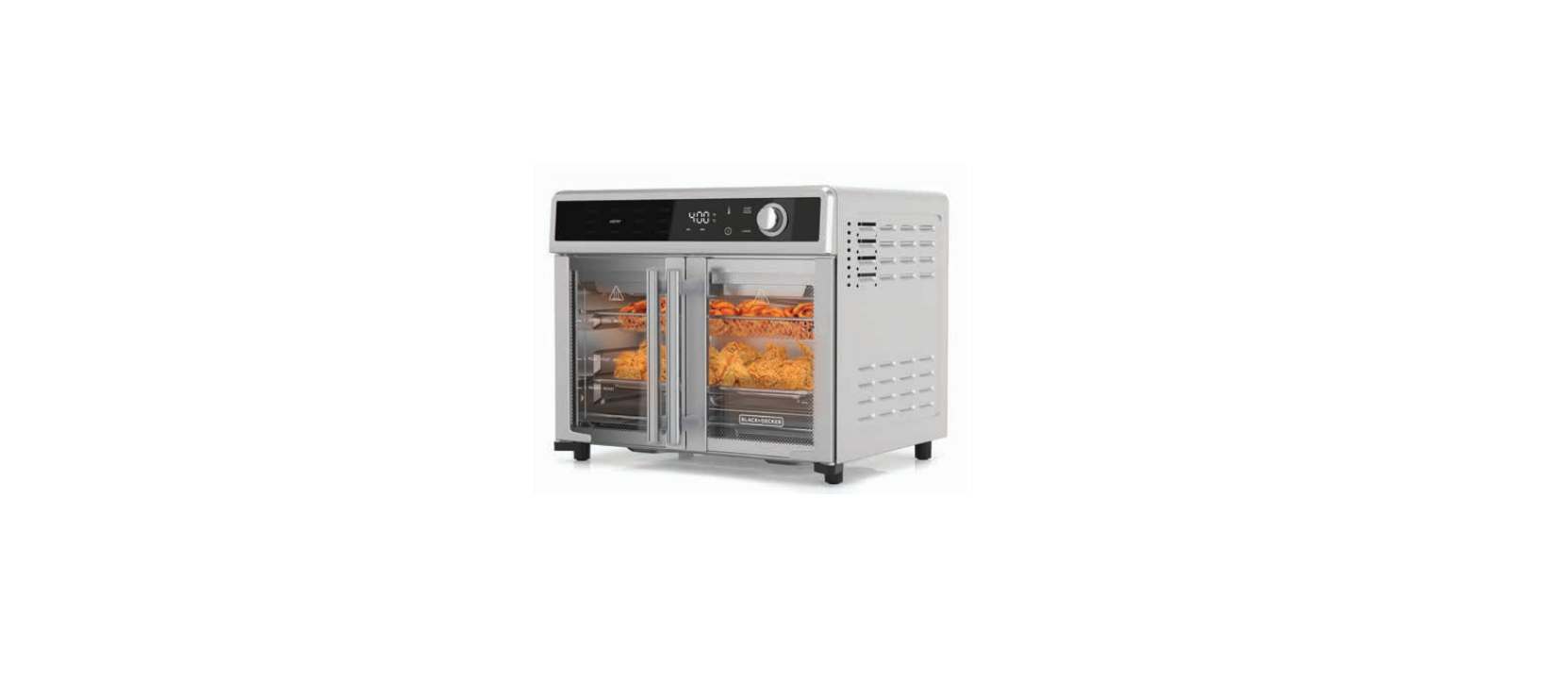

Black&Decker TO62D5 French Door Air Fry Toaster

Safety instructions
When using electrical appliances, basic safety precautions should always be followed, including the following:
- DO NOT leave unattended with children or pets.
- KEEP this appliance and cord away from children.
- Close supervision is necessary when any appliance is used by or near children.
- ALWAYS place the appliance on a flat, heat-resistant surface.
- DO NOT place on or near a hot gas or electric burner or in a heated oven.
- DO NOT operate the appliance in an enclosed space or under hanging cabinets.
- DO NOT let the cord hang over the edge of the table or counter or touch hot surfaces.
- DO NOT use this appliance for anything other than its intended use.
- NEVER use an outlet below the counter. DO NOT use the appliance outdoors.
- UNPLUG the appliance from the outlet when not in use and before cleaning.
- Allow the appliance to cool before attaching or removing parts.
- Do not reach into the liquid if the appliance is plugged in and immersed.
- Do not immerse or rinse cords or plugs in water or other liquids.
- The appliance’s outer surfaces may become hot during use.
- Wear oven mitts when handling hot surfaces and components.
- When cooking, DO NOT place the appliance against a wall or other appliances.
- Leave at least 5 inches of free space on the top, back, and sides, and above the appliance.
- If you are unsure, place a trivet or hot pad under the appliance before using it.
- This appliance is intended for normal household use only.
- It is NOT INTENDED for use in commercial or retail environments.
Electrical Cord
- A short power-supply cord is provided to reduce the risk resulting from becoming entangled in or tripping over a longer cord.
- Extension cords may be used if care is exercised in their use. If a long detachable extension cord is used.
- The marked electrical rating of the power cord or extension cord should be at least as great as the electrical rating of the appliance.
- If the appliance is of the grounded type, the extension cord should be a grounding-type 3-wire cord.
- The cord should be arranged so that it will not drape over the countertop or tabletop, where it can be pulled on by children or tripped over.
Parts & Assembly


- MAIN UNIT: Features sturdy steel construction throughout.
- DOOR HANDLES: Always use the handle and avoid touching the door.
- GLASS DOORS: Tempered glass keeps heat in and helps ensure even heat distribution of food.
- LED DISPLAY: Used for selecting, adjusting, programming, or monitoring cooking programs.
- CONTROL PANEL: Contains the Control Buttons and Knobs.
- CONTROL KNOB: Used to select the preset cooking settings.
- BAKING PAN: Used for baking and reheating various foods.
- WIRE RACK: Use for toasting bread, bagels, and pizzas; baking; grilling; and roasting.
- DRIP TRAY: Place in the bottom of the appliance just below the heating elements.
- CRISPER TRAY: Use for cooking oil-free fried foods to circulate hot air around the food.
Using the Device
Wire Rack
- Insert the Drip Tray below the Black & Decker TO62D5 Air Fry Toaster Oven’s bottom heating elements at the very bottom of the appliance.
- Use the markings on the door to choose the shelf position recommended for your recipe.
- Place food on the Wire Rack and then insert the Wire Rack into the desired slot.
Baking Pan
- Insert the Drip Tray below the bottom heating elements at the very bottom of the appliance.
- Use the markings on the door to choose the cooking position recommended for your recipe.
- Place food on the Baking Pan and then insert the Baking Pan into the desired slot.
Crisper Tray
- Insert the Drip Tray below the bottom heating elements at the very bottom of the appliance.
- Use the markings on the door to choose the shelf position recommended for your recipe.
- Place food on the Crisper Tray and then insert the Crisper Tray into the desired slot.
CONTROL PANEL
- COOKING PRESETS: Use the Control Knob to select a cooking preset. Press any button on the Control Panel or turn the Control Knob to illuminate the cooking presets.
- TIME/TEMPERATURE DISPLAY: Displays the current cooking time and temperature setting.
When the appliance is preheating (only certain cooking presets use the preheating feature. - TEMPERATURE BUTTON: Allows you to override preset temperatures. Temperature can be
adjusted at any time during the cooking cycle by pressing the Temperature Button and then
turning the dial to adjust the temperature. - TIME BUTTON: Allows you to Black & Decker TO62D5 Air Fry Toaster Oven override preset times.
- START/PAUSE BUTTON: Press to begin or pause the cooking process at any time.
- CANCEL BUTTON: Press this button at any time to cancel your selection or to stop an active cooking cycle.
- CONTROL KNOB: Use to scroll through choices when selecting a preset mode.
Preset Information
Mode Chart: The time and temperature on the chart below refer to the basic default settings. As you become familiar with the appliance, you will be able to make minor adjustments to suit your taste.
MEMORY: The appliance has a memory feature that will keep your last program setting used. To reset this feature, unplug the appliance, wait 1 minute, and power the appliance back on.
Recommended Positions
The Crisper Tray, Wire Rack, and Baking Pan can be inserted into positions 2or 3. 

Preheating
Some presets include a preheating Black & Decker TO62D5 Air Fry Toaster Oven function (see the “Preset Chart” section). When you select a preset with this preheating function, the control panel will display “PrE” in place of the cooking time until the appliance has reached the set temperature. Then, the cooking timer will begin counting down. For some recipes, food should be added to the appliance after the appliance is finished preheating.
Cooking Chart
Internal Temperature Meat Chart
Use this chart and a food thermometer to ensure that meat, poultry, seafood, and other cooked foods reach a safe minimum internal temperature. *For maximum food safety, the U.S. Department of Agriculture recommends 165° F/74° C for all poultry; 160° F/71° C for ground beef, lamb, and pork; and 145° F/63° C, with a 3-minute resting period, for all other types of beef, lamb, and pork. Also, review the USDA Food Safety Standards.
Before First Use
- Read all material, warning stickers, and labels.
- Remove all packing materials, labels, and stickers.
- Wash all parts and accessories used Black & Decker TO62D5 Air Fry Toaster Oven in the cooking process with warm, soapy water. Hand-washing is recommended.
- Never wash or submerge the cooking appliance in water. Wipe the inside and outside of the cooking appliance with a clean, moist cloth. Rinse with a warm, moist cloth.
- Before cooking food, preheat the appliance for a few minutes to allow the manufacturer’s protective coating of oil to burn off. Wipe the appliance with warm, soapy water and a dishcloth after this burn-in cycle.
- Place the appliance on a stable, level, horizontal, and heat-resistant surface.
- Ensure that the appliance is plugged into a dedicated power outlet. Select the cooking accessory for your recipe. Place the food to be cooked in the appliance and close the doors.
- Select a preset mode by using the Control Knob to scroll through the presets and pressing the Start/Pause Button to select the preset. The cooking cycle will begin.
- You can adjust the cooking temperature by pressing the Temperature Button and then using the Control Knob to adjust the temperature. You can also adjust the cooking time by pressing the Time Button and using the Control Knob to adjust the cooking time.
Cleaning & Storage
- Wipe the outside of the appliance with a warm, moist cloth and mild detergent.
- To clean the doors, gently scrub both sides with warm, soapy water and a damp cloth.
- Do not soak or submerge the appliance in water or wash it in the dishwasher.
- Clean the inside of the appliance with hot water, a mild detergent, and a nonabrasive sponge.
- Do not scrub the heating coils because they are fragile and may break.
- Then, rinse the appliance thoroughly with a clean, damp cloth.
- Do not leave Black & Decker TO62D5 Air Fry Toaster Oven standing in water inside the appliance.
- If necessary, remove unwanted food residue with a nonabrasive cleaning brush.
- Unplug the appliance and let it cool down thoroughly.
- Make sure all components are clean and dry.
- Place the appliance in a clean, dry place.
Troubleshooting

Customer Service
- Website: https://support.blackanddecker.com/
- Timings: Monday–Friday, 8:00 a.m. – 5:00 p.m.
- Ph: +1-800-544-6986