

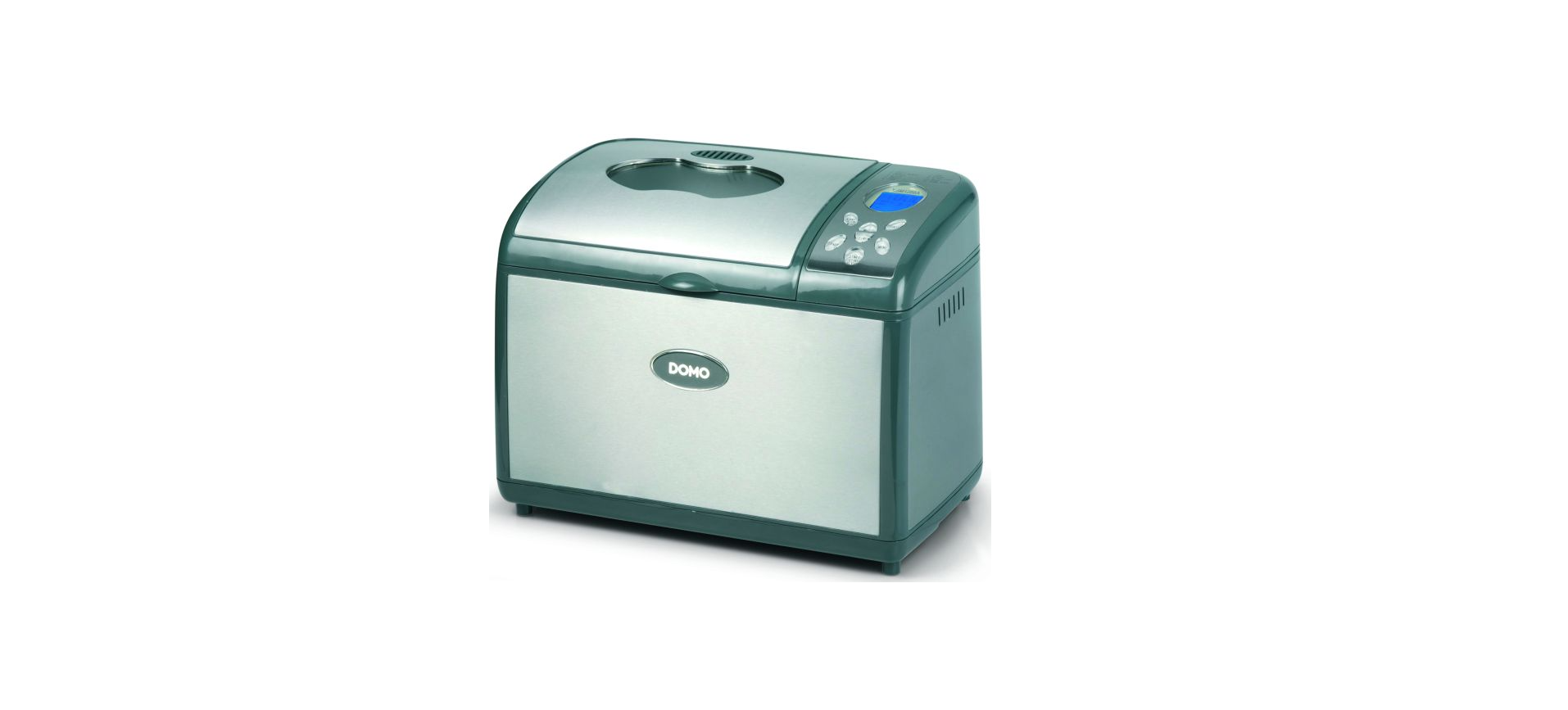

DOMO B3955 Silver Bread Maker Machine

Safety Instructions
- Please read these instructions carefully before first use and save them for later reference.
- You should only use this appliance for its intended use and as indicated in these instructions.
- Never sharply bend the supply cord, and never let it touch hot surfaces.
- Always fully straighten the power cord to prevent overheating.
- Never place the appliance near objects that generate heat, such as ovens, stoves, cooking plates, etc.
- Always ensure the appliance is placed on a level, flat surface.
- Repairs on electrical appliances must only be carried out by qualified technicians.
- Repairs that are carried out in the wrong way may cause serious hazards for the user.
- Do not use parts that are not supplied or recommended by the manufacturer.
- Please remove the plug from the socket when you want to clean the appliance or when it is not in use.
- Do not pull the cord or the appliance to remove the plug from the socket.
- Never touch the appliance when your hands are wet.
- Keep the appliance away from children.
- Children do not realise the hazards that the use of electrical appliances may involve.
- Do not allow children to use the appliance in your absence.
- Please ensure the appliance is safely stored out of children’s reach.
- We recommend that you not use the time delay function at night.
- In case of disturbance, do not try to mend the appliance yourself. If the temperature cut-out within the appliance blows, this may indicate a fault in the heating system that cannot be solved by merely removing or changing this part. Only original parts must be used.
Before First Use
- The packaging should contain the breadmaker, two bread pans, two large kneading paddles, 2 small kneading paddles, a measuring cup, a measuring spoon, and the instruction manual.
- Remove all packaging materials and keep them away from children.
- Check if all additional parts are there and whether you have removed them all from the packaging.
- Please verify if your breadmaker has not suffered any damage during transport.
- Clean your breadmaker, bread pan, and kneading paddle with a damp cloth.
- The bread pan and the kneading paddle both have a non-stick coating to prevent dough from sticking to them.
- You must therefore never clean these parts with cleaning products, a sponge, or a dishwashing brush.
- A damp cloth will do to clean them.
- It is perfectly harmless for your appliance to emit a bit of smoke when you use it for the first time.
- The quality of the baked bread will depend on a whole range of factors.
- Please make sure all ingredients are at room temperature and that you keep to the correct amount of each ingredient, as indicated in the recipes.
Ingredients
Baking a great bread will largely depend on 3 main factors: quality, freshness, and correct measurement of quantities.
Flour
Flour is the basic component of bread. The weight of the flour varies, depending on the type of flour used. It is therefore necessary that you weigh the right quantity on a pair of scales. Please make sure you buy a variety of flour that is suitable for bread making. Check the packing.
Yeast
This ability is ideal for the bread to rise and to make it lighter and easier to digest. We recommend the use of dry yeast for this breadmaker. This (granular) yeast is easier to work with, keeps for a longer time than fresh yeast, and generally gives you a better result as well.
Salt
Salt not only lends the bread a certain flavour but also regulates the activity of the yeast, strengthens the dough, and prevents the bread from rising too hard.
Butter/Oil
Butter and oil improve the general taste of the bread and equally soften it. Butter or oil should both be at room temperature when you add them to the other ingredients.
Sugar
Sugar is the nutrient that the yeast feeds on and is of great importance for the bread’s rising process. You can use plain white sugar, brown sugar, syrup, or honey. Sugar lends the bread a certain soft and delicate flavour, increases its nutritional value, and also renders the bread less perishable. Look out: you should not use unrefi ned sugar or sugar lumps when you want to make, e.g., cinnamon bread, for they can damage the non-stick coating of the bread pan.
Water
When the flour mixes with the water, the gluten will form, and air can no longer enter, thus enabling 3 the bread to rise. At normal temperature, you should use tepid water to make bread: cold water will not activate the yeast, and warm water will achieve the opposite result.
Milk
Milk adds greatly to the colour of the bread (brown for the crust, creamy on the inside), improves the overall taste of the bread, and increases its nutritional value. Should you choose to use fresh milk, do not forget to reduce the amount of water in order to maintain the right level of humidity. CAREFUL: Do not use fresh milk if you are going to choose the baking program with the time delay function, for the milk could turn sour.
Other Ingredients
In some cookery books, you may come across recipes requiring the use of herbs, nuts, currants, fruit, or vegetables. Always use fresh ingredients. When you want to use nuts, sunflower seeds, dried fruit, or similar ingredients, we recommend that they be soaked in water and dried before adding them to the dough. Always ensure these ingredients are not too large, for they may damage the non-stick coating.
Display
- “Menu” button
This button is used to select the correct baking program. - “colour” button
Use this button to indicate the colour of the crust: light, medium, or darkIfif you use a recipe for the first time, we recommend using the selection medium. - “loaf size” button
This button is used to select the size of bread you want to bake: “small or “larger”. “Larger” is selected to bake a large bread up to 1350g, “small” is used for baking two or one small bread of 450g. - “start” and “stop” buttons.
With this button, the program can be started or stopped. When you select the wrong program, you can stop the bread maker by pressing the “stop” button for a few seconds. - On/off
How can you check if the machine is working or the program is running? If the “:” is blinking, the program is working. If the “:” is lit constantly, the program has stopped. - “time” button
For setting the current time as well as for programming the timer. - “cycle” button
For setting the different cycles when using the program “home-made”. - “Pause” button
For interrupting a program. When pressing the “pause” button, the program will be interrupted but not stopped.
Getting Started
When plugging in the appliance, a “biep” signal is heard and “1 3:10” is shown on the display. The colon between 3 and 10 won’t blink. This is the standard setting.”1” is stating the selected program, in this case, the program 1 basic”. 3:10 is stating the working time of the program. The display also shows an arrow pointing at “larger” to indicate the size of the bread selected. A second arrow points to “medium” to indicate the selected crust colour. These are all standard selections.
Current Time
Add 2 AAA batteries to the bottom of your bread maker. This way the clock will stay working all the time, even when the unit isn’t plugged in. When inserting the batteries, the display will show “noon”. Press the “pause” button, and he hours will start blinking. Set the correct hour by pressing the “time” button. Pay attention to the indication of “am” for morning time or “pm” for afternoon on the display. Press the “pause” button again, the minutes will start blinking, now use the “time” button to set the minutes. Press the “pause” button again to confirm the set time. Or wait 5 seconds for the setting to confirm automatically. The hour will stop blinking; only the colon will flash.
Programs
- Program 1: Basic is
the most frequently used program for baking white bread. - Program 2: whole wheat
This program is best used for making heavier breads, such as multi-grain or whole wheat. These breads will be smaller than white bread, because the flour is heavier. - Program 3: French
The kneading and rising time for this program is longer than with the basic program. - Program 4: quick
This program can be used for baking bread within a limited amount of time. - Program 5: sweet
This program is suited for making sweet breads such as raisin bread. - Program 6: Cake
With this program, you can bake a bread made with baking powder. - Program 7: jam
For making delicious fresh jam. Attention! Make sure to remove the pips from the fruit before adding it to the baking pan. Sharp pips can damage the anti-adhesive layer. - Program 8: dough
With this program, you can only make dough. - Program 9: ultra fast
To make a fresh loaf of bread weighing 700g in a bit more than 1 hour. - Program 10: bake
This program can be used to bake already prepared dough. By using the time knobs, you can set the time from 5 to 60 minutes. You can also reheat
already-baked bread. - Program 11: home-made
With this program, you can set all the different stages of baking bread yourself. From the kneading time, the rising time, to the bake time. Select this program.
Use
- Take the bread pan out of the bread maker by taking the handle and pulling it straight up.
- Place the kneading hooks on the axes inside the bread pan.
- The kneading hooks must be placed correctly to make sure all ingredients will mix properly.
- The large kneading hooks are for the large bread pan.
- The small kneading hooks are for the bread pan, divided into two parts.
- Add the ingredients as follows
- Water/milk
- Butter/ oil
- Eggs if necessary
- Flour
- Sugar ( on one side)
- Salt (on the other side)
- Yeast (in the middle)
- The yeast may not come in contact with water.
- The water may activate the yeast before all ingredients have been mixed properly.
- Remove all residue of the ingredients from the outside of the bread pan.
- Place the bread pan back in your bread maker and press firmly to make sure it locks properly.
- Close the lid. Connect the bread maker to an electrical socket.
- Select the desired program by using the “menu” button.
- Set the crust colour by using the “crust” button. Set the timer if necessary.
- Press the start button. The colon will start flashing to indicate the machine is working.
- The time set in the display is indicated in hours and minutes. For example, rprogram1, basic, small, me 3, hours and 5 minutes.
- When the bread is finished machine will beep. Press and hold the stop button for a few seconds.
- The machine will beep again to confirm the program has stopped. Unplug the unit and open the lid.
- Remove the bread pan, using oven mitts. Leave the bread in the bread pan to cool for 10 to 15 minutes.
- Keep the bread pan above the sink and shake slightly, until the bread slights out.
Using the Timer
If you want to use the timer, you should set the time before pressing the “start” button. Important: Don’t use the timer when using products that can go bad.
- Set the current time. According to the instructions at the beginning of the booklet.
- Add all the ingredients to the bread pan.
- Select the desired program, crust colour, and weight.
- Press the “time” button once.
- On the display appears the run time of the program + 10 min. and the words “set ready time”.
- Press the “time” button to set the time at which the bread needs to be ready.
- Press the “start/stop” button to activate the timer.
- On the display is shown the set time and he words “set ready time”.
- If you want to see the current time, press the “time” button.
- If you want to cancel the setting, press the “start/stop” button until you hear a beep signal. De settings are now removed.
Cleaning
Before cleaning your bread maker, please ensure it is no longer activated, it has sufficiently cooled down, and the plug has been disconnected from the power socket.
Exterior/Interior
Clean the outside of your appliance and its viewing window with a damp cloth or a sponge. Take out the bread pan before you start cleaning. If necessary, you can clean the exterior of the appliance with a mild detergent. Gently clean the inside of the appliance with a lightly damp cloth. Be careful when cleaning the heating element.
Bread Pan
You can clean the bread pan with warm water. Be careful not to damage the non-stick coating. In case the kneading paddle gets stuck, allow the bread pan to cool down completely. Next, gently pour a little bit of warm water into the bread pan until the kneading paddle is under water. The sticky bits will dissolve, and you will be able to remove the kneading paddle easily. Never use cleaning products or dishwashing brushes, for they may damage the nonstick coating of the bread pan. The bread pan must not be cleaned in the dishwasher.r
Troubleshooting
Several factors can cause your bread to fail. In the following list, st you wifind nd a series of problems and possible solutions.
The bread is too dry
Try using less flour or add a tablespoonful of liquid. While your bread maker is kneading fairly heavy dough or when you have programmed longer kneading times, the appliance may occasionally tremble a bit.
The bread is Flat
If you are using ground flour or wholemeal flour, your bread tends to be somewhat flatter. If your bread does not rise at all, you need to check the yeast. Have you thought of adding the yeast? If the bread has only risen a little bit, the yeast you used may have been too old. Too hot or too cold water also breaks the yeast’s activity. Please also verify whether you have not used too much salt.
Error on the Display
If you see the indication “H: HH” appearing on the display after you have pressed the start button, this means that your bread maker has not sufficiently cooled down yet. It is necessary to allow your appliance to cool down for another 10 to 20 minutes, with its lid open. Please contact your store.
Environmental Instructions
For more detailed information about the recycling of this product, please contact your local city office, your household waste disposal service, or the shop where you purchased the product.
Warranty
Should you nevertheless experience problems with your device, we sincerely regret this. In that case, we kindly request that you contact our customer service. Our staff will gladly assist you. This appliance has a two-year warranty period. During this period, the manufacturer is responsible for any failures that are the direct result of construction failure.
Warranty period, you can return the device together with your receipt to the shop where you purchased it. The guarantee on accessories and components that are liable to wear and tear is only 6 months. The guarantee and responsibility of the supplier and manufacturer lapse automatically in the following cases.
- In case of incorrect connection, e.g., electrical voltage that is too high.
- In case of incorrect, rough, or abnormal use.
- In case of insufficient or incorrect maintenance.
- In case of repairs or alterations to the device by the consumer or non-authorised third parties.
Customer Support
- Timings: Monday – Thursday: 8.30 – 12.00 and 13.00 – 17.00. Friday: 8.30 – 12.00 and 13.00 – 16.30
- Address: LINEA 2000 – Dompel 9 – 2200 Herentals, Belgium
- Website: http://webshop.domo-elektro.be
- Tel: +32 14 21 71 91