

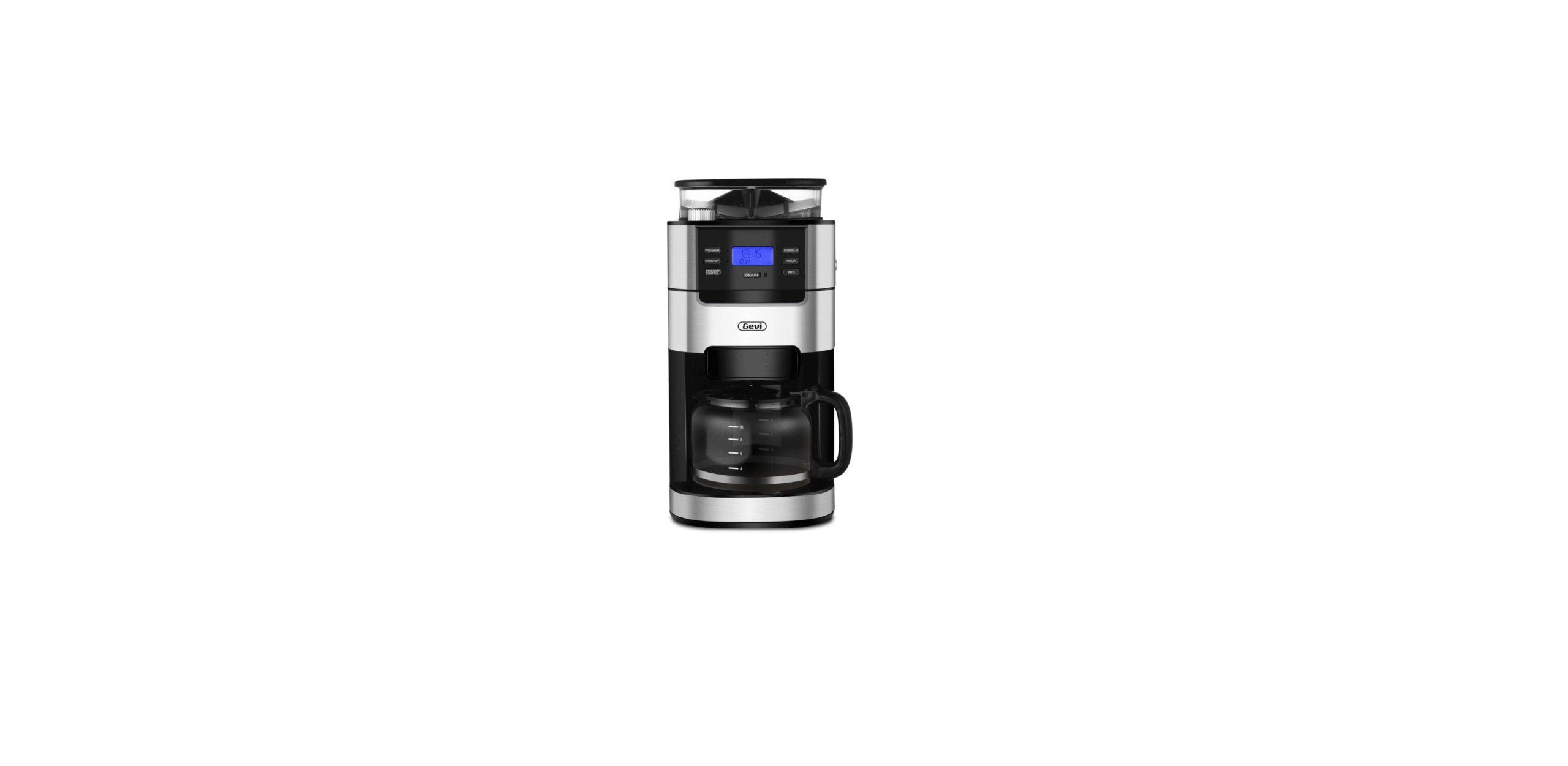

GEVI DCMF0 Drip Coffee Maker With Grinder

Safety Instructions
- Get familiar with these instructions before using your coffee machine.
- Make sure the outlet voltage matches the rated voltage of your machine (see the manual for details).
- To prevent electric shock or fire, never submerge the power cord or machine in water or any other liquid.
- Never leave children or anyone who cannot operate the machine unattended while it’s in use.
- Always disconnect the plug from the outlet before cleaning or attaching/removing parts.
- Allow the machine to cool down before putting on or taking off parts, and before cleaning the appliance.
- Get help. A damaged power cord is a safety hazard. If the cord is damaged, contact the manufacturer or a qualified service center for replacement to avoid potential risks.
- For safety reasons, only use accessories and replacement parts recommended by the manufacturer.
- Be careful when operating sharp blades.
- Do not touch moving parts with your fingers.
Know Your Product
- Model: DCMF0
- Electrical Parameters: 120V~ 60Hz 1000W

- Filter Ring
- Permanent Filter
- Leak-proof Valve
- Coffee Carafe
- Grind Regulator/Knobs
- Water Tank Lid
- Scoop
- Removable Filter Holder
- Swing-out Filter Basket
- Bean Hopper Lid
- Bean Hopper
- 1.5L Water Tank
- Control Panel
- Warming Plate
Control Panel

- Suppress the grinder if you use ground coffee and do not need to grind the coffee beans.
- Set the grind amount by cup.
- Three selectable brewing recipes – CLASSIC, INTENSE, and RICH.
- Three selectable flavors based on roast levels: H (Dark roasted), M (Medium roasted), and L (Light roasted)
- Brew ice coffee.
- Three selectable keep-warm temperatures: H (High), M (Medium), and L (Low).

- Cleaning mode.
- Set the hours for the current time or scheduled brewing time: Press and hold the buttons to scroll quickly through the digits, or press and release to advance one digit at a time.
- Set the keep-warm time: 60-240 minutes.
- Press the button to turn on the machine; press and hold for 2 seconds to turn off.
- Set the scheduled brewing time.
- Set the minutes for the current time or scheduled brewing time: Press and hold the buttons to scroll quickly through the digits, or press and release to advance one digit at a time.
Display Screen

- Display current time or scheduled brewing time if a schedule is set (AM/PM).
- Display selected keep-warm time (Minutes).
- Display the selected amount of ground coffee (Cup).
- When the machine runs 60 brews, ‘ ’ light on the screen turns on, indicating that the coffee machine needs to be descaled.
Brewing Styles
- 3 tailored brewing styles to suit your specific taste. Press this button to choose from CLASSIC, INTENSE, or RICH mode
Recipies
- CLASSIC: Brew for smooth, balanced hot coffee.
- INTENSE: Brew for a richer-than-classic but still smooth coffee flavor.
- RICH: Brew for strong taste flavor.
Roast
- Match the roasting level of your coffee with the perfect setting to achieve the richest flavor and aroma.
- Press this button to choose from H (Dark roasted), M (Medium roasted), and L (Light roasted).
Ice Coffee
- Add water to ‘ ’ mark on the water tank, and press this button.
- Add less than 50g of ground coffee into the Filter for a better drinking experience.
BEFORE FIRST USE
- Remove Packaging: Ensure all packaging has been removed
- Position Machine: Ensure the machine is always positioned onto a dry, stable, flat horizontal countertop.
- Wash & Dry PartsWash the parts listed below in warm water:
- Grinding Blade
- Filter Ring
- Permanent Filter
- Removable Filter Holder
- Bean Hopper Lid
- Measuring Scoop
- Coffee Carafe
- Rinse & allow thorough air drying
- Fill the Water Tank. Open the lid and fill enough pure water (recommended) in advance, then close it.

- Place the coffee carafe on the warming plate.
- Turn on the Machine. Insert the power plug into a 120V AC power outlet & switch the machine on.
- Clean the Machine
- Press ‘ ’ to start the machine.
- Select ‘’ ’and press’’to start cleaning the inner water lines.
- Empty the carafe, repeat the above steps for 2 times.
- Now you can start to brew your coffee.
Brewing Coffee
Making Coffee
- Add water at room temperature to the water tank. Do not exceed the Max mark.
- The amount of water added should be the same as the amount of coffee you want.
- Install the brew basket in the brew compartment.
- Place the Permanent Filter or disposable filter paper into the brew basket.
- Use coffee beans or ground coffee:
- Use with coffee beans.
- Adjust the knob to ’’ and open the Bean Hopper Lid.
- Add coffee beans.
- Close the Bean Hopper Lid and adjust the knob to ’’
- Set the grind regulator:
- The smaller the particle size, the finer the coffee is ground.
- The larger the particle size, the coarser the coffee is ground

- Use with ground coffee.
- Open the Swing-out Filter Basket.
- Add ground coffee to the Filter.
- You can adjust the concentration of coffee by increasing or decreasing the amount of coffee according to your taste.
| Number of cups | Number
of scoops |
Water
volume/ scale |
| 4 | 4 | 4 |
| 6 | 5 | 6 |
| 8 | 7 | 8 |
| 10 | 8 | 10 |
- Place the carafe onto the warming plate.
- Set different modes according to your needs:
- Ground coffee mode: press ‘ ’.
- Grinding and brewing mode: press ‘ ’ to choose the amount of grinding. It is determined by the number of cups you want.
- Brewing styles: refers to pages 12-13, and other settings: refers to pages 22-23.
- Set the Scheduled Brewing Time: After setting the brewing styles, you can press ‘ ’ to set the Scheduled Time. Refer to page 23.
- Press ‘ ’ to start your brew.
- The brew is complete when you hear the 3-beep signal.
- The coffee machine will automatically keep your coffee warm for 120 minutes after the brew is done.
- To turn off the machine, press and hold ‘ ’ for at least 2 seconds.
Multi-Function Settings
- Press ‘ ’ to select the required amount of coffee grinds.
- The selection range is 4、6、8、10 cups, and the default value is 6 cups
- To keep warm after brewing, simply leave the carafe on the warming plate.
- It will automatically keep your coffee warm for up to 120 minutes.
- To keep a consistent temperature, press ‘ ’ to choose from H (High), M (Medium), and L (Low).
- To set the keep-warm time, press and hold to scroll quickly through the digits, or press and release to advance one digit at a time.
- This coffee machine features a timer function, set the clock to match your local time.
- Press ‘ ’ and ‘ ’ to increase the time. Press and hold either button to quickly increase the time.
- You must set the actual time before setting the scheduled brewing time.
- Press ‘ ’ to enter scheduled mode. The clock flashes to indicate that the scheduled time can be adjusted.
- Press ‘ ’ and ‘ ’ to increase the time. Press and hold either button to quickly increase the time.
- After setting the scheduled brewing time, press ‘ again to confirm. ‘ ’ illuminates to indicate that the setting is successful.
- Press ‘ ’ to check/reset the scheduled time, press it again to return.
- Press ‘ ’ to cancel any schedule.
CARE & CLEANING INSTRUCTIONS
- After the unit has cooled down, remove the filter and filter basket.
- Clean your carafe with warm, soapy water.
- Wipe the warming plate and the outside of the machine with soft, damp
Descaling
- Add water to the water tank to the 10-cup fill mark.
- Add descaler to the water tank and wait a few minutes for it to dissolve.
- Put the carafe onto the warming plate.
- After selecting ’’, press ‘’’ to start cleaning.
- The whole cleaning cycle takes about 10-15 minutes.
- After cleaning is complete, the buzzer will GEVI DCMF0 Drip Coffee Maker With Grinder sound 3 times to indicate that cleaning is complete. It will cease to illuminate.
- Discard the water in the carafe.
- The coffee machine is ready for the next brew. Press ‘ any time to cancel the process and return to the standby state.
Specifications
- Model: DCMF0
- Voltage:120V
- Frequency: 60Hz
- Watt:1000W
- Net Weight:4.67kg
- Gross Weight:6.30kg
- Color: Black
- Water Tank Capacity:1.5L
- Product Size(W*D*H):7.9*10.7*17.8 inch
Troubleshooting
| Problem | Possible Cause | Solutions |
| The powder output is low and does not match the powder output setting. | Turn the knob at the top of the bean bin
to the ‘ ’ sign, Remove the bean bin, take out the blade parts, and use a small brush to clean the coffee beans or residue inside the grinding blade. |
|
| Use of substandard coffee beans, such as moist coffee beans, coffee beans with liquid flavorings or syrups, frozen or coated beans, etc. | ||
| Unsatisfied taste. | Poor coffee quality. | Use fresh and quality ground coffee. |
| Too much ground. | Use a proper amount of ground coffee for the machine. |
| Problem | Possible Cause | Solutions |
| Coffee is not hot enough. | There is a build-up of limescale inside the heating tubes. | Refer to “Descaling Your Gevi Coffee Maker”, page 27. |
| The warming plate is not working. | The warming plate malfunctions. | Contact the Gevi support team. |
| Brewing a partial cup. | There is a build-up of limescale inside the heating tubes. | Refer to “Descaling Your Gevi Coffee Maker”, page 27. |
| Brews slowly. | ||
| Makes a rumbling noise. | ||
| ’ Light on the screen turns on. | Refer to “Descaling Your Gevi Coffee Maker”, page 27. |
Warranty
30 Days from the date of original purchase. The whole GEVI DCMF0 Drip Coffee Maker With Grinder GEVI DCMF0 Drip Coffee Maker With Grinder unit of the machine fails due to a defect in materials or workmanship, 1 Year from the date of original purchase. Any part of the machine that fails due to a defect in materials or workmanship
Warranty Extension
Register your warranty at www.gevi.com/pages/warranty-registration to receive a 3-month extension for FREE.
Environmental Protection Treatment
You can help protect the environment! Strictly follow the rules: please dispose of your waste electrical equipment at the appropriate waste stations!
Customer Support
- Website: www.gevi.com/support
- Tel: 1-855-9922-888
- Timings: Mon-Fri 9:00 AM to 5:00 PM Pacific Standard Time (PST)