

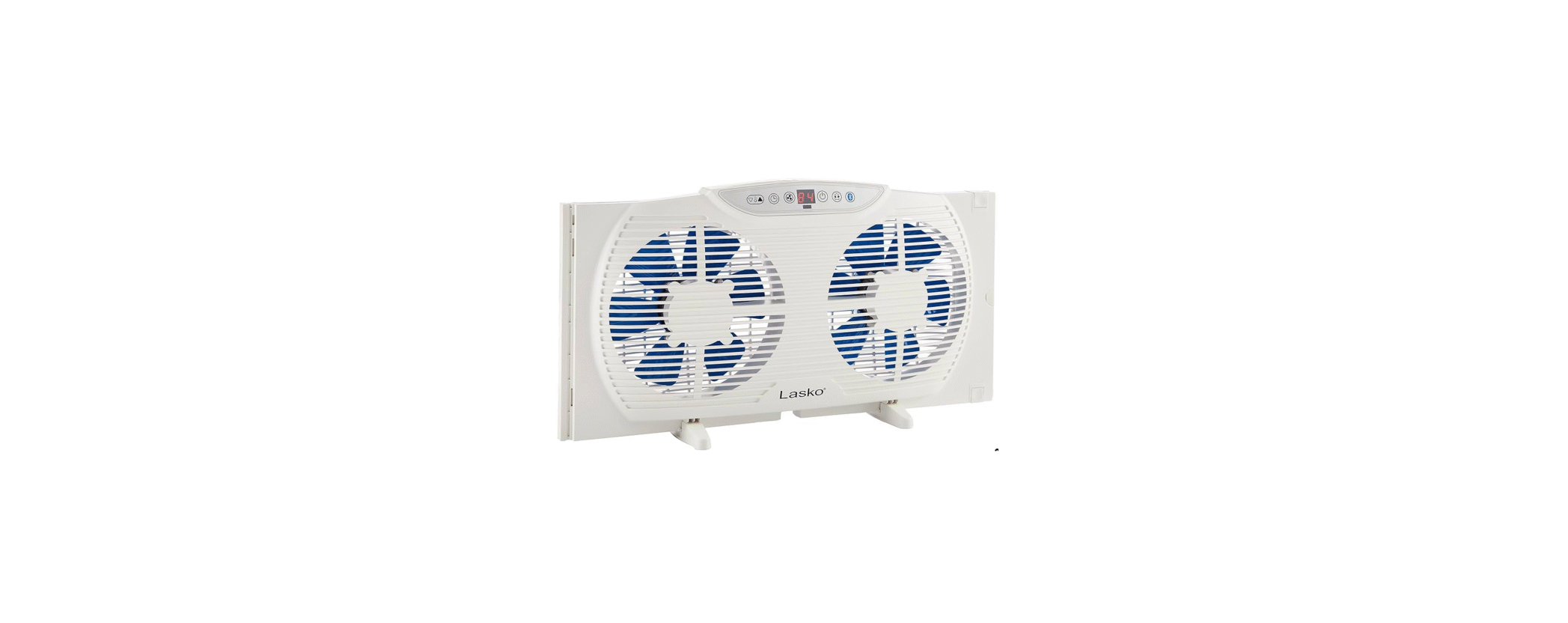

Lasko W09560 Bluetooth Control Fan Instructions

IMPORTANT SAFETY INSTRUCTIONS
- AVOID the use of extension cords, power strips, power taps, outlet-style air fresheners, or other cord-connected devices, as these devices may overheat and cause a fire hazard.
- DO NOT route power cord under rugs, carpets, runners, or furniture. This may damage the cord or cause it to overheat, creating a
fire hazard. - ALWAYS place the Fan on a stable, flat, level surface while in operation to prevent the Fan from overturning.
- NEVER insert or allow fingers or objects to enter grill openings while the Fan is in operation, as injury and/or damage to the Fan may occur.
- DO NOT block, cover, or obstruct air flow to or from the Fan while in operation.
- DO NOT use this Fan outdoors or near water or wet locations such as a bathtub, pool, or hot tub. Use of this Fan in a wet location may create a shock hazard.
- DO NOT run cord under carpeting.
- Do not cover the cord with throw rugs, runners, or similar coverings.
- Do not route the cord under furniture or appliances.
- Arrange the cord away from the traffic area and where it will not be tripped over.
- NEVER use a single extension cord to operate more than one Fan or other electrical device.
- DO NOT use this Fan if it has been damaged or is not functioning properly.
- Remote controls for other appliances or electronic equipment can sometimes interfere with the operation of this Fan.
- If this occurs, move the Fan to another location.
- Keep the Fan remote control unit away from chairs and your bed, where it may be sat or laid upon, and inadvertently turn on the Fan.
Installation For Doblue Hung Window
- Center Fan in the window, pull Expander Panels out to securely fit in the window track.
- Lower the window and secure it behind the Window Grabber on top of the Fan. FOR VERTICAL, SLIDER-TYPE WINDOWS, and CASEMENT WINDOWS: We recommend keeping the window screen in place.
- Position the Fan in the window with the Switch facing the center of the opening.
- The fan must fit securely against the inside edge of the window opening.
- Slide the expandable window panel to meet the edge of the window. The side edge of the window must fit securely inside the window grabber.
- For windows larger than 35″, build a plywood panel to fit the open area and secure it to the Fan and window frame.
- On casement windows wider than 12″, it will be necessary to build a plywood frame around the Fan and then secure the frame to the Fan and the window frame.

Feet Installation
When using a Fan as a Floor or Table Fan, lock the two (2) Feet into place by sliding the Feet onto the bottom until the Feet snap in place.

Operation
This Fan may be operated by the Manual Controls located on top of the unit or by the Bluetooth® Controls on your Smartphone. All functions performed with the Bluetooth® Controls work identically to the Manual Controls. For a detailed description of Bluetooth® pairing, see Quickstart Guide. Carefully remove the Fan from the plastic bag and the carton. Plug into 1a a 20V AC outlet.

Be sure that the plug fits tightly into the outlet. When plugs fit loosely into receptacles, they may slip partially or completely out of the receptacle Lasko W09560 Bluetooth Control Fan Instructions with only the slight movement of the attached cord. Receptacles in this condition may overheat and pose a serious fire hazard; if covered by a curtain or drape, the fire hazard is even greater.
- Press the Power Button to turn the Fan on.
- When the Fan is initially plugged in and turned on, the Fan will start on LOW speed, intake mode, with the timer and thermostat inactive.
- Press the Fan Speed Button to select the desired Fan speed setting: 1 (Low), 2 (Medium), or 3 (High).
- Press the Airflow Button to select between intake, exhaust, and exchange. The exchange makes the Fan exhaust while the other Fan intake.
- Press the Timer Button to select the desired time. Settings are in increments from 0 to 8 hours.
- Press the Temperature Up Button to increase the thermostat temperature. Press the Temperature Down Button to decrease the thermostat temperature.
Maintainance
- Always unplug the cord before moving, servicing, or cleaning.
- NEVER place the Fan in or near water.
- Clean the Fan only with a vacuum equipped with a brush attachment; the vacuum will remove the lint
and dirt from inside the Fan. - NEVER attempt to take apart the Fan.
- Clean the body of the Fan with a soft cloth only.
- NEVER use ALCOHOL or SOLVENTS such as gasoline, benzene, paint thinner, or other harsh cleaners.
Troubleshooting
If your Fan fails to operate, see below for a list of probable causes and solutions.
- Be sure the power cord is plugged into a working electrical outlet.
- Make certain the batteries in the remote control are new and properly installed.
- Servicing: For servicing, other than general user maintenance, please contact Customer Service at (800) 233-0268, Monday through Friday, from 8 am-5 pm Eastern.
- Storage: Store the Fan with these instructions, in the original carton, in a cool, dry place.
- Disposition: Corrugated packaging materials are recyclable. For environmentally responsible disposal of this product, contact your local Lasko W09560 Bluetooth Control Fan Instructions waste service provider or
What does this warrantycovers
- This product is warranted against defects in workmanship and/or materials.
How long does it last
- This warranty extends only to the original purchaser of the product and lasts for one (1) year from the date of original purchase or until the original purchaser of the product sells or transfers the product, whichever first occurs.
What Lasko will do
- During the warranty period, Lasko will, at its sole option, repair or replace any part or parts that proves to be defective or replace the whole product with the same or a comparable model.
What does this warranty not cover
- This warranty does not cover shipping costs for the return of products to Lasko for repair or replacement. Lasko will pay return shipping charges from Lasko following warranty repairs or replacement.
- Some states and provinces do not allow limitations on how long an implied warranty lasts, or the exclusion or limitation of incidental or consequential damages, so these exclusions or limitations may not apply to you. This warranty gives you specific legal rights.
Customer Service
- Toll-Free (800) 233-0268
- Email: producthelp@lasko.com
- visit: www.1800recycling.com®.
- website: www.lasko.com