

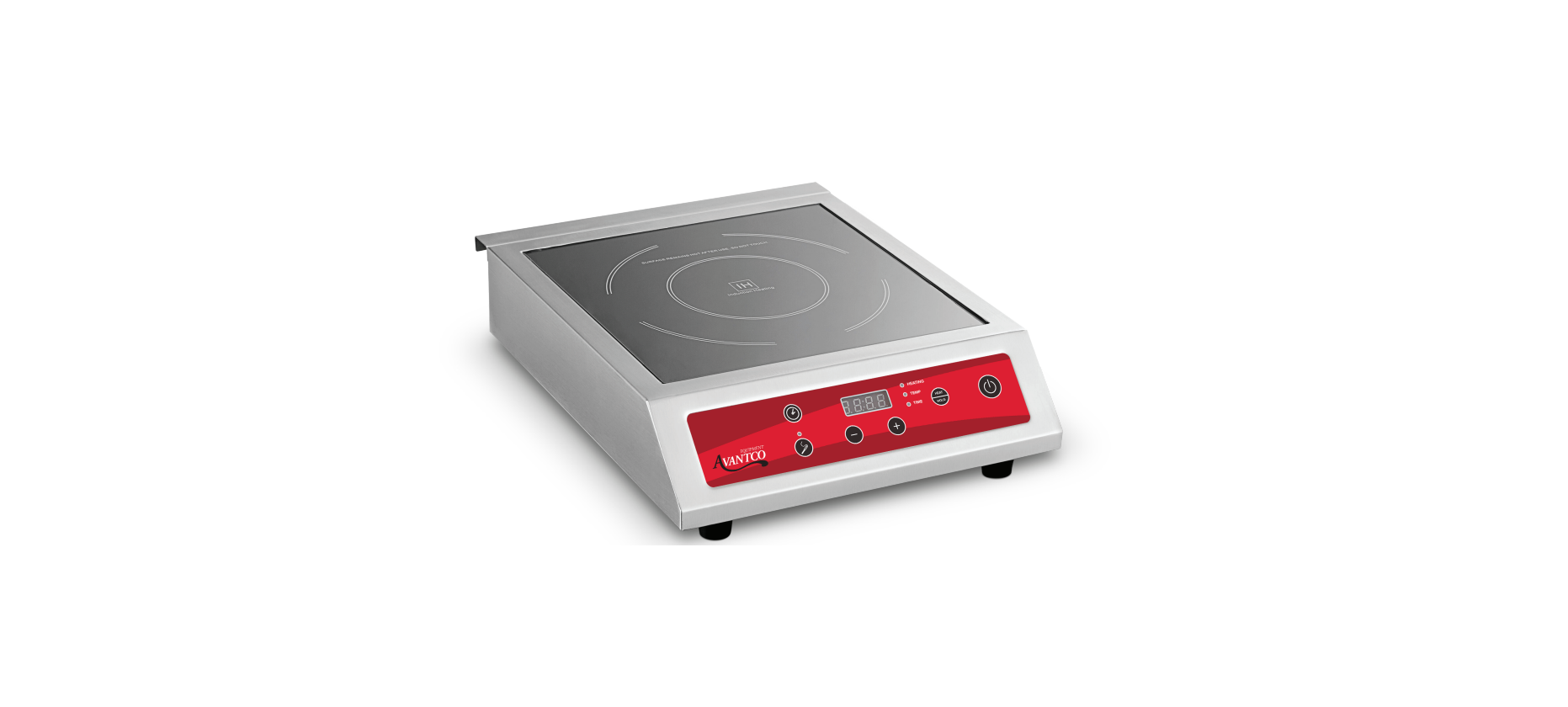

AVANTCO 177IC3500P 3500 Watt Induction Range
Important Safeguards
- If you give the appliance to another person, also supply them with this instruction manual.
- The safeguards must be followed closely, and the appliance must be used in the way indicated in the instruction manual.
- In case of damage and accidents caused by not following this instruction manual, the manufacturer assumes no liability.
- The surface of the cooking plate is made of tempered glass.
- If the glass surface is damaged, even if it shows a very small break only, the appliance is NOT to be used. In such a case, immediately unplug the appliance.
- Connect your appliance to a grounded power socket with appropriate voltage (120V ~50/ 60 Hz).
- Do not connect other electrical appliances to the same socket, and do not use multiple sockets.
- Make sure that the main installation is providing enough power to run this appliance. See the rating plate of the appliance to confirm this.
- Run the cord in a way that nobody can stumble over it or pull on it.
- The cord should never come into contact with sharp edges or hot objects.
- Never leave the appliance unsupervised when in use.
- Never place the appliance on wet ground.
- To avoid electrical shock or short circuit, never let the cord hang into water, other liquids, or over a washing basin.
- Do not use the appliance while standing on wet ground or if the hands or the appliance are wet.
In The Box
- Induction Range
- Instruction Manual
Before First Use
- Remove all packaging components and make sure that the appliance is in perfect condition.
- Clean the unit surface with a slightly moist cloth and dry it.
Installation
- Installation must conform to all applicable codes. Improper installation will void the manufacturer’s warranty.
- Do not obstruct or reduce the airflow of the ventilation openings on the sides, bottom, or rear of the unit. Blocking airflow could cause the unit to overheat.
- Do not install near any combustible surfaces. There must be a minimum of 4″ between the induction range and any non-combustible surface to allow sufficient airflow around the unit.
- There must be at least ¾” between the bottom of the induction range and the surface.
- Avoid placing it on soft surfaces that could restrict the airflow to the bottom of the unit.
- There must be at least 12″ of clearance on the sides and back from combustible surfaces.
- Do not operate this product in high-heat environments. Avoid placing this product near gas equipment.
- Do not use an extension cord with plug and cord models.
- This product conforms to UL-197 standards and requires it to be under an exhaust hood. A vertical distance of not less than 48″ shall be provided between the top of the appliance and filters or any other combustible material. Exhaust installation must conform to applicable codes.
- As a precaution, persons using a pacemaker should stand back 12″ from an operating unit.
- Studies have shown that the induction element will not disrupt a pacemaker.
- Keep all credit cards, driver’s licenses, and other items with a magnetic strip away from an operating unit.
- The unit’s magnetic field might damage the information on these strips.
Functions & Advantages
The system of induction cooking
- The induction cooking plate and the cookware placed on AVANTCO 177IC3500P 3500 Watt Induction Range build up one unit by reason of electromagnetism.
- The emerging energy will change into heat directly at the bottom of the cookware.
- It is not necessary to preheat the induction cooking plate. When connected, it is in “Standby Mode” without any power consumption.
Usable & Non-Usable Utensils
- Steel or cast iron, enameled iron, stainless steel, flat-bottom pans/pots with a diameter from 4¾ inches to 10¼ inches. Pan/pot with 9″ bottom diameter recommended.
- Heat-resistant glass, ceramic, copper, and aluminum pans/pots. Rounded-bottom pans/pots with a bottom measuring less than.
- Heat is generated at the bottom of the cookware and immediately directed into the food. The energy is
absorbed immediately into the cookware. This guarantees extremely high cooking speed. - High effectiveness during parboiling and minimum power consumption during cooking reduces total energy consumption up to 30%.
- Precise controlling (by 2 different adjustable functions) guarantees quick and tightly focused heat input.
- The induction cooking plate does not stay hot as long as standard cooking plates (easy cleaning).
Control Panel
Operation
- You can adjust power level/ temperature by using the Rotating Knob to increase or decrease, and adjust cooking time (minutes) by using the “+” key or “-” key to increase or decrease.
- Pressing the ON/OFF key will switch the device into Standby Mode.
- The display will show 000, and a short acoustic signal sounds (whenever you press the button again or a new button, a short acoustic signal sounds).
- Pressing the “Heat/Hold” button will automatically start the fan inside.
- The display will show 1200; this is an automatic setting. The appliance is now in the power mode. Select the desired power by using the increase and decrease keys “ + ” or “ – ”.
- Press the “Temp/Heating” button to program the temperature.
- Select the desired temperature by using the “ + ” or “ – ” keys.
- If desired, press the “timer” button to program the cooking time.
- Adjust the desired cooking time by using the “ + ” or “ – ” keys .
- The time is adjustable from 0 – 180 minutes (1-minute steps).
- This is an optional timer. If you do not set the timer, it will default to 180 minutes and then shut off for safety reasons.
- Press “ Probe”, and the unit will enter the Probe mode.
- The Default Temperature will flash on the Screen (“200°F”). Select the target temperature of the probe by pressing the (+) and (-) buttons.
- Touch the “Heat/Hold” to select the Power; the Default power will flash on the screen (“15“).
- Then select the heating power of the probe by pressing the (+) and (-) buttons..
Error codes
| Error
Scenario |
Check Point | Remedy |
| EO | No cookware or non-usable cookware | Please make sure you are using the correct and high-quality induction-ready cookware. Steel, cast iron, enameled iron, or stainless steel with flat-bottom pans/pots with a diameter from 5″ to 10″. The unit will not switch ON to heat. The unit will switch to Standby mode after 1 minute. |
| E1 | Low-voltage | Error code E1 occurs when the voltage is lower than 100V. Please ensure the voltage is higher than 100V. |
| E2 | High-voltage | Error code E2 occurs when the voltage is higher than 280V. Please ensure the voltage is lower than 280V. |
| E3 | The top plate sensor overheats or short-circuits | 2) If E3 occurs after the following step above, then the sensor has failed. Please contact customer service. |
| E4 | The top plate sensor open open-circuited or without a connection
2) The connection of the sensor and PCB is bad because the fasteners are loose |
If you can see loose wires, then contact customer service. |
| E5 | If the IGBT sensor overheats or short-circuits, or if the fan is disconnected | 1) If error code E5 occurs and the cooling fan is still functioning, please contact customer service. |
Cleaning, Maintenance & Storage
- Wipe the plates and stainless steel surface with a damp cloth only.
- Clean the device after each use to remove food residues.
- Make sure that no water gets into the device.
- To avoid any danger or risk of electrical shock, never immerse the device or the cord in water or any other liquid. Do not put the device and the cord into the dishwasher!
- To avoid damaging the surface of the unit, AVANTCO 177IC3500P 3500 Watt Induction Range, never use abrasive cleaners, cleaning pads, or any sharp objects (i.e., metal scouring pads). If using metal objects to clean, the sensitive surface can be easily damaged by scratches. Always handle the appliance with care and without any force.
- Use of additional cleaning liquids is recommended for induction cooking plates to extend their lifetime.
- Do not use any petrol products to clean the device to avoid damaging the plastic parts and the control panel.
- Do not use any flammable acid or alkaline materials or substances near the device, as this may reduce the service life of the device.
- Make sure that the bottom of the cookware does not scrape across the glass field.
- When not in use, store the device in a dry place. The appliance must be stored in a place that is not within reach of children.
Customer Service
- Website: https://www.avantcoequipment.com/
- Tel: 717-381-4844