

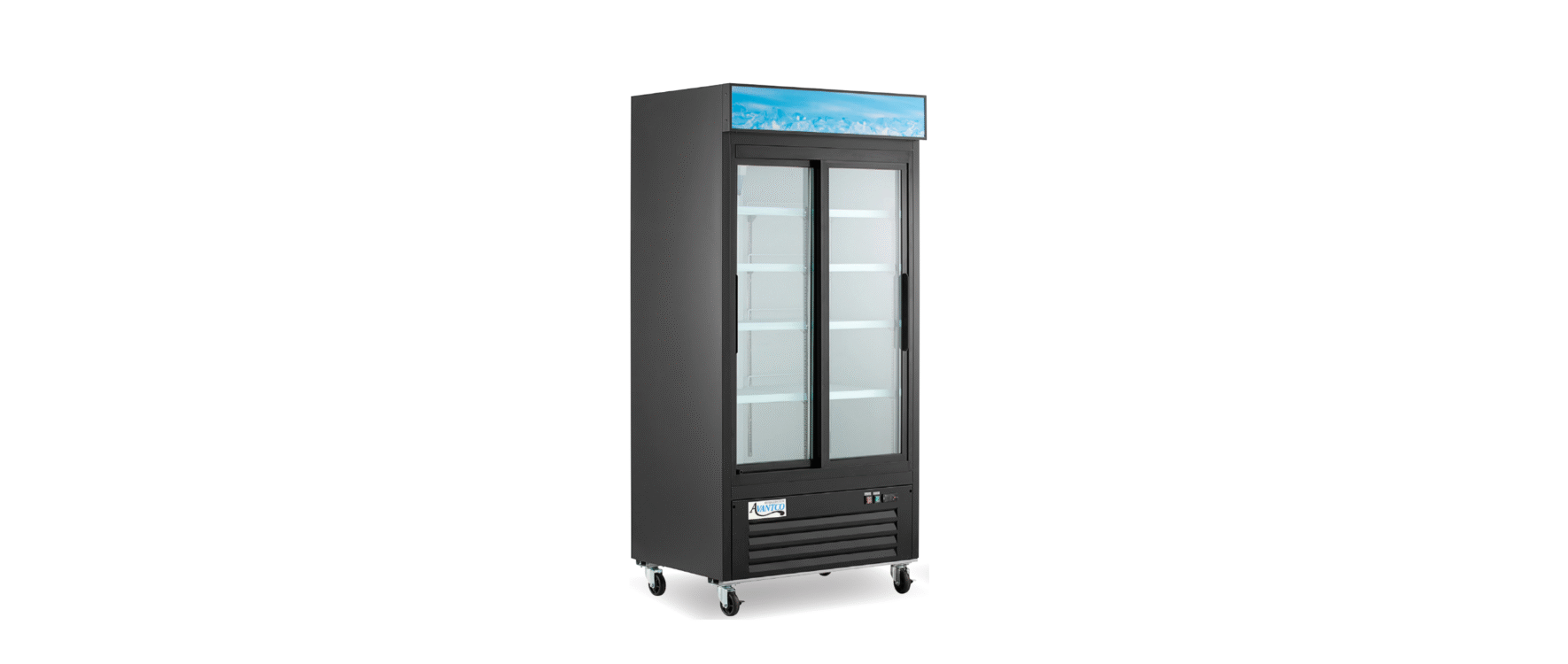

AVANTCO 178GDC10HC Glass Door Merchandisers

Safety Information
- To minimize shock and fire hazards, be sure not to overload the outlet. This unit should be given its own outlet.
- DO NOT use extension cords.
- DO NOT put your hands under the unit while it is being moved.
- When the unit is not in use for a long period of time, unplug the unit from the outlet.
- After unplugging the unit, wait at least 10 minutes before plugging it back in. Failure to do so could cause damage to the compressor.
- To minimize shock and fire hazards, do not plug or unplug the cord with wet hands.
- Unplug the unit before performing maintenance or cleaning.
Installation
Before Installation
- The unit should be located away from doors, air ducts, and fans that could disrupt airflow and negatively impact performance.
- Make sure that the unit has reached the desired temperature before loading the unit with products. This unit is meant for keeping cold products cold, not chilling warm products.
- Do not attempt to remove or repair any component of the unit. Consult an authorized service technician for servicing/repair.
- Make sure that there is proper ventilation around the unit in the area where it will operate.
- Make sure all accessories are installed (i.e., shelves, shelf clips, casters) before plugging the unit in.
- Do not hang on doors or stand inside the unit.
- Please read through the manual in its entirety.
Swing Door Units
- Remove the bracket from the bottom of the doors (Fig. 1).

- If this bracket is not removed, it can scratch the paint from the top of the front grill.
Cabinet Location Guidelines
- Install the unit on strong and level surfaces.
- If the surface is uneven, the unit may be noisy.
- The unit may malfunction if the surface is uneven.
- Install the unit in an indoor, well-ventilated area.
- For best performance, please maintain clearance of 6” on the back of the unit.
- Brackets should be attached to the back of the unit.
- Do not use outdoors. For indoor use only. Avoid direct sunlight.
- Avoid installation in a high-humidity and/or dusty area.
- Humidity above 60% can cause the unit to AVANTCO 178GDC10HC Glass Door Merchandisers rust, collect condensation, and decrease efficiency.
- Dust collected on the condenser coil will cause the unit to malfunction.
- Malfunction due to temperatures above 75 degrees Fahrenheit, humidity above 60%, or improperly maintained condenser coil will void the warranty.
- Select a location away from heat and moisture-generating equipment.
- Ambient temperatures above 75 degrees Fahrenheit may cause the compressor to malfunction.
- Malfunction due to ambient temperatures above 75 degrees Fahrenheit will void the warranty.
- Do not install the unit inside a closet or alcove.
Electrical
- Refer to the electrical requirements on the unit’s nameplate.
- The unit should have its dedicated outlet.
- DO NOT use extension cords.
- Ensure the unit is not resting on or against the electrical cord.
- If the unit is not in use for a long period of time, unplug it from the outlet.
- To avoid shock and fire hazards, DO NOT plug in or unplug the unit with wet hands.
- After unplugging the unit, wait at least 10 minutes before plugging it back in. Failure to do so could cause damage to the compressor.
Temperature Controls
Adjusting the Temperature
- Your new refrigerator or freezer is already factory-set to run at optimum temperatures for food safety and should require no adjustments.
- Refrigerators are set to cycle between a minimum temperature of 33°F and a maximum temperature of 40°F.

- Freezers are set to cycle between a minimum temperature of -5°F and a maximum temperature of 2°F.

- Adjusting the temperature changes the minimum AVANTCO 178GDC10HC Glass Door Merchandisers temperature at which your unit will run. Your unit will not run constantly at this setting. To change it, follow these instructions:
Digital Control Units
- Hold “SET” for 1 second. The display AVANTCO 178GDC10HC Glass Door Merchandisers will flash the current minimum temperature.
- Use the arrow buttons to adjust the minimum temperature you’d like the unit to run at.
- Press “SET” again to save your settings.
- Always remember to calculate the differential if you change the minimum temperature setting.
- The cabinet temperature will fluctuate up to 7°F over your set minimum temperature as the compressor runs and shuts off.
- Setting the temperature too high will result in unsafe maximum temperatures and possible health code violations.
Operation
Defrost System
- During compressor downtime, the evaporator fan continues to circulate air through the evaporator coil. This air circulation raises the coil temperature above the freezing point, melting any accumulated frost.
- Run-off water is drained into the evaporator pan and evaporated.
- Automatic defrost timers initiate at pre-set intervals and for a pre-determined duration.
- Units are pre-programmed to run automatic defrost cycles at preset intervals. However, if you would like to run a manual defrost cycle at any time, follow the steps below. Only models with digital controls can run a manual defrost cycle. Units with mechanical controls cannot run a manual defrost cycle.
- Freezers: Press the defrost button (“DEF” ▼) for approximately 5 seconds. Repeat to stop the defrost cycle.
- Refrigerators: Press the defrost button (Snowflake and ▼) for approximately 3 seconds. Repeat to stop the defrost cycle.
Loading Product
- Ensure there is at least 4″ of clearance from the evaporator.
- Ensure all shelves are sitting level and properly secured before loading products.
- DO NOT store flammable/explosive gas or liquids inside the unit.
Cleaning
Fan Blades & Motor
- If necessary, clean the fan blades and motor with a soft cloth.
- If it is necessary to wash the fan blades more thoroughly, cover the fan motor to prevent moisture damage, then use a damp cloth to clean the fan blades
Interior
- Use warm water and a mild soap with a clean cloth to wipe down the interior of the unit.
- DO NOT use steel wool, caustic soap, abrasive cleaners, or bleach that may damage the interior finish.
- Wash door gaskets regularly, preferably weekly. Simply remove the door gasket from the frame of the door, soak it in warm water and soap for thirty (30) minutes, dry it with a soft cloth, and replace it.
- Check door gaskets for proper seal after they are replaced.
- Periodically, remove the shelves and pilasters from the unit and clean them with mild soap and warm water. To remove the pilasters, first remove the shelves and shelf brackets. Then, simply lift the pilaster up and out.
Cleaning the Condenser Coil
- A dusty condenser may lead to high energy consumption, less cooling effectiveness, and compressor damage.
- For efficient operation, keep the condenser surface free of dust, dirt, and lint.
- We recommend cleaning the condenser coil at least once per month.
- The condenser coil is located at the bottom behind the panel.
Troubleshooting
| Problem | Possible Cause | Possible Solution |
| Fuse blown or circuit breaker tripped. | Replace the fuse or reset the circuit breaker. | |
| Power cord unplugged. | Plug in the power cord. | |
| Compressor not running. | Thermostat set too high. | Set the thermostat to a lower temperature. |
| The cabinet is in defrost cycle. | Wait for the defrost cycle to finish. | |
| Condensing units run for long periods of time. | An excessive amount of warm product | Allow adequate time for the product to cool down. |
| Prolonged door opening or door ajar. | Avoid opening doors for long periods. | |
| Door gasket(s) are not sealing properly. | Remove the gasket and wash with soap and water. | |
| Dirty condenser coil. | Clean the condenser coil. (Page 7) | |
| Evaporator coil iced over. | Unplug the unit and allow the coil to defrost. | |
| The cabinet temperature is too warm. The thermostat | It is set too warm. | Set the thermostat to a lower temperature. |
| Airflow blocked. | Re-arrange the product to allow for proper air flow. | |
| An excessive amount of warm | Allow adequate time for the product to cool down. | |
| Fuse blown or circuit breaker tripped. | Replace the fuse or reset the circuit breaker. | |
| Dirty condenser coil. | Clean the condenser coil. (Page 7) | |
| Evaporator coil iced over. | Avoid opening doors for long periods. | |
| Low refrigerant levels. | Contact a service technician to check refrigerant levels. | |
| The door is slightly ajar. | Make sure the door is completely closed. | |
| Condensation is | The gasket is not sealing properly. | Clean, repair, or replace the gasket as necessary. |
| Collecting on the cabinet and/or floor. | Relative humidity is above 60%. | Move the unit to an area with a relative humidity or a lower humidity level. |
| The interior light is not working. | Poor switch connection. | Turn off the light switch and turn it back on. |
| The bulb is not connected. | Make sure the bulb is | |
Customer Service
- Website: https://www.avantcoequipment.com/
- Tel: 717-381-4844