

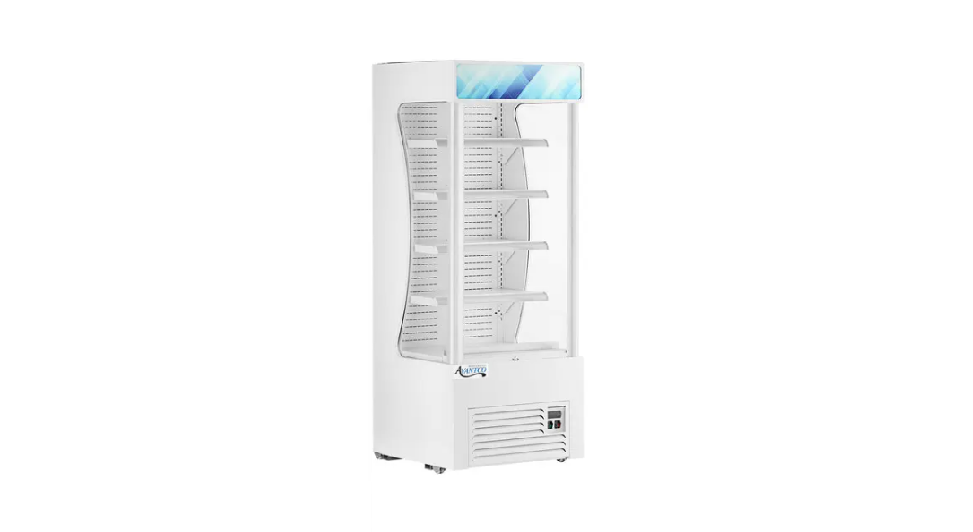

AVANTCO 189WVAC28HC Vertical Merchandisers
Safety Information
- To minimize shock and fire hazards, be sure not to overload the outlet.
- This unit should be given its outlet.
- DO NOT use extension cords.
- DO NOT put your hands under the unit while it is being moved.
- When the unit is not in use for a long period of time, unplug the unit from the outlet.
- After unplugging the unit, wait at least 10 minutes before plugging it back in.
- Failure to do so could cause damage to the compressor.
- To minimize shock and fire hazards, do not plug or unplug the cord with wet hands.
- Unplug the unit before performing maintenance or cleaning.
- To minimize shock and fire hazards, make sure that the unit is properly grounded.
- DO NOT attempt to remove or repair any component unless instructed by the factory.
- DO NOT allow the unit to rest on or against the electrical cord and/or plug.
- DO NOT store any flammable/explosive gas or liquids inside the unit.
- DO NOT attempt to alter or tamper with the electrical cord.
- DO NOT use the unit if the power cord is damaged.
Installation
- If the shelf has a raised lip, the lip needs to be installed facing up towards the rear of the cabinet to promote proper air flow. Failure to install the shelves properly is considered user error and is not covered by warranty.
- If the unit has recently been transported on its side, please let the unit stand still for a minimum of 24 hours before plugging it in.
- Make sure that the unit has reached the desired temperature before loading the unit with products. This unit is meant for keeping cold products cold, not chilling warm products.
- Make sure that there is proper ventilation around the unit in the area where it will operate.
- Make sure all accessories are installed (i.e., shelves, shelf clips, casters) before plugging the unit in.
- Do not attempt to remove or repair any component of the unit. Consult an authorized service technician for servicing/repair.
- Do not stand inside the unit.
- Please read through the manual in its entirety.
- This unit is designed to perform in a temperature-controlled environment at 55% relative humidity. The unit should be located away from doors, air ducts, and fans that could disrupt airflow and negatively impact performance.
Cabinet Location Guidelines
- Install the unit on strong and level surfaces.
- If the surface is uneven, the unit may be noisy.
- The unit may malfunction if the surface is uneven.
- Uneven floors may cause leaking or water on the floor.
- Install the unit in an indoor, well-ventilated area.
- For best performance, please maintain clearance of 6” on the back of the unit.
- Brackets should be attached to the back of the unit.
- Do not use outdoors. For indoor use only.
- Avoid direct sunlight.
- Avoid installation in a high-humidity and/or dusty area.
- Humidity above 55% can cause the unit to rust, collect condensation, and decrease efficiency.
- Dust collected on the condenser coil will cause the unit to malfunction.
- Malfunctions due to temperatures above 75 degrees Fahrenheit, humidity above 55%, or improperly maintained condenser coil will void the warranty.
- Select a location away from heat and moisture-generating equipment.
- Ambient temperatures above 75 degrees Fahrenheit may cause the compressor to malfunction.
- The unit should not be used in areas over 90 degrees Fahrenheit.
- Malfunctions due to ambient temperatures above 75 degrees Fahrenheit will void the warranty.
- Do not install the unit inside a closet or alcove
Electrical Safety
- Please refer to the electrical requirements on the unit’s nameplate.
- This unit should have its dedicated outlet.
- Do not use extension cords.
- Do not unplug your cooler by pulling on the power cord. Grip the plug firmly and pull straight out from the outlet.
- Ensure the unit is not resting on or against the electrical cord.
- If the unit is not in use for a long period of time, please unplug the unit from the outlet.
- To avoid shock and fire hazards, do not plug in or unplug the unit with wet hands.
- After unplugging the unit, wait at least 10 minutes before plugging it back in. Failure to do so could cause damage to the compressor.
Adjusting Temperature
- Your new refrigerator is already factory-set to run at optimum temperatures for food safety and should require no adjustments

- Adjusting the temperature changes the minimum temperature your unit will run at. Your unit will not run constantly at this setting. To change it, follow these instructions.
Digital Control Units
- Hold “SET” for 1 sec. The display will flash the current minimum temperature.
- Use the arrow buttons to adjust the minimum temperature you want it to run at.
- Press “SET” again to save your settings.
Running a Manual Defrost Cycle
- Press the defrost button (snowflake symbol and down arrow) for approximately 3 seconds.
- Repeat to stop the defrost cycle.
Defrost System
- If a drainage pipe is available, lower the AVANTCO 189WVAC28HC Vertical Merchandisers condensation drainage pipe and connect it to a drain or condensation pump. Verify the pipe is unobstructed and it is lower than the water receiver indicated by the line on the sticker.
- Note that the use of this option will increase the energy consumption of the unit.
Operation / Maintenance
Loading Product
- Do not block the air duct/fan at the top of the unit.
- Maintain a minimum of 4” of clearance between products and the fan at all times.
- Ensure all shelves are sitting level and properly secured before loading products.
- Do not store flammable and explosive gases or liquids inside the unit.
- For efficient operation, keep the condenser surface free of dust, dirt, and lint.
- We recommend cleaning the condenser coil at least once per month.
- If necessary, clean the fan blades and motor with a soft cloth.
- If it is necessary to wash the fan blades, cover the fan motor to prevent moisture damage.
- When cleaning the cabinet interior, use a solvent of warm water and mild soap.
- Do not use steel wool, caustic soap, abrasive cleaners, or bleach that may damage the interior finish.
- Periodically, remove the shelves and pilasters AVANTCO 189WVAC28HC Vertical Merchandisers from the unit and clean them with mild soap and warm water.
- To remove the pilasters, first remove the shelves and shelf brackets.
- Then, simply lift the pilaster up and out.
- Disconnect the electrical power from the unit.
- Remove the front cover and base AVANTCO 189WVAC28HC Vertical Merchandisers cover with a screwdriver.
- Using a soft brush and/or vacuum, remove the dirt, lint, etc. from the finned condenser coil in a vertical direction.
- Clean the condenser with a commercial condenser coil cleaner, available from any kitchen equipment retailer. Ex. Noble Chemical Tech Line
- After cleaning, straighten any bent condenser fins with a fin comb.
- When finished, be sure to reinstall the front cover and base cover.
- Reconnect the electrical power to the unit.
Troubleshooting


Customer Service
- Website: https://www.avantcoequipment.com/
- Tel: 717-381-4844