

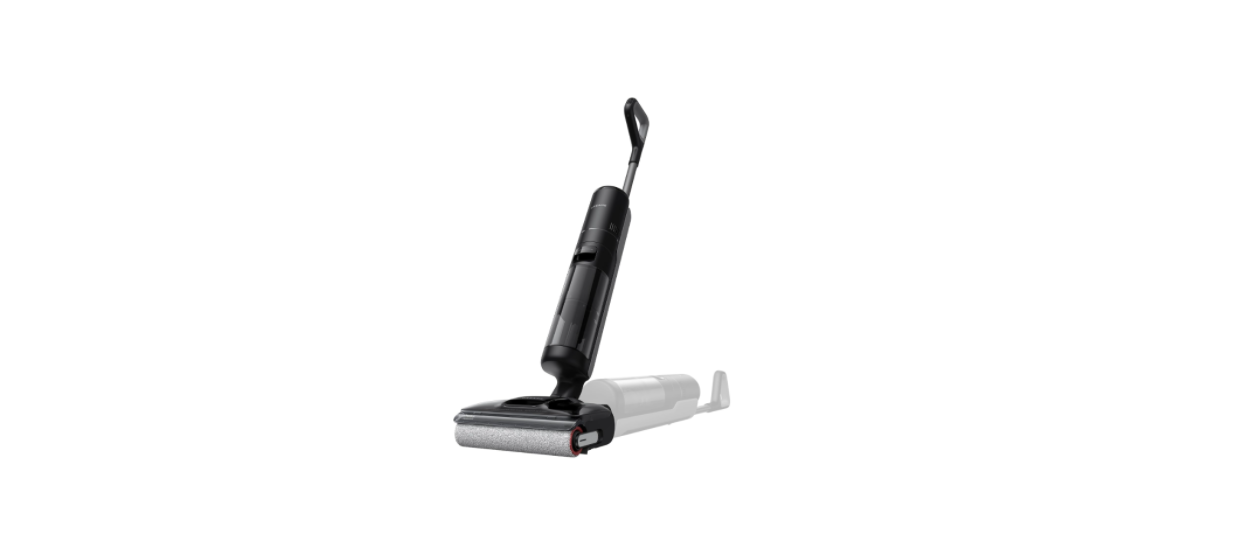

Dreame H12 Pro FlexReach Wet and Dry Vacuum

Safety Instructions
- Cleaning and maintenance shall not be performed by children without supervision.
- Plastic film can be dangerous. To avoid the danger of suffocation, keep it away from children.
- Children shall not play with the appliance.
- Use indoors only, on non-carpeted floor surfaces such as vinyl, tile, sealed wood, etc.
- Be careful not to run over loose objects or the edges of area rugs.
- Stalling the brush may result in premature belt failure.
- Use only as described in this user guide. Use only the manufacturer’s recommended attachments.
- Do not expose the appliance to fire or excessive temperature.
- Exposure to fire or excessive temperature may cause an explosion.
- Do not use in extremely hot or cold environments (below 5°C/41°F or above 40°C/104°F).
- Please charge the appliance in temperatures above 5°C/41°F and below 40°C/104°F.
- Do not immerse the appliance in liquid.
- Use extra care when cleaning the stairs.
Product Overview
Packing List 
- Handle
- Charging Base
- Cleaning Brush
- Spare Roller Brush
- Replacement Filter
- Main Body
Vacuum
- Self-Cleaning Button
- Mode Switch
- Power Switch
- Display Screen
- Used Water Tank Handle
- Used Water Tank
- Roller Brush Cover
- Roller Brush
- Roller Brush Handle
- Clean Water Tank
- Clean Water Tank Handle
- Voice Prompt Button
- Omnidirectional Wheel
Charging Base
- Air-Drying Outlet
- Accessory Storage Slot
- Charging Contacts
- Power Cord
Display Screen
- Turbo Mode
- Smart Mode
- Drying Mode
- Charging Indicator
- Error Messages
- Dust Concentration & Self-Cleaning/Drying Progress
- Self-Cleaning Mode
- Battery Indicator
- Suction Mode
- Quiet Mode
Installation

Insert the end of the handle vertically into the slot on the top of the appliance as indicated until you hear a click.
Charging
- Place the charging base against a wall on level ground and connect it to a power source.
- Fully charge the appliance before first use.
- Place the appliance on the charging base.
- When the number on the display screen reaches 100, the battery is fully charged.
Charging/Low Battery Indicator
- Orange Breathing: Battery level ≤ 20% (charging)
- Green Breathing: Battery level > 20% (charging)
- Solid Green: Fully charged

How to Use
Switch Modes
Press 0 to switch modes based on your needs.
- Turbo Mode
Maximum suction power and increased water flow for stubborn stains on hard floors. - Quiet Mode
The appliance will maintain moderate suction power at a low noise level. - Smart Mode
The appliance will detect the stain level and intelligently adjust the suction power and water flow accordingly. - Suction Mode
Dry vacuum only without water dispensing.
Fill the Clean Water Tank 
Remove the clean water tank. Open the tank cover and fill the tank with sufficient clean water. Reinstall the tank and ensure it clicks into place.
Start Cleaning
Gently step on the brush cover and recline the appliance backward. Press to start cleaning. Press to switch modes based on your needs.
Empty the Used Water Tank  . Pull the tank handle to take out the used Dreame H12 Pro FlexReach Wet and Dry Vacuum water tank. Remove the tank cover and pour out the used water. Reinstall the tank and ensure it clicks into place.
Self-Cleaning Mode
- After cleaning, promptly return the appliance to the base and ensure the clean water tank is sufficiently filled.
- Briefly press on the top of the handle to start/stop self-cleaning.
- Switch the drying mode according to the voice prompts.
- After self-cleaning is complete, the appliance will automatically enter drying mode; please promptly empty the used water tank. To exit drying mode, press.
Drying Mode 
- Press and hold the self-cleaning button for 3 seconds to activate drying mode.
- The appliance will be charged once drying is completed.
Maintenance and Storage
- Prevent unintentional starting. Ensure the switch is in the OFF position before picking up or carrying the appliance.
- Do not store the appliance in a place where it may freeze.
- Switch off and unplug the appliance when not in use, before cleaning, maintaining, or servicing it, and before connecting or disconnecting it with a moving brush.
- Do not use an appliance that is damaged or modified.
- Do not use the appliance with a damaged attachment (eg, charging base, supply cord, etc.).
- If the appliance or attachment has been dropped, damaged, left outdoors, dropped into water, or is not working as it should, never attempt to operate it.
- Please have it repaired at an authorized service center.
- Have servicing performed by a qualified repair person using only identical replacement parts.
Battery and Charging
- For the purpose of recharging the appliance, only use the charging base provided with this appliance. Use only with the HCBAB charging base.
- Follow all charging instructions and do not charge the appliance outside of the temperature range specified in the battery, as doing so increases the risk of fire.
- Keep the charging base cable away from heated surfaces. Do not handle the charging base plug or appliance with wet hands. To unplug, grasp the charging base plug, rather than the cable.
- Do not pull or carry the charging base by cable; use the cable as a handle, close the door on the cable, or pull the cable around sharp edges or corners.
- Do not use any non-rechargeable battery pack. Failing to do so may cause the lithium-ion battery to catch fire. This appliance contains batteries that can only be replaced by qualified technicians or through after-sales service.
- The lithium-ion battery pack contains substances that are hazardous to the environment. Before disposing of the appliance, please first remove the battery pack, then discard or recycle it in accordance with local laws and regulations of the country or region it is used in.
Specifications
Care & Maintenance
- Turn off the appliance before maintenance. Be careful not to accidentally press the power button.
- Replace parts if needed. The parts must be replaced by those available from the manufacturer or its service agent. Charge the appliance at least once every 3 months to prevent the battery from over-discharging.
Clean the Used Water Tank 
- Pull the tank handle to remove the used water tank.
- Remove the filter from the tank cover. Lift the cover and pour out the used water.
- Rinse the tank and tank cover with clean water.
- Use the provided cleaning brush to scrub the inner walls of the tank.
- The filter and tank cover. Then, reinstall the used water tank until you hear a click.

Clean the Tube and the Dirt Sensor
Remove the used water tank and gently wipe the tube and the dirt sensor with a wet cloth.
Clean the Brush Assembly
- Pull the handle to remove the roller brush.
- Use the provided cleaning brush to clean the roller brush, then rinse the roller brush with clean water and dry it completely

- Replacing the roller brush every Dreame H12 Pro FlexReach Wet and Dry Vacuum 3 to 6 months is recommended.
- Remove the roller brush handle to replace it with a new roller brush, and press it firmly into place.
- Use a coin to turn the locking knobs on the roller brush cover to detach it.
 Wipe the suction inlet with a dry cloth or wet tissue. Do not rinse it with water.
 - Reinstall the roller brush and handle until you hear a click.

Troubleshooting
If an error occurs, the appliance will stop working. Please refer to the following table for troubleshooting. If the problem persists, please contact customer service.

Error Prompts and Solutions
Battery Disposal and Removal
The built-in lithium-ion battery contains substances that are hazardous to the environment. Before disposing of the battery, make sure the battery is removed by qualified technicians and discarded at an appropriate recycling facility.
- The battery must be removed from the appliance before it is scrapped.
- The appliance must be disconnected from the supply mains when removing the battery.
- The battery is to be disposed of safely
Removal
- Turn over the robot, use a proper tool to remove the screws on the back of the robot, and then remove the cover.
- Unplug the terminals between the battery and the PCB board to remove the battery.
DECLARATION OF CONFORMITY
- Dreame Trading (Tianjin) Co., Ltd. No. 1-1-2112, Financial Dreame Roboticmower A1 Pro Lawn Mover and Trade Center South Zone, 6975 Asia Road, Tianjin Pilot Free Trade Zone (Dongjiang Bonded Port Zone), Tianjin 300461, P.R. China
- On behalf of Dreame declare that the product description is a Robotic Lawnmower.
- Type MLLA7210. Function Cutting grass
- Hereby, Dreame Trading (Tianjin) Co., Ltd. declares that the radio equipment model Dreame Roboticmower MLLA7210 complies with Directive 2014/53/EU.
- The full text of the EU declaration of conformity is available.e
Customer Service
- Tel: +1 (866) 977-5177
- Website: https://global.dreametech.com