

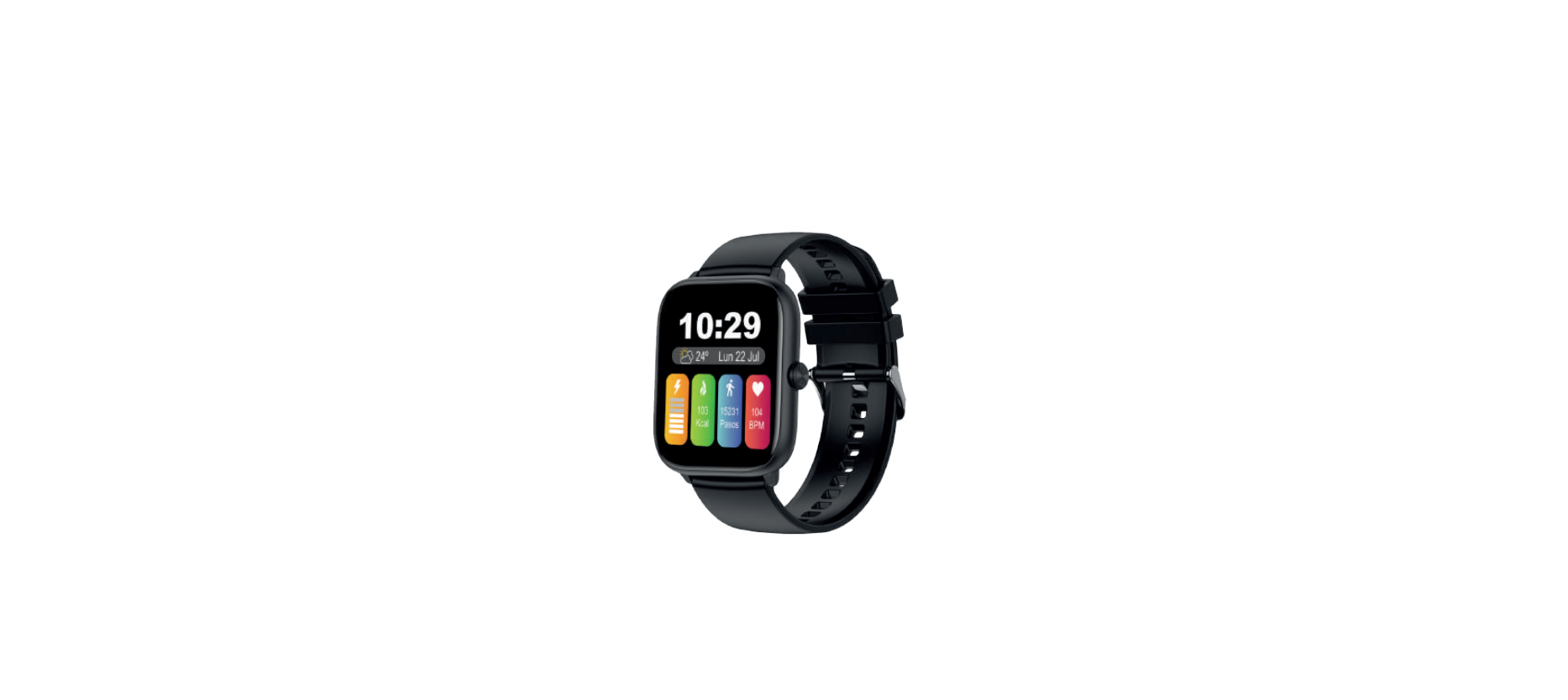

INNOVA SW-47 Fitness Avalanche Smart Watch
Important Safety Information
Handle the Smart Band with care. They contain sensitive electronic components, including batteries, and may malfunction, affect performance, or cause damage if dropped, burned, punctured, crushed, disassembled, or exposed to excessive heat, liquid, or high-pressure environments. Concentrations of industrial chemicals, including nearly evaporated liquefied gases such as helium. Do not use the Smart Band if it is damaged.
Features
Battery: 340 mAh / Screen size: 2.06 inch / BT 5.0 (compatible Android 4.0 and iOS 9.0 above version) / Full touch screen + button / BT call / Step counting / Sleep monitoring / Heart rate / Blood pressure / Blood oxygen / Sedentary reminder / Water reminder / Sports mileage record / 30 days standby and 3-6 days daily battery life (approx.) / Mute alarm clock / Remote photo taking / Music control / Sedentary reminder / Weather / Not waterproof / BT frequency: 2.4 GHz / Maximum RF power emitted < 100 mW.
Batteries
- Do not try to replace the battery of the Smart Band by yourself, as you could damage the Smart Band and cause overheating and injury.
Charge
- Charge the Smart Band with the charging cable and a power adapter or a computer. Charge the device only with an adapter that meets relevant national, international, and regional safety standards.
- Other adapters may not meet applicable safety standards, and their use to charge the Smart Band may present the risk of injury or death. Using damaged cables or chargers, or charging the device if they are wet, may cause fire, electric shock, injury, or damage to the case or other belongings.
Prolonged exposure to heat
- Avoid prolonged skin contact with the device, power adapter, charging cable, and its connector, or the wireless charger when connected to a power source, as this may cause discomfort or injury.
Choking hazard
- The Smart Band and the small parts included may present a choking hazard to small children or cause other injuries. Always keep them out of the reach of children.
Interference with medical devices
- The Smart Band and charger contain components and radios that emit electromagnetic fields. These electromagnetic fields and magnets that the device may contain may interfere with the operation of pacemakers, defibrillators, or other medical devices.
- Keep a safe distance between the medical device and the Smart Band. Request specific information about the medical device from the manufacturer and your doctor. Stop using the Smart Band if you suspect it is interfering with your pacemaker, defibrillator, or other medical device.
Skin irritations
- The Smart Band can cause skin irritation if not cleaned properly. Regularly clean the Smart Band with a soft, lint-free cloth. In the event of any type of skin reaction, stop using the Smart Band. If the problem persists, see your doctor.
Electrostatic discharges
- When using the Smart Band in areas where the air is very dry, it is easy to accumulate static electricity, so you may feel a small electrostatic discharge from the Smart Band on your wrist.
- To minimize this risk, avoid using the Smart Band in extremely dry environments or touching a grounded, unpainted metal object before putting on the Smart Band.
Important Driving Information
- Discoloration of the connector and the bottom of the Smart Band after continued use is considered normal. Dirt, debris, and exposure to moisture could cause discoloration.
Other information
- Box contents: Smart Band, charging cable (Charging adapter not included), and user manual. ! The data provided by the smart watch, such as heart rate, blood oxygen, and blood pressure, is merely indicative; it is not an exact medical measuring device.
Functions
Special attention must be paid to the use of these devices in places with relatively low humidity conditions.
- It may be affected by charges of static electricity on rare but certain occasions. This may cause damage to the device and also to the person wearing it at that time. Static electricity is everywhere. It surrounds us without us perceiving it.
An effective trick to avoid a high percentage of static electricity at home
- Use a humidifier. Humidity is a good conductor of electricity; therefore, by maintaining an acceptable percentage of it, we will avoid static in areas of the home where we metal objects may be found. Small containers of water on top of radiators are another alternative solution.
Device maintenance
Please remember the following tips when you maintain your smart watch
- Clean the smart watch regularly, especially its inner side, and keep it dry.
- Adjust the smart watch tightness to ensure air circulation.
- Excessive skincare products should not be used on the wrist while wearing the smart watch.
- Please cease wearing the smart watch in case of skin allergy or any discomfort..
Downloading and binding of the smart watch APP
- Download from the App Store or Google Play and install the app, or scan the QR code with your mobile phone to download the app.

- Open the APP, update your details (gender, birth year, etc.), and press the check mark. Once done, grant all permissions requested by the APP. To link the Band to your phone, press “To Add”. The phone will search and display BRAZ/1. Select it to pair the Band to your phone. Once synchronization is complete, your Band will display the local date and time.

- When you press the bottom middle, you will see the following screen

Here you can set up notifications, alarms, and the background image (can be personalized). In “Others,” you can establish a time format (12/24 hours), reminders, etc.
Description of the whole machine
Note: Press and hold the power-on key to turn the watch on
The watch is charged and activated
Charge activation is required before using the watch INNOVA SW-47 Fitness Avalanche Smart Watch for the first time. Use the equipped magnetic suction charging cable to attach to the metal point on the back of the watch. The other end of the charging cable can be connected to the USB charging head or a computer USB port.
Connecting call BT
Once you have successfully connected the smart watch to the APP, a pop-up window will appear with a Bluetooth prompt message.
- Motion information: View the number of steps walked, the distance you walk, and the calories burned at any time of the day. You can step into the APP promptly to view motion data.
- Heart rate: Switch to the heart rate test interface for real-time heart rate monitoring, timely synchronization of measurement data to the APP, and test reports.
- Blood oxygen: Switch to the oxygen test interface to enter the blood oxygen real-time detection; test results are displayed directly in the hand table interface.
- Blood pressure: Switch to the blood INNOVA SW-47 Fitness Avalanche Smart Watch pressure interface to enter the real-time monitoring of blood pressure, measurement data can be synchronized to the APP promptly, and there are test reports.
- Sleep: Your watch can record and show the total length of your sleep last night and the length of your deep and light sleep. More detailed analysis and data records can be viewed by the client.
- Exercise: Press the motion shortcut or tap the exercise icon in the main interface to enter sports mode, with a variety of motion modes to choose from.
- Music control: While connected, the watch can control the phone’s music player.
- Breath screen clock: Switch to the screen clock interface to open the finger Needle clock or digital dial selection, on turn off the screen clock.
Features
Battery: 340 mAh / Screen size: 2.06 inch / BT 5.0 (compatible Android 4.0 and iOS 9.0 above version) / Full touch screen + button / BT call / Step counting / Sleep monitoring / Heart rate / Blood pressure / Blood oxygen / Sedentary reminder / Water reminder / Sports mileage record / 30 days standby and 3-6 days daily battery life (approx.) / Mute alarm clock / Remote photo taking / Music control / Sedentary reminder / Weather / Not waterproof / BT frequency: 2.4 GHz / Maximum RF power emitted < 100 mW.
Guarantee
The INNOVA SMART WATCH FITNESS ARES (SW/46 (SW/50)) has a 3-year warranty from the date of purchase. Special importance in the durability of the products have the elements that compose it and that suffer from degradation and loss of capacities due to their use, being understood as normal wear that they lose capacity, especially in the case of rechargeable batteries, depending largely on infinity of external factors (hours of use, charge and discharge cycles, use of inappropriate chargers, temperatures of use, not respecting the recommended charging times, etc…)
Declaration of conformity
Through this INNOVA CELLULAR, it declares that the INNOVA SMART WATCH FITNESS ARES (SW/46 (SW/50)) complies with the essential requirements and any other applicable or enforceable provisions of Directives 2014/53/UE (RED) and RoHS 2011/65/EU annex II amending Directive (EU) 2015/863. To see the complete declaration of conformity.
- You can access it through the following link:
https://www.innovacelular.com/descargas/declaracion/declaracion_sw-46.pdf
Customer service
- Working hours: Mon to Thu from 08:00 to 14:00 and from 15:30 to 17:30, and Fri. from 09:00 to 14:00
- Website: sac@innovacelular.com
- Tel: +92 304 4090409
FAQs
Q: Can I track my menstrual cycle with the watch?
Ans: Indeed. Turn on Female Health Tracking in the INNOVA Fit app and enter your cycle information.
Q: Can I wear the watch on either wrist?
Ans: Indeed. It may be worn on either wrist, and for optimal alignment, you can adjust the wrist preference in Display Settings if your firmware permits it.
Q: Is there a warranty for this watch?
Ans: Indeed. A one-year limited warranty covering manufacturing faults is included with the INNOVA SW-47. For warranty assistance, save your original receipt.
Q: Does the Avalanche watch support multiple time zones?
Ans: Your phone’s time and date settings are mirrored on the watch. Simply modify the clock settings on your phone to switch time zones, and the watch will immediately update.
Q: Can I set custom vibration patterns or intensities?
Ans: Standard vibration patterns are used by the SW-47. At the moment, the majority of models lack customisable vibration settings. The software allows you to enable or disable particular notifications.
Q: Can I use multiple smart watches with the INNOVA Fit app?
Ans: No. The software only allows you to pair one device at a time. Unpair the existing watch and pair the new one by following the instructions.
Q: Does the SW-47 Avalanche support a passcode or screen lock?
Ans: The majority of models don’t support passcodes or screen locks.