

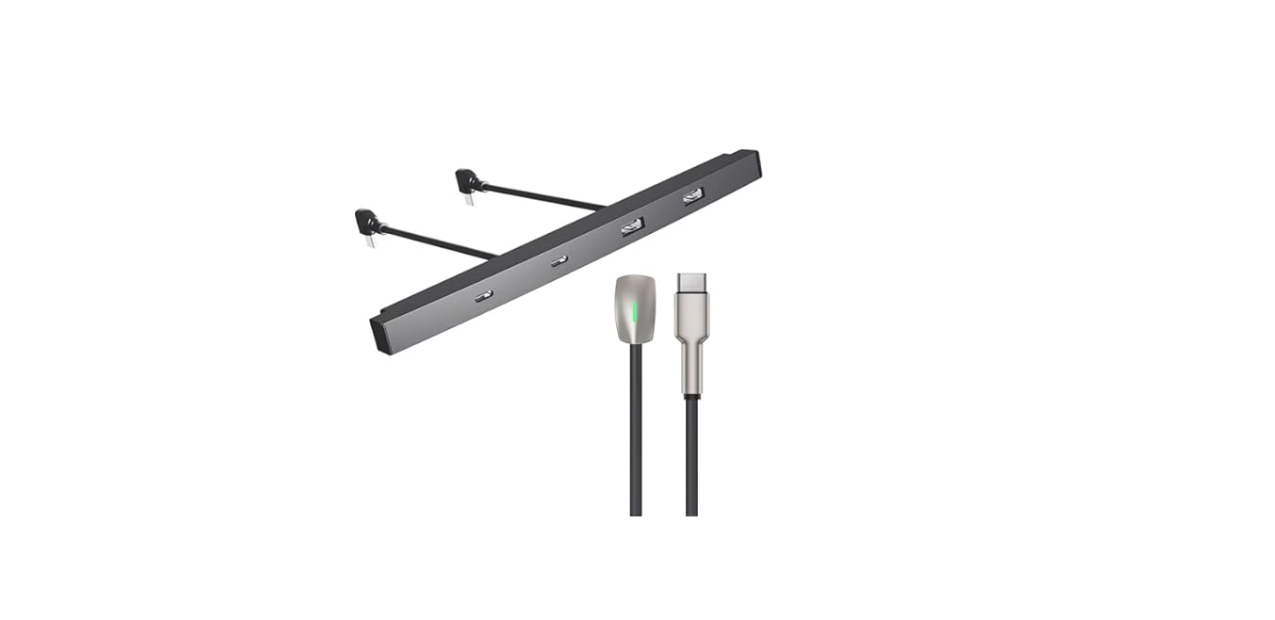

iOttie Terus USB Hub for Tesla

Index
For an optimal user experience, please follow the detailed instructions within this manual when using the Terus USB Hub for Tesla.
Important Safety Information
This manual contains important safety and operating instructions for the Terus USB Hub (TRSCRG301). Please read all instructions and safety information before using this product. If damage occurs as a result of failure to follow the instructions, the warranty will be voided.
- Do not expose to rain, moisture, or snow.
- To reduce the risk of electric shock, unplug this car charger before attempting any maintenance or cleaning. Turning off the vehicle controls will not reduce this risk.
- Avoid extended exposure to direct sunlight, which may damage the device.
- Exposing this product to open flames may cause it to explode.
- Use a dry, soft, lint-free cloth to clean. Do not use any corrosive cleaners or oils to clean.
- Always obey traffic laws and pay attention to the road. Do not attempt to use this device while driving.
This product complies with the radio interference requirements of the European Community. This product is designed and manufactured with high-quality materials and components, which can be recycled and reused.
Product Information
- Vehicle Compatibility
- Device Compatibility
- Product Specifications
- Port Functionality
Installing the Terus USB Hub
- Connecting the USB Hub: Powering the USB Hub
Overview

Vehicle Compatibility
This product can only be used with Tesla Model 3 and Tesla Model Y vehicles manufactured in 2021 and later.
Device Compatibility
- Slide open the front storage compartment cover.
- Insert the USB hub diagonally. Then, straighten the hub and slide it into place so it sits flush against the centre console.
- Connect the hub to the two existing USB-C ports

- Plug in your devices, and you’re ready to go

Data transfer for streaming music, playing games, navigation, or other purposes is only possible via the USB-C I/O port (where available).
Powering the USB Hub
To power the USB hub, the vehicle must be awake. Instances when the vehicle is considered awake include whenever the low voltage battery is being charged or is in use, during HV charging, when the vehicle is communicating with the mobile app, when using features such as Summon, or when features such as Preconditioning, Keep Climate On, Dog Mode, Camp Mode, Sentry Mode, etc. are enabled. Leaving a device plugged into the USB Hub does not deplete the low-voltage battery.
Declaration of Conformity (FCC)
This equipment generates, uses, and can radiate radio frequency energy and, if not installed and usedbyh the instructions, may cause harmful interference to radio communications. However, there is no guarantee that interference will not occur in a particular installation.
- Reorient or relocate the receiving antenna.
- Increase the separation between the equipment and the receiver.
- Consult the dealer or an experienced radio/TV technician for help. CAUTION: Changes or modifications not expressly approved by the party responsible for compliance could void the user’s authority to operate the product.
This equipment complies with FCC radiation exposure limits set forth for an uncontrolled environment.
Customer Service
- Website: cs@iottie.com
- Tel: (201) 580-2688