

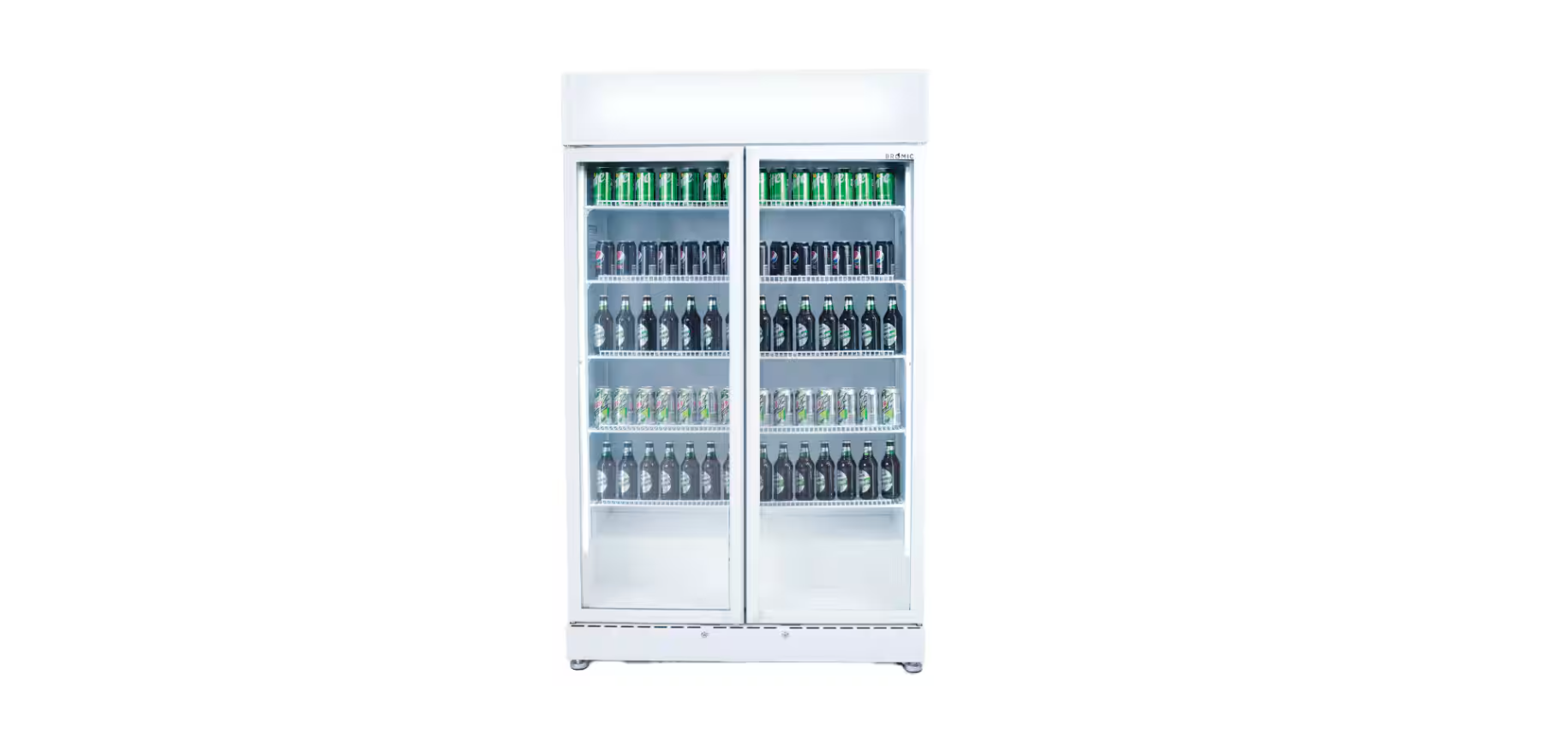

BROMIC 3736258-NR Upright Display Fridge

Safety Instructions
- Use this appliance only as described in this manual.
- Any other use not recommended by the manufacturer may cause fire, electric shock, or injury.
- The manufacturer is not responsible for any damage that could happen from improper use.
- Check the appliance for damage.
- Do not operate a damaged unit.
- Check for damage to the appliance regularly.
- Keep packaging material out of each child’s reach.
- Children should be carefully supervised to ensure that they do not play with the appliance.
- Do not attempt to alter the appliance in any manner.
- Please pay attention to the maximum load limit when filling the shelves.
- All work on electrical equipment must be carried out by a qualified and licensed technician only.
- Do not perform maintenance until the appliance has been turned off and the power disconnected.
- Do not operate the appliance with panels, covers, or guards removed.
- Keep the air intake and outlets free of obstructions.
- Do not use the appliance outdoors.
- If the appliance has not been used or will not be used for a long period, disconnect the power supply.
- The refrigerant used in all appliances covered by this manual is flammable.
Installation
- Do not install the cabinet outdoors.
- Locate the appliance in a dry, well-ventilated place.
- The unit must be positioned on a level surface.
- Do not install in the vicinity of heating radiators or other heat sources.
- Do not install the appliance where it is exposed to direct sunlight.
- Do not install the appliance where it is exposed to warm draughts or open doors.
- Keep the air intake and outlets free of obstructions.
- Adequate allowance should be made for door openings.

Ventilation
- Allow 150mm clearance between walls and the appliance.
- Ensure that the condenser fan is free to take in ambient air from the room.
- Adherence to minimum clearances is necessary.
Power Supply
- The socket used must be properly earthed and fuse/RCD protected.
- See the rating label inside the cabinet for supply voltage, frequency, and current draw.
- Do not turn off the power before consulting the person responsible.

Before Operating
- If the appliance has been sharply tilted or transported in the horizontal position, it must be left to stand in the upright position and not plugged in for at least 4 hours.
- Remove all the packaging material before using the appliance.
- Start the appliance only if it has been installed as described.
Quickstart
Cabinet Startup
- Remove all packaging material before operating the appliance.
- Plug the cabinet directly into a wall power outlet. The cabinet must not be plugged into a multiple-outlet power board.

Cabinet Loading
- Load the cabinet within the limits specified by stickers. Any product exceeding load limits may not cool to the advertised temperature range.

- Bromic recommends fitting 5 shelves for BROMIC 3736258-NR Upright Display Fridge maximum storage space and performance.
- Set the temperature in accordance with the environment. Bromic recommends a setting of “4” for general all-purpose usage. Change the setting such that you achieve the desired cooling capacity.

Storage
- Clean the interior surface with a soft cloth and warm water before loading.
- Ensure there is free circulation of air between the products.
- Do not block the evaporator fan.
- Do not overstock the refrigerator.
- Keep refrigerator door openings to a minimum.
- Some products are sensitive to ultraviolet (UV) light.
- Please see the storage guidelines from the manufacturer before removing from packaging.
- Do not block the internal air vents or fans when loading the cabinet.
- This can reduce cooling performance.
Specifications
| GM0900LWECO | GM0900LBECO | ||
| Part Number | 3736258-NR | 3736259-NR | |
| External Dimension | Height, mm | 1998 | 1998 |
| Width, mm | 1200 | 1200 | |
| Depth, mm | 690 | 690 | |
| Capacity | Litres | 885 | 885 |
| Air Circulation | Type | Fan Forced | Fan Forced |
| Climate Class | Rating | 3M2 | 3M2 |
| Temperature | Range | -1°C to +7°C | -1°C to +7°C |
| Max Ambient | 38°C | 38°C | |
| Type | Analogue | Analogue | |
| Exterior | Material | Painted Metal | Painted Metal |
| Interior | Material | White painted metal | White painted metal |
| Electrical | Voltage, V | 220-240 | 220-240 |
| Frequency, Hz | 50 | 50 | |
| Current, A | 4 | 4 | |
| Power, W | 550 | 550 | |
| Power Consumption | kWh/24h | 11.5 | 11.5 |
| Internal Light | Type | LED | LED |
| Qty | 2 | 2 | |
| Refrigeration | Refrigerant | R290 | R290 |
| Charge, g | 150 | 150 | |
| Plug | Rating | 10A | 10A |
| Wheels | Type | Castors | Castors |
| Quantity | 4 | 4 |
Maintainance
- Disconnect the appliance from the power supply before performing any maintenance. Never unplug the appliance by pulling on the cord. Always grasp the plug firmly and pull straight out of the outlet.
- Exposure to significant water ingress will void the warranty and cause potential safety issues.
Cleaning
- Remove the products and transfer to a suitable location prior to cleaning the inside of the cabinet.
- Do not use any aggressive or abrasive cleaning agents.
- Never use a water hose or a high-pressure jet to clean.
- Do not use sharp or pointed objects for cleaning.
- Clean the inside and outside of the appliance with a clean, damp cloth or with a neutral cleanser.
- Dry all surfaces with a dry cloth.
- Never use polishing powder, soap powder, benzine, oil, or hot water, as these will damage the painting and plastic components.
- Preventing the build-up of oil and sediments will increase the longevity of the unit.
- Check the power cord for cracks and damage. If damaged, contact Bromic Service.
Condenser Coil/Filter
- A poorly maintained condenser coil can lead to failure of the unit and higher cabinet temperatures.
Troubleshooting
| Symptom | Possible Cause(s) | Possible Solution(s): The fridge |
| e does not turn on | A. No power supply | A. i. Check that the switch is on. Try plugging the cabinet into different power sockets
0 Check the power plug and cord for damage |
| The fridge temperature is too high | A. Incorrect controller set point
B. Ambient temperature too high C. Inadequate ventilation D. Dirty condenser unit E. Ice build-up on evaporator coil |
A. Change controller set point B. Ensure the unit is in an air-conditioned environment of 25 °C. Keep ventilation slots clear |
| The fridge temperature is too low | A. Incorrect controller set point
B. Ambient temperature too low C. Faulty evaporator probe |
A. Change controller set point B. Ensure the unit is in a temperature-controlled environment of 25 °CCC
C. Contact Bromic service |
| The fridge temperature is greatly fluctuating | A. The cabinet is in direct sunlight or outdoors | A. Reposition the cabinet such that
It is not in direct sunlight or outdoors |
| The fridge is leaving water puddles on the ground | A. Cabinet glass is condensing and dripping
B. The cabinet drip tray is overflowing |
A. Ensure the cabinet is in an air-conditioned environment of 25 °C and 60% RH
B. Contact Bromic service for diagnosis |
| No display on the controller | A. No power supply | A. Check power supply
B. Contact Bromic customer service |
| Odour inside the Fridge | A. Rotting odour inside the cabinet. B. Oior smokyyy odour | A. Clean the cabinet
B. Turn off the cabinet and contact Bromic service immediately |
Diposal
The refrigerant used and contained within a hermetically tight circuit is environmentally friendly and does not contain chlorine and has zero ODP.
- Before disposal, render it unserviceable by disconnecting the power plug and severing the power cable.
- Consult your local authorities or authorised dealers for details of collection and disposal facilities.
- Children are often unable to recognise the dangers associated with commercial refrigeration equipment.
- The refrigerant used in all appliances covered by this manual is flammable.
Warranty
Warranty Terms vary across the range. Please BROMIC 3736258-NR Upright Display Fridge ensure you are familiar with the Terms and Conditions that apply to the purchase of your Bromic product by referring to the Warranty Policy included with your purchased product.
Customer Support
-
- Website: www.bromicgroup.com/
- Tel: 1300 276 642