

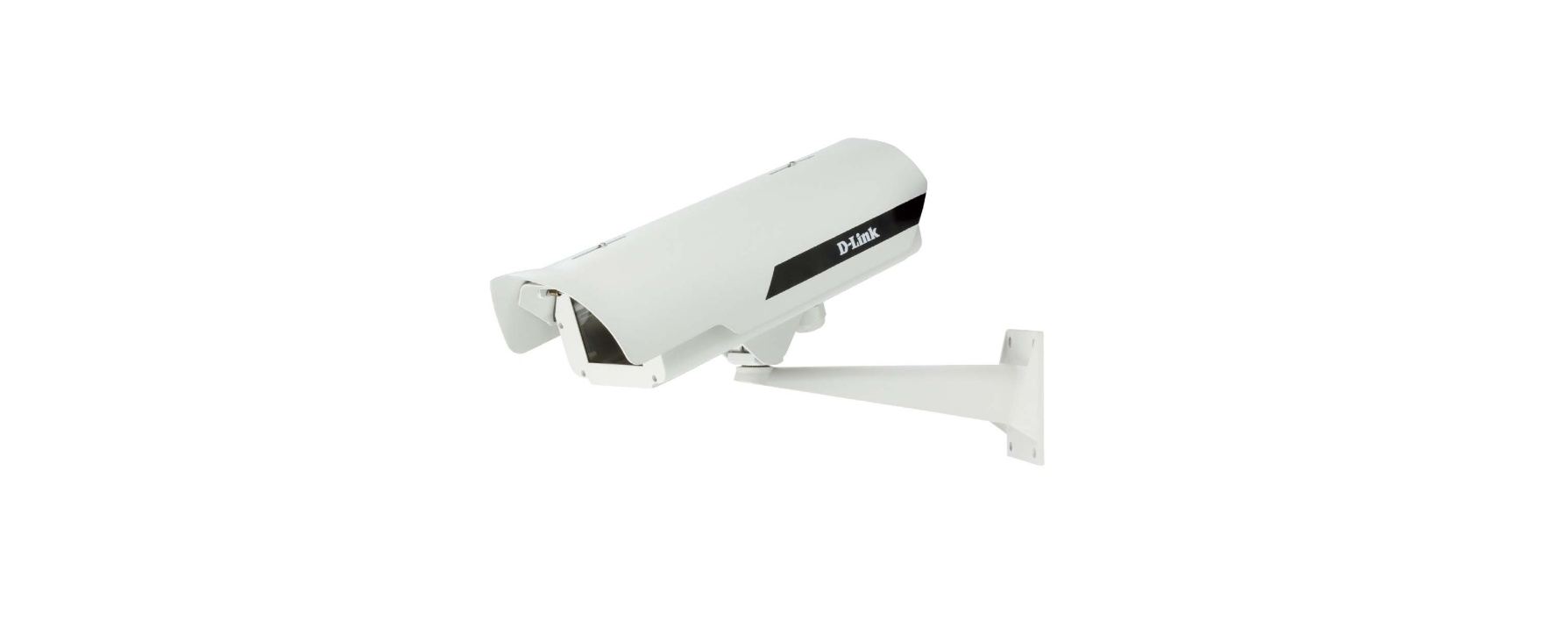

D-Link DCS-56W Outdoor Enclosure

Quick Install Guide
This installation guide provides basic instructions for installing the DCS-56 Series Outdoor Enclosure. The DCS-56 series is are outdoor enclosure designed for use with D-Link’s box cameras. This IP66-certified enclosure protects D-Link outdoor enclosure installation guide your camera against dust and heavy jets of water. These models include a heater and a blower for a wider range of temperature-sensitive environments. The DCS-56 series consists of the DCS-56, the DCS-56P, and the DCS-56W.
Package Contents
- Camera Enclosure
- Mount Bracket
- Wireless Antenna & holder (DCS-56W only)
- Assembly Kit (Anchors, Screws, Allen key)
- Quick Installation Guide
If any of the above items are missing, please contact your reseller.
Hardware Overview

Physical Installation
- STEP 1: Open the camera enclosure and slide the camera into the holder. Tighten the camera in the holder.

- STEP 2: Adjust the holder by loosening the retaining screws and tightening the screws to lock the desired position.

- STEP 3: For the DCS-56 and DCS-56P models, connect the Ethernet cable to the LAN port of the camera.
 For the DCS-56W model, connect the wireless antenna extender to the camera.
- STEP 4: Mount the mount bracket to the location where you want to set up your camera. To prevent damage to the Ethernet cable, pre-install the cable at the location.

- STEP 5: Install the camera enclosure onto the mount bracket and secure the joint with the screws provided.

- STEP 6: Adjust the screws accordingly below the camera enclosure to control the camera position.

- STEP 7: To install the D-Link outdoor enclosure installation guide wireless antennas (DCS-56W only), connect the wireless antennas to the camera enclosure, then attach the antenna holders to the enclosure, and tighten them in place.

Customer Services
You can find software updates and user documentation on the D-Link website.
Australia
- Tel: 1300-766-868
- Web: http://www.dlink.com.au
- E-mail: support@dlink.com.au
Malaysia, Philippines, Vietnam:
- Singapore – www.dlink.com.sg
- Thailand – www.dlink.co.th
- Indonesia – www.dlink.co.id
- Malaysia – www.dlink.com.my
- Philippines – www.dlink.com.ph
- Vietnam – www.dlink.com.vn
Korea
- Tel : +82-2-2028-1810
- Timings: Monday to Friday 9:00 am to 6:00 pm
- Web: http://d-link.co.kr
- E-mail : g2b@d-link.co.kr
New Zealand
- Tel: 0800-900-900
- Web: http://www.dlink.co.nz
- E-mail: support@dlink.co.nz
South Africa and the Sub-Saharan Region
- Tel: +27 12 661 2025
- Timings: Monday to Friday 8:30 am to 9:00 pm
- Web: http://www.d-link.co.za
- E-mail: support@d-link.co.za
FAQs
Q: What is the D-Link DCS-56W Outdoor Enclosure used for?
In order to shield compatible D-Link network cameras from dust, rain, and extremely high or low temperatures, the D-Link DCS-56W is a waterproof exterior enclosure. It allows for robust and secure exterior installation without sacrificing network connectivity or video quality.
Q: Which D-Link cameras are compatible with the DCS-56W enclosure?
Specific D-Link camera models, such as the DCS-5000 series and some DCS-6000 series network cameras, are intended for the DCS-56W. Check the datasheet for your camera or go to the official D-Link support page to verify compatibility.
Q: Can I mount the enclosure on a ceiling or pole?
Indeed. Depending on your security requirements, you can mount the DCS-56W on a wall, ceiling, or pole.
A pole-mount adaptor kit (separately available) could be needed for pole attachment.
Q: Is there a built-in heater or fan for temperature regulation?
Certain DCS-56W models come with an integrated heater and fan module that allows the camera to function in temperatures between -20°C and 50°C (-4°F and 122°F). Verify this feature on the label of your product.
Q: Can I install the DCS-56W in direct sunlight?
Yes, but in order to avoid glare, overheating, and UV exposure, it is advised to use the sunshield that comes with the device. For optimal protection, align the housing so that the sunshield faces the direction of the sun.
Q: What is the recommended mounting height?
Install the enclosure 2.5–3 meters (8–10 feet) above the ground for the best coverage and camera angle. Make sure there are no obstructions in the field of vision, such as plants, walls, or outside lighting equipment.