



D-Link DCS-80-5-DCS-80-6 Outdoor Power Box
Introduction
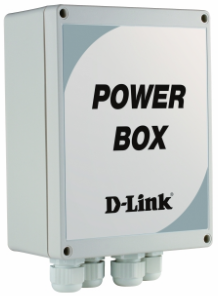
This guide contains step-by-step instructions for setting up the D-Link DCS-80-5/6 Outdoor Power Box. Please note that the model you have purchased may appear slightly different from those shown in the illustrations. This AC 24 V power supply is designed for indoor and outdoor applications and is ideal for use with exterior-mounted dome cameras. It can power one dome camera with a heater, pan/tilt device, blower, and/or other systems. The unit has one fused output and is capable of handling a total load of 72 V. For operation in different regions, two versions are available: AC 110-115 V power input and AC 220-230 V power input. The power box provides a protected enclosure for water resistance and convenient alarm board installation.
Unpacking the Product
Open the shipping carton and carefully unpack its contents. Please consult the packing list below to make sure all items are present nd undamaged. If any item is missing or damaged, please contact your local D-Link reseller for replacement.
- Power Box Unit
- Alarm Board
Product Overview
The components contained in the power box are described in the following diagrams and tables.
Internal Diagram
Communication Signal Terminal Block
| 1 (J1) | 2 (J6) | ||||
| Pin | Definition | Pin | Definition | ||
| 1 | Reserved | 1 | Reserved | ||
| 2 | Reserved | 2 | Reserved | ||
| 3 | Reserved | 3 | Reserved | ||
| 4 | Reserved | 4 | Reserved | ||
| 5 | ISOG | 5 | ISOG | ||
| 6 | VGND | 6 | VGND | ||
| 7 | VIDEO | 7 | VIDEO | ||
Power signal terminal block
| 3 (J5) | 4 (J2) | ||||
| Pin | Definition | Pin | Definition | ||
| 1 | AC 24 V | 1 | AC 24 V | ||
| 2 | FG | 2 | FG | ||
| 3 | AC 24 V | 3 | AC 24 V | ||

Alarm Board Pin Definition
| 10 (J2) | 8 (J1) | ||
| Pin | Definition | Pin | Definition |
| ALR_COM | ALARM COM | ALR_COM | ALARM COM |
| ALR_NC | ALARM Normal Close | ALR_NC | ALARM Normal Close |
| ALR_NO | ALARM Normal Open | ALR_NO | ALARM Normal Open |
| ALR_GND | ALARM GND | ALR_GND | ALARM GND |
| ALARM 8 | ALARM PIN 8 | ALARM 8 | ALARM PIN 8 |
| ALARM 7 | ALARM PIN 7 | ALARM 7 | ALARM PIN 7 |
Alarm Board Pin Definition
| 11 (J3) | 9 (J4) | ||
| Pin | Definition | Pin | Definition |
| ALARM 6 | ALARM PIN 6 | ALARM 6 | ALARM PIN 6 |
| ALARM 5 | ALARM PIN 5 | ALARM 5 | ALARM PIN 5 |
| ALARM 4 | ALARM PIN 4 | ALARM 4 | ALARM PIN 4 |
| ALARM 3 | ALARM PIN 3 | ALARM 3 | ALARM PIN 3 |
| ALARM 2 | ALARM PIN 2 | ALARM 2 | ALARM PIN 2 |
| ALARM 1 | ALARM PIN 1 | ALARM 1 | ALARM PIN 1 |
Internal Diagram
| Port | Cable Diameter | Purpose |
| C1, C3 | 6 mm – 12 mm | For Power Cord (AC
110 V/220 V or AC 24 V) |
| C2, C4 | 10 mm – 14 mm | For Dome Camera or External Data Cable |
Connection Notice
- Connect any devices first before plugging in the power supply.
- Verify that the power box model meets the voltage requirements of your device.
Preparation Before Installation
Prepare the power box for installation:
- Remove the screws from the lid of the power box.
- Remove the lid and set it aside.
- Remove the padding from the enclosure.
- Refer to the power box diagram in this manual when attaching data and power cables.
- Refer to the alarm board diagram to attach alarm wiring if needed.
- Specify the appropriate adapter voltage.
Installation
Step 1: Obtain the 22-pin data cable from the camera packaging.
Step 2: Identify the 3-pin AC 24 V connector (red/yellow/black). Cut the wires.
 Step 3: Identify the BNC video out connector. Cut the wire.
Step 4: Remove the wire shielding from the AC 24 V cables with a wire stripper. Expose 3 mm of naked wire.

Step 5: Thread the 22-pin data cable through the C2 or C4 port of the Power Box. Be sure to pull all wires through completely.

Step 6: Connect the AC 24 V cables to the power terminal block (J2).

- Pin 1 Pin 2 Pin 3
- Red Yellow Black
Table 6. Pin/Wiring Definitions

Step 8: Secure the brass pillar to the circuit board.

Step 9: First connect the alarm in/out cables to the alarm board (please refer to tables 3&4 for definitions). Secure the alarm board onto the top of the brass pillar with screws.
Step 10: Replace the lid of the power box and affix it tightly using the included screws.
Step 11: Plug in the unit.
Fuse Replacement
Use a screwdriver D-Link outdoor power box installation to pry open the fuse panel as shown. Once the panel has been removed, you will see the currently installed fuse next to a clasp with a spare fuse.
If needed, your D-Link outdoor power box installation may replace a blown fuse with the provided spare.
Reconnect the fuse panel when finished.
Specifications
- Electrical: Power Source DCS-80-5: AC 110-115 V @ 50-60 Hz DCS-80-6: AC 220-230 V @ 50-60 Hz Certified Limited Power Source
- Output: AC 24 V (max. AC 29 V), 3,0 A max.
- Mechanical Environment: Indoor / Outdoor
- Dimensions (H x W x D): 187 x 147 x 76 mm (7.36 x 5.78 x 3 inches)
- Mounting Area (H x W): 187 x 147 mm (7.36 x 7.16 inches)
- Weight: 2 kg
- Enclosure Material: Impact-Resistant Polycarbonate Non-metallic
- Flammability Rating: UL 94V-1
- Colour: Light Grey
- Cover Fasteners: 4 Captive Screws
- Environmental Waterproof Standard: IP66
- Operating Temperature: 0 °C to 40 °C (32 °F to 104 °F)
- Storage Temperature: -40 °C to 50 °C (-40 °F to 122 °F)
- Relative Humidity: 0 to 95% non-condensing
- Regulatory Compliance Safety: LVD EN 60950 EMC FCC, CE, C-tick, VCCI Class A
FCC Interference Statement
This equipment generates, uses, and can radiate radio frequency energy and, if not installed and used according to the instructions, may cause harmful interference to radio communications. However, there is no guarantee that interference will not occur in a particular installation.
- Reorient or relocate the receiving antenna.
- Increase the separation between the equipment and receiver.
- Consult the dealer or an experienced radio/TV technician for help.
This device complies with Part 15 of the FCC Rules. Operation is subject to the following two conditions:
- This device may not cause harmful interference, and
- This device must accept any interference received, including interference that may cause undesired operation.
FCC Caution: Any D-Link battery motion sensor changes or modifications not expressly approved by the party responsible for compliance could void the user’s authority to operate this equipment.
Customer Support
- Website: https://www.dlink.com/
- Ph: UAE: +971-4-8809033, Pakistan: +9221-34548310
FAQs
Q: What is the D-Link DCS-80-5 / DCS-80-6 Outdoor Power Box used for?
They offer dependable electrical connections and protection against surges in challenging settings like parking lots, campuses, or manufacturing facilities.
Q: Is this power box weatherproof?
Indeed. The DCS-80-5 and DCS-80-6 are both dust-tight and impervious to strong water jets thanks to their IP66 rating.
Q: Does it include surge protection?
Indeed. Surge protection is included in the box to safeguard connected devices from power surges and lightning strikes. It is advised to utilise a grounded outlet and, if one is available, an external surge suppressor for added safety.
Q: Is the power box lockable for security?
Indeed. To stop illegal access to interior wiring and components, the enclosure has a secure latch system.
Q: What type of power input does the DCS-80-5 / DCS-80-6 require?
Both versions typically provide DC or PoE output to connected devices and accept AC input (100–240V, 50/60Hz).
Q: Can I use this power box with non-D-Link devices?
Yes, provided that the voltage and current specifications align with those of the box.
Q: Can I install this near the ground?
To avoid water exposure during rain or flooding, it is advised to install the box at least 50 cm (20 inches) above the ground.